Follow us on our LinkedIn page

All the IMS-Based ITC Features You Need for GST Compliance

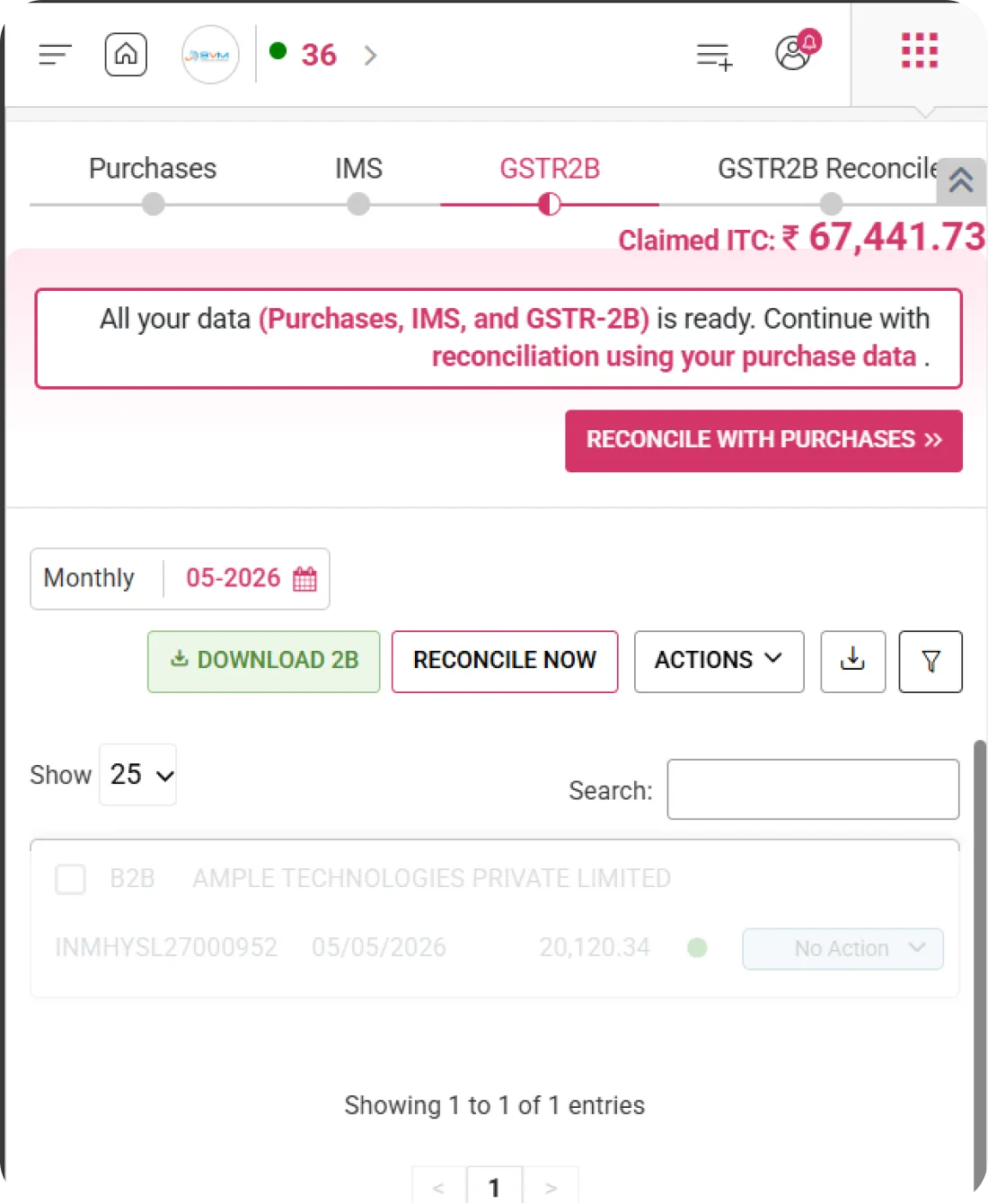
WhiteBooks provides IMS based ITC management with ITC overview, alerts, summaries, reconciliation, auto matching, bulk actions, and validation tracking for. WhiteBooks IMS-Based ITC Management & Reconciliation is part of the WhiteBooks platform — a GSP-certified, cloud-first business management suite used by Indian SMBs and mid-market enterprises.

WhiteBooks streamlines IMS based ITC management with real time alerts, auto reconciliation, ITC overview, accept or reject controls, and mismatch validation before filing.

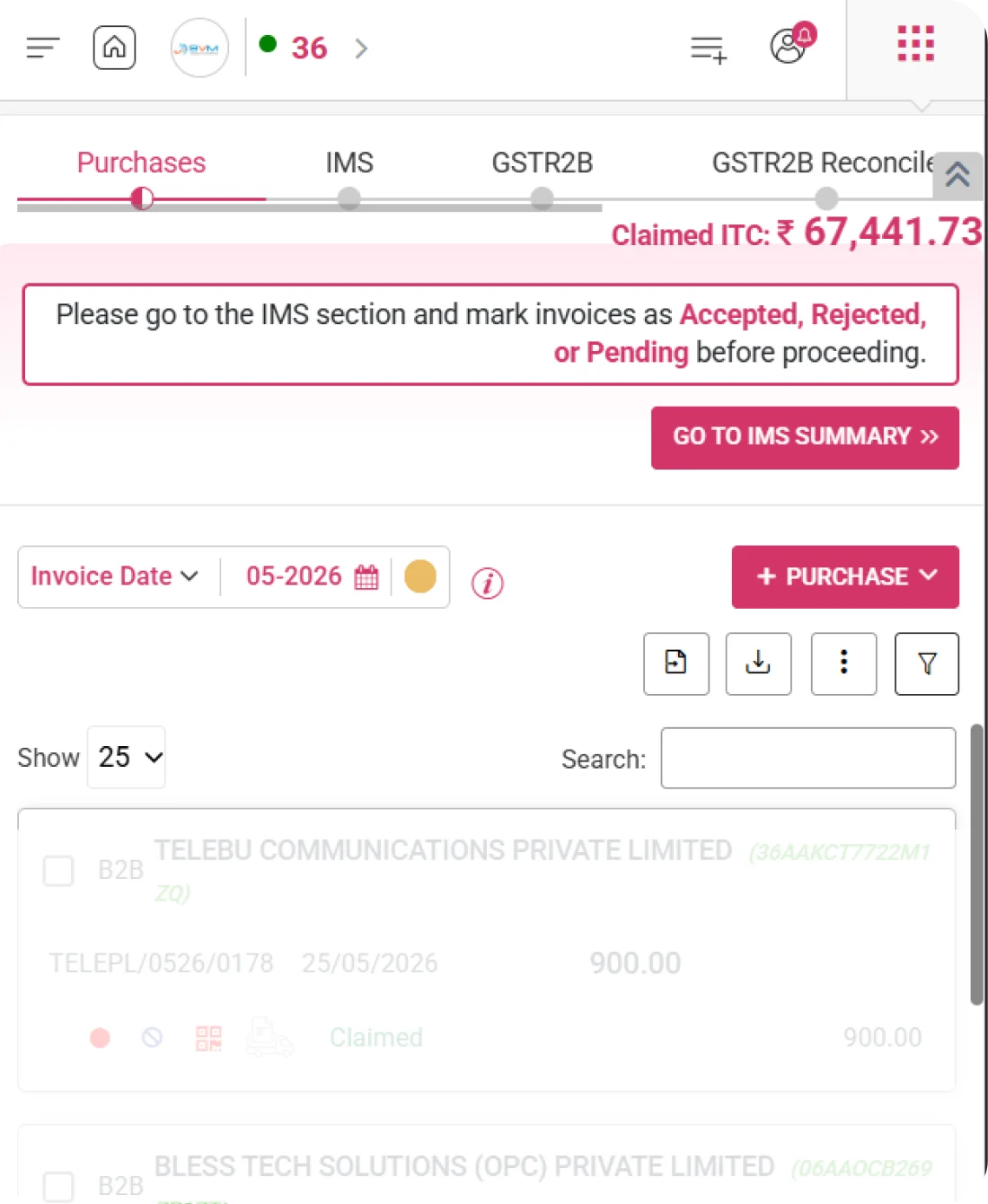
gstr2B-purchases-dashboard
IMS Action Alert System

Instant Alerts for Required IMS Actions

WhiteBooks delivers timely notifications for invoices requiring acceptance, rejection, or marked as pending under IMS. This enables quick action, ensuring accurate ITC claims and seamless reconciliation without missing critical updates.
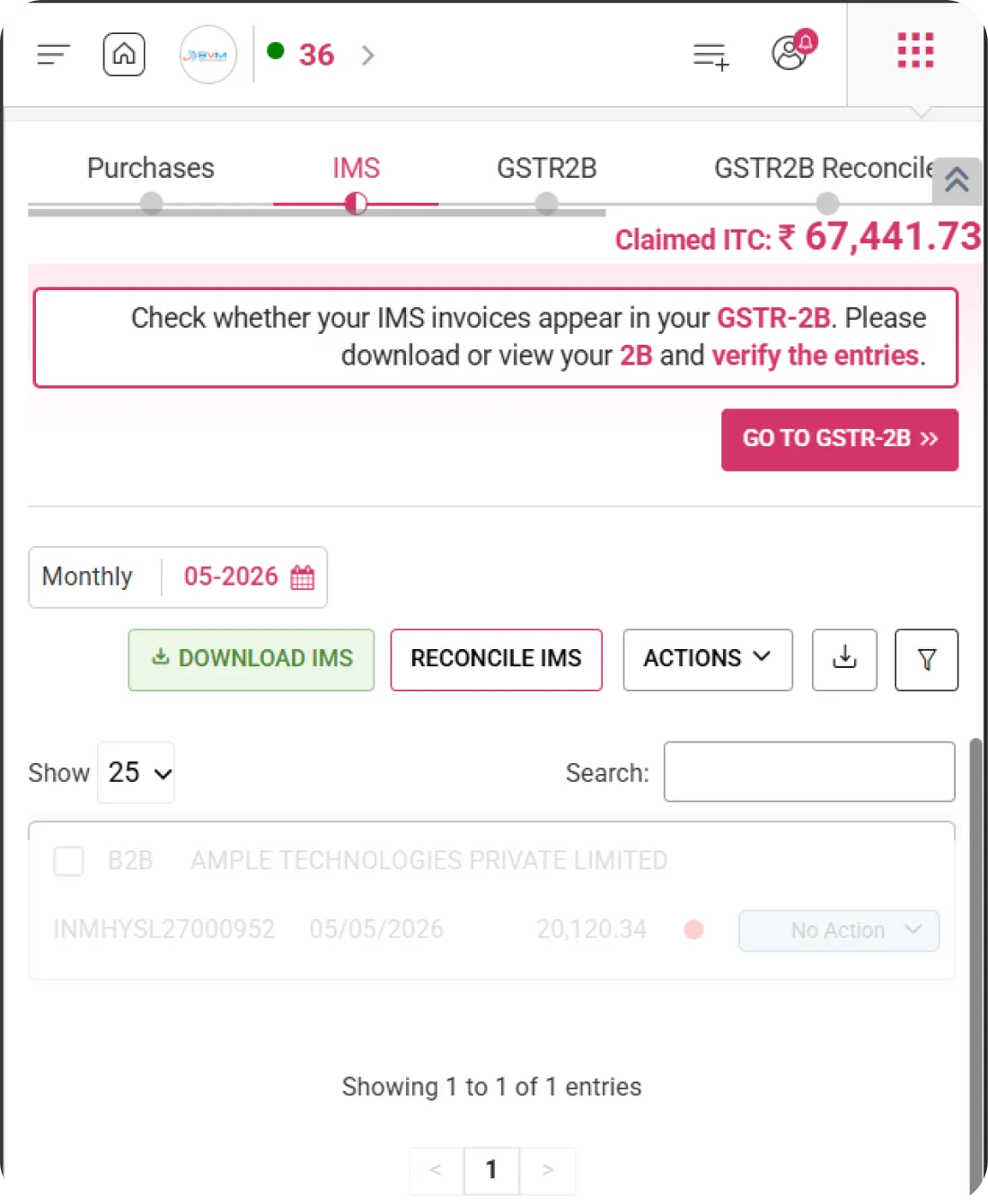
gstr2B-purchases-imsAction

Pending Action Alerts

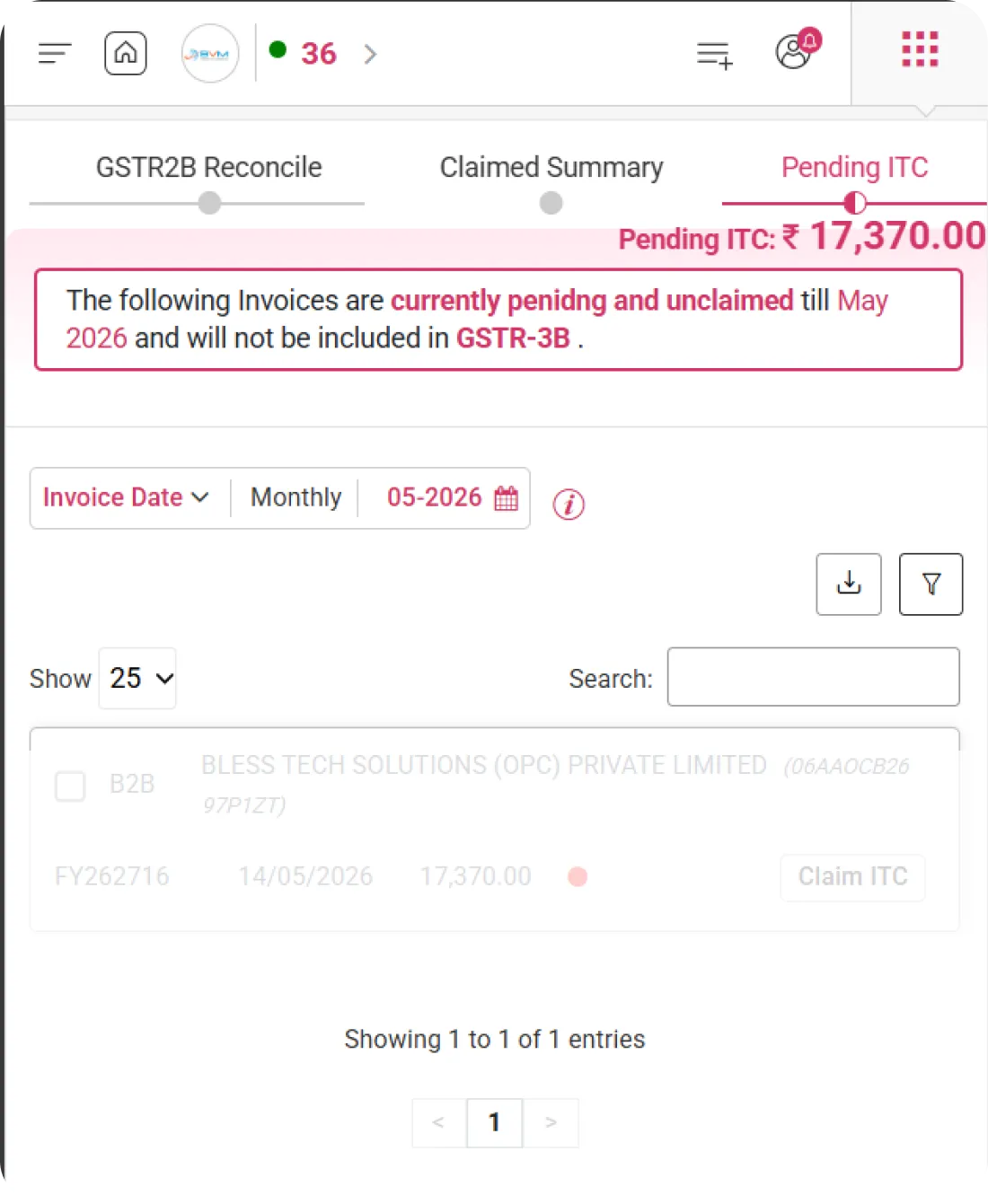
Highlights invoices that are awaiting your acceptance, rejection, or review under IMS. Ensures you never miss important actions that impact your ITC claims.

Deadline Notifications

Sends reminders about upcoming action timelines to prevent loss of eligible ITC. Helps you stay compliant and take timely decisions on pending invoices.

Supplier Update Alerts

Notifies you whenever suppliers update or amend invoice data. Keeps your records aligned and supports accurate reconciliation.
Claimed ITC Overview

Comprehensive View of Claimed Input Tax Credit

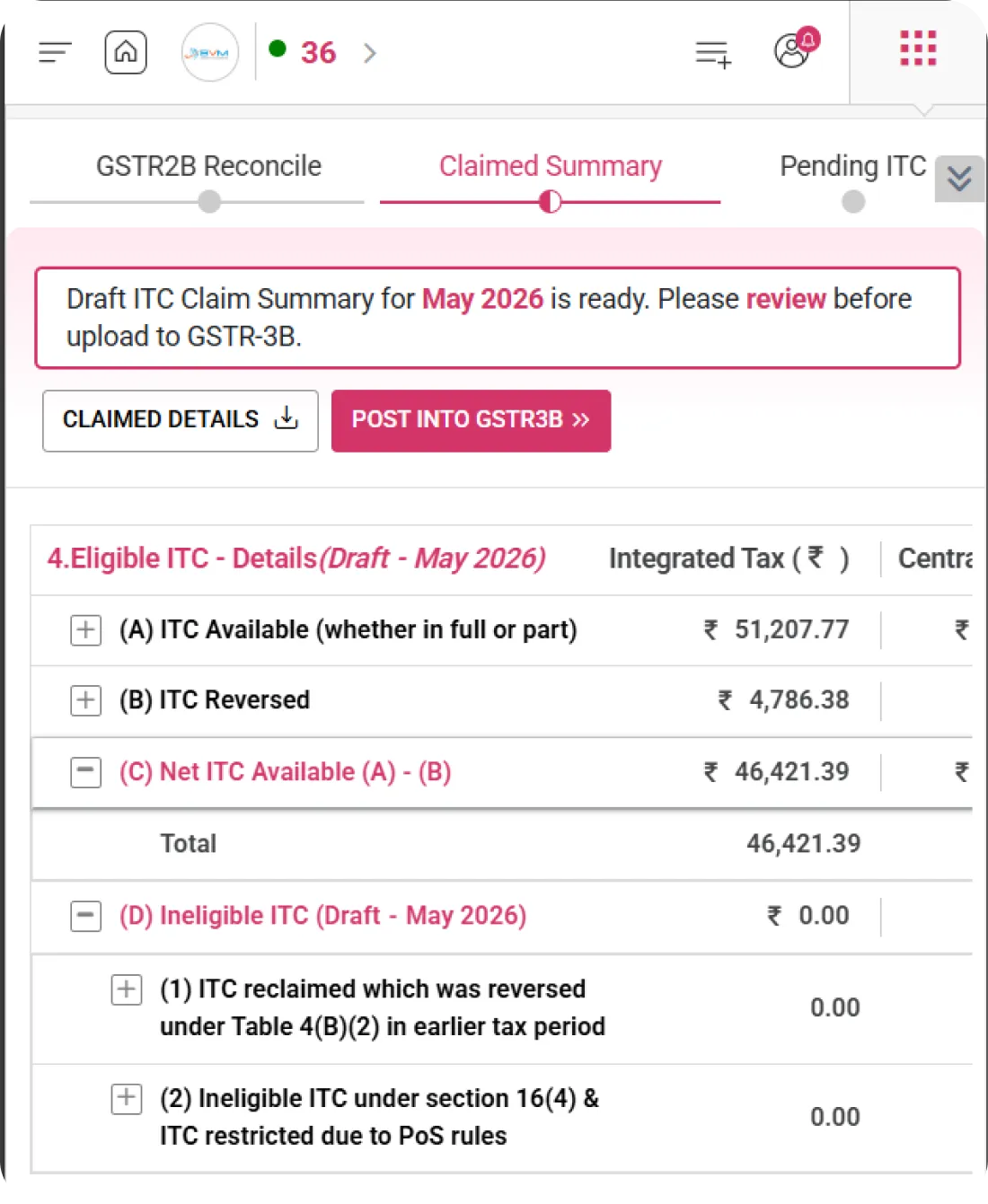
WhiteBooks provides a clear and consolidated overview of total Input Tax Credit (ITC) claimed based on reconciled purchase data and IMS actions, ensuring accurate credit utilization, eligibility tracking, and compliance readiness.
gstr2B-purchases-register

Total ITC Claimed

Displays the total Input Tax Credit (ITC) claimed for the selected return period. Provides a quick overview of credit utilized for accurate tax planning and reporting.

Eligible vs Ineligible ITC

Clearly shows the classification between eligible and blocked or ineligible credits. Helps prevent incorrect claims and ensures compliance with GST rules.

Section-Wise ITC Split

Provides a detailed breakdown of ITC across different GST sections. Enables better verification and reconciliation before final submission.
IMS Summary Dashboard

Centralized IMS Data Overview

WhiteBooks provides a centralized dashboard summarizing IMS invoice counts, pending actions, and their overall ITC impact. It delivers a clear snapshot to monitor decisions, track compliance, and manage credits efficiently.
gstr2B-purchases-imsSummary

Invoice Count Metrics

Displays the total number of invoices received through IMS for the selected period. Provides a quick quantitative overview to help track incoming purchase data.

Action Status Summary

Shows a clear summary of invoices marked as accepted, rejected, or pending. Enables easy monitoring of decision status and required follow-ups.

ITC Impact Overview

Highlights the Input Tax Credit impact based on the actions taken on invoices. Helps you understand how acceptances or rejections affect your overall ITC claim.
Reconciliation Summary

Detailed Reconciliation Overview

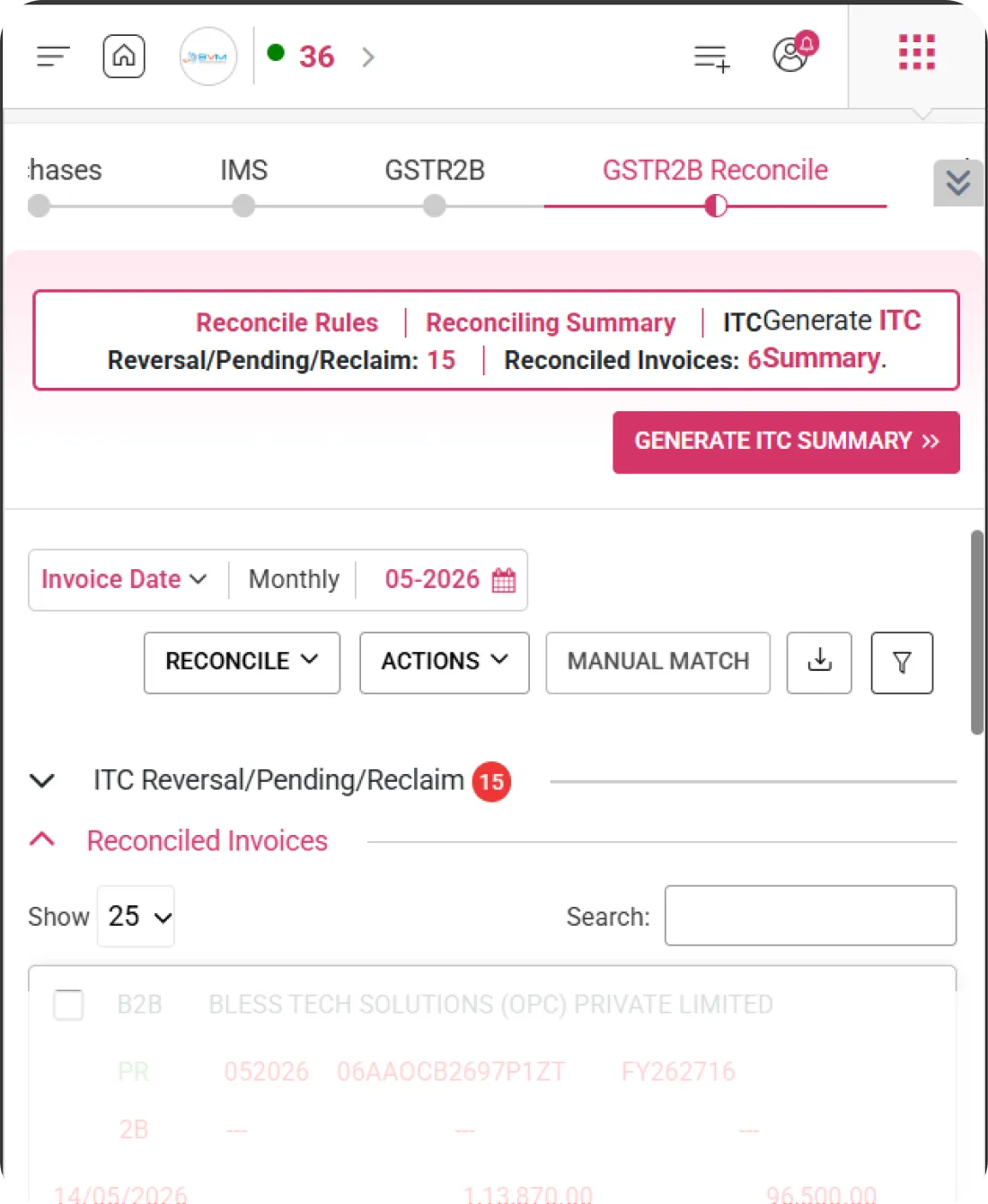
WhiteBooks enables comparison of IMS invoice data with your purchase register to identify mismatches, missing entries, or discrepancies. This ensures accurate ITC claims, maintains proper records, and resolves differences before return filing.
gstr2B-purchases-reconSummary

Matched Transactions

Displays invoices that are successfully reconciled between IMS data and your purchase register. Confirms accuracy and strengthens confidence in your ITC claims.

Mismatched Records

Identifies discrepancies in taxable value, tax amount, or GSTIN details. Helps you quickly investigate and resolve differences before filing returns.

Missing Invoice Detection

Highlights invoices that are present in IMS but missing in your books, or vice versa. Ensures no eligible credit is missed and records remain complete.
Transaction Period Selection

Select Period for IMS Review

WhiteBooks allows users to select the relevant transaction period for accurate IMS data review and reconciliation. This ensures invoice matching, ITC verification, and action tracking are performed for the correct reporting cycle without confusion.
gstr2B-purchases-transactionDateBased

Financial Year Selection

Select the applicable financial year (FY) for performing reconciliation activities. Ensures that all IMS comparisons and ITC reviews are done within the correct accounting period.

Month Selection Option

Choose a specific month to analyze and reconcile invoice data in detail. Helps focus on a particular reporting cycle for accurate verification.

Locked Period Indicator

Identify periods that are already finalized or locked by the system. Prevents accidental modifications and maintains data integrity during reconciliation.
One-Click Reconciliation

Reconcile Invoices Instantly

WhiteBooks automatically matches IMS data with your purchase register using smart reconciliation logic. This reduces manual effort and ensures accurate ITC validation with minimal errors.
gstr2B-reconcile-register

Auto-Match Invoices

Matches invoices intelligently based on key parameters such as GSTIN, invoice value, and invoice date. Ensures precise comparison and faster reconciliation results.

Mismatch Highlighting

Clearly marks unmatched or partially matched records for easy identification. Helps you focus only on discrepancies that require attention.

Quick Correction Access

Provides direct access to edit or correct mismatched entries instantly. Speeds up issue resolution and improves overall reconciliation efficiency.
Action Management

Manage IMS Invoice Actions Efficiently

WhiteBooks lets users accept, reject, or keep invoices pending from a single, centralized interface. This simplifies invoice decision-making and ensures full control over ITC-related actions.
gstr2B-purchases-actions

Accept/Reject Controls

Take immediate action on invoices with simple accept or reject options. Enables quick decision-making without navigating across multiple screens.

Bulk Action Option

Perform accept, reject, or pending actions on multiple invoices at once. Saves time and improves efficiency when handling large volumes of records.

Action History Tracking

View a complete log of all actions taken on invoices for full transparency. Helps maintain an audit trail and supports compliance requirements.
Validation Status Indicators

Clear Status Indicators for Every Record

WhiteBooks uses visual indicators to quickly highlight validation, reconciliation, and ITC eligibility status. This enhances decision-making speed and minimizes the risk of overlooking critical issues.
gstr2B-purchases-validationStatus

Match Status Labels

Displays clear labels such as matched, mismatched, or missing for each invoice. Enables instant understanding of reconciliation status without manual comparison.

ITC Eligibility Indicator

Shows whether Input Tax Credit (ITC) is claimable based on reconciliation and IMS actions. Helps ensure only eligible credits are considered for return filing.

Error & Warning Flags

Highlights records that require attention using clear error and warning markers. Allows quick correction before proceeding with final submission.
Get started with WhiteBooks
WhiteBooks streamlines IMS to ITC workflow with automated invoice matching, discrepancy alerts, supplier updates, and verified, filing ready credit claims every period.
No Credit Card Required

All the Pricing you will need in an Accounting Software

WhiteBooks streamlines IMS based ITC management with real time alerts, auto reconciliation, ITC overview, accept or reject controls, and mismatch validation before filing.

features-banner
Claimed ITC Overview

Comprehensive View of Claimed Input Tax Credit

WhiteBooks provides a clear and consolidated overview of total Input Tax Credit (ITC) claimed based on reconciled purchase data and IMS actions, ensuring accurate credit utilization, eligibility tracking, and compliance readiness.

Total ITC Claimed

Displays the total Input Tax Credit (ITC) claimed for the selected return period. Provides a quick overview of credit utilized for accurate tax planning and reporting.

Eligible vs Ineligible ITC

Clearly shows the classification between eligible and blocked or ineligible credits. Helps prevent incorrect claims and ensures compliance with GST rules.

Section-Wise ITC Split

Provides a detailed breakdown of ITC across different GST sections. Enables better verification and reconciliation before final submission.
Claimed ITC Overview

Comprehensive View of Claimed Input Tax Credit

WhiteBooks provides a clear and consolidated overview of total Input Tax Credit (ITC) claimed based on reconciled purchase data and IMS actions, ensuring accurate credit utilization, eligibility tracking, and compliance readiness.

Total ITC Claimed

Displays the total Input Tax Credit (ITC) claimed for the selected return period. Provides a quick overview of credit utilized for accurate tax planning and reporting.

Eligible vs Ineligible ITC

Clearly shows the classification between eligible and blocked or ineligible credits. Helps prevent incorrect claims and ensures compliance with GST rules.

Section-Wise ITC Split

Provides a detailed breakdown of ITC across different GST sections. Enables better verification and reconciliation before final submission.
Get started with WhiteBooks
WhiteBooks streamlines IMS to ITC workflow with automated invoice matching, discrepancy alerts, supplier updates, and verified, filing ready credit claims every period.
No Credit Card Required
IMS Action Alert System

Instant Alerts for Required IMS Actions

WhiteBooks delivers timely notifications for invoices requiring acceptance, rejection, or marked as pending under IMS. This enables quick action, ensuring accurate ITC claims and seamless reconciliation without missing critical updates.

Pending Action Alerts

Highlights invoices that are awaiting your acceptance, rejection, or review under IMS. Ensures you never miss important actions that impact your ITC claims.

Deadline Notifications

Sends reminders about upcoming action timelines to prevent loss of eligible ITC. Helps you stay compliant and take timely decisions on pending invoices.

Supplier Update Alerts

Notifies you whenever suppliers update or amend invoice data. Keeps your records aligned and supports accurate reconciliation.
IMS Action Alert System

Instant Alerts for Required IMS Actions

WhiteBooks delivers timely notifications for invoices requiring acceptance, rejection, or marked as pending under IMS. This enables quick action, ensuring accurate ITC claims and seamless reconciliation without missing critical updates.

Pending Action Alerts

Highlights invoices that are awaiting your acceptance, rejection, or review under IMS. Ensures you never miss important actions that impact your ITC claims.

Deadline Notifications

Sends reminders about upcoming action timelines to prevent loss of eligible ITC. Helps you stay compliant and take timely decisions on pending invoices.

Supplier Update Alerts

Notifies you whenever suppliers update or amend invoice data. Keeps your records aligned and supports accurate reconciliation.
Get started with WhiteBooks
WhiteBooks streamlines IMS to ITC workflow with automated invoice matching, discrepancy alerts, supplier updates, and verified, filing ready credit claims every period.
No Credit Card Required
IMS Summary Dashboard

Centralized IMS Data Overview

WhiteBooks provides a centralized dashboard summarizing IMS invoice counts, pending actions, and their overall ITC impact. It delivers a clear snapshot to monitor decisions, track compliance, and manage credits efficiently.

Invoice Count Metrics

Displays the total number of invoices received through IMS for the selected period. Provides a quick quantitative overview to help track incoming purchase data.

Action Status Summary

Shows a clear summary of invoices marked as accepted, rejected, or pending. Enables easy monitoring of decision status and required follow-ups.

ITC Impact Overview

Highlights the Input Tax Credit impact based on the actions taken on invoices. Helps you understand how acceptances or rejections affect your overall ITC claim.
IMS Summary Dashboard

Centralized IMS Data Overview

WhiteBooks provides a centralized dashboard summarizing IMS invoice counts, pending actions, and their overall ITC impact. It delivers a clear snapshot to monitor decisions, track compliance, and manage credits efficiently.

Invoice Count Metrics

Displays the total number of invoices received through IMS for the selected period. Provides a quick quantitative overview to help track incoming purchase data.

Action Status Summary

Shows a clear summary of invoices marked as accepted, rejected, or pending. Enables easy monitoring of decision status and required follow-ups.

ITC Impact Overview

Highlights the Input Tax Credit impact based on the actions taken on invoices. Helps you understand how acceptances or rejections affect your overall ITC claim.
Get started with WhiteBooks
WhiteBooks streamlines IMS to ITC workflow with automated invoice matching, discrepancy alerts, supplier updates, and verified, filing ready credit claims every period.
No Credit Card Required
Reconciliation Summary

Detailed Reconciliation Overview

WhiteBooks enables comparison of IMS invoice data with your purchase register to identify mismatches, missing entries, or discrepancies. This ensures accurate ITC claims, maintains proper records, and resolves differences before return filing.

Matched Transactions

Displays invoices that are successfully reconciled between IMS data and your purchase register. Confirms accuracy and strengthens confidence in your ITC claims.

Mismatched Records

Identifies discrepancies in taxable value, tax amount, or GSTIN details. Helps you quickly investigate and resolve differences before filing returns.

Missing Invoice Detection

Highlights invoices that are present in IMS but missing in your books, or vice versa. Ensures no eligible credit is missed and records remain complete.
Reconciliation Summary

Detailed Reconciliation Overview

WhiteBooks enables comparison of IMS invoice data with your purchase register to identify mismatches, missing entries, or discrepancies. This ensures accurate ITC claims, maintains proper records, and resolves differences before return filing.

Matched Transactions

Displays invoices that are successfully reconciled between IMS data and your purchase register. Confirms accuracy and strengthens confidence in your ITC claims.

Mismatched Records

Identifies discrepancies in taxable value, tax amount, or GSTIN details. Helps you quickly investigate and resolve differences before filing returns.

Missing Invoice Detection

Highlights invoices that are present in IMS but missing in your books, or vice versa. Ensures no eligible credit is missed and records remain complete.
Get started with WhiteBooks
WhiteBooks streamlines IMS to ITC workflow with automated invoice matching, discrepancy alerts, supplier updates, and verified, filing ready credit claims every period.
No Credit Card Required
Transaction Period Selection

Select Period for IMS Review

WhiteBooks allows users to select the relevant transaction period for accurate IMS data review and reconciliation. This ensures invoice matching, ITC verification, and action tracking are performed for the correct reporting cycle without confusion.

Financial Year Selection

Select the applicable financial year (FY) for performing reconciliation activities. Ensures that all IMS comparisons and ITC reviews are done within the correct accounting period.

Month Selection Option

Choose a specific month to analyze and reconcile invoice data in detail. Helps focus on a particular reporting cycle for accurate verification.

Locked Period Indicator

Identify periods that are already finalized or locked by the system. Prevents accidental modifications and maintains data integrity during reconciliation.
Transaction Period Selection

Select Period for IMS Review

WhiteBooks allows users to select the relevant transaction period for accurate IMS data review and reconciliation. This ensures invoice matching, ITC verification, and action tracking are performed for the correct reporting cycle without confusion.

Financial Year Selection

Select the applicable financial year (FY) for performing reconciliation activities. Ensures that all IMS comparisons and ITC reviews are done within the correct accounting period.

Month Selection Option

Choose a specific month to analyze and reconcile invoice data in detail. Helps focus on a particular reporting cycle for accurate verification.

Locked Period Indicator

Identify periods that are already finalized or locked by the system. Prevents accidental modifications and maintains data integrity during reconciliation.
Get started with WhiteBooks
WhiteBooks streamlines IMS to ITC workflow with automated invoice matching, discrepancy alerts, supplier updates, and verified, filing ready credit claims every period.
No Credit Card Required
One-Click Reconciliation

Reconcile Invoices Instantly

WhiteBooks automatically matches IMS data with your purchase register using smart reconciliation logic. This reduces manual effort and ensures accurate ITC validation with minimal errors.

Auto-Match Invoices

Matches invoices intelligently based on key parameters such as GSTIN, invoice value, and invoice date. Ensures precise comparison and faster reconciliation results.

Mismatch Highlighting

Clearly marks unmatched or partially matched records for easy identification. Helps you focus only on discrepancies that require attention.

Quick Correction Access

Provides direct access to edit or correct mismatched entries instantly. Speeds up issue resolution and improves overall reconciliation efficiency.
One-Click Reconciliation

Reconcile Invoices Instantly

WhiteBooks automatically matches IMS data with your purchase register using smart reconciliation logic. This reduces manual effort and ensures accurate ITC validation with minimal errors.

Auto-Match Invoices

Matches invoices intelligently based on key parameters such as GSTIN, invoice value, and invoice date. Ensures precise comparison and faster reconciliation results.

Mismatch Highlighting

Clearly marks unmatched or partially matched records for easy identification. Helps you focus only on discrepancies that require attention.

Quick Correction Access

Provides direct access to edit or correct mismatched entries instantly. Speeds up issue resolution and improves overall reconciliation efficiency.
Get started with WhiteBooks
WhiteBooks streamlines IMS to ITC workflow with automated invoice matching, discrepancy alerts, supplier updates, and verified, filing ready credit claims every period.
No Credit Card Required
Action Management

Manage IMS Invoice Actions Efficiently

WhiteBooks lets users accept, reject, or keep invoices pending from a single, centralized interface. This simplifies invoice decision-making and ensures full control over ITC-related actions.

Accept/Reject Controls

Take immediate action on invoices with simple accept or reject options. Enables quick decision-making without navigating across multiple screens.

Bulk Action Option

Perform accept, reject, or pending actions on multiple invoices at once. Saves time and improves efficiency when handling large volumes of records.

Action History Tracking

View a complete log of all actions taken on invoices for full transparency. Helps maintain an audit trail and supports compliance requirements.
Action Management

Manage IMS Invoice Actions Efficiently

WhiteBooks lets users accept, reject, or keep invoices pending from a single, centralized interface. This simplifies invoice decision-making and ensures full control over ITC-related actions.

Accept/Reject Controls

Take immediate action on invoices with simple accept or reject options. Enables quick decision-making without navigating across multiple screens.

Bulk Action Option

Perform accept, reject, or pending actions on multiple invoices at once. Saves time and improves efficiency when handling large volumes of records.

Action History Tracking

View a complete log of all actions taken on invoices for full transparency. Helps maintain an audit trail and supports compliance requirements.
Get started with WhiteBooks
WhiteBooks streamlines IMS to ITC workflow with automated invoice matching, discrepancy alerts, supplier updates, and verified, filing ready credit claims every period.
No Credit Card Required
Validation Status Indicators

Clear Status Indicators for Every Record

WhiteBooks uses visual indicators to quickly highlight validation, reconciliation, and ITC eligibility status. This enhances decision-making speed and minimizes the risk of overlooking critical issues.

Match Status Labels

Displays clear labels such as matched, mismatched, or missing for each invoice. Enables instant understanding of reconciliation status without manual comparison.

ITC Eligibility Indicator

Shows whether Input Tax Credit (ITC) is claimable based on reconciliation and IMS actions. Helps ensure only eligible credits are considered for return filing.

Error & Warning Flags

Highlights records that require attention using clear error and warning markers. Allows quick correction before proceeding with final submission.
Validation Status Indicators

Clear Status Indicators for Every Record

WhiteBooks uses visual indicators to quickly highlight validation, reconciliation, and ITC eligibility status. This enhances decision-making speed and minimizes the risk of overlooking critical issues.

Match Status Labels

Displays clear labels such as matched, mismatched, or missing for each invoice. Enables instant understanding of reconciliation status without manual comparison.

ITC Eligibility Indicator

Shows whether Input Tax Credit (ITC) is claimable based on reconciliation and IMS actions. Helps ensure only eligible credits are considered for return filing.

Error & Warning Flags

Highlights records that require attention using clear error and warning markers. Allows quick correction before proceeding with final submission.
Get started with WhiteBooks
WhiteBooks streamlines IMS to ITC workflow with automated invoice matching, discrepancy alerts, supplier updates, and verified, filing ready credit claims every period.
No Credit Card Required

All the Solutions you will need in an Accounting Software

WhiteBooks streamlines IMS based ITC management with real time alerts, auto reconciliation, ITC overview, accept or reject controls, and mismatch validation before filing.

features-banner
Claimed ITC Overview

Comprehensive View of Claimed Input Tax Credit

WhiteBooks provides a clear and consolidated overview of total Input Tax Credit (ITC) claimed based on reconciled purchase data and IMS actions, ensuring accurate credit utilization, eligibility tracking, and compliance readiness.

Total ITC Claimed

Displays the total Input Tax Credit (ITC) claimed for the selected return period. Provides a quick overview of credit utilized for accurate tax planning and reporting.

Eligible vs Ineligible ITC

Clearly shows the classification between eligible and blocked or ineligible credits. Helps prevent incorrect claims and ensures compliance with GST rules.

Section-Wise ITC Split

Provides a detailed breakdown of ITC across different GST sections. Enables better verification and reconciliation before final submission.
Claimed ITC Overview

Comprehensive View of Claimed Input Tax Credit

WhiteBooks provides a clear and consolidated overview of total Input Tax Credit (ITC) claimed based on reconciled purchase data and IMS actions, ensuring accurate credit utilization, eligibility tracking, and compliance readiness.

Total ITC Claimed

Displays the total Input Tax Credit (ITC) claimed for the selected return period. Provides a quick overview of credit utilized for accurate tax planning and reporting.

Eligible vs Ineligible ITC

Clearly shows the classification between eligible and blocked or ineligible credits. Helps prevent incorrect claims and ensures compliance with GST rules.

Section-Wise ITC Split

Provides a detailed breakdown of ITC across different GST sections. Enables better verification and reconciliation before final submission.
Get started with WhiteBooks
WhiteBooks streamlines IMS to ITC workflow with automated invoice matching, discrepancy alerts, supplier updates, and verified, filing ready credit claims every period.
No Credit Card Required
IMS Action Alert System

Instant Alerts for Required IMS Actions

WhiteBooks delivers timely notifications for invoices requiring acceptance, rejection, or marked as pending under IMS. This enables quick action, ensuring accurate ITC claims and seamless reconciliation without missing critical updates.

Pending Action Alerts

Highlights invoices that are awaiting your acceptance, rejection, or review under IMS. Ensures you never miss important actions that impact your ITC claims.

Deadline Notifications

Sends reminders about upcoming action timelines to prevent loss of eligible ITC. Helps you stay compliant and take timely decisions on pending invoices.

Supplier Update Alerts

Notifies you whenever suppliers update or amend invoice data. Keeps your records aligned and supports accurate reconciliation.
IMS Action Alert System

Instant Alerts for Required IMS Actions

WhiteBooks delivers timely notifications for invoices requiring acceptance, rejection, or marked as pending under IMS. This enables quick action, ensuring accurate ITC claims and seamless reconciliation without missing critical updates.

Pending Action Alerts

Highlights invoices that are awaiting your acceptance, rejection, or review under IMS. Ensures you never miss important actions that impact your ITC claims.

Deadline Notifications

Sends reminders about upcoming action timelines to prevent loss of eligible ITC. Helps you stay compliant and take timely decisions on pending invoices.

Supplier Update Alerts

Notifies you whenever suppliers update or amend invoice data. Keeps your records aligned and supports accurate reconciliation.
Get started with WhiteBooks
WhiteBooks streamlines IMS to ITC workflow with automated invoice matching, discrepancy alerts, supplier updates, and verified, filing ready credit claims every period.
No Credit Card Required
IMS Summary Dashboard

Centralized IMS Data Overview

WhiteBooks provides a centralized dashboard summarizing IMS invoice counts, pending actions, and their overall ITC impact. It delivers a clear snapshot to monitor decisions, track compliance, and manage credits efficiently.

Invoice Count Metrics

Displays the total number of invoices received through IMS for the selected period. Provides a quick quantitative overview to help track incoming purchase data.

Action Status Summary

Shows a clear summary of invoices marked as accepted, rejected, or pending. Enables easy monitoring of decision status and required follow-ups.

ITC Impact Overview

Highlights the Input Tax Credit impact based on the actions taken on invoices. Helps you understand how acceptances or rejections affect your overall ITC claim.
IMS Summary Dashboard

Centralized IMS Data Overview

WhiteBooks provides a centralized dashboard summarizing IMS invoice counts, pending actions, and their overall ITC impact. It delivers a clear snapshot to monitor decisions, track compliance, and manage credits efficiently.

Invoice Count Metrics

Displays the total number of invoices received through IMS for the selected period. Provides a quick quantitative overview to help track incoming purchase data.

Action Status Summary

Shows a clear summary of invoices marked as accepted, rejected, or pending. Enables easy monitoring of decision status and required follow-ups.

ITC Impact Overview

Highlights the Input Tax Credit impact based on the actions taken on invoices. Helps you understand how acceptances or rejections affect your overall ITC claim.
Get started with WhiteBooks
WhiteBooks streamlines IMS to ITC workflow with automated invoice matching, discrepancy alerts, supplier updates, and verified, filing ready credit claims every period.
No Credit Card Required
Reconciliation Summary

Detailed Reconciliation Overview

WhiteBooks enables comparison of IMS invoice data with your purchase register to identify mismatches, missing entries, or discrepancies. This ensures accurate ITC claims, maintains proper records, and resolves differences before return filing.

Matched Transactions

Displays invoices that are successfully reconciled between IMS data and your purchase register. Confirms accuracy and strengthens confidence in your ITC claims.

Mismatched Records

Identifies discrepancies in taxable value, tax amount, or GSTIN details. Helps you quickly investigate and resolve differences before filing returns.

Missing Invoice Detection

Highlights invoices that are present in IMS but missing in your books, or vice versa. Ensures no eligible credit is missed and records remain complete.
Reconciliation Summary

Detailed Reconciliation Overview

WhiteBooks enables comparison of IMS invoice data with your purchase register to identify mismatches, missing entries, or discrepancies. This ensures accurate ITC claims, maintains proper records, and resolves differences before return filing.

Matched Transactions

Displays invoices that are successfully reconciled between IMS data and your purchase register. Confirms accuracy and strengthens confidence in your ITC claims.

Mismatched Records

Identifies discrepancies in taxable value, tax amount, or GSTIN details. Helps you quickly investigate and resolve differences before filing returns.

Missing Invoice Detection

Highlights invoices that are present in IMS but missing in your books, or vice versa. Ensures no eligible credit is missed and records remain complete.
Get started with WhiteBooks
WhiteBooks streamlines IMS to ITC workflow with automated invoice matching, discrepancy alerts, supplier updates, and verified, filing ready credit claims every period.
No Credit Card Required
Transaction Period Selection

Select Period for IMS Review

WhiteBooks allows users to select the relevant transaction period for accurate IMS data review and reconciliation. This ensures invoice matching, ITC verification, and action tracking are performed for the correct reporting cycle without confusion.

Financial Year Selection

Select the applicable financial year (FY) for performing reconciliation activities. Ensures that all IMS comparisons and ITC reviews are done within the correct accounting period.

Month Selection Option

Choose a specific month to analyze and reconcile invoice data in detail. Helps focus on a particular reporting cycle for accurate verification.

Locked Period Indicator

Identify periods that are already finalized or locked by the system. Prevents accidental modifications and maintains data integrity during reconciliation.
Transaction Period Selection

Select Period for IMS Review

WhiteBooks allows users to select the relevant transaction period for accurate IMS data review and reconciliation. This ensures invoice matching, ITC verification, and action tracking are performed for the correct reporting cycle without confusion.

Financial Year Selection

Select the applicable financial year (FY) for performing reconciliation activities. Ensures that all IMS comparisons and ITC reviews are done within the correct accounting period.

Month Selection Option

Choose a specific month to analyze and reconcile invoice data in detail. Helps focus on a particular reporting cycle for accurate verification.

Locked Period Indicator

Identify periods that are already finalized or locked by the system. Prevents accidental modifications and maintains data integrity during reconciliation.
Get started with WhiteBooks
WhiteBooks streamlines IMS to ITC workflow with automated invoice matching, discrepancy alerts, supplier updates, and verified, filing ready credit claims every period.
No Credit Card Required
One-Click Reconciliation

Reconcile Invoices Instantly

WhiteBooks automatically matches IMS data with your purchase register using smart reconciliation logic. This reduces manual effort and ensures accurate ITC validation with minimal errors.

Auto-Match Invoices

Matches invoices intelligently based on key parameters such as GSTIN, invoice value, and invoice date. Ensures precise comparison and faster reconciliation results.

Mismatch Highlighting

Clearly marks unmatched or partially matched records for easy identification. Helps you focus only on discrepancies that require attention.

Quick Correction Access

Provides direct access to edit or correct mismatched entries instantly. Speeds up issue resolution and improves overall reconciliation efficiency.
One-Click Reconciliation

Reconcile Invoices Instantly

WhiteBooks automatically matches IMS data with your purchase register using smart reconciliation logic. This reduces manual effort and ensures accurate ITC validation with minimal errors.

Auto-Match Invoices

Matches invoices intelligently based on key parameters such as GSTIN, invoice value, and invoice date. Ensures precise comparison and faster reconciliation results.

Mismatch Highlighting

Clearly marks unmatched or partially matched records for easy identification. Helps you focus only on discrepancies that require attention.

Quick Correction Access

Provides direct access to edit or correct mismatched entries instantly. Speeds up issue resolution and improves overall reconciliation efficiency.
Get started with WhiteBooks
WhiteBooks streamlines IMS to ITC workflow with automated invoice matching, discrepancy alerts, supplier updates, and verified, filing ready credit claims every period.
No Credit Card Required
Action Management

Manage IMS Invoice Actions Efficiently

WhiteBooks lets users accept, reject, or keep invoices pending from a single, centralized interface. This simplifies invoice decision-making and ensures full control over ITC-related actions.

Accept/Reject Controls

Take immediate action on invoices with simple accept or reject options. Enables quick decision-making without navigating across multiple screens.

Bulk Action Option

Perform accept, reject, or pending actions on multiple invoices at once. Saves time and improves efficiency when handling large volumes of records.

Action History Tracking

View a complete log of all actions taken on invoices for full transparency. Helps maintain an audit trail and supports compliance requirements.
Action Management

Manage IMS Invoice Actions Efficiently

WhiteBooks lets users accept, reject, or keep invoices pending from a single, centralized interface. This simplifies invoice decision-making and ensures full control over ITC-related actions.

Accept/Reject Controls

Take immediate action on invoices with simple accept or reject options. Enables quick decision-making without navigating across multiple screens.

Bulk Action Option

Perform accept, reject, or pending actions on multiple invoices at once. Saves time and improves efficiency when handling large volumes of records.

Action History Tracking

View a complete log of all actions taken on invoices for full transparency. Helps maintain an audit trail and supports compliance requirements.
Get started with WhiteBooks
WhiteBooks streamlines IMS to ITC workflow with automated invoice matching, discrepancy alerts, supplier updates, and verified, filing ready credit claims every period.
No Credit Card Required
Validation Status Indicators

Clear Status Indicators for Every Record

WhiteBooks uses visual indicators to quickly highlight validation, reconciliation, and ITC eligibility status. This enhances decision-making speed and minimizes the risk of overlooking critical issues.

Match Status Labels

Displays clear labels such as matched, mismatched, or missing for each invoice. Enables instant understanding of reconciliation status without manual comparison.

ITC Eligibility Indicator

Shows whether Input Tax Credit (ITC) is claimable based on reconciliation and IMS actions. Helps ensure only eligible credits are considered for return filing.

Error & Warning Flags

Highlights records that require attention using clear error and warning markers. Allows quick correction before proceeding with final submission.
Validation Status Indicators

Clear Status Indicators for Every Record

WhiteBooks uses visual indicators to quickly highlight validation, reconciliation, and ITC eligibility status. This enhances decision-making speed and minimizes the risk of overlooking critical issues.

Match Status Labels

Displays clear labels such as matched, mismatched, or missing for each invoice. Enables instant understanding of reconciliation status without manual comparison.

ITC Eligibility Indicator

Shows whether Input Tax Credit (ITC) is claimable based on reconciliation and IMS actions. Helps ensure only eligible credits are considered for return filing.

Error & Warning Flags

Highlights records that require attention using clear error and warning markers. Allows quick correction before proceeding with final submission.
Get started with WhiteBooks
WhiteBooks streamlines IMS to ITC workflow with automated invoice matching, discrepancy alerts, supplier updates, and verified, filing ready credit claims every period.
No Credit Card Required

All the Partners you will need in an Accounting Software

WhiteBooks streamlines IMS based ITC management with real time alerts, auto reconciliation, ITC overview, accept or reject controls, and mismatch validation before filing.

features-banner
Claimed ITC Overview

Comprehensive View of Claimed Input Tax Credit

WhiteBooks provides a clear and consolidated overview of total Input Tax Credit (ITC) claimed based on reconciled purchase data and IMS actions, ensuring accurate credit utilization, eligibility tracking, and compliance readiness.

Total ITC Claimed

Displays the total Input Tax Credit (ITC) claimed for the selected return period. Provides a quick overview of credit utilized for accurate tax planning and reporting.

Eligible vs Ineligible ITC

Clearly shows the classification between eligible and blocked or ineligible credits. Helps prevent incorrect claims and ensures compliance with GST rules.

Section-Wise ITC Split

Provides a detailed breakdown of ITC across different GST sections. Enables better verification and reconciliation before final submission.
Claimed ITC Overview

Comprehensive View of Claimed Input Tax Credit

WhiteBooks provides a clear and consolidated overview of total Input Tax Credit (ITC) claimed based on reconciled purchase data and IMS actions, ensuring accurate credit utilization, eligibility tracking, and compliance readiness.

Total ITC Claimed

Displays the total Input Tax Credit (ITC) claimed for the selected return period. Provides a quick overview of credit utilized for accurate tax planning and reporting.

Eligible vs Ineligible ITC

Clearly shows the classification between eligible and blocked or ineligible credits. Helps prevent incorrect claims and ensures compliance with GST rules.

Section-Wise ITC Split

Provides a detailed breakdown of ITC across different GST sections. Enables better verification and reconciliation before final submission.
Get started with WhiteBooks
WhiteBooks streamlines IMS to ITC workflow with automated invoice matching, discrepancy alerts, supplier updates, and verified, filing ready credit claims every period.
No Credit Card Required
IMS Action Alert System

Instant Alerts for Required IMS Actions

WhiteBooks delivers timely notifications for invoices requiring acceptance, rejection, or marked as pending under IMS. This enables quick action, ensuring accurate ITC claims and seamless reconciliation without missing critical updates.

Pending Action Alerts

Highlights invoices that are awaiting your acceptance, rejection, or review under IMS. Ensures you never miss important actions that impact your ITC claims.

Deadline Notifications

Sends reminders about upcoming action timelines to prevent loss of eligible ITC. Helps you stay compliant and take timely decisions on pending invoices.

Supplier Update Alerts

Notifies you whenever suppliers update or amend invoice data. Keeps your records aligned and supports accurate reconciliation.
IMS Action Alert System

Instant Alerts for Required IMS Actions

WhiteBooks delivers timely notifications for invoices requiring acceptance, rejection, or marked as pending under IMS. This enables quick action, ensuring accurate ITC claims and seamless reconciliation without missing critical updates.

Pending Action Alerts

Highlights invoices that are awaiting your acceptance, rejection, or review under IMS. Ensures you never miss important actions that impact your ITC claims.

Deadline Notifications

Sends reminders about upcoming action timelines to prevent loss of eligible ITC. Helps you stay compliant and take timely decisions on pending invoices.

Supplier Update Alerts

Notifies you whenever suppliers update or amend invoice data. Keeps your records aligned and supports accurate reconciliation.
Get started with WhiteBooks
WhiteBooks streamlines IMS to ITC workflow with automated invoice matching, discrepancy alerts, supplier updates, and verified, filing ready credit claims every period.
No Credit Card Required
IMS Summary Dashboard

Centralized IMS Data Overview

WhiteBooks provides a centralized dashboard summarizing IMS invoice counts, pending actions, and their overall ITC impact. It delivers a clear snapshot to monitor decisions, track compliance, and manage credits efficiently.

Invoice Count Metrics

Displays the total number of invoices received through IMS for the selected period. Provides a quick quantitative overview to help track incoming purchase data.

Action Status Summary

Shows a clear summary of invoices marked as accepted, rejected, or pending. Enables easy monitoring of decision status and required follow-ups.

ITC Impact Overview

Highlights the Input Tax Credit impact based on the actions taken on invoices. Helps you understand how acceptances or rejections affect your overall ITC claim.
IMS Summary Dashboard

Centralized IMS Data Overview

WhiteBooks provides a centralized dashboard summarizing IMS invoice counts, pending actions, and their overall ITC impact. It delivers a clear snapshot to monitor decisions, track compliance, and manage credits efficiently.

Invoice Count Metrics

Displays the total number of invoices received through IMS for the selected period. Provides a quick quantitative overview to help track incoming purchase data.

Action Status Summary

Shows a clear summary of invoices marked as accepted, rejected, or pending. Enables easy monitoring of decision status and required follow-ups.

ITC Impact Overview

Highlights the Input Tax Credit impact based on the actions taken on invoices. Helps you understand how acceptances or rejections affect your overall ITC claim.
Get started with WhiteBooks
WhiteBooks streamlines IMS to ITC workflow with automated invoice matching, discrepancy alerts, supplier updates, and verified, filing ready credit claims every period.
No Credit Card Required
Reconciliation Summary

Detailed Reconciliation Overview

WhiteBooks enables comparison of IMS invoice data with your purchase register to identify mismatches, missing entries, or discrepancies. This ensures accurate ITC claims, maintains proper records, and resolves differences before return filing.

Matched Transactions

Displays invoices that are successfully reconciled between IMS data and your purchase register. Confirms accuracy and strengthens confidence in your ITC claims.

Mismatched Records

Identifies discrepancies in taxable value, tax amount, or GSTIN details. Helps you quickly investigate and resolve differences before filing returns.

Missing Invoice Detection

Highlights invoices that are present in IMS but missing in your books, or vice versa. Ensures no eligible credit is missed and records remain complete.
Reconciliation Summary

Detailed Reconciliation Overview

WhiteBooks enables comparison of IMS invoice data with your purchase register to identify mismatches, missing entries, or discrepancies. This ensures accurate ITC claims, maintains proper records, and resolves differences before return filing.

Matched Transactions

Displays invoices that are successfully reconciled between IMS data and your purchase register. Confirms accuracy and strengthens confidence in your ITC claims.

Mismatched Records

Identifies discrepancies in taxable value, tax amount, or GSTIN details. Helps you quickly investigate and resolve differences before filing returns.

Missing Invoice Detection

Highlights invoices that are present in IMS but missing in your books, or vice versa. Ensures no eligible credit is missed and records remain complete.
Get started with WhiteBooks
WhiteBooks streamlines IMS to ITC workflow with automated invoice matching, discrepancy alerts, supplier updates, and verified, filing ready credit claims every period.
No Credit Card Required
Transaction Period Selection

Select Period for IMS Review

WhiteBooks allows users to select the relevant transaction period for accurate IMS data review and reconciliation. This ensures invoice matching, ITC verification, and action tracking are performed for the correct reporting cycle without confusion.

Financial Year Selection

Select the applicable financial year (FY) for performing reconciliation activities. Ensures that all IMS comparisons and ITC reviews are done within the correct accounting period.

Month Selection Option

Choose a specific month to analyze and reconcile invoice data in detail. Helps focus on a particular reporting cycle for accurate verification.

Locked Period Indicator

Identify periods that are already finalized or locked by the system. Prevents accidental modifications and maintains data integrity during reconciliation.
Transaction Period Selection

Select Period for IMS Review

WhiteBooks allows users to select the relevant transaction period for accurate IMS data review and reconciliation. This ensures invoice matching, ITC verification, and action tracking are performed for the correct reporting cycle without confusion.

Financial Year Selection

Select the applicable financial year (FY) for performing reconciliation activities. Ensures that all IMS comparisons and ITC reviews are done within the correct accounting period.

Month Selection Option

Choose a specific month to analyze and reconcile invoice data in detail. Helps focus on a particular reporting cycle for accurate verification.

Locked Period Indicator

Identify periods that are already finalized or locked by the system. Prevents accidental modifications and maintains data integrity during reconciliation.
Get started with WhiteBooks
WhiteBooks streamlines IMS to ITC workflow with automated invoice matching, discrepancy alerts, supplier updates, and verified, filing ready credit claims every period.
No Credit Card Required
One-Click Reconciliation

Reconcile Invoices Instantly

WhiteBooks automatically matches IMS data with your purchase register using smart reconciliation logic. This reduces manual effort and ensures accurate ITC validation with minimal errors.

Auto-Match Invoices

Matches invoices intelligently based on key parameters such as GSTIN, invoice value, and invoice date. Ensures precise comparison and faster reconciliation results.

Mismatch Highlighting

Clearly marks unmatched or partially matched records for easy identification. Helps you focus only on discrepancies that require attention.

Quick Correction Access

Provides direct access to edit or correct mismatched entries instantly. Speeds up issue resolution and improves overall reconciliation efficiency.
One-Click Reconciliation

Reconcile Invoices Instantly

WhiteBooks automatically matches IMS data with your purchase register using smart reconciliation logic. This reduces manual effort and ensures accurate ITC validation with minimal errors.

Auto-Match Invoices

Matches invoices intelligently based on key parameters such as GSTIN, invoice value, and invoice date. Ensures precise comparison and faster reconciliation results.

Mismatch Highlighting

Clearly marks unmatched or partially matched records for easy identification. Helps you focus only on discrepancies that require attention.

Quick Correction Access

Provides direct access to edit or correct mismatched entries instantly. Speeds up issue resolution and improves overall reconciliation efficiency.
Get started with WhiteBooks
WhiteBooks streamlines IMS to ITC workflow with automated invoice matching, discrepancy alerts, supplier updates, and verified, filing ready credit claims every period.
No Credit Card Required
Action Management

Manage IMS Invoice Actions Efficiently

WhiteBooks lets users accept, reject, or keep invoices pending from a single, centralized interface. This simplifies invoice decision-making and ensures full control over ITC-related actions.

Accept/Reject Controls

Take immediate action on invoices with simple accept or reject options. Enables quick decision-making without navigating across multiple screens.

Bulk Action Option

Perform accept, reject, or pending actions on multiple invoices at once. Saves time and improves efficiency when handling large volumes of records.

Action History Tracking

View a complete log of all actions taken on invoices for full transparency. Helps maintain an audit trail and supports compliance requirements.
Action Management

Manage IMS Invoice Actions Efficiently

WhiteBooks lets users accept, reject, or keep invoices pending from a single, centralized interface. This simplifies invoice decision-making and ensures full control over ITC-related actions.

Accept/Reject Controls

Take immediate action on invoices with simple accept or reject options. Enables quick decision-making without navigating across multiple screens.

Bulk Action Option

Perform accept, reject, or pending actions on multiple invoices at once. Saves time and improves efficiency when handling large volumes of records.

Action History Tracking

View a complete log of all actions taken on invoices for full transparency. Helps maintain an audit trail and supports compliance requirements.
Get started with WhiteBooks
WhiteBooks streamlines IMS to ITC workflow with automated invoice matching, discrepancy alerts, supplier updates, and verified, filing ready credit claims every period.
No Credit Card Required
Validation Status Indicators

Clear Status Indicators for Every Record

WhiteBooks uses visual indicators to quickly highlight validation, reconciliation, and ITC eligibility status. This enhances decision-making speed and minimizes the risk of overlooking critical issues.

Match Status Labels

Displays clear labels such as matched, mismatched, or missing for each invoice. Enables instant understanding of reconciliation status without manual comparison.

ITC Eligibility Indicator

Shows whether Input Tax Credit (ITC) is claimable based on reconciliation and IMS actions. Helps ensure only eligible credits are considered for return filing.

Error & Warning Flags

Highlights records that require attention using clear error and warning markers. Allows quick correction before proceeding with final submission.
Validation Status Indicators

Clear Status Indicators for Every Record

WhiteBooks uses visual indicators to quickly highlight validation, reconciliation, and ITC eligibility status. This enhances decision-making speed and minimizes the risk of overlooking critical issues.

Match Status Labels

Displays clear labels such as matched, mismatched, or missing for each invoice. Enables instant understanding of reconciliation status without manual comparison.

ITC Eligibility Indicator

Shows whether Input Tax Credit (ITC) is claimable based on reconciliation and IMS actions. Helps ensure only eligible credits are considered for return filing.

Error & Warning Flags

Highlights records that require attention using clear error and warning markers. Allows quick correction before proceeding with final submission.
Get started with WhiteBooks
WhiteBooks streamlines IMS to ITC workflow with automated invoice matching, discrepancy alerts, supplier updates, and verified, filing ready credit claims every period.
No Credit Card Required

All the Resources you will need in an Accounting Software

WhiteBooks streamlines IMS based ITC management with real time alerts, auto reconciliation, ITC overview, accept or reject controls, and mismatch validation before filing.

features-banner
Claimed ITC Overview

Comprehensive View of Claimed Input Tax Credit

WhiteBooks provides a clear and consolidated overview of total Input Tax Credit (ITC) claimed based on reconciled purchase data and IMS actions, ensuring accurate credit utilization, eligibility tracking, and compliance readiness.

Total ITC Claimed

Displays the total Input Tax Credit (ITC) claimed for the selected return period. Provides a quick overview of credit utilized for accurate tax planning and reporting.

Eligible vs Ineligible ITC

Clearly shows the classification between eligible and blocked or ineligible credits. Helps prevent incorrect claims and ensures compliance with GST rules.

Section-Wise ITC Split

Provides a detailed breakdown of ITC across different GST sections. Enables better verification and reconciliation before final submission.
Claimed ITC Overview

Comprehensive View of Claimed Input Tax Credit

WhiteBooks provides a clear and consolidated overview of total Input Tax Credit (ITC) claimed based on reconciled purchase data and IMS actions, ensuring accurate credit utilization, eligibility tracking, and compliance readiness.

Total ITC Claimed

Displays the total Input Tax Credit (ITC) claimed for the selected return period. Provides a quick overview of credit utilized for accurate tax planning and reporting.

Eligible vs Ineligible ITC

Clearly shows the classification between eligible and blocked or ineligible credits. Helps prevent incorrect claims and ensures compliance with GST rules.

Section-Wise ITC Split

Provides a detailed breakdown of ITC across different GST sections. Enables better verification and reconciliation before final submission.
Get started with WhiteBooks
WhiteBooks streamlines IMS to ITC workflow with automated invoice matching, discrepancy alerts, supplier updates, and verified, filing ready credit claims every period.
No Credit Card Required
IMS Action Alert System

Instant Alerts for Required IMS Actions

WhiteBooks delivers timely notifications for invoices requiring acceptance, rejection, or marked as pending under IMS. This enables quick action, ensuring accurate ITC claims and seamless reconciliation without missing critical updates.

Pending Action Alerts

Highlights invoices that are awaiting your acceptance, rejection, or review under IMS. Ensures you never miss important actions that impact your ITC claims.

Deadline Notifications

Sends reminders about upcoming action timelines to prevent loss of eligible ITC. Helps you stay compliant and take timely decisions on pending invoices.

Supplier Update Alerts

Notifies you whenever suppliers update or amend invoice data. Keeps your records aligned and supports accurate reconciliation.
IMS Action Alert System

Instant Alerts for Required IMS Actions

WhiteBooks delivers timely notifications for invoices requiring acceptance, rejection, or marked as pending under IMS. This enables quick action, ensuring accurate ITC claims and seamless reconciliation without missing critical updates.

Pending Action Alerts

Highlights invoices that are awaiting your acceptance, rejection, or review under IMS. Ensures you never miss important actions that impact your ITC claims.

Deadline Notifications

Sends reminders about upcoming action timelines to prevent loss of eligible ITC. Helps you stay compliant and take timely decisions on pending invoices.

Supplier Update Alerts

Notifies you whenever suppliers update or amend invoice data. Keeps your records aligned and supports accurate reconciliation.
Get started with WhiteBooks
WhiteBooks streamlines IMS to ITC workflow with automated invoice matching, discrepancy alerts, supplier updates, and verified, filing ready credit claims every period.
No Credit Card Required
IMS Summary Dashboard

Centralized IMS Data Overview

WhiteBooks provides a centralized dashboard summarizing IMS invoice counts, pending actions, and their overall ITC impact. It delivers a clear snapshot to monitor decisions, track compliance, and manage credits efficiently.

Invoice Count Metrics

Displays the total number of invoices received through IMS for the selected period. Provides a quick quantitative overview to help track incoming purchase data.

Action Status Summary

Shows a clear summary of invoices marked as accepted, rejected, or pending. Enables easy monitoring of decision status and required follow-ups.

ITC Impact Overview

Highlights the Input Tax Credit impact based on the actions taken on invoices. Helps you understand how acceptances or rejections affect your overall ITC claim.
IMS Summary Dashboard

Centralized IMS Data Overview

WhiteBooks provides a centralized dashboard summarizing IMS invoice counts, pending actions, and their overall ITC impact. It delivers a clear snapshot to monitor decisions, track compliance, and manage credits efficiently.

Invoice Count Metrics

Displays the total number of invoices received through IMS for the selected period. Provides a quick quantitative overview to help track incoming purchase data.

Action Status Summary

Shows a clear summary of invoices marked as accepted, rejected, or pending. Enables easy monitoring of decision status and required follow-ups.

ITC Impact Overview

Highlights the Input Tax Credit impact based on the actions taken on invoices. Helps you understand how acceptances or rejections affect your overall ITC claim.
Get started with WhiteBooks
WhiteBooks streamlines IMS to ITC workflow with automated invoice matching, discrepancy alerts, supplier updates, and verified, filing ready credit claims every period.
No Credit Card Required
Reconciliation Summary

Detailed Reconciliation Overview

WhiteBooks enables comparison of IMS invoice data with your purchase register to identify mismatches, missing entries, or discrepancies. This ensures accurate ITC claims, maintains proper records, and resolves differences before return filing.

Matched Transactions

Displays invoices that are successfully reconciled between IMS data and your purchase register. Confirms accuracy and strengthens confidence in your ITC claims.

Mismatched Records

Identifies discrepancies in taxable value, tax amount, or GSTIN details. Helps you quickly investigate and resolve differences before filing returns.

Missing Invoice Detection

Highlights invoices that are present in IMS but missing in your books, or vice versa. Ensures no eligible credit is missed and records remain complete.
Reconciliation Summary

Detailed Reconciliation Overview

WhiteBooks enables comparison of IMS invoice data with your purchase register to identify mismatches, missing entries, or discrepancies. This ensures accurate ITC claims, maintains proper records, and resolves differences before return filing.

Matched Transactions

Displays invoices that are successfully reconciled between IMS data and your purchase register. Confirms accuracy and strengthens confidence in your ITC claims.

Mismatched Records

Identifies discrepancies in taxable value, tax amount, or GSTIN details. Helps you quickly investigate and resolve differences before filing returns.

Missing Invoice Detection

Highlights invoices that are present in IMS but missing in your books, or vice versa. Ensures no eligible credit is missed and records remain complete.
Get started with WhiteBooks
WhiteBooks streamlines IMS to ITC workflow with automated invoice matching, discrepancy alerts, supplier updates, and verified, filing ready credit claims every period.
No Credit Card Required
Transaction Period Selection

Select Period for IMS Review

WhiteBooks allows users to select the relevant transaction period for accurate IMS data review and reconciliation. This ensures invoice matching, ITC verification, and action tracking are performed for the correct reporting cycle without confusion.

Financial Year Selection

Select the applicable financial year (FY) for performing reconciliation activities. Ensures that all IMS comparisons and ITC reviews are done within the correct accounting period.

Month Selection Option

Choose a specific month to analyze and reconcile invoice data in detail. Helps focus on a particular reporting cycle for accurate verification.

Locked Period Indicator

Identify periods that are already finalized or locked by the system. Prevents accidental modifications and maintains data integrity during reconciliation.
Transaction Period Selection

Select Period for IMS Review

WhiteBooks allows users to select the relevant transaction period for accurate IMS data review and reconciliation. This ensures invoice matching, ITC verification, and action tracking are performed for the correct reporting cycle without confusion.

Financial Year Selection

Select the applicable financial year (FY) for performing reconciliation activities. Ensures that all IMS comparisons and ITC reviews are done within the correct accounting period.

Month Selection Option

Choose a specific month to analyze and reconcile invoice data in detail. Helps focus on a particular reporting cycle for accurate verification.

Locked Period Indicator

Identify periods that are already finalized or locked by the system. Prevents accidental modifications and maintains data integrity during reconciliation.
Get started with WhiteBooks
WhiteBooks streamlines IMS to ITC workflow with automated invoice matching, discrepancy alerts, supplier updates, and verified, filing ready credit claims every period.
No Credit Card Required
One-Click Reconciliation

Reconcile Invoices Instantly

WhiteBooks automatically matches IMS data with your purchase register using smart reconciliation logic. This reduces manual effort and ensures accurate ITC validation with minimal errors.

Auto-Match Invoices

Matches invoices intelligently based on key parameters such as GSTIN, invoice value, and invoice date. Ensures precise comparison and faster reconciliation results.

Mismatch Highlighting

Clearly marks unmatched or partially matched records for easy identification. Helps you focus only on discrepancies that require attention.

Quick Correction Access

Provides direct access to edit or correct mismatched entries instantly. Speeds up issue resolution and improves overall reconciliation efficiency.
One-Click Reconciliation

Reconcile Invoices Instantly

WhiteBooks automatically matches IMS data with your purchase register using smart reconciliation logic. This reduces manual effort and ensures accurate ITC validation with minimal errors.

Auto-Match Invoices

Matches invoices intelligently based on key parameters such as GSTIN, invoice value, and invoice date. Ensures precise comparison and faster reconciliation results.

Mismatch Highlighting

Clearly marks unmatched or partially matched records for easy identification. Helps you focus only on discrepancies that require attention.

Quick Correction Access

Provides direct access to edit or correct mismatched entries instantly. Speeds up issue resolution and improves overall reconciliation efficiency.
Get started with WhiteBooks
WhiteBooks streamlines IMS to ITC workflow with automated invoice matching, discrepancy alerts, supplier updates, and verified, filing ready credit claims every period.
No Credit Card Required
Action Management

Manage IMS Invoice Actions Efficiently

WhiteBooks lets users accept, reject, or keep invoices pending from a single, centralized interface. This simplifies invoice decision-making and ensures full control over ITC-related actions.

Accept/Reject Controls

Take immediate action on invoices with simple accept or reject options. Enables quick decision-making without navigating across multiple screens.

Bulk Action Option

Perform accept, reject, or pending actions on multiple invoices at once. Saves time and improves efficiency when handling large volumes of records.

Action History Tracking

View a complete log of all actions taken on invoices for full transparency. Helps maintain an audit trail and supports compliance requirements.
Action Management

Manage IMS Invoice Actions Efficiently

WhiteBooks lets users accept, reject, or keep invoices pending from a single, centralized interface. This simplifies invoice decision-making and ensures full control over ITC-related actions.

Accept/Reject Controls

Take immediate action on invoices with simple accept or reject options. Enables quick decision-making without navigating across multiple screens.

Bulk Action Option

Perform accept, reject, or pending actions on multiple invoices at once. Saves time and improves efficiency when handling large volumes of records.

Action History Tracking

View a complete log of all actions taken on invoices for full transparency. Helps maintain an audit trail and supports compliance requirements.
Get started with WhiteBooks
WhiteBooks streamlines IMS to ITC workflow with automated invoice matching, discrepancy alerts, supplier updates, and verified, filing ready credit claims every period.
No Credit Card Required
Validation Status Indicators

Clear Status Indicators for Every Record

WhiteBooks uses visual indicators to quickly highlight validation, reconciliation, and ITC eligibility status. This enhances decision-making speed and minimizes the risk of overlooking critical issues.

Match Status Labels

Displays clear labels such as matched, mismatched, or missing for each invoice. Enables instant understanding of reconciliation status without manual comparison.

ITC Eligibility Indicator

Shows whether Input Tax Credit (ITC) is claimable based on reconciliation and IMS actions. Helps ensure only eligible credits are considered for return filing.

Error & Warning Flags

Highlights records that require attention using clear error and warning markers. Allows quick correction before proceeding with final submission.
Validation Status Indicators

Clear Status Indicators for Every Record

WhiteBooks uses visual indicators to quickly highlight validation, reconciliation, and ITC eligibility status. This enhances decision-making speed and minimizes the risk of overlooking critical issues.

Match Status Labels

Displays clear labels such as matched, mismatched, or missing for each invoice. Enables instant understanding of reconciliation status without manual comparison.

ITC Eligibility Indicator

Shows whether Input Tax Credit (ITC) is claimable based on reconciliation and IMS actions. Helps ensure only eligible credits are considered for return filing.

Error & Warning Flags

Highlights records that require attention using clear error and warning markers. Allows quick correction before proceeding with final submission.
Get started with WhiteBooks
WhiteBooks streamlines IMS to ITC workflow with automated invoice matching, discrepancy alerts, supplier updates, and verified, filing ready credit claims every period.
No Credit Card Required

Frequently Asked Questions

We have put together some commonly asked questions

WhiteBooks delivers a comprehensive Claimed ITC Overview that displays the total Input Tax Credit claimed for the selected return period, clearly distinguishes between eligible and blocked or ineligible credits, and provides a detailed section-wise ITC split across different GST sections — ensuring accurate credit utilization and full compliance with GST regulations before final submission.

WhiteBooks features an IMS Action Alert System that highlights invoices awaiting acceptance, rejection, or review — and sends deadline reminders to prevent loss of eligible ITC. It also notifies you whenever suppliers update or amend invoice data, keeping your records aligned and supporting accurate reconciliation without missing critical updates.

WhiteBooks provides a centralized IMS Summary Dashboard that displays total invoice counts received through IMS, a clear action status summary of accepted, rejected, and pending invoices, and the overall ITC impact based on decisions taken — giving you a complete snapshot to monitor compliance and manage credits efficiently for the selected period.

WhiteBooks delivers a Reconciliation Summary that compares IMS invoice data with your purchase register — highlighting successfully matched transactions, flagging discrepancies in taxable value, tax amount, or GSTIN details, and detecting invoices present in IMS but missing from your books or vice versa. This ensures no eligible credit is missed and records remain complete before return filing.

WhiteBooks provides a flexible Transaction Period Selection feature where you can choose the applicable financial year and a specific month for focused reconciliation. The system also identifies periods that are already finalized or locked — preventing accidental modifications and maintaining full data integrity during the IMS review process.

WhiteBooks offers a One-Click Reconciliation feature that automatically matches IMS data with your purchase register using smart logic based on key parameters such as GSTIN, invoice value, and invoice date. Unmatched or partially matched records are clearly highlighted, and direct access to correct mismatched entries is provided — significantly reducing manual comparison effort and improving overall reconciliation accuracy.

WhiteBooks provides a centralized Action Management interface where you can accept or reject invoices individually with simple controls, apply bulk actions across multiple invoices simultaneously, and access a complete action history log for full audit transparency — ensuring better control over ITC-related decisions and faster compliance processing.

WhiteBooks features Advanced Search & Filtering tools that allow you to search invoices by supplier GSTIN, locate records instantly using invoice numbers, and filter by action status — such as accepted, rejected, or pending. Each invoice also carries clear validation status indicators including match labels, ITC eligibility markers, and error or warning flags, making it easy to identify and resolve issues before final submission.