Add Payment
WhiteBooks lets finance teams record every vendor payment in real time, capturing full settlement details to create a verified, auditable record that’s formally documented, period-specific, and instantly traceable.
Every payment entry requires the precise transaction date and payment mode to be recorded. This ensures settlements are correctly attributed to the applicable financial period and the appropriate payment channel, preventing ambiguities that could lead to cash book discrepancies or bank reconciliation mismatches.
WhiteBooks assigns a unique, system-generated Payment ID to every new payment entry at creation. This permanent internal reference enables instant retrieval, audit tracing, and cross-referencing against vendor acknowledgements and bank records.
Finance teams record the paying party, invoice, exact amount, payment channel, and external reference, creating a complete, verified record of each transaction for AP accuracy and audit readiness before confirmation in WhiteBooks.
Payment Register
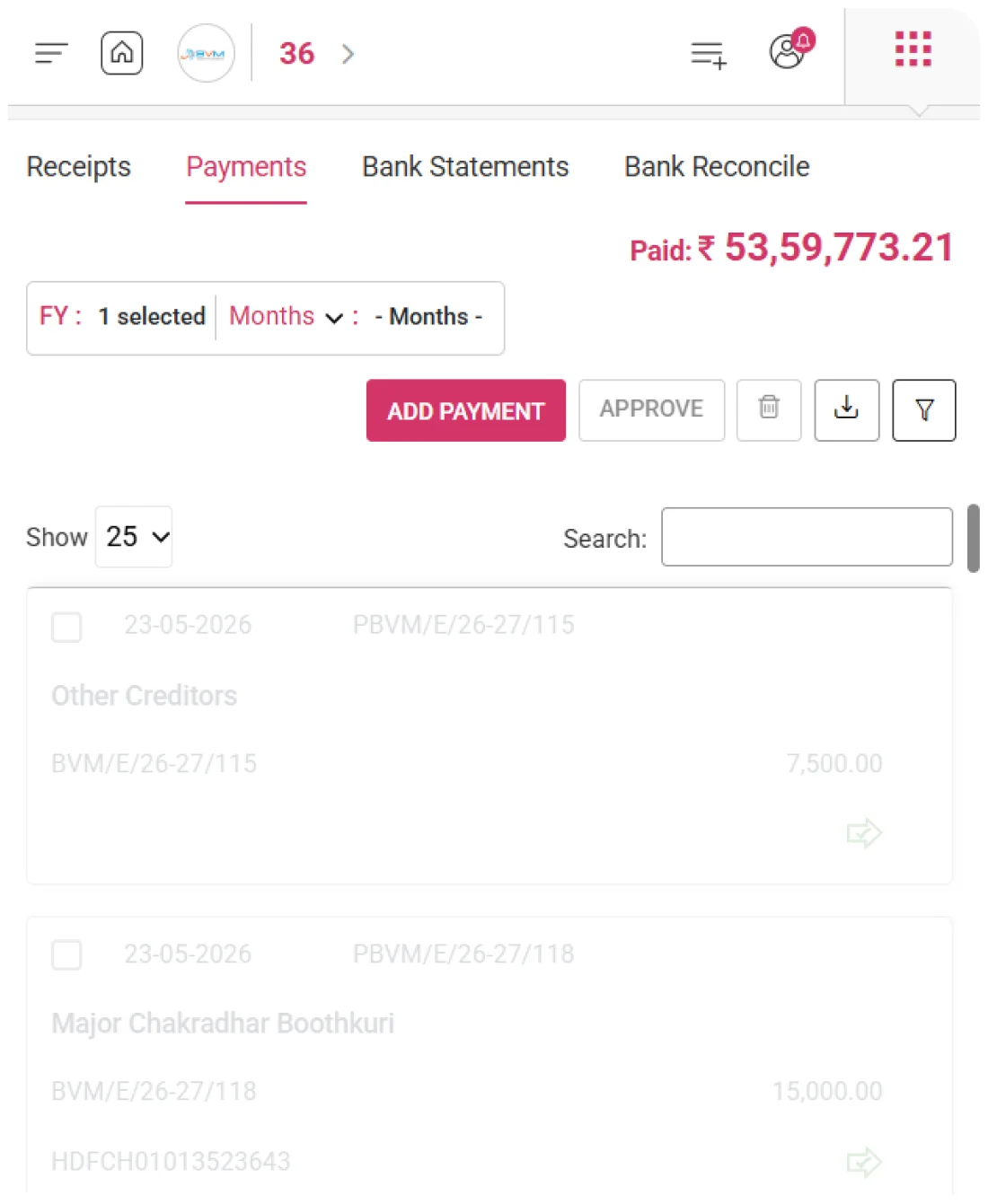
WhiteBooks provides a structured register of outgoing vendor payments, giving finance teams and auditors full visibility of dates, system IDs, vendors, invoices, amounts, and references for accurate oversight and reconciliation.
Every payment is displayed with its Date, Payment ID, Vendor, Invoice Number, Amount Paid, and Reference Number in a structured register. Accounts payable teams and auditors have all the information needed to review, verify, or investigate vendor settlements without opening individual payment records for basic transactional data retrieval.
The Invoice Number column maintains a permanent, visible connection between each outgoing payment and its corresponding vendor invoice. This enables finance teams to instantly confirm which obligations have been settled, identify invoices with partial payments, and verify the full payment history for any vendor relationship.
Each payment carries the external bank reference — UTR, NEFT/RTGS transaction ID, cheque number, or payment gateway code — creating a traceable cross-reference between the WhiteBooks payment record and the corresponding bank statement entry. This supports seamless bank reconciliation and rapid resolution of vendor disputes.
Financial Year Payments
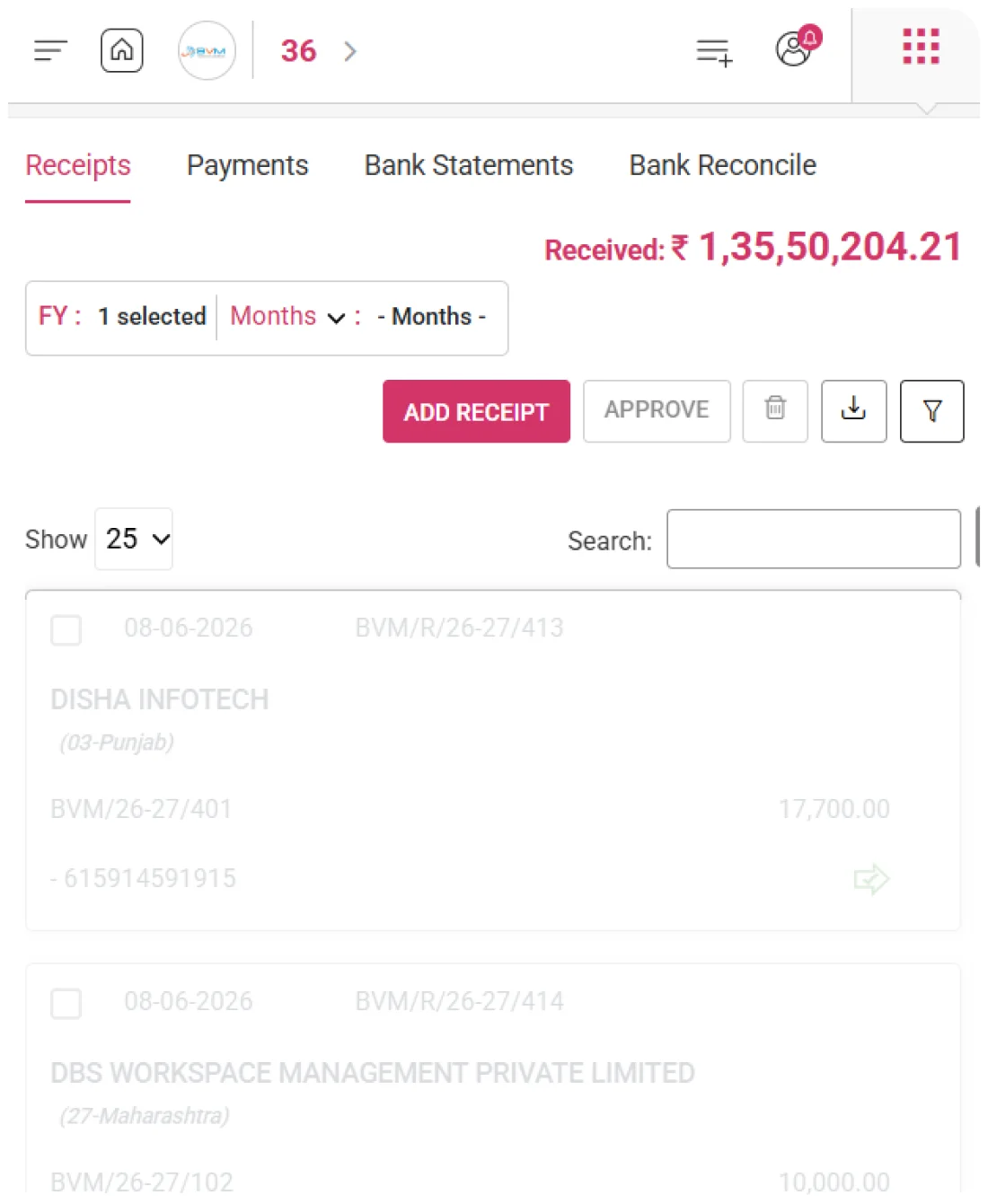
WhiteBooks scopes the payments workspace to a financial year and selected months, making all records, totals, and invoice statuses period-specific. Finance teams can analyze vendor payments by month or combined periods to track cash flow, monitor accounts payable aging, and ensure compliant reporting.
The payments workspace is scoped to the active financial year, ensuring that all payment records, vendor settlement analyses, and cash outflow summaries are computed within the correct statutory boundaries, fully aligned with annual accounts preparation and income tax filing requirements.
Users can select specific months or ranges within the active financial year to focus the payment register on a defined period. This enables targeted cash outflow analysis, month-wise vendor payment reviews, and period-specific accounts payable reconciliation without creating separate reports.
Finance teams can switch between financial years and month combinations to compare vendor payment patterns, spot high cash outflow months, and reconcile historical payments with bank statements and creditor ledgers — ensuring accurate accounts payable and strong financial governance.
Payments
WhiteBooks shows the cumulative total of all vendor payments in the active period on the Payments screen, giving business owners, finance directors, and treasury managers an immediate view of cash disbursed without generating separate reports.
The total of all payments recorded within the selected financial year and month range is aggregated and displayed as a single cumulative figure, providing an instant, accurate snapshot of total vendor disbursements for the chosen period.
Whenever a new payment is added, an existing entry is modified, or a record is deleted, the cumulative total recalculates automatically — ensuring the displayed figure always reflects the current state of the payment register without requiring manual refresh or report generation.
Changing the financial year or adjusting the selected month range updates the cumulative total instantly to reflect only the payments within the newly selected period — keeping the outflow visibility perfectly aligned with the active register view.
Settlement Tracking
WhiteBooks tracks vendor invoice settlements via linked payments, giving accounts payable teams a real-time view of fully settled, partially paid, and unpaid invoices, while preventing unlinked, duplicate, or excess payments and ensuring accurate Accounts Payable aging and reporting.
Each payment in the register shows its linked invoice, allowing accounts payable teams to quickly see fully settled obligations, verify invoice settlement completeness, and ensure every vendor payment is correctly applied.
WhiteBooks automatically tracks partial payments against vendor invoices, calculating and displaying the remaining balance. This ensures accurate accounts payable reporting for multi-installment settlements and prevents premature invoice closure.
The total of all linked invoice settlements in the active period shows the organization’s overall payable position, allowing finance managers to assess payments versus outstanding obligations, calculate settlement rates, and identify residual accounts payable balances.
Reference Tracking
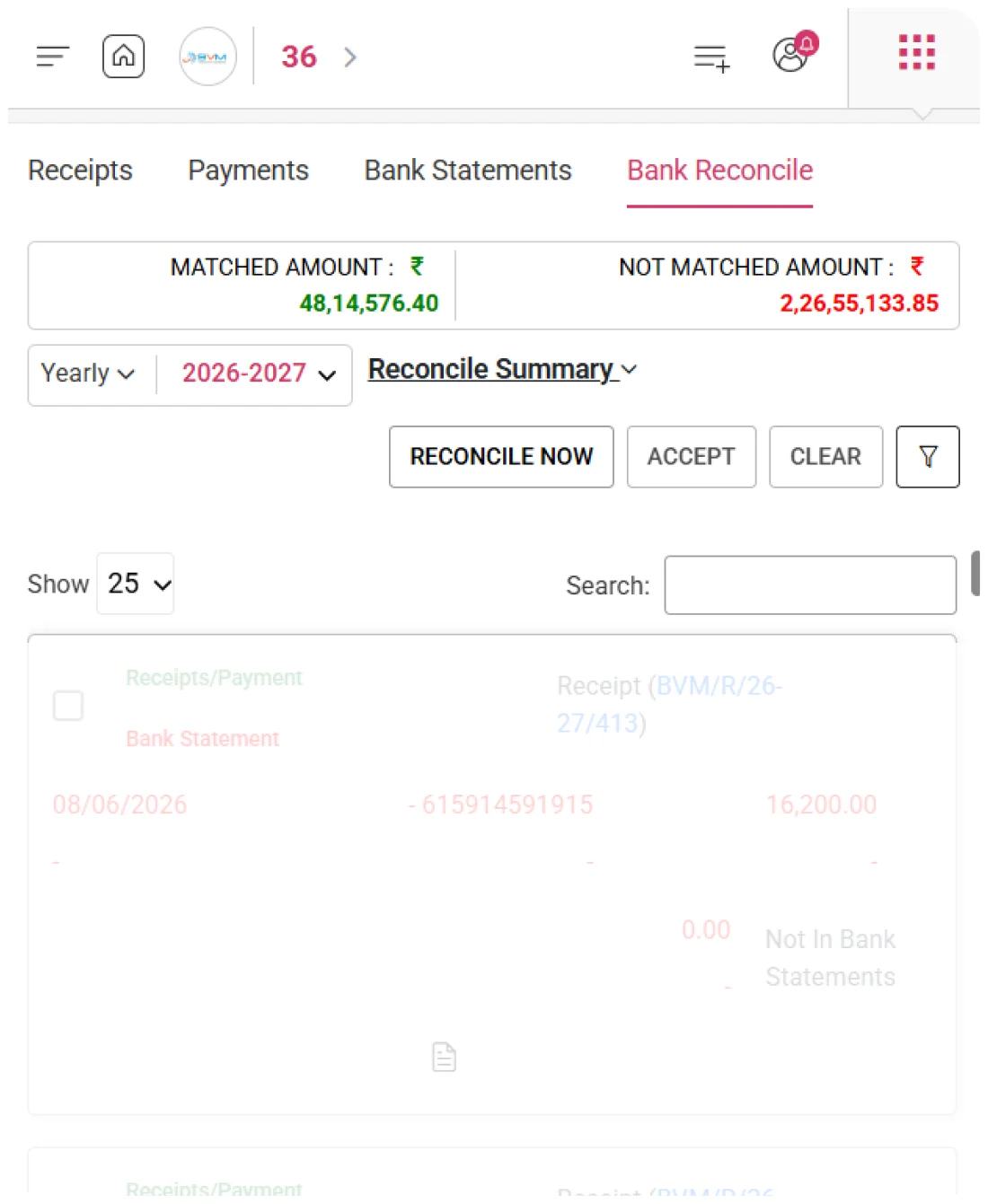
WhiteBooks records the external payment reference for every vendor payment, linking internal records to bank statements. This ensures seamless reconciliation, rapid dispute resolution, and audit-ready documentation without manual cross-checking.
Every payment records the external transaction reference — including bank transfer UTR numbers, cheque numbers, NEFT/RTGS transaction IDs, or payment gateway reference codes — creating a permanent link between the internal payment record and the corresponding bank statement or payment gateway entry.
The external reference number allows direct matching of WhiteBooks payment records against bank statement entries during monthly reconciliation. This eliminates time-consuming manual cross-checking and dramatically reduces the effort required to reconcile the organization's bank accounts with its books of accounts.
When vendors query a payment or dispute settlement timing, the externally referenced transaction details stored in WhiteBooks provide immediate, documented proof of payment. This enables the finance team to resolve disputes quickly and efficiently using verified reference evidence rather than initiating lengthy bank confirmation processes.
Export
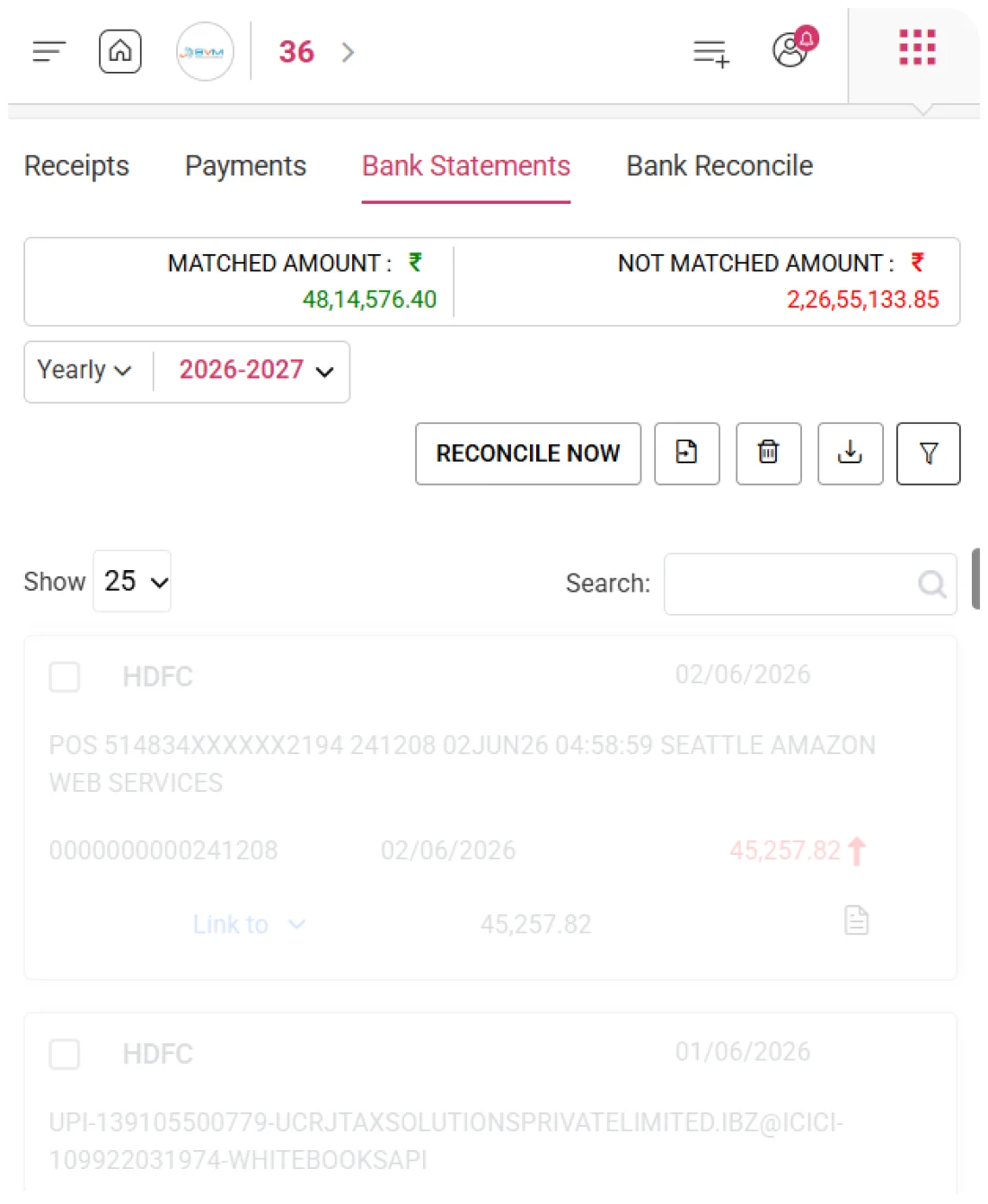
WhiteBooks lets finance and accounts payable teams export the full payment dataset for the active period, supporting reconciliation, cash flow, reporting, audit documentation, and period-wise archiving.
All payments in the active period are extracted in a single operation, producing a structured output with every register column — Date, Payment ID, Party, Invoice Number, Amount Paid, and Reference Number — ready for immediate use in AP reconciliation, cash flow reporting, and payment performance analysis without extra formatting.
The exported payment dataset integrates with financial analysis tools, enabling vendor-wise settlement review, month-wise cash outflow trends, invoice payment summaries, and bank reconciliation worksheets for management, board reporting, and strategic cash flow planning.
"Downloaded payment records provide complete evidence of all vendor settlements in the period, supporting statutory audits, tax assessments, GST input verification, bank reconciliations, and internal financial governance reviews
Advanced Segmentation
WhiteBooks lets finance and accounts payable teams filter vendor payments by multiple criteria, enabling targeted creditor analysis, vendor payment history review, invoice audits, and reference-based bank reconciliation without altering the active period or payment register
Multiple segmentation conditions — including transaction date range, vendor identity, invoice number, payment value range, and external reference number — are applied simultaneously, narrowing the payment register to display only those vendor settlements that satisfy every specified criterion in a single operation.
Finance teams can define minimum and maximum payment thresholds to isolate settlements within a specific monetary range, enabling targeted analysis of high-value vendor disbursements, identification of routine low-value payments, or overall cash outflow segmentation for accounts payable management purposes.
Payments can be filtered by vendor, invoice, or external reference to surface specific transactions, verify payment history, or locate precise bank entries — enabling targeted drill-down for accurate reconciliation and reporting.
Get started with WhiteBooks
WhiteBooks tracks vendor payments with UTR mapping, settlement monitoring, cash flow summaries, segmentation, and audit ready AP exports for complete reconciliation.
No Credit Card Required
Payment Register
Complete Vendor Payments
WhiteBooks provides a structured register of outgoing vendor payments, giving finance teams and auditors full visibility of dates, system IDs, vendors, invoices, amounts, and references for accurate oversight and reconciliation.
Complete Settlement Data at a Glance
Every payment is displayed with its Date, Payment ID, Vendor, Invoice Number, Amount Paid, and Reference Number in a structured register. Accounts payable teams and auditors have all the information needed to review, verify, or investigate vendor settlements without opening individual payment records for basic transactional data retrieval.
Invoice-to-Payment Permanent Linkage
The Invoice Number column maintains a permanent, visible connection between each outgoing payment and its corresponding vendor invoice. This enables finance teams to instantly confirm which obligations have been settled, identify invoices with partial payments, and verify the full payment history for any vendor relationship.
External Reference Cross-Documentation
Each payment carries the external bank reference — UTR, NEFT/RTGS transaction ID, cheque number, or payment gateway code — creating a traceable cross-reference between the WhiteBooks payment record and the corresponding bank statement entry. This supports seamless bank reconciliation and rapid resolution of vendor disputes.
Payment Register
Complete Vendor Payments
WhiteBooks provides a structured register of outgoing vendor payments, giving finance teams and auditors full visibility of dates, system IDs, vendors, invoices, amounts, and references for accurate oversight and reconciliation.
Complete Settlement Data at a Glance
Every payment is displayed with its Date, Payment ID, Vendor, Invoice Number, Amount Paid, and Reference Number in a structured register. Accounts payable teams and auditors have all the information needed to review, verify, or investigate vendor settlements without opening individual payment records for basic transactional data retrieval.
Invoice-to-Payment Permanent Linkage
The Invoice Number column maintains a permanent, visible connection between each outgoing payment and its corresponding vendor invoice. This enables finance teams to instantly confirm which obligations have been settled, identify invoices with partial payments, and verify the full payment history for any vendor relationship.
External Reference Cross-Documentation
Each payment carries the external bank reference — UTR, NEFT/RTGS transaction ID, cheque number, or payment gateway code — creating a traceable cross-reference between the WhiteBooks payment record and the corresponding bank statement entry. This supports seamless bank reconciliation and rapid resolution of vendor disputes.
Get started with WhiteBooks
WhiteBooks tracks vendor payments with UTR mapping, settlement monitoring, cash flow summaries, segmentation, and audit ready AP exports for complete reconciliation.
No Credit Card Required
Add Payment
Accurate Vendor Payment Recording
WhiteBooks lets finance teams record every vendor payment in real time, capturing full settlement details to create a verified, auditable record that’s formally documented, period-specific, and instantly traceable.
Payment Date & Mode Specification
Every payment entry requires the precise transaction date and payment mode to be recorded. This ensures settlements are correctly attributed to the applicable financial period and the appropriate payment channel, preventing ambiguities that could lead to cash book discrepancies or bank reconciliation mismatches.
System-Generated Payment Identity
WhiteBooks assigns a unique, system-generated Payment ID to every new payment entry at creation. This permanent internal reference enables instant retrieval, audit tracing, and cross-referencing against vendor acknowledgements and bank records.
Comprehensive Settlement Capture
Finance teams record the paying party, invoice, exact amount, payment channel, and external reference, creating a complete, verified record of each transaction for AP accuracy and audit readiness before confirmation in WhiteBooks.
Add Payment
Accurate Vendor Payment Recording
WhiteBooks lets finance teams record every vendor payment in real time, capturing full settlement details to create a verified, auditable record that’s formally documented, period-specific, and instantly traceable.
Payment Date & Mode Specification
Every payment entry requires the precise transaction date and payment mode to be recorded. This ensures settlements are correctly attributed to the applicable financial period and the appropriate payment channel, preventing ambiguities that could lead to cash book discrepancies or bank reconciliation mismatches.
System-Generated Payment Identity
WhiteBooks assigns a unique, system-generated Payment ID to every new payment entry at creation. This permanent internal reference enables instant retrieval, audit tracing, and cross-referencing against vendor acknowledgements and bank records.
Comprehensive Settlement Capture
Finance teams record the paying party, invoice, exact amount, payment channel, and external reference, creating a complete, verified record of each transaction for AP accuracy and audit readiness before confirmation in WhiteBooks.
Get started with WhiteBooks
WhiteBooks tracks vendor payments with UTR mapping, settlement monitoring, cash flow summaries, segmentation, and audit ready AP exports for complete reconciliation.
No Credit Card Required
Financial Year Payments
Period-Based Payment Tracking
WhiteBooks scopes the payments workspace to a financial year and selected months, making all records, totals, and invoice statuses period-specific. Finance teams can analyze vendor payments by month or combined periods to track cash flow, monitor accounts payable aging, and ensure compliant reporting.
Financial Year Payment View
The payments workspace is scoped to the active financial year, ensuring that all payment records, vendor settlement analyses, and cash outflow summaries are computed within the correct statutory boundaries, fully aligned with annual accounts preparation and income tax filing requirements.
Supporting businesses from a wide range of industries
Users can select specific months or ranges within the active financial year to focus the payment register on a defined period. This enables targeted cash outflow analysis, month-wise vendor payment reviews, and period-specific accounts payable reconciliation without creating separate reports.
Period Comparison Overview
Finance teams can switch between financial years and month combinations to compare vendor payment patterns, spot high cash outflow months, and reconcile historical payments with bank statements and creditor ledgers — ensuring accurate accounts payable and strong financial governance.
Financial Year Payments
Period-Based Payment Tracking
WhiteBooks scopes the payments workspace to a financial year and selected months, making all records, totals, and invoice statuses period-specific. Finance teams can analyze vendor payments by month or combined periods to track cash flow, monitor accounts payable aging, and ensure compliant reporting.
Financial Year Payment View
The payments workspace is scoped to the active financial year, ensuring that all payment records, vendor settlement analyses, and cash outflow summaries are computed within the correct statutory boundaries, fully aligned with annual accounts preparation and income tax filing requirements.
Supporting businesses from a wide range of industries
Users can select specific months or ranges within the active financial year to focus the payment register on a defined period. This enables targeted cash outflow analysis, month-wise vendor payment reviews, and period-specific accounts payable reconciliation without creating separate reports.
Period Comparison Overview
Finance teams can switch between financial years and month combinations to compare vendor payment patterns, spot high cash outflow months, and reconcile historical payments with bank statements and creditor ledgers — ensuring accurate accounts payable and strong financial governance.
Get started with WhiteBooks
WhiteBooks tracks vendor payments with UTR mapping, settlement monitoring, cash flow summaries, segmentation, and audit ready AP exports for complete reconciliation.
No Credit Card Required
Payments
Period Payment Summary
WhiteBooks shows the cumulative total of all vendor payments in the active period on the Payments screen, giving business owners, finance directors, and treasury managers an immediate view of cash disbursed without generating separate reports.
Outflow Visibility Across Selected Months
The total of all payments recorded within the selected financial year and month range is aggregated and displayed as a single cumulative figure, providing an instant, accurate snapshot of total vendor disbursements for the chosen period.
Auto-Updated on Every Payment Entry
Whenever a new payment is added, an existing entry is modified, or a record is deleted, the cumulative total recalculates automatically — ensuring the displayed figure always reflects the current state of the payment register without requiring manual refresh or report generation.
Dynamic Period Scope Alignment
Changing the financial year or adjusting the selected month range updates the cumulative total instantly to reflect only the payments within the newly selected period — keeping the outflow visibility perfectly aligned with the active register view.
Payments
Period Payment Summary
WhiteBooks shows the cumulative total of all vendor payments in the active period on the Payments screen, giving business owners, finance directors, and treasury managers an immediate view of cash disbursed without generating separate reports.
Outflow Visibility Across Selected Months
The total of all payments recorded within the selected financial year and month range is aggregated and displayed as a single cumulative figure, providing an instant, accurate snapshot of total vendor disbursements for the chosen period.
Auto-Updated on Every Payment Entry
Whenever a new payment is added, an existing entry is modified, or a record is deleted, the cumulative total recalculates automatically — ensuring the displayed figure always reflects the current state of the payment register without requiring manual refresh or report generation.
Dynamic Period Scope Alignment
Changing the financial year or adjusting the selected month range updates the cumulative total instantly to reflect only the payments within the newly selected period — keeping the outflow visibility perfectly aligned with the active register view.
Get started with WhiteBooks
WhiteBooks tracks vendor payments with UTR mapping, settlement monitoring, cash flow summaries, segmentation, and audit ready AP exports for complete reconciliation.
No Credit Card Required
Settlement Tracking
Invoice-Level Settlement Tracking
WhiteBooks tracks vendor invoice settlements via linked payments, giving accounts payable teams a real-time view of fully settled, partially paid, and unpaid invoices, while preventing unlinked, duplicate, or excess payments and ensuring accurate Accounts Payable aging and reporting.
Invoice Settlement Overview"
Each payment in the register shows its linked invoice, allowing accounts payable teams to quickly see fully settled obligations, verify invoice settlement completeness, and ensure every vendor payment is correctly applied.
Partial Payment Tracking
WhiteBooks automatically tracks partial payments against vendor invoices, calculating and displaying the remaining balance. This ensures accurate accounts payable reporting for multi-installment settlements and prevents premature invoice closure.
Accounts Payable by Period
The total of all linked invoice settlements in the active period shows the organization’s overall payable position, allowing finance managers to assess payments versus outstanding obligations, calculate settlement rates, and identify residual accounts payable balances.
Settlement Tracking
Invoice-Level Settlement Tracking
WhiteBooks tracks vendor invoice settlements via linked payments, giving accounts payable teams a real-time view of fully settled, partially paid, and unpaid invoices, while preventing unlinked, duplicate, or excess payments and ensuring accurate Accounts Payable aging and reporting.
Invoice Settlement Overview"
Each payment in the register shows its linked invoice, allowing accounts payable teams to quickly see fully settled obligations, verify invoice settlement completeness, and ensure every vendor payment is correctly applied.
Partial Payment Tracking
WhiteBooks automatically tracks partial payments against vendor invoices, calculating and displaying the remaining balance. This ensures accurate accounts payable reporting for multi-installment settlements and prevents premature invoice closure.
Accounts Payable by Period
The total of all linked invoice settlements in the active period shows the organization’s overall payable position, allowing finance managers to assess payments versus outstanding obligations, calculate settlement rates, and identify residual accounts payable balances.
Get started with WhiteBooks
WhiteBooks tracks vendor payments with UTR mapping, settlement monitoring, cash flow summaries, segmentation, and audit ready AP exports for complete reconciliation.
No Credit Card Required
Reference Tracking
Comprehensive Payment Audit Trail
WhiteBooks records the external payment reference for every vendor payment, linking internal records to bank statements. This ensures seamless reconciliation, rapid dispute resolution, and audit-ready documentation without manual cross-checking.
Payment Reference Tracking
Every payment records the external transaction reference — including bank transfer UTR numbers, cheque numbers, NEFT/RTGS transaction IDs, or payment gateway reference codes — creating a permanent link between the internal payment record and the corresponding bank statement or payment gateway entry.
Bank Reconciliation
The external reference number allows direct matching of WhiteBooks payment records against bank statement entries during monthly reconciliation. This eliminates time-consuming manual cross-checking and dramatically reduces the effort required to reconcile the organization's bank accounts with its books of accounts.
Reference-Based Issue Resolution
When vendors query a payment or dispute settlement timing, the externally referenced transaction details stored in WhiteBooks provide immediate, documented proof of payment. This enables the finance team to resolve disputes quickly and efficiently using verified reference evidence rather than initiating lengthy bank confirmation processes.
Reference Tracking
Comprehensive Payment Audit Trail
WhiteBooks records the external payment reference for every vendor payment, linking internal records to bank statements. This ensures seamless reconciliation, rapid dispute resolution, and audit-ready documentation without manual cross-checking.
Payment Reference Tracking
Every payment records the external transaction reference — including bank transfer UTR numbers, cheque numbers, NEFT/RTGS transaction IDs, or payment gateway reference codes — creating a permanent link between the internal payment record and the corresponding bank statement or payment gateway entry.
Bank Reconciliation
The external reference number allows direct matching of WhiteBooks payment records against bank statement entries during monthly reconciliation. This eliminates time-consuming manual cross-checking and dramatically reduces the effort required to reconcile the organization's bank accounts with its books of accounts.
Reference-Based Issue Resolution
When vendors query a payment or dispute settlement timing, the externally referenced transaction details stored in WhiteBooks provide immediate, documented proof of payment. This enables the finance team to resolve disputes quickly and efficiently using verified reference evidence rather than initiating lengthy bank confirmation processes.
Get started with WhiteBooks
WhiteBooks tracks vendor payments with UTR mapping, settlement monitoring, cash flow summaries, segmentation, and audit ready AP exports for complete reconciliation.
No Credit Card Required
Export
Payment Data Export
WhiteBooks lets finance and accounts payable teams export the full payment dataset for the active period, supporting reconciliation, cash flow, reporting, audit documentation, and period-wise archiving.
Period Payment Export
All payments in the active period are extracted in a single operation, producing a structured output with every register column — Date, Payment ID, Party, Invoice Number, Amount Paid, and Reference Number — ready for immediate use in AP reconciliation, cash flow reporting, and payment performance analysis without extra formatting.
Accounts Payable Export
The exported payment dataset integrates with financial analysis tools, enabling vendor-wise settlement review, month-wise cash outflow trends, invoice payment summaries, and bank reconciliation worksheets for management, board reporting, and strategic cash flow planning.
Audit & Cash Flow Records
"Downloaded payment records provide complete evidence of all vendor settlements in the period, supporting statutory audits, tax assessments, GST input verification, bank reconciliations, and internal financial governance reviews
Export
Payment Data Export
WhiteBooks lets finance and accounts payable teams export the full payment dataset for the active period, supporting reconciliation, cash flow, reporting, audit documentation, and period-wise archiving.
Period Payment Export
All payments in the active period are extracted in a single operation, producing a structured output with every register column — Date, Payment ID, Party, Invoice Number, Amount Paid, and Reference Number — ready for immediate use in AP reconciliation, cash flow reporting, and payment performance analysis without extra formatting.
Accounts Payable Export
The exported payment dataset integrates with financial analysis tools, enabling vendor-wise settlement review, month-wise cash outflow trends, invoice payment summaries, and bank reconciliation worksheets for management, board reporting, and strategic cash flow planning.
Audit & Cash Flow Records
"Downloaded payment records provide complete evidence of all vendor settlements in the period, supporting statutory audits, tax assessments, GST input verification, bank reconciliations, and internal financial governance reviews
Get started with WhiteBooks
WhiteBooks tracks vendor payments with UTR mapping, settlement monitoring, cash flow summaries, segmentation, and audit ready AP exports for complete reconciliation.
No Credit Card Required
Advanced Segmentation
Segmented Vendor Settlements
WhiteBooks lets finance and accounts payable teams filter vendor payments by multiple criteria, enabling targeted creditor analysis, vendor payment history review, invoice audits, and reference-based bank reconciliation without altering the active period or payment register
Targeted Payment Segmentation
Multiple segmentation conditions — including transaction date range, vendor identity, invoice number, payment value range, and external reference number — are applied simultaneously, narrowing the payment register to display only those vendor settlements that satisfy every specified criterion in a single operation.
Payment Value Segmentation
Finance teams can define minimum and maximum payment thresholds to isolate settlements within a specific monetary range, enabling targeted analysis of high-value vendor disbursements, identification of routine low-value payments, or overall cash outflow segmentation for accounts payable management purposes.
Vendor & Invoice Drill-Down
Payments can be filtered by vendor, invoice, or external reference to surface specific transactions, verify payment history, or locate precise bank entries — enabling targeted drill-down for accurate reconciliation and reporting.
Advanced Segmentation
Segmented Vendor Settlements
WhiteBooks lets finance and accounts payable teams filter vendor payments by multiple criteria, enabling targeted creditor analysis, vendor payment history review, invoice audits, and reference-based bank reconciliation without altering the active period or payment register
Targeted Payment Segmentation
Multiple segmentation conditions — including transaction date range, vendor identity, invoice number, payment value range, and external reference number — are applied simultaneously, narrowing the payment register to display only those vendor settlements that satisfy every specified criterion in a single operation.
Payment Value Segmentation
Finance teams can define minimum and maximum payment thresholds to isolate settlements within a specific monetary range, enabling targeted analysis of high-value vendor disbursements, identification of routine low-value payments, or overall cash outflow segmentation for accounts payable management purposes.
Vendor & Invoice Drill-Down
Payments can be filtered by vendor, invoice, or external reference to surface specific transactions, verify payment history, or locate precise bank entries — enabling targeted drill-down for accurate reconciliation and reporting.
Get started with WhiteBooks
WhiteBooks tracks vendor payments with UTR mapping, settlement monitoring, cash flow summaries, segmentation, and audit ready AP exports for complete reconciliation.
No Credit Card Required
Payment Register
Complete Vendor Payments
WhiteBooks provides a structured register of outgoing vendor payments, giving finance teams and auditors full visibility of dates, system IDs, vendors, invoices, amounts, and references for accurate oversight and reconciliation.
Complete Settlement Data at a Glance
Every payment is displayed with its Date, Payment ID, Vendor, Invoice Number, Amount Paid, and Reference Number in a structured register. Accounts payable teams and auditors have all the information needed to review, verify, or investigate vendor settlements without opening individual payment records for basic transactional data retrieval.
Invoice-to-Payment Permanent Linkage
The Invoice Number column maintains a permanent, visible connection between each outgoing payment and its corresponding vendor invoice. This enables finance teams to instantly confirm which obligations have been settled, identify invoices with partial payments, and verify the full payment history for any vendor relationship.
External Reference Cross-Documentation
Each payment carries the external bank reference — UTR, NEFT/RTGS transaction ID, cheque number, or payment gateway code — creating a traceable cross-reference between the WhiteBooks payment record and the corresponding bank statement entry. This supports seamless bank reconciliation and rapid resolution of vendor disputes.
Payment Register
Complete Vendor Payments
WhiteBooks provides a structured register of outgoing vendor payments, giving finance teams and auditors full visibility of dates, system IDs, vendors, invoices, amounts, and references for accurate oversight and reconciliation.
Complete Settlement Data at a Glance
Every payment is displayed with its Date, Payment ID, Vendor, Invoice Number, Amount Paid, and Reference Number in a structured register. Accounts payable teams and auditors have all the information needed to review, verify, or investigate vendor settlements without opening individual payment records for basic transactional data retrieval.
Invoice-to-Payment Permanent Linkage
The Invoice Number column maintains a permanent, visible connection between each outgoing payment and its corresponding vendor invoice. This enables finance teams to instantly confirm which obligations have been settled, identify invoices with partial payments, and verify the full payment history for any vendor relationship.
External Reference Cross-Documentation
Each payment carries the external bank reference — UTR, NEFT/RTGS transaction ID, cheque number, or payment gateway code — creating a traceable cross-reference between the WhiteBooks payment record and the corresponding bank statement entry. This supports seamless bank reconciliation and rapid resolution of vendor disputes.
Get started with WhiteBooks
WhiteBooks tracks vendor payments with UTR mapping, settlement monitoring, cash flow summaries, segmentation, and audit ready AP exports for complete reconciliation.
No Credit Card Required
Add Payment
Accurate Vendor Payment Recording
WhiteBooks lets finance teams record every vendor payment in real time, capturing full settlement details to create a verified, auditable record that’s formally documented, period-specific, and instantly traceable.
Payment Date & Mode Specification
Every payment entry requires the precise transaction date and payment mode to be recorded. This ensures settlements are correctly attributed to the applicable financial period and the appropriate payment channel, preventing ambiguities that could lead to cash book discrepancies or bank reconciliation mismatches.
System-Generated Payment Identity
WhiteBooks assigns a unique, system-generated Payment ID to every new payment entry at creation. This permanent internal reference enables instant retrieval, audit tracing, and cross-referencing against vendor acknowledgements and bank records.
Comprehensive Settlement Capture
Finance teams record the paying party, invoice, exact amount, payment channel, and external reference, creating a complete, verified record of each transaction for AP accuracy and audit readiness before confirmation in WhiteBooks.
Add Payment
Accurate Vendor Payment Recording
WhiteBooks lets finance teams record every vendor payment in real time, capturing full settlement details to create a verified, auditable record that’s formally documented, period-specific, and instantly traceable.
Payment Date & Mode Specification
Every payment entry requires the precise transaction date and payment mode to be recorded. This ensures settlements are correctly attributed to the applicable financial period and the appropriate payment channel, preventing ambiguities that could lead to cash book discrepancies or bank reconciliation mismatches.
System-Generated Payment Identity
WhiteBooks assigns a unique, system-generated Payment ID to every new payment entry at creation. This permanent internal reference enables instant retrieval, audit tracing, and cross-referencing against vendor acknowledgements and bank records.
Comprehensive Settlement Capture
Finance teams record the paying party, invoice, exact amount, payment channel, and external reference, creating a complete, verified record of each transaction for AP accuracy and audit readiness before confirmation in WhiteBooks.
Get started with WhiteBooks
WhiteBooks tracks vendor payments with UTR mapping, settlement monitoring, cash flow summaries, segmentation, and audit ready AP exports for complete reconciliation.
No Credit Card Required
Financial Year Payments
Period-Based Payment Tracking
WhiteBooks scopes the payments workspace to a financial year and selected months, making all records, totals, and invoice statuses period-specific. Finance teams can analyze vendor payments by month or combined periods to track cash flow, monitor accounts payable aging, and ensure compliant reporting.
Financial Year Payment View
The payments workspace is scoped to the active financial year, ensuring that all payment records, vendor settlement analyses, and cash outflow summaries are computed within the correct statutory boundaries, fully aligned with annual accounts preparation and income tax filing requirements.
Supporting businesses from a wide range of industries
Users can select specific months or ranges within the active financial year to focus the payment register on a defined period. This enables targeted cash outflow analysis, month-wise vendor payment reviews, and period-specific accounts payable reconciliation without creating separate reports.
Period Comparison Overview
Finance teams can switch between financial years and month combinations to compare vendor payment patterns, spot high cash outflow months, and reconcile historical payments with bank statements and creditor ledgers — ensuring accurate accounts payable and strong financial governance.
Financial Year Payments
Period-Based Payment Tracking
WhiteBooks scopes the payments workspace to a financial year and selected months, making all records, totals, and invoice statuses period-specific. Finance teams can analyze vendor payments by month or combined periods to track cash flow, monitor accounts payable aging, and ensure compliant reporting.
Financial Year Payment View
The payments workspace is scoped to the active financial year, ensuring that all payment records, vendor settlement analyses, and cash outflow summaries are computed within the correct statutory boundaries, fully aligned with annual accounts preparation and income tax filing requirements.
Supporting businesses from a wide range of industries
Users can select specific months or ranges within the active financial year to focus the payment register on a defined period. This enables targeted cash outflow analysis, month-wise vendor payment reviews, and period-specific accounts payable reconciliation without creating separate reports.
Period Comparison Overview
Finance teams can switch between financial years and month combinations to compare vendor payment patterns, spot high cash outflow months, and reconcile historical payments with bank statements and creditor ledgers — ensuring accurate accounts payable and strong financial governance.
Get started with WhiteBooks
WhiteBooks tracks vendor payments with UTR mapping, settlement monitoring, cash flow summaries, segmentation, and audit ready AP exports for complete reconciliation.
No Credit Card Required
Payments
Period Payment Summary
WhiteBooks shows the cumulative total of all vendor payments in the active period on the Payments screen, giving business owners, finance directors, and treasury managers an immediate view of cash disbursed without generating separate reports.
Outflow Visibility Across Selected Months
The total of all payments recorded within the selected financial year and month range is aggregated and displayed as a single cumulative figure, providing an instant, accurate snapshot of total vendor disbursements for the chosen period.
Auto-Updated on Every Payment Entry
Whenever a new payment is added, an existing entry is modified, or a record is deleted, the cumulative total recalculates automatically — ensuring the displayed figure always reflects the current state of the payment register without requiring manual refresh or report generation.
Dynamic Period Scope Alignment
Changing the financial year or adjusting the selected month range updates the cumulative total instantly to reflect only the payments within the newly selected period — keeping the outflow visibility perfectly aligned with the active register view.
Payments
Period Payment Summary
WhiteBooks shows the cumulative total of all vendor payments in the active period on the Payments screen, giving business owners, finance directors, and treasury managers an immediate view of cash disbursed without generating separate reports.
Outflow Visibility Across Selected Months
The total of all payments recorded within the selected financial year and month range is aggregated and displayed as a single cumulative figure, providing an instant, accurate snapshot of total vendor disbursements for the chosen period.
Auto-Updated on Every Payment Entry
Whenever a new payment is added, an existing entry is modified, or a record is deleted, the cumulative total recalculates automatically — ensuring the displayed figure always reflects the current state of the payment register without requiring manual refresh or report generation.
Dynamic Period Scope Alignment
Changing the financial year or adjusting the selected month range updates the cumulative total instantly to reflect only the payments within the newly selected period — keeping the outflow visibility perfectly aligned with the active register view.
Get started with WhiteBooks
WhiteBooks tracks vendor payments with UTR mapping, settlement monitoring, cash flow summaries, segmentation, and audit ready AP exports for complete reconciliation.
No Credit Card Required
Settlement Tracking
Invoice-Level Settlement Tracking
WhiteBooks tracks vendor invoice settlements via linked payments, giving accounts payable teams a real-time view of fully settled, partially paid, and unpaid invoices, while preventing unlinked, duplicate, or excess payments and ensuring accurate Accounts Payable aging and reporting.
Invoice Settlement Overview"
Each payment in the register shows its linked invoice, allowing accounts payable teams to quickly see fully settled obligations, verify invoice settlement completeness, and ensure every vendor payment is correctly applied.
Partial Payment Tracking
WhiteBooks automatically tracks partial payments against vendor invoices, calculating and displaying the remaining balance. This ensures accurate accounts payable reporting for multi-installment settlements and prevents premature invoice closure.
Accounts Payable by Period
The total of all linked invoice settlements in the active period shows the organization’s overall payable position, allowing finance managers to assess payments versus outstanding obligations, calculate settlement rates, and identify residual accounts payable balances.
Settlement Tracking
Invoice-Level Settlement Tracking
WhiteBooks tracks vendor invoice settlements via linked payments, giving accounts payable teams a real-time view of fully settled, partially paid, and unpaid invoices, while preventing unlinked, duplicate, or excess payments and ensuring accurate Accounts Payable aging and reporting.
Invoice Settlement Overview"
Each payment in the register shows its linked invoice, allowing accounts payable teams to quickly see fully settled obligations, verify invoice settlement completeness, and ensure every vendor payment is correctly applied.
Partial Payment Tracking
WhiteBooks automatically tracks partial payments against vendor invoices, calculating and displaying the remaining balance. This ensures accurate accounts payable reporting for multi-installment settlements and prevents premature invoice closure.
Accounts Payable by Period
The total of all linked invoice settlements in the active period shows the organization’s overall payable position, allowing finance managers to assess payments versus outstanding obligations, calculate settlement rates, and identify residual accounts payable balances.
Get started with WhiteBooks
WhiteBooks tracks vendor payments with UTR mapping, settlement monitoring, cash flow summaries, segmentation, and audit ready AP exports for complete reconciliation.
No Credit Card Required
Reference Tracking
Comprehensive Payment Audit Trail
WhiteBooks records the external payment reference for every vendor payment, linking internal records to bank statements. This ensures seamless reconciliation, rapid dispute resolution, and audit-ready documentation without manual cross-checking.
Payment Reference Tracking
Every payment records the external transaction reference — including bank transfer UTR numbers, cheque numbers, NEFT/RTGS transaction IDs, or payment gateway reference codes — creating a permanent link between the internal payment record and the corresponding bank statement or payment gateway entry.
Bank Reconciliation
The external reference number allows direct matching of WhiteBooks payment records against bank statement entries during monthly reconciliation. This eliminates time-consuming manual cross-checking and dramatically reduces the effort required to reconcile the organization's bank accounts with its books of accounts.
Reference-Based Issue Resolution
When vendors query a payment or dispute settlement timing, the externally referenced transaction details stored in WhiteBooks provide immediate, documented proof of payment. This enables the finance team to resolve disputes quickly and efficiently using verified reference evidence rather than initiating lengthy bank confirmation processes.
Reference Tracking
Comprehensive Payment Audit Trail
WhiteBooks records the external payment reference for every vendor payment, linking internal records to bank statements. This ensures seamless reconciliation, rapid dispute resolution, and audit-ready documentation without manual cross-checking.
Payment Reference Tracking
Every payment records the external transaction reference — including bank transfer UTR numbers, cheque numbers, NEFT/RTGS transaction IDs, or payment gateway reference codes — creating a permanent link between the internal payment record and the corresponding bank statement or payment gateway entry.
Bank Reconciliation
The external reference number allows direct matching of WhiteBooks payment records against bank statement entries during monthly reconciliation. This eliminates time-consuming manual cross-checking and dramatically reduces the effort required to reconcile the organization's bank accounts with its books of accounts.
Reference-Based Issue Resolution
When vendors query a payment or dispute settlement timing, the externally referenced transaction details stored in WhiteBooks provide immediate, documented proof of payment. This enables the finance team to resolve disputes quickly and efficiently using verified reference evidence rather than initiating lengthy bank confirmation processes.
Get started with WhiteBooks
WhiteBooks tracks vendor payments with UTR mapping, settlement monitoring, cash flow summaries, segmentation, and audit ready AP exports for complete reconciliation.
No Credit Card Required
Export
Payment Data Export
WhiteBooks lets finance and accounts payable teams export the full payment dataset for the active period, supporting reconciliation, cash flow, reporting, audit documentation, and period-wise archiving.
Period Payment Export
All payments in the active period are extracted in a single operation, producing a structured output with every register column — Date, Payment ID, Party, Invoice Number, Amount Paid, and Reference Number — ready for immediate use in AP reconciliation, cash flow reporting, and payment performance analysis without extra formatting.
Accounts Payable Export
The exported payment dataset integrates with financial analysis tools, enabling vendor-wise settlement review, month-wise cash outflow trends, invoice payment summaries, and bank reconciliation worksheets for management, board reporting, and strategic cash flow planning.
Audit & Cash Flow Records
"Downloaded payment records provide complete evidence of all vendor settlements in the period, supporting statutory audits, tax assessments, GST input verification, bank reconciliations, and internal financial governance reviews
Export
Payment Data Export
WhiteBooks lets finance and accounts payable teams export the full payment dataset for the active period, supporting reconciliation, cash flow, reporting, audit documentation, and period-wise archiving.
Period Payment Export
All payments in the active period are extracted in a single operation, producing a structured output with every register column — Date, Payment ID, Party, Invoice Number, Amount Paid, and Reference Number — ready for immediate use in AP reconciliation, cash flow reporting, and payment performance analysis without extra formatting.
Accounts Payable Export
The exported payment dataset integrates with financial analysis tools, enabling vendor-wise settlement review, month-wise cash outflow trends, invoice payment summaries, and bank reconciliation worksheets for management, board reporting, and strategic cash flow planning.
Audit & Cash Flow Records
"Downloaded payment records provide complete evidence of all vendor settlements in the period, supporting statutory audits, tax assessments, GST input verification, bank reconciliations, and internal financial governance reviews
Get started with WhiteBooks
WhiteBooks tracks vendor payments with UTR mapping, settlement monitoring, cash flow summaries, segmentation, and audit ready AP exports for complete reconciliation.
No Credit Card Required
Advanced Segmentation
Segmented Vendor Settlements
WhiteBooks lets finance and accounts payable teams filter vendor payments by multiple criteria, enabling targeted creditor analysis, vendor payment history review, invoice audits, and reference-based bank reconciliation without altering the active period or payment register
Targeted Payment Segmentation
Multiple segmentation conditions — including transaction date range, vendor identity, invoice number, payment value range, and external reference number — are applied simultaneously, narrowing the payment register to display only those vendor settlements that satisfy every specified criterion in a single operation.
Payment Value Segmentation
Finance teams can define minimum and maximum payment thresholds to isolate settlements within a specific monetary range, enabling targeted analysis of high-value vendor disbursements, identification of routine low-value payments, or overall cash outflow segmentation for accounts payable management purposes.
Vendor & Invoice Drill-Down
Payments can be filtered by vendor, invoice, or external reference to surface specific transactions, verify payment history, or locate precise bank entries — enabling targeted drill-down for accurate reconciliation and reporting.
Advanced Segmentation
Segmented Vendor Settlements
WhiteBooks lets finance and accounts payable teams filter vendor payments by multiple criteria, enabling targeted creditor analysis, vendor payment history review, invoice audits, and reference-based bank reconciliation without altering the active period or payment register
Targeted Payment Segmentation
Multiple segmentation conditions — including transaction date range, vendor identity, invoice number, payment value range, and external reference number — are applied simultaneously, narrowing the payment register to display only those vendor settlements that satisfy every specified criterion in a single operation.
Payment Value Segmentation
Finance teams can define minimum and maximum payment thresholds to isolate settlements within a specific monetary range, enabling targeted analysis of high-value vendor disbursements, identification of routine low-value payments, or overall cash outflow segmentation for accounts payable management purposes.
Vendor & Invoice Drill-Down
Payments can be filtered by vendor, invoice, or external reference to surface specific transactions, verify payment history, or locate precise bank entries — enabling targeted drill-down for accurate reconciliation and reporting.
Get started with WhiteBooks
WhiteBooks tracks vendor payments with UTR mapping, settlement monitoring, cash flow summaries, segmentation, and audit ready AP exports for complete reconciliation.
No Credit Card Required
Payment Register
Complete Vendor Payments
WhiteBooks provides a structured register of outgoing vendor payments, giving finance teams and auditors full visibility of dates, system IDs, vendors, invoices, amounts, and references for accurate oversight and reconciliation.
Complete Settlement Data at a Glance
Every payment is displayed with its Date, Payment ID, Vendor, Invoice Number, Amount Paid, and Reference Number in a structured register. Accounts payable teams and auditors have all the information needed to review, verify, or investigate vendor settlements without opening individual payment records for basic transactional data retrieval.
Invoice-to-Payment Permanent Linkage
The Invoice Number column maintains a permanent, visible connection between each outgoing payment and its corresponding vendor invoice. This enables finance teams to instantly confirm which obligations have been settled, identify invoices with partial payments, and verify the full payment history for any vendor relationship.
External Reference Cross-Documentation
Each payment carries the external bank reference — UTR, NEFT/RTGS transaction ID, cheque number, or payment gateway code — creating a traceable cross-reference between the WhiteBooks payment record and the corresponding bank statement entry. This supports seamless bank reconciliation and rapid resolution of vendor disputes.
Payment Register
Complete Vendor Payments
WhiteBooks provides a structured register of outgoing vendor payments, giving finance teams and auditors full visibility of dates, system IDs, vendors, invoices, amounts, and references for accurate oversight and reconciliation.
Complete Settlement Data at a Glance
Every payment is displayed with its Date, Payment ID, Vendor, Invoice Number, Amount Paid, and Reference Number in a structured register. Accounts payable teams and auditors have all the information needed to review, verify, or investigate vendor settlements without opening individual payment records for basic transactional data retrieval.
Invoice-to-Payment Permanent Linkage
The Invoice Number column maintains a permanent, visible connection between each outgoing payment and its corresponding vendor invoice. This enables finance teams to instantly confirm which obligations have been settled, identify invoices with partial payments, and verify the full payment history for any vendor relationship.
External Reference Cross-Documentation
Each payment carries the external bank reference — UTR, NEFT/RTGS transaction ID, cheque number, or payment gateway code — creating a traceable cross-reference between the WhiteBooks payment record and the corresponding bank statement entry. This supports seamless bank reconciliation and rapid resolution of vendor disputes.
Get started with WhiteBooks
WhiteBooks tracks vendor payments with UTR mapping, settlement monitoring, cash flow summaries, segmentation, and audit ready AP exports for complete reconciliation.
No Credit Card Required
Add Payment
Accurate Vendor Payment Recording
WhiteBooks lets finance teams record every vendor payment in real time, capturing full settlement details to create a verified, auditable record that’s formally documented, period-specific, and instantly traceable.
Payment Date & Mode Specification
Every payment entry requires the precise transaction date and payment mode to be recorded. This ensures settlements are correctly attributed to the applicable financial period and the appropriate payment channel, preventing ambiguities that could lead to cash book discrepancies or bank reconciliation mismatches.
System-Generated Payment Identity
WhiteBooks assigns a unique, system-generated Payment ID to every new payment entry at creation. This permanent internal reference enables instant retrieval, audit tracing, and cross-referencing against vendor acknowledgements and bank records.
Comprehensive Settlement Capture
Finance teams record the paying party, invoice, exact amount, payment channel, and external reference, creating a complete, verified record of each transaction for AP accuracy and audit readiness before confirmation in WhiteBooks.
Add Payment
Accurate Vendor Payment Recording
WhiteBooks lets finance teams record every vendor payment in real time, capturing full settlement details to create a verified, auditable record that’s formally documented, period-specific, and instantly traceable.
Payment Date & Mode Specification
Every payment entry requires the precise transaction date and payment mode to be recorded. This ensures settlements are correctly attributed to the applicable financial period and the appropriate payment channel, preventing ambiguities that could lead to cash book discrepancies or bank reconciliation mismatches.
System-Generated Payment Identity
WhiteBooks assigns a unique, system-generated Payment ID to every new payment entry at creation. This permanent internal reference enables instant retrieval, audit tracing, and cross-referencing against vendor acknowledgements and bank records.
Comprehensive Settlement Capture
Finance teams record the paying party, invoice, exact amount, payment channel, and external reference, creating a complete, verified record of each transaction for AP accuracy and audit readiness before confirmation in WhiteBooks.
Get started with WhiteBooks
WhiteBooks tracks vendor payments with UTR mapping, settlement monitoring, cash flow summaries, segmentation, and audit ready AP exports for complete reconciliation.
No Credit Card Required
Financial Year Payments
Period-Based Payment Tracking
WhiteBooks scopes the payments workspace to a financial year and selected months, making all records, totals, and invoice statuses period-specific. Finance teams can analyze vendor payments by month or combined periods to track cash flow, monitor accounts payable aging, and ensure compliant reporting.
Financial Year Payment View
The payments workspace is scoped to the active financial year, ensuring that all payment records, vendor settlement analyses, and cash outflow summaries are computed within the correct statutory boundaries, fully aligned with annual accounts preparation and income tax filing requirements.
Supporting businesses from a wide range of industries
Users can select specific months or ranges within the active financial year to focus the payment register on a defined period. This enables targeted cash outflow analysis, month-wise vendor payment reviews, and period-specific accounts payable reconciliation without creating separate reports.
Period Comparison Overview
Finance teams can switch between financial years and month combinations to compare vendor payment patterns, spot high cash outflow months, and reconcile historical payments with bank statements and creditor ledgers — ensuring accurate accounts payable and strong financial governance.
Financial Year Payments
Period-Based Payment Tracking
WhiteBooks scopes the payments workspace to a financial year and selected months, making all records, totals, and invoice statuses period-specific. Finance teams can analyze vendor payments by month or combined periods to track cash flow, monitor accounts payable aging, and ensure compliant reporting.
Financial Year Payment View
The payments workspace is scoped to the active financial year, ensuring that all payment records, vendor settlement analyses, and cash outflow summaries are computed within the correct statutory boundaries, fully aligned with annual accounts preparation and income tax filing requirements.
Supporting businesses from a wide range of industries
Users can select specific months or ranges within the active financial year to focus the payment register on a defined period. This enables targeted cash outflow analysis, month-wise vendor payment reviews, and period-specific accounts payable reconciliation without creating separate reports.
Period Comparison Overview
Finance teams can switch between financial years and month combinations to compare vendor payment patterns, spot high cash outflow months, and reconcile historical payments with bank statements and creditor ledgers — ensuring accurate accounts payable and strong financial governance.
Get started with WhiteBooks
WhiteBooks tracks vendor payments with UTR mapping, settlement monitoring, cash flow summaries, segmentation, and audit ready AP exports for complete reconciliation.
No Credit Card Required
Payments
Period Payment Summary
WhiteBooks shows the cumulative total of all vendor payments in the active period on the Payments screen, giving business owners, finance directors, and treasury managers an immediate view of cash disbursed without generating separate reports.
Outflow Visibility Across Selected Months
The total of all payments recorded within the selected financial year and month range is aggregated and displayed as a single cumulative figure, providing an instant, accurate snapshot of total vendor disbursements for the chosen period.
Auto-Updated on Every Payment Entry
Whenever a new payment is added, an existing entry is modified, or a record is deleted, the cumulative total recalculates automatically — ensuring the displayed figure always reflects the current state of the payment register without requiring manual refresh or report generation.
Dynamic Period Scope Alignment
Changing the financial year or adjusting the selected month range updates the cumulative total instantly to reflect only the payments within the newly selected period — keeping the outflow visibility perfectly aligned with the active register view.
Payments
Period Payment Summary
WhiteBooks shows the cumulative total of all vendor payments in the active period on the Payments screen, giving business owners, finance directors, and treasury managers an immediate view of cash disbursed without generating separate reports.
Outflow Visibility Across Selected Months
The total of all payments recorded within the selected financial year and month range is aggregated and displayed as a single cumulative figure, providing an instant, accurate snapshot of total vendor disbursements for the chosen period.
Auto-Updated on Every Payment Entry
Whenever a new payment is added, an existing entry is modified, or a record is deleted, the cumulative total recalculates automatically — ensuring the displayed figure always reflects the current state of the payment register without requiring manual refresh or report generation.
Dynamic Period Scope Alignment
Changing the financial year or adjusting the selected month range updates the cumulative total instantly to reflect only the payments within the newly selected period — keeping the outflow visibility perfectly aligned with the active register view.
Get started with WhiteBooks
WhiteBooks tracks vendor payments with UTR mapping, settlement monitoring, cash flow summaries, segmentation, and audit ready AP exports for complete reconciliation.
No Credit Card Required
Settlement Tracking
Invoice-Level Settlement Tracking
WhiteBooks tracks vendor invoice settlements via linked payments, giving accounts payable teams a real-time view of fully settled, partially paid, and unpaid invoices, while preventing unlinked, duplicate, or excess payments and ensuring accurate Accounts Payable aging and reporting.
Invoice Settlement Overview"
Each payment in the register shows its linked invoice, allowing accounts payable teams to quickly see fully settled obligations, verify invoice settlement completeness, and ensure every vendor payment is correctly applied.
Partial Payment Tracking
WhiteBooks automatically tracks partial payments against vendor invoices, calculating and displaying the remaining balance. This ensures accurate accounts payable reporting for multi-installment settlements and prevents premature invoice closure.
Accounts Payable by Period
The total of all linked invoice settlements in the active period shows the organization’s overall payable position, allowing finance managers to assess payments versus outstanding obligations, calculate settlement rates, and identify residual accounts payable balances.
Settlement Tracking
Invoice-Level Settlement Tracking
WhiteBooks tracks vendor invoice settlements via linked payments, giving accounts payable teams a real-time view of fully settled, partially paid, and unpaid invoices, while preventing unlinked, duplicate, or excess payments and ensuring accurate Accounts Payable aging and reporting.
Invoice Settlement Overview"
Each payment in the register shows its linked invoice, allowing accounts payable teams to quickly see fully settled obligations, verify invoice settlement completeness, and ensure every vendor payment is correctly applied.
Partial Payment Tracking
WhiteBooks automatically tracks partial payments against vendor invoices, calculating and displaying the remaining balance. This ensures accurate accounts payable reporting for multi-installment settlements and prevents premature invoice closure.
Accounts Payable by Period
The total of all linked invoice settlements in the active period shows the organization’s overall payable position, allowing finance managers to assess payments versus outstanding obligations, calculate settlement rates, and identify residual accounts payable balances.
Get started with WhiteBooks
WhiteBooks tracks vendor payments with UTR mapping, settlement monitoring, cash flow summaries, segmentation, and audit ready AP exports for complete reconciliation.
No Credit Card Required
Reference Tracking
Comprehensive Payment Audit Trail
WhiteBooks records the external payment reference for every vendor payment, linking internal records to bank statements. This ensures seamless reconciliation, rapid dispute resolution, and audit-ready documentation without manual cross-checking.
Payment Reference Tracking
Every payment records the external transaction reference — including bank transfer UTR numbers, cheque numbers, NEFT/RTGS transaction IDs, or payment gateway reference codes — creating a permanent link between the internal payment record and the corresponding bank statement or payment gateway entry.
Bank Reconciliation
The external reference number allows direct matching of WhiteBooks payment records against bank statement entries during monthly reconciliation. This eliminates time-consuming manual cross-checking and dramatically reduces the effort required to reconcile the organization's bank accounts with its books of accounts.
Reference-Based Issue Resolution
When vendors query a payment or dispute settlement timing, the externally referenced transaction details stored in WhiteBooks provide immediate, documented proof of payment. This enables the finance team to resolve disputes quickly and efficiently using verified reference evidence rather than initiating lengthy bank confirmation processes.
Reference Tracking
Comprehensive Payment Audit Trail
WhiteBooks records the external payment reference for every vendor payment, linking internal records to bank statements. This ensures seamless reconciliation, rapid dispute resolution, and audit-ready documentation without manual cross-checking.
Payment Reference Tracking
Every payment records the external transaction reference — including bank transfer UTR numbers, cheque numbers, NEFT/RTGS transaction IDs, or payment gateway reference codes — creating a permanent link between the internal payment record and the corresponding bank statement or payment gateway entry.
Bank Reconciliation
The external reference number allows direct matching of WhiteBooks payment records against bank statement entries during monthly reconciliation. This eliminates time-consuming manual cross-checking and dramatically reduces the effort required to reconcile the organization's bank accounts with its books of accounts.
Reference-Based Issue Resolution
When vendors query a payment or dispute settlement timing, the externally referenced transaction details stored in WhiteBooks provide immediate, documented proof of payment. This enables the finance team to resolve disputes quickly and efficiently using verified reference evidence rather than initiating lengthy bank confirmation processes.
Get started with WhiteBooks
WhiteBooks tracks vendor payments with UTR mapping, settlement monitoring, cash flow summaries, segmentation, and audit ready AP exports for complete reconciliation.
No Credit Card Required
Export
Payment Data Export
WhiteBooks lets finance and accounts payable teams export the full payment dataset for the active period, supporting reconciliation, cash flow, reporting, audit documentation, and period-wise archiving.
Period Payment Export
All payments in the active period are extracted in a single operation, producing a structured output with every register column — Date, Payment ID, Party, Invoice Number, Amount Paid, and Reference Number — ready for immediate use in AP reconciliation, cash flow reporting, and payment performance analysis without extra formatting.
Accounts Payable Export
The exported payment dataset integrates with financial analysis tools, enabling vendor-wise settlement review, month-wise cash outflow trends, invoice payment summaries, and bank reconciliation worksheets for management, board reporting, and strategic cash flow planning.
Audit & Cash Flow Records
"Downloaded payment records provide complete evidence of all vendor settlements in the period, supporting statutory audits, tax assessments, GST input verification, bank reconciliations, and internal financial governance reviews
Export
Payment Data Export
WhiteBooks lets finance and accounts payable teams export the full payment dataset for the active period, supporting reconciliation, cash flow, reporting, audit documentation, and period-wise archiving.
Period Payment Export
All payments in the active period are extracted in a single operation, producing a structured output with every register column — Date, Payment ID, Party, Invoice Number, Amount Paid, and Reference Number — ready for immediate use in AP reconciliation, cash flow reporting, and payment performance analysis without extra formatting.
Accounts Payable Export
The exported payment dataset integrates with financial analysis tools, enabling vendor-wise settlement review, month-wise cash outflow trends, invoice payment summaries, and bank reconciliation worksheets for management, board reporting, and strategic cash flow planning.
Audit & Cash Flow Records
"Downloaded payment records provide complete evidence of all vendor settlements in the period, supporting statutory audits, tax assessments, GST input verification, bank reconciliations, and internal financial governance reviews
Get started with WhiteBooks
WhiteBooks tracks vendor payments with UTR mapping, settlement monitoring, cash flow summaries, segmentation, and audit ready AP exports for complete reconciliation.
No Credit Card Required
Advanced Segmentation
Segmented Vendor Settlements
WhiteBooks lets finance and accounts payable teams filter vendor payments by multiple criteria, enabling targeted creditor analysis, vendor payment history review, invoice audits, and reference-based bank reconciliation without altering the active period or payment register
Targeted Payment Segmentation
Multiple segmentation conditions — including transaction date range, vendor identity, invoice number, payment value range, and external reference number — are applied simultaneously, narrowing the payment register to display only those vendor settlements that satisfy every specified criterion in a single operation.
Payment Value Segmentation
Finance teams can define minimum and maximum payment thresholds to isolate settlements within a specific monetary range, enabling targeted analysis of high-value vendor disbursements, identification of routine low-value payments, or overall cash outflow segmentation for accounts payable management purposes.
Vendor & Invoice Drill-Down
Payments can be filtered by vendor, invoice, or external reference to surface specific transactions, verify payment history, or locate precise bank entries — enabling targeted drill-down for accurate reconciliation and reporting.
Advanced Segmentation
Segmented Vendor Settlements
WhiteBooks lets finance and accounts payable teams filter vendor payments by multiple criteria, enabling targeted creditor analysis, vendor payment history review, invoice audits, and reference-based bank reconciliation without altering the active period or payment register
Targeted Payment Segmentation
Multiple segmentation conditions — including transaction date range, vendor identity, invoice number, payment value range, and external reference number — are applied simultaneously, narrowing the payment register to display only those vendor settlements that satisfy every specified criterion in a single operation.
Payment Value Segmentation
Finance teams can define minimum and maximum payment thresholds to isolate settlements within a specific monetary range, enabling targeted analysis of high-value vendor disbursements, identification of routine low-value payments, or overall cash outflow segmentation for accounts payable management purposes.
Vendor & Invoice Drill-Down
Payments can be filtered by vendor, invoice, or external reference to surface specific transactions, verify payment history, or locate precise bank entries — enabling targeted drill-down for accurate reconciliation and reporting.
Get started with WhiteBooks
WhiteBooks tracks vendor payments with UTR mapping, settlement monitoring, cash flow summaries, segmentation, and audit ready AP exports for complete reconciliation.
No Credit Card Required
Payment Register
Complete Vendor Payments
WhiteBooks provides a structured register of outgoing vendor payments, giving finance teams and auditors full visibility of dates, system IDs, vendors, invoices, amounts, and references for accurate oversight and reconciliation.
Complete Settlement Data at a Glance
Every payment is displayed with its Date, Payment ID, Vendor, Invoice Number, Amount Paid, and Reference Number in a structured register. Accounts payable teams and auditors have all the information needed to review, verify, or investigate vendor settlements without opening individual payment records for basic transactional data retrieval.
Invoice-to-Payment Permanent Linkage
The Invoice Number column maintains a permanent, visible connection between each outgoing payment and its corresponding vendor invoice. This enables finance teams to instantly confirm which obligations have been settled, identify invoices with partial payments, and verify the full payment history for any vendor relationship.
External Reference Cross-Documentation
Each payment carries the external bank reference — UTR, NEFT/RTGS transaction ID, cheque number, or payment gateway code — creating a traceable cross-reference between the WhiteBooks payment record and the corresponding bank statement entry. This supports seamless bank reconciliation and rapid resolution of vendor disputes.
Payment Register
Complete Vendor Payments
WhiteBooks provides a structured register of outgoing vendor payments, giving finance teams and auditors full visibility of dates, system IDs, vendors, invoices, amounts, and references for accurate oversight and reconciliation.
Complete Settlement Data at a Glance
Every payment is displayed with its Date, Payment ID, Vendor, Invoice Number, Amount Paid, and Reference Number in a structured register. Accounts payable teams and auditors have all the information needed to review, verify, or investigate vendor settlements without opening individual payment records for basic transactional data retrieval.
Invoice-to-Payment Permanent Linkage
The Invoice Number column maintains a permanent, visible connection between each outgoing payment and its corresponding vendor invoice. This enables finance teams to instantly confirm which obligations have been settled, identify invoices with partial payments, and verify the full payment history for any vendor relationship.
External Reference Cross-Documentation
Each payment carries the external bank reference — UTR, NEFT/RTGS transaction ID, cheque number, or payment gateway code — creating a traceable cross-reference between the WhiteBooks payment record and the corresponding bank statement entry. This supports seamless bank reconciliation and rapid resolution of vendor disputes.
Get started with WhiteBooks
WhiteBooks tracks vendor payments with UTR mapping, settlement monitoring, cash flow summaries, segmentation, and audit ready AP exports for complete reconciliation.
No Credit Card Required
Add Payment
Accurate Vendor Payment Recording
WhiteBooks lets finance teams record every vendor payment in real time, capturing full settlement details to create a verified, auditable record that’s formally documented, period-specific, and instantly traceable.
Payment Date & Mode Specification
Every payment entry requires the precise transaction date and payment mode to be recorded. This ensures settlements are correctly attributed to the applicable financial period and the appropriate payment channel, preventing ambiguities that could lead to cash book discrepancies or bank reconciliation mismatches.
System-Generated Payment Identity
WhiteBooks assigns a unique, system-generated Payment ID to every new payment entry at creation. This permanent internal reference enables instant retrieval, audit tracing, and cross-referencing against vendor acknowledgements and bank records.
Comprehensive Settlement Capture
Finance teams record the paying party, invoice, exact amount, payment channel, and external reference, creating a complete, verified record of each transaction for AP accuracy and audit readiness before confirmation in WhiteBooks.
Add Payment
Accurate Vendor Payment Recording
WhiteBooks lets finance teams record every vendor payment in real time, capturing full settlement details to create a verified, auditable record that’s formally documented, period-specific, and instantly traceable.
Payment Date & Mode Specification
Every payment entry requires the precise transaction date and payment mode to be recorded. This ensures settlements are correctly attributed to the applicable financial period and the appropriate payment channel, preventing ambiguities that could lead to cash book discrepancies or bank reconciliation mismatches.
System-Generated Payment Identity
WhiteBooks assigns a unique, system-generated Payment ID to every new payment entry at creation. This permanent internal reference enables instant retrieval, audit tracing, and cross-referencing against vendor acknowledgements and bank records.
Comprehensive Settlement Capture
Finance teams record the paying party, invoice, exact amount, payment channel, and external reference, creating a complete, verified record of each transaction for AP accuracy and audit readiness before confirmation in WhiteBooks.
Get started with WhiteBooks
WhiteBooks tracks vendor payments with UTR mapping, settlement monitoring, cash flow summaries, segmentation, and audit ready AP exports for complete reconciliation.
No Credit Card Required
Financial Year Payments
Period-Based Payment Tracking
WhiteBooks scopes the payments workspace to a financial year and selected months, making all records, totals, and invoice statuses period-specific. Finance teams can analyze vendor payments by month or combined periods to track cash flow, monitor accounts payable aging, and ensure compliant reporting.
Financial Year Payment View
The payments workspace is scoped to the active financial year, ensuring that all payment records, vendor settlement analyses, and cash outflow summaries are computed within the correct statutory boundaries, fully aligned with annual accounts preparation and income tax filing requirements.
Supporting businesses from a wide range of industries
Users can select specific months or ranges within the active financial year to focus the payment register on a defined period. This enables targeted cash outflow analysis, month-wise vendor payment reviews, and period-specific accounts payable reconciliation without creating separate reports.
Period Comparison Overview
Finance teams can switch between financial years and month combinations to compare vendor payment patterns, spot high cash outflow months, and reconcile historical payments with bank statements and creditor ledgers — ensuring accurate accounts payable and strong financial governance.
Financial Year Payments
Period-Based Payment Tracking
WhiteBooks scopes the payments workspace to a financial year and selected months, making all records, totals, and invoice statuses period-specific. Finance teams can analyze vendor payments by month or combined periods to track cash flow, monitor accounts payable aging, and ensure compliant reporting.
Financial Year Payment View
The payments workspace is scoped to the active financial year, ensuring that all payment records, vendor settlement analyses, and cash outflow summaries are computed within the correct statutory boundaries, fully aligned with annual accounts preparation and income tax filing requirements.
Supporting businesses from a wide range of industries
Users can select specific months or ranges within the active financial year to focus the payment register on a defined period. This enables targeted cash outflow analysis, month-wise vendor payment reviews, and period-specific accounts payable reconciliation without creating separate reports.
Period Comparison Overview
Finance teams can switch between financial years and month combinations to compare vendor payment patterns, spot high cash outflow months, and reconcile historical payments with bank statements and creditor ledgers — ensuring accurate accounts payable and strong financial governance.
Get started with WhiteBooks
WhiteBooks tracks vendor payments with UTR mapping, settlement monitoring, cash flow summaries, segmentation, and audit ready AP exports for complete reconciliation.
No Credit Card Required
Payments
Period Payment Summary
WhiteBooks shows the cumulative total of all vendor payments in the active period on the Payments screen, giving business owners, finance directors, and treasury managers an immediate view of cash disbursed without generating separate reports.
Outflow Visibility Across Selected Months
The total of all payments recorded within the selected financial year and month range is aggregated and displayed as a single cumulative figure, providing an instant, accurate snapshot of total vendor disbursements for the chosen period.
Auto-Updated on Every Payment Entry
Whenever a new payment is added, an existing entry is modified, or a record is deleted, the cumulative total recalculates automatically — ensuring the displayed figure always reflects the current state of the payment register without requiring manual refresh or report generation.
Dynamic Period Scope Alignment
Changing the financial year or adjusting the selected month range updates the cumulative total instantly to reflect only the payments within the newly selected period — keeping the outflow visibility perfectly aligned with the active register view.
Payments
Period Payment Summary
WhiteBooks shows the cumulative total of all vendor payments in the active period on the Payments screen, giving business owners, finance directors, and treasury managers an immediate view of cash disbursed without generating separate reports.
Outflow Visibility Across Selected Months
The total of all payments recorded within the selected financial year and month range is aggregated and displayed as a single cumulative figure, providing an instant, accurate snapshot of total vendor disbursements for the chosen period.
Auto-Updated on Every Payment Entry
Whenever a new payment is added, an existing entry is modified, or a record is deleted, the cumulative total recalculates automatically — ensuring the displayed figure always reflects the current state of the payment register without requiring manual refresh or report generation.
Dynamic Period Scope Alignment
Changing the financial year or adjusting the selected month range updates the cumulative total instantly to reflect only the payments within the newly selected period — keeping the outflow visibility perfectly aligned with the active register view.
Get started with WhiteBooks
WhiteBooks tracks vendor payments with UTR mapping, settlement monitoring, cash flow summaries, segmentation, and audit ready AP exports for complete reconciliation.
No Credit Card Required
Settlement Tracking
Invoice-Level Settlement Tracking
WhiteBooks tracks vendor invoice settlements via linked payments, giving accounts payable teams a real-time view of fully settled, partially paid, and unpaid invoices, while preventing unlinked, duplicate, or excess payments and ensuring accurate Accounts Payable aging and reporting.
Invoice Settlement Overview"
Each payment in the register shows its linked invoice, allowing accounts payable teams to quickly see fully settled obligations, verify invoice settlement completeness, and ensure every vendor payment is correctly applied.
Partial Payment Tracking
WhiteBooks automatically tracks partial payments against vendor invoices, calculating and displaying the remaining balance. This ensures accurate accounts payable reporting for multi-installment settlements and prevents premature invoice closure.
Accounts Payable by Period
The total of all linked invoice settlements in the active period shows the organization’s overall payable position, allowing finance managers to assess payments versus outstanding obligations, calculate settlement rates, and identify residual accounts payable balances.
Settlement Tracking
Invoice-Level Settlement Tracking
WhiteBooks tracks vendor invoice settlements via linked payments, giving accounts payable teams a real-time view of fully settled, partially paid, and unpaid invoices, while preventing unlinked, duplicate, or excess payments and ensuring accurate Accounts Payable aging and reporting.
Invoice Settlement Overview"
Each payment in the register shows its linked invoice, allowing accounts payable teams to quickly see fully settled obligations, verify invoice settlement completeness, and ensure every vendor payment is correctly applied.
Partial Payment Tracking
WhiteBooks automatically tracks partial payments against vendor invoices, calculating and displaying the remaining balance. This ensures accurate accounts payable reporting for multi-installment settlements and prevents premature invoice closure.
Accounts Payable by Period
The total of all linked invoice settlements in the active period shows the organization’s overall payable position, allowing finance managers to assess payments versus outstanding obligations, calculate settlement rates, and identify residual accounts payable balances.
Get started with WhiteBooks
WhiteBooks tracks vendor payments with UTR mapping, settlement monitoring, cash flow summaries, segmentation, and audit ready AP exports for complete reconciliation.
No Credit Card Required
Reference Tracking
Comprehensive Payment Audit Trail
WhiteBooks records the external payment reference for every vendor payment, linking internal records to bank statements. This ensures seamless reconciliation, rapid dispute resolution, and audit-ready documentation without manual cross-checking.
Payment Reference Tracking
Every payment records the external transaction reference — including bank transfer UTR numbers, cheque numbers, NEFT/RTGS transaction IDs, or payment gateway reference codes — creating a permanent link between the internal payment record and the corresponding bank statement or payment gateway entry.
Bank Reconciliation
The external reference number allows direct matching of WhiteBooks payment records against bank statement entries during monthly reconciliation. This eliminates time-consuming manual cross-checking and dramatically reduces the effort required to reconcile the organization's bank accounts with its books of accounts.
Reference-Based Issue Resolution
When vendors query a payment or dispute settlement timing, the externally referenced transaction details stored in WhiteBooks provide immediate, documented proof of payment. This enables the finance team to resolve disputes quickly and efficiently using verified reference evidence rather than initiating lengthy bank confirmation processes.
Reference Tracking
Comprehensive Payment Audit Trail
WhiteBooks records the external payment reference for every vendor payment, linking internal records to bank statements. This ensures seamless reconciliation, rapid dispute resolution, and audit-ready documentation without manual cross-checking.
Payment Reference Tracking
Every payment records the external transaction reference — including bank transfer UTR numbers, cheque numbers, NEFT/RTGS transaction IDs, or payment gateway reference codes — creating a permanent link between the internal payment record and the corresponding bank statement or payment gateway entry.
Bank Reconciliation
The external reference number allows direct matching of WhiteBooks payment records against bank statement entries during monthly reconciliation. This eliminates time-consuming manual cross-checking and dramatically reduces the effort required to reconcile the organization's bank accounts with its books of accounts.
Reference-Based Issue Resolution
When vendors query a payment or dispute settlement timing, the externally referenced transaction details stored in WhiteBooks provide immediate, documented proof of payment. This enables the finance team to resolve disputes quickly and efficiently using verified reference evidence rather than initiating lengthy bank confirmation processes.
Get started with WhiteBooks
WhiteBooks tracks vendor payments with UTR mapping, settlement monitoring, cash flow summaries, segmentation, and audit ready AP exports for complete reconciliation.
No Credit Card Required
Export
Payment Data Export
WhiteBooks lets finance and accounts payable teams export the full payment dataset for the active period, supporting reconciliation, cash flow, reporting, audit documentation, and period-wise archiving.
Period Payment Export
All payments in the active period are extracted in a single operation, producing a structured output with every register column — Date, Payment ID, Party, Invoice Number, Amount Paid, and Reference Number — ready for immediate use in AP reconciliation, cash flow reporting, and payment performance analysis without extra formatting.
Accounts Payable Export
The exported payment dataset integrates with financial analysis tools, enabling vendor-wise settlement review, month-wise cash outflow trends, invoice payment summaries, and bank reconciliation worksheets for management, board reporting, and strategic cash flow planning.
Audit & Cash Flow Records
"Downloaded payment records provide complete evidence of all vendor settlements in the period, supporting statutory audits, tax assessments, GST input verification, bank reconciliations, and internal financial governance reviews
Export
Payment Data Export
WhiteBooks lets finance and accounts payable teams export the full payment dataset for the active period, supporting reconciliation, cash flow, reporting, audit documentation, and period-wise archiving.
Period Payment Export
All payments in the active period are extracted in a single operation, producing a structured output with every register column — Date, Payment ID, Party, Invoice Number, Amount Paid, and Reference Number — ready for immediate use in AP reconciliation, cash flow reporting, and payment performance analysis without extra formatting.
Accounts Payable Export
The exported payment dataset integrates with financial analysis tools, enabling vendor-wise settlement review, month-wise cash outflow trends, invoice payment summaries, and bank reconciliation worksheets for management, board reporting, and strategic cash flow planning.
Audit & Cash Flow Records
"Downloaded payment records provide complete evidence of all vendor settlements in the period, supporting statutory audits, tax assessments, GST input verification, bank reconciliations, and internal financial governance reviews
Get started with WhiteBooks
WhiteBooks tracks vendor payments with UTR mapping, settlement monitoring, cash flow summaries, segmentation, and audit ready AP exports for complete reconciliation.
No Credit Card Required
Advanced Segmentation
Segmented Vendor Settlements
WhiteBooks lets finance and accounts payable teams filter vendor payments by multiple criteria, enabling targeted creditor analysis, vendor payment history review, invoice audits, and reference-based bank reconciliation without altering the active period or payment register
Targeted Payment Segmentation
Multiple segmentation conditions — including transaction date range, vendor identity, invoice number, payment value range, and external reference number — are applied simultaneously, narrowing the payment register to display only those vendor settlements that satisfy every specified criterion in a single operation.
Payment Value Segmentation
Finance teams can define minimum and maximum payment thresholds to isolate settlements within a specific monetary range, enabling targeted analysis of high-value vendor disbursements, identification of routine low-value payments, or overall cash outflow segmentation for accounts payable management purposes.
Vendor & Invoice Drill-Down
Payments can be filtered by vendor, invoice, or external reference to surface specific transactions, verify payment history, or locate precise bank entries — enabling targeted drill-down for accurate reconciliation and reporting.
Advanced Segmentation
Segmented Vendor Settlements
WhiteBooks lets finance and accounts payable teams filter vendor payments by multiple criteria, enabling targeted creditor analysis, vendor payment history review, invoice audits, and reference-based bank reconciliation without altering the active period or payment register
Targeted Payment Segmentation
Multiple segmentation conditions — including transaction date range, vendor identity, invoice number, payment value range, and external reference number — are applied simultaneously, narrowing the payment register to display only those vendor settlements that satisfy every specified criterion in a single operation.
Payment Value Segmentation
Finance teams can define minimum and maximum payment thresholds to isolate settlements within a specific monetary range, enabling targeted analysis of high-value vendor disbursements, identification of routine low-value payments, or overall cash outflow segmentation for accounts payable management purposes.
Vendor & Invoice Drill-Down
Payments can be filtered by vendor, invoice, or external reference to surface specific transactions, verify payment history, or locate precise bank entries — enabling targeted drill-down for accurate reconciliation and reporting.
Get started with WhiteBooks
WhiteBooks tracks vendor payments with UTR mapping, settlement monitoring, cash flow summaries, segmentation, and audit ready AP exports for complete reconciliation.
No Credit Card Required
Frequently Asked Questions
We have put together some commonly asked questions
WhiteBooks captures every vendor payment with a system-generated Payment ID, transaction date, payment mode, linked invoice, exact amount, and external bank reference. Each entry creates a complete, period-specific, and instantly traceable record — eliminating ambiguities in cash books and ensuring AP accuracy and audit readiness from the moment of recording.
WhiteBooks scopes the payments workspace to the active financial year, with users able to select individual months or a date range to focus the register on a defined period. Finance teams can also switch between financial years to compare vendor payment patterns, spot high cash outflow months, and reconcile historical payments with bank statements and creditor ledgers.
WhiteBooks links every payment to its vendor invoice, giving accounts payable teams a real-time view of fully settled, partially paid, and unpaid obligations. Partial payments are tracked with the remaining balance displayed automatically, preventing premature invoice closure and supporting accurate AP aging and multi-installment settlement reporting.
WhiteBooks exports all payments for the active period in one operation, producing a structured output with Date, Payment ID, Party, Invoice Number, Amount Paid, and Reference Number — ready for immediate AP reconciliation and cash flow analysis. Downloaded records also serve as documentary evidence for statutory audits, tax assessments, GST input verification, and internal governance reviews.
WhiteBooks maintains a structured payment register displaying every vendor settlement with its Date, Payment ID, Vendor, Invoice Number, Amount Paid, and External Reference — giving accounts payable teams and auditors instant access without opening individual records. The invoice number column permanently links each payment to its vendor bill for immediate settlement verification and dispute resolution.
WhiteBooks aggregates and displays the cumulative total of all vendor payments in the active period in real time, giving finance directors and treasury managers an instant view of cash disbursed without generating separate reports. The total recalculates automatically whenever a payment is added, modified, or deleted, and updates instantly when the period scope changes.
WhiteBooks records the external transaction reference — UTR, cheque number, NEFT/RTGS ID, or payment gateway code — for every vendor payment, creating a permanent link between the internal record and the bank statement entry. This enables direct matching during monthly reconciliation and provides immediate documented proof when vendors query or dispute a settlement.
WhiteBooks allows finance teams to apply multiple filters simultaneously — date range, vendor, invoice number, payment value range, and external reference — displaying only entries that satisfy every specified criterion. Users can isolate high-value disbursements, review vendor-specific payment history, or drill down by reference number for bank reconciliation, all without affecting the active period or payment register.
sales@whitebooks.in | +91 9032111788
WhiteBooks.in A product of BVM IT Consulting Services India Private Limited (www.bvmcs.com), A GSP (GST Suvidha Provider) License holder from GSTIN(Govt.).