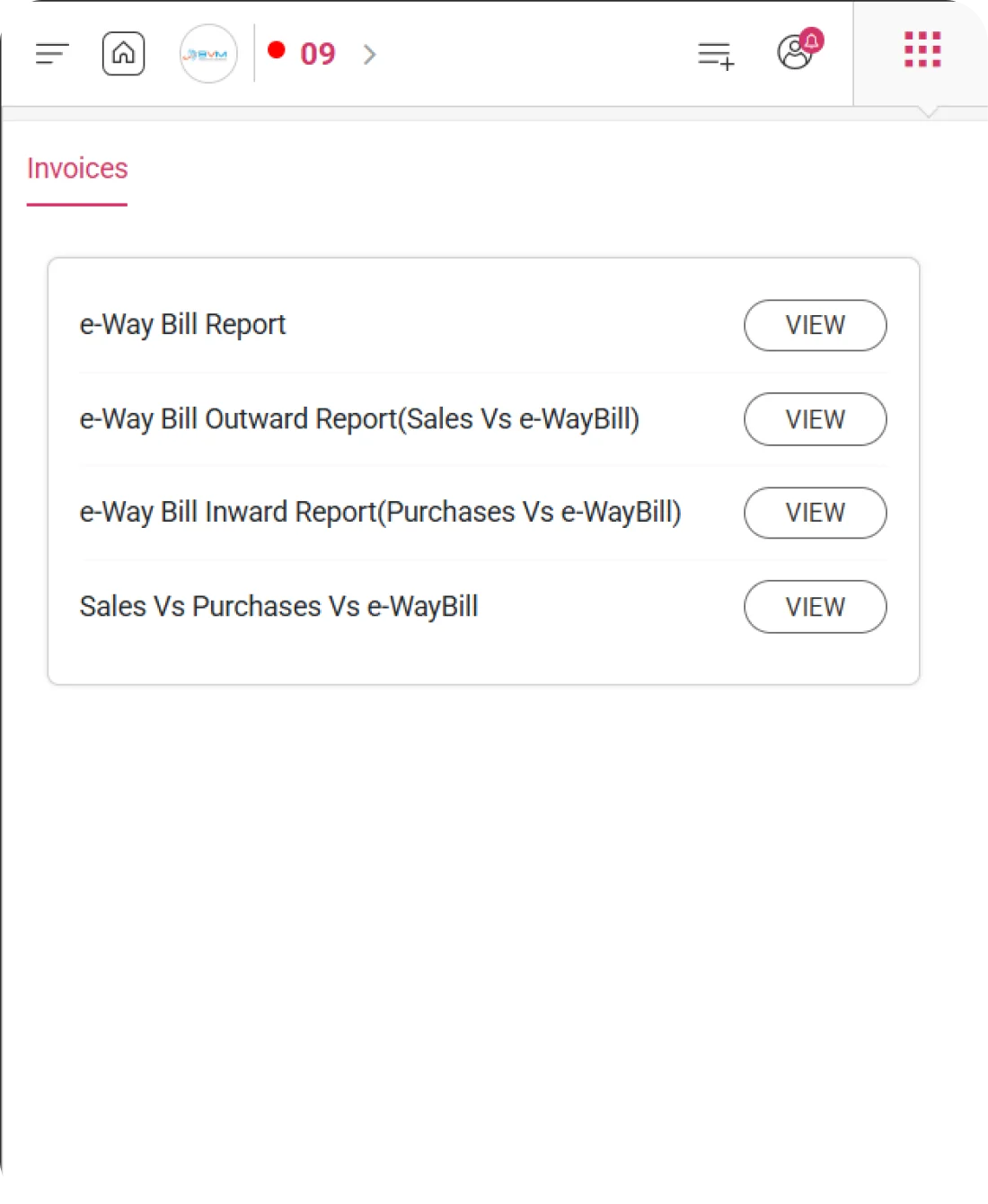
e-Way Bill Report
WhiteBooks generates a Monthly e-Way Bill Report with key details for all bills, providing a single reference for compliance, tax reconciliation, and verification, while enabling quick period-wise audit and analysis.
WhiteBooks presents each e-Way Bill with authorization number, transaction type, source document, customer, GSTIN, and dates, creating a cross-referenced register linking every bill to its originating transaction for compliance and audit purposes.
WhiteBooks records the taxable amount, total tax, and total value for each e-Way Bill, giving finance and compliance teams a financial view for period-wise assessment, tax verification, and invoice reconciliation, while supporting accurate reporting and audit readiness.
WhiteBooks lets users filter the e-Way Bill register by Sub Supply Type, Parties, Supply Type, Document Type, Status, and Near-To-Expire, isolating specific authorizations for compliance, vendor analysis, or validity checks without scanning the full register.
Exempted Value
WhiteBooks presents the Total Exempted Value as a dedicated column in the Monthly e-Way Bill Report — separately quantifying the value of goods movements that are exempt from GST within the active period.
WhiteBooks presents the total exempted value alongside total taxable value, total tax value, and total amount — ensuring exempt supply movements are explicitly quantified and providing a complete view of all goods movement values regardless of GST applicability.
WhiteBooks maintains a clear separation between taxable and exempted movements in the financial summary — enabling verification that GST treatment has been correctly applied and that exempt supplies are not inadvertently subjected to output tax.
WhiteBooks ensures that the financial summary fully reflects all goods movements — covering taxable value, exempt value, tax components, and total amount — confirming that every authorized goods movement is accounted for in the selected period.
e-Way Bill Outward Report
WhiteBooks generates a Monthly Outward e-Way Bill Report with key details—status, type, party, e-Way Bill number, dates, amount, and linked invoice—providing a single reference to verify authorizations and ensure invoice linkage.
WhiteBooks presents each outward e-Way Bill with status, type, party, authorization number, dates, and amount, creating a complete monthly register for teams to verify that all sales dispatches have valid, unexpired e-Way Bills.
WhiteBooks links each e-Way Bill to its source sales invoice, creating a traceable connection that supports invoice verification, GSTR-1 reconciliation, and audit readiness, while ensuring complete transparency of goods movement for every transaction.
WhiteBooks lets the outward report be downloaded in Item Wise, Invoice Wise, and Grid formats, giving compliance, logistics, and finance teams ready-to-use datasets for line-level analysis, invoice reconciliation, and operational reference.
e-Way Bill Inward Report
WhiteBooks generates a Monthly Inward e-Way Bill Report with key details—status, type, vendor, e-Way Bill number, dates, amount, and linked purchase invoice—providing a reference for verifying authorizations, identifying missing bills, and ensuring ITC-linked invoice compliance.
WhiteBooks presents each inward e-Way Bill with status, type, vendor, authorization number, dates, and amount, creating a complete monthly register for teams to verify that all goods receipts have valid, unexpired e-Way Bills.
WhiteBooks links each e-Way Bill to its source purchase invoice, creating a traceable connection that supports invoice verification, GSTR-2 reconciliation, and audit readiness for all inward transactions.
WhiteBooks lets the inward report be downloaded in Item Wise, Invoice Wise, and Grid formats, giving procurement, compliance, and finance teams ready-to-use datasets for line-level analysis, invoice reconciliation, and operational register reference.
Sales Vs Purchases Vs e-Way Bill
WhiteBooks generates an Invoice-Wise Sales vs Purchases vs e-Way Bill Report, showing bills by status—Generated, Cancelled, Not Generated, Rejected—allowing teams and auditors to quickly assess compliance.
WhiteBooks shows the total number of e-Way Bills for the period across all statuses—Generated, Not Generated, Cancelled, and Rejected—providing an instant organization-wide compliance snapshot, supporting quick high-level assessment.
WhiteBooks breaks down inward e-Way Bills into Generated, Cancelled, Not Generated, and Rejected, giving teams a clear count of inward receipts and enabling targeted follow-up on pending or rejected authorizations.
WhiteBooks breaks down outward e-Way Bills into Generated, Cancelled, Not Generated, and Rejected, giving teams clear visibility into dispatch authorizations and enabling targeted action on pending or rejected cases.
e-Way Bill Rejection Tracking
WhiteBooks separately tracks Rejected e-Way Bills—both inward and outward—as a distinct category, clearly distinguishing them from Not Generated cases and enabling targeted corrective action to ensure every goods movement has a valid authorization.
WhiteBooks presents inward rejected e-Way Bills as a separate category, identifying receipts rejected by the government portal and enabling teams to investigate and resubmit before goods are left without valid authorization.
WhiteBooks presents outward rejected e-Way Bills as a separate category, highlighting rejected dispatch authorizations so teams can quickly correct and resubmit them before goods face compliance risks in transit.
WhiteBooks clearly separates Rejected and Not Generated e-Way Bills, helping teams distinguish between cases needing fresh generation and those requiring correction and resubmission for proper compliance handling.
Downloads
WhiteBooks enables e-Way Bill reports to be downloaded in Item Wise, Invoice Wise, and Grid formats, giving teams flexible, ready-to-use datasets for analysis, reconciliation, and reporting without manual reformatting.
WhiteBooks downloads e-Way Bill data at the item level across all reports, providing a structured dataset with HSN, quantity, value, and tax details, enabling item-level analysis, HSN verification, and classification compliance review.
WhiteBooks downloads e-Way Bill data at the authorization level, presenting each e-Way Bill as a single row with complete details, enabling invoice-level reconciliation, party-wise analysis, and audit-ready compliance reporting.
WhiteBooks downloads e-Way Bill data exactly as displayed in the register, preserving status, type, party, number, dates, validity, and amount in a structured grid, providing a ready-to-use operational reference without reformatting.
Get started with WhiteBooks
WhiteBooks ensures every e-Way Bill is verified, invoice linked, and compliant with dispatch tracking, receipt monitoring, rejection handling, and audit ready exports.
No Credit Card Required
Exempted Value
Track Exempt vs. Taxable Dispatch Values Instantly
WhiteBooks presents the Total Exempted Value as a dedicated column in the Monthly e-Way Bill Report — separately quantifying the value of goods movements that are exempt from GST within the active period.
Exempted Value Summary
WhiteBooks presents the total exempted value alongside total taxable value, total tax value, and total amount — ensuring exempt supply movements are explicitly quantified and providing a complete view of all goods movement values regardless of GST applicability.
Taxable vs Exempt
WhiteBooks maintains a clear separation between taxable and exempted movements in the financial summary — enabling verification that GST treatment has been correctly applied and that exempt supplies are not inadvertently subjected to output tax.
Goods Value Coverage
WhiteBooks ensures that the financial summary fully reflects all goods movements — covering taxable value, exempt value, tax components, and total amount — confirming that every authorized goods movement is accounted for in the selected period.
Exempted Value
Track Exempt vs. Taxable Dispatch Values Instantly
WhiteBooks presents the Total Exempted Value as a dedicated column in the Monthly e-Way Bill Report — separately quantifying the value of goods movements that are exempt from GST within the active period.
Exempted Value Summary
WhiteBooks presents the total exempted value alongside total taxable value, total tax value, and total amount — ensuring exempt supply movements are explicitly quantified and providing a complete view of all goods movement values regardless of GST applicability.
Taxable vs Exempt
WhiteBooks maintains a clear separation between taxable and exempted movements in the financial summary — enabling verification that GST treatment has been correctly applied and that exempt supplies are not inadvertently subjected to output tax.
Goods Value Coverage
WhiteBooks ensures that the financial summary fully reflects all goods movements — covering taxable value, exempt value, tax components, and total amount — confirming that every authorized goods movement is accounted for in the selected period.
Get started with WhiteBooks
WhiteBooks ensures every e-Way Bill is verified, invoice linked, and compliant with dispatch tracking, receipt monitoring, rejection handling, and audit ready exports.
No Credit Card Required
e-Way Bill Report
Comprehensive Month-Wise e-Way Bill Analytics
WhiteBooks generates a Monthly e-Way Bill Report with key details for all bills, providing a single reference for compliance, tax reconciliation, and verification, while enabling quick period-wise audit and analysis.
E-Way Bill Register
WhiteBooks presents each e-Way Bill with authorization number, transaction type, source document, customer, GSTIN, and dates, creating a cross-referenced register linking every bill to its originating transaction for compliance and audit purposes.
Tax Summary Overview
WhiteBooks records the taxable amount, total tax, and total value for each e-Way Bill, giving finance and compliance teams a financial view for period-wise assessment, tax verification, and invoice reconciliation, while supporting accurate reporting and audit readiness.
Targeted Bill Analysis
WhiteBooks lets users filter the e-Way Bill register by Sub Supply Type, Parties, Supply Type, Document Type, Status, and Near-To-Expire, isolating specific authorizations for compliance, vendor analysis, or validity checks without scanning the full register.
e-Way Bill Report
Comprehensive Month-Wise e-Way Bill Analytics
WhiteBooks generates a Monthly e-Way Bill Report with key details for all bills, providing a single reference for compliance, tax reconciliation, and verification, while enabling quick period-wise audit and analysis.
E-Way Bill Register
WhiteBooks presents each e-Way Bill with authorization number, transaction type, source document, customer, GSTIN, and dates, creating a cross-referenced register linking every bill to its originating transaction for compliance and audit purposes.
Tax Summary Overview
WhiteBooks records the taxable amount, total tax, and total value for each e-Way Bill, giving finance and compliance teams a financial view for period-wise assessment, tax verification, and invoice reconciliation, while supporting accurate reporting and audit readiness.
Targeted Bill Analysis
WhiteBooks lets users filter the e-Way Bill register by Sub Supply Type, Parties, Supply Type, Document Type, Status, and Near-To-Expire, isolating specific authorizations for compliance, vendor analysis, or validity checks without scanning the full register.
Get started with WhiteBooks
WhiteBooks ensures every e-Way Bill is verified, invoice linked, and compliant with dispatch tracking, receipt monitoring, rejection handling, and audit ready exports.
No Credit Card Required
e-Way Bill Outward Report
Monthly Sales vs. e-Way Bill Status Report
WhiteBooks generates a Monthly Outward e-Way Bill Report with key details—status, type, party, e-Way Bill number, dates, amount, and linked invoice—providing a single reference to verify authorizations and ensure invoice linkage.
Sales Dispatch Register
WhiteBooks presents each outward e-Way Bill with status, type, party, authorization number, dates, and amount, creating a complete monthly register for teams to verify that all sales dispatches have valid, unexpired e-Way Bills.
Outward Bill Invoice
WhiteBooks links each e-Way Bill to its source sales invoice, creating a traceable connection that supports invoice verification, GSTR-1 reconciliation, and audit readiness, while ensuring complete transparency of goods movement for every transaction.
Outward Report Download
WhiteBooks lets the outward report be downloaded in Item Wise, Invoice Wise, and Grid formats, giving compliance, logistics, and finance teams ready-to-use datasets for line-level analysis, invoice reconciliation, and operational reference.
e-Way Bill Outward Report
Monthly Sales vs. e-Way Bill Status Report
WhiteBooks generates a Monthly Outward e-Way Bill Report with key details—status, type, party, e-Way Bill number, dates, amount, and linked invoice—providing a single reference to verify authorizations and ensure invoice linkage.
Sales Dispatch Register
WhiteBooks presents each outward e-Way Bill with status, type, party, authorization number, dates, and amount, creating a complete monthly register for teams to verify that all sales dispatches have valid, unexpired e-Way Bills.
Outward Bill Invoice
WhiteBooks links each e-Way Bill to its source sales invoice, creating a traceable connection that supports invoice verification, GSTR-1 reconciliation, and audit readiness, while ensuring complete transparency of goods movement for every transaction.
Outward Report Download
WhiteBooks lets the outward report be downloaded in Item Wise, Invoice Wise, and Grid formats, giving compliance, logistics, and finance teams ready-to-use datasets for line-level analysis, invoice reconciliation, and operational reference.
Get started with WhiteBooks
WhiteBooks ensures every e-Way Bill is verified, invoice linked, and compliant with dispatch tracking, receipt monitoring, rejection handling, and audit ready exports.
No Credit Card Required
e-Way Bill Inward Report
Monthly Purchase vs. e-Way Bill Status Report
WhiteBooks generates a Monthly Inward e-Way Bill Report with key details—status, type, vendor, e-Way Bill number, dates, amount, and linked purchase invoice—providing a reference for verifying authorizations, identifying missing bills, and ensuring ITC-linked invoice compliance.
Inward Receipt Register
WhiteBooks presents each inward e-Way Bill with status, type, vendor, authorization number, dates, and amount, creating a complete monthly register for teams to verify that all goods receipts have valid, unexpired e-Way Bills.
Invoice Bill Mapping
WhiteBooks links each e-Way Bill to its source purchase invoice, creating a traceable connection that supports invoice verification, GSTR-2 reconciliation, and audit readiness for all inward transactions.
Inward Report Download
WhiteBooks lets the inward report be downloaded in Item Wise, Invoice Wise, and Grid formats, giving procurement, compliance, and finance teams ready-to-use datasets for line-level analysis, invoice reconciliation, and operational register reference.
e-Way Bill Inward Report
Monthly Purchase vs. e-Way Bill Status Report
WhiteBooks generates a Monthly Inward e-Way Bill Report with key details—status, type, vendor, e-Way Bill number, dates, amount, and linked purchase invoice—providing a reference for verifying authorizations, identifying missing bills, and ensuring ITC-linked invoice compliance.
Inward Receipt Register
WhiteBooks presents each inward e-Way Bill with status, type, vendor, authorization number, dates, and amount, creating a complete monthly register for teams to verify that all goods receipts have valid, unexpired e-Way Bills.
Invoice Bill Mapping
WhiteBooks links each e-Way Bill to its source purchase invoice, creating a traceable connection that supports invoice verification, GSTR-2 reconciliation, and audit readiness for all inward transactions.
Inward Report Download
WhiteBooks lets the inward report be downloaded in Item Wise, Invoice Wise, and Grid formats, giving procurement, compliance, and finance teams ready-to-use datasets for line-level analysis, invoice reconciliation, and operational register reference.
Get started with WhiteBooks
WhiteBooks ensures every e-Way Bill is verified, invoice linked, and compliant with dispatch tracking, receipt monitoring, rejection handling, and audit ready exports.
No Credit Card Required
Sales Vs Purchases Vs e-Way Bill
Comprehensive Invoice-Wise Compliance Tracking
WhiteBooks generates an Invoice-Wise Sales vs Purchases vs e-Way Bill Report, showing bills by status—Generated, Cancelled, Not Generated, Rejected—allowing teams and auditors to quickly assess compliance.
Total Bills Overview
WhiteBooks shows the total number of e-Way Bills for the period across all statuses—Generated, Not Generated, Cancelled, and Rejected—providing an instant organization-wide compliance snapshot, supporting quick high-level assessment.
Inward Status Breakdown
WhiteBooks breaks down inward e-Way Bills into Generated, Cancelled, Not Generated, and Rejected, giving teams a clear count of inward receipts and enabling targeted follow-up on pending or rejected authorizations.
Outward Status Breakdown
WhiteBooks breaks down outward e-Way Bills into Generated, Cancelled, Not Generated, and Rejected, giving teams clear visibility into dispatch authorizations and enabling targeted action on pending or rejected cases.
Sales Vs Purchases Vs e-Way Bill
Comprehensive Invoice-Wise Compliance Tracking
WhiteBooks generates an Invoice-Wise Sales vs Purchases vs e-Way Bill Report, showing bills by status—Generated, Cancelled, Not Generated, Rejected—allowing teams and auditors to quickly assess compliance.
Total Bills Overview
WhiteBooks shows the total number of e-Way Bills for the period across all statuses—Generated, Not Generated, Cancelled, and Rejected—providing an instant organization-wide compliance snapshot, supporting quick high-level assessment.
Inward Status Breakdown
WhiteBooks breaks down inward e-Way Bills into Generated, Cancelled, Not Generated, and Rejected, giving teams a clear count of inward receipts and enabling targeted follow-up on pending or rejected authorizations.
Outward Status Breakdown
WhiteBooks breaks down outward e-Way Bills into Generated, Cancelled, Not Generated, and Rejected, giving teams clear visibility into dispatch authorizations and enabling targeted action on pending or rejected cases.
Get started with WhiteBooks
WhiteBooks ensures every e-Way Bill is verified, invoice linked, and compliant with dispatch tracking, receipt monitoring, rejection handling, and audit ready exports.
No Credit Card Required
Bill Rejection Tracking
Differentiate Rejected vs Pending e-Way Bill Status
WhiteBooks separately tracks Rejected e-Way Bills—both inward and outward—as a distinct category, clearly distinguishing them from Not Generated cases and enabling targeted corrective action to ensure every goods movement has a valid authorization.
Inward Rejected Count
WhiteBooks presents inward rejected e-Way Bills as a separate category, identifying receipts rejected by the government portal and enabling teams to investigate and resubmit before goods are left without valid authorization.
Outward Rejected Count
WhiteBooks presents outward rejected e-Way Bills as a separate category, highlighting rejected dispatch authorizations so teams can quickly correct and resubmit them before goods face compliance risks in transit.
Rejection Remediation View
WhiteBooks clearly separates Rejected and Not Generated e-Way Bills, helping teams distinguish between cases needing fresh generation and those requiring correction and resubmission for proper compliance handling.
Bill Rejection Tracking
Differentiate Rejected vs Pending e-Way Bill Status
WhiteBooks separately tracks Rejected e-Way Bills—both inward and outward—as a distinct category, clearly distinguishing them from Not Generated cases and enabling targeted corrective action to ensure every goods movement has a valid authorization.
Inward Rejected Count
WhiteBooks presents inward rejected e-Way Bills as a separate category, identifying receipts rejected by the government portal and enabling teams to investigate and resubmit before goods are left without valid authorization.
Outward Rejected Count
WhiteBooks presents outward rejected e-Way Bills as a separate category, highlighting rejected dispatch authorizations so teams can quickly correct and resubmit them before goods face compliance risks in transit.
Rejection Remediation View
WhiteBooks clearly separates Rejected and Not Generated e-Way Bills, helping teams distinguish between cases needing fresh generation and those requiring correction and resubmission for proper compliance handling.
Get started with WhiteBooks
WhiteBooks ensures every e-Way Bill is verified, invoice linked, and compliant with dispatch tracking, receipt monitoring, rejection handling, and audit ready exports.
No Credit Card Required
Downloads
e-Way Bill Reports in Multiple Formats
WhiteBooks enables e-Way Bill reports to be downloaded in Item Wise, Invoice Wise, and Grid formats, giving teams flexible, ready-to-use datasets for analysis, reconciliation, and reporting without manual reformatting.
Item Level Export
WhiteBooks downloads e-Way Bill data at the item level across all reports, providing a structured dataset with HSN, quantity, value, and tax details, enabling item-level analysis, HSN verification, and classification compliance review.
Invoice Level Download
WhiteBooks downloads e-Way Bill data at the authorization level, presenting each e-Way Bill as a single row with complete details, enabling invoice-level reconciliation, party-wise analysis, and audit-ready compliance reporting.
Grid Data Export
WhiteBooks downloads e-Way Bill data exactly as displayed in the register, preserving status, type, party, number, dates, validity, and amount in a structured grid, providing a ready-to-use operational reference without reformatting.
Downloads
e-Way Bill Reports in Multiple Formats
WhiteBooks enables e-Way Bill reports to be downloaded in Item Wise, Invoice Wise, and Grid formats, giving teams flexible, ready-to-use datasets for analysis, reconciliation, and reporting without manual reformatting.
Item Level Export
WhiteBooks downloads e-Way Bill data at the item level across all reports, providing a structured dataset with HSN, quantity, value, and tax details, enabling item-level analysis, HSN verification, and classification compliance review.
Invoice Level Download
WhiteBooks downloads e-Way Bill data at the authorization level, presenting each e-Way Bill as a single row with complete details, enabling invoice-level reconciliation, party-wise analysis, and audit-ready compliance reporting.
Grid Data Export
WhiteBooks downloads e-Way Bill data exactly as displayed in the register, preserving status, type, party, number, dates, validity, and amount in a structured grid, providing a ready-to-use operational reference without reformatting.
Get started with WhiteBooks
WhiteBooks ensures every e-Way Bill is verified, invoice linked, and compliant with dispatch tracking, receipt monitoring, rejection handling, and audit ready exports.
No Credit Card Required
Exempted Value
Track Exempt vs. Taxable Dispatch Values Instantly
WhiteBooks presents the Total Exempted Value as a dedicated column in the Monthly e-Way Bill Report — separately quantifying the value of goods movements that are exempt from GST within the active period.
Exempted Value Summary
WhiteBooks presents the total exempted value alongside total taxable value, total tax value, and total amount — ensuring exempt supply movements are explicitly quantified and providing a complete view of all goods movement values regardless of GST applicability.
Taxable vs Exempt
WhiteBooks maintains a clear separation between taxable and exempted movements in the financial summary — enabling verification that GST treatment has been correctly applied and that exempt supplies are not inadvertently subjected to output tax.
Goods Value Coverage
WhiteBooks ensures that the financial summary fully reflects all goods movements — covering taxable value, exempt value, tax components, and total amount — confirming that every authorized goods movement is accounted for in the selected period.
Exempted Value
Track Exempt vs. Taxable Dispatch Values Instantly
WhiteBooks presents the Total Exempted Value as a dedicated column in the Monthly e-Way Bill Report — separately quantifying the value of goods movements that are exempt from GST within the active period.
Exempted Value Summary
WhiteBooks presents the total exempted value alongside total taxable value, total tax value, and total amount — ensuring exempt supply movements are explicitly quantified and providing a complete view of all goods movement values regardless of GST applicability.
Taxable vs Exempt
WhiteBooks maintains a clear separation between taxable and exempted movements in the financial summary — enabling verification that GST treatment has been correctly applied and that exempt supplies are not inadvertently subjected to output tax.
Goods Value Coverage
WhiteBooks ensures that the financial summary fully reflects all goods movements — covering taxable value, exempt value, tax components, and total amount — confirming that every authorized goods movement is accounted for in the selected period.
Get started with WhiteBooks
WhiteBooks ensures every e-Way Bill is verified, invoice linked, and compliant with dispatch tracking, receipt monitoring, rejection handling, and audit ready exports.
No Credit Card Required
e-Way Bill Report
Comprehensive Month-Wise e-Way Bill Analytics
WhiteBooks generates a Monthly e-Way Bill Report with key details for all bills, providing a single reference for compliance, tax reconciliation, and verification, while enabling quick period-wise audit and analysis.
E-Way Bill Register
WhiteBooks presents each e-Way Bill with authorization number, transaction type, source document, customer, GSTIN, and dates, creating a cross-referenced register linking every bill to its originating transaction for compliance and audit purposes.
Tax Summary Overview
WhiteBooks records the taxable amount, total tax, and total value for each e-Way Bill, giving finance and compliance teams a financial view for period-wise assessment, tax verification, and invoice reconciliation, while supporting accurate reporting and audit readiness.
Targeted Bill Analysis
WhiteBooks lets users filter the e-Way Bill register by Sub Supply Type, Parties, Supply Type, Document Type, Status, and Near-To-Expire, isolating specific authorizations for compliance, vendor analysis, or validity checks without scanning the full register.
e-Way Bill Report
Comprehensive Month-Wise e-Way Bill Analytics
WhiteBooks generates a Monthly e-Way Bill Report with key details for all bills, providing a single reference for compliance, tax reconciliation, and verification, while enabling quick period-wise audit and analysis.
E-Way Bill Register
WhiteBooks presents each e-Way Bill with authorization number, transaction type, source document, customer, GSTIN, and dates, creating a cross-referenced register linking every bill to its originating transaction for compliance and audit purposes.
Tax Summary Overview
WhiteBooks records the taxable amount, total tax, and total value for each e-Way Bill, giving finance and compliance teams a financial view for period-wise assessment, tax verification, and invoice reconciliation, while supporting accurate reporting and audit readiness.
Targeted Bill Analysis
WhiteBooks lets users filter the e-Way Bill register by Sub Supply Type, Parties, Supply Type, Document Type, Status, and Near-To-Expire, isolating specific authorizations for compliance, vendor analysis, or validity checks without scanning the full register.
Get started with WhiteBooks
WhiteBooks ensures every e-Way Bill is verified, invoice linked, and compliant with dispatch tracking, receipt monitoring, rejection handling, and audit ready exports.
No Credit Card Required
e-Way Bill Outward Report
Monthly Sales vs. e-Way Bill Status Report
WhiteBooks generates a Monthly Outward e-Way Bill Report with key details—status, type, party, e-Way Bill number, dates, amount, and linked invoice—providing a single reference to verify authorizations and ensure invoice linkage.
Sales Dispatch Register
WhiteBooks presents each outward e-Way Bill with status, type, party, authorization number, dates, and amount, creating a complete monthly register for teams to verify that all sales dispatches have valid, unexpired e-Way Bills.
Outward Bill Invoice
WhiteBooks links each e-Way Bill to its source sales invoice, creating a traceable connection that supports invoice verification, GSTR-1 reconciliation, and audit readiness, while ensuring complete transparency of goods movement for every transaction.
Outward Report Download
WhiteBooks lets the outward report be downloaded in Item Wise, Invoice Wise, and Grid formats, giving compliance, logistics, and finance teams ready-to-use datasets for line-level analysis, invoice reconciliation, and operational reference.
e-Way Bill Outward Report
Monthly Sales vs. e-Way Bill Status Report
WhiteBooks generates a Monthly Outward e-Way Bill Report with key details—status, type, party, e-Way Bill number, dates, amount, and linked invoice—providing a single reference to verify authorizations and ensure invoice linkage.
Sales Dispatch Register
WhiteBooks presents each outward e-Way Bill with status, type, party, authorization number, dates, and amount, creating a complete monthly register for teams to verify that all sales dispatches have valid, unexpired e-Way Bills.
Outward Bill Invoice
WhiteBooks links each e-Way Bill to its source sales invoice, creating a traceable connection that supports invoice verification, GSTR-1 reconciliation, and audit readiness, while ensuring complete transparency of goods movement for every transaction.
Outward Report Download
WhiteBooks lets the outward report be downloaded in Item Wise, Invoice Wise, and Grid formats, giving compliance, logistics, and finance teams ready-to-use datasets for line-level analysis, invoice reconciliation, and operational reference.
Get started with WhiteBooks
WhiteBooks ensures every e-Way Bill is verified, invoice linked, and compliant with dispatch tracking, receipt monitoring, rejection handling, and audit ready exports.
No Credit Card Required
e-Way Bill Inward Report
Monthly Purchase vs. e-Way Bill Status Report
WhiteBooks generates a Monthly Inward e-Way Bill Report with key details—status, type, vendor, e-Way Bill number, dates, amount, and linked purchase invoice—providing a reference for verifying authorizations, identifying missing bills, and ensuring ITC-linked invoice compliance.
Inward Receipt Register
WhiteBooks presents each inward e-Way Bill with status, type, vendor, authorization number, dates, and amount, creating a complete monthly register for teams to verify that all goods receipts have valid, unexpired e-Way Bills.
Invoice Bill Mapping
WhiteBooks links each e-Way Bill to its source purchase invoice, creating a traceable connection that supports invoice verification, GSTR-2 reconciliation, and audit readiness for all inward transactions.
Inward Report Download
WhiteBooks lets the inward report be downloaded in Item Wise, Invoice Wise, and Grid formats, giving procurement, compliance, and finance teams ready-to-use datasets for line-level analysis, invoice reconciliation, and operational register reference.
e-Way Bill Inward Report
Monthly Purchase vs. e-Way Bill Status Report
WhiteBooks generates a Monthly Inward e-Way Bill Report with key details—status, type, vendor, e-Way Bill number, dates, amount, and linked purchase invoice—providing a reference for verifying authorizations, identifying missing bills, and ensuring ITC-linked invoice compliance.
Inward Receipt Register
WhiteBooks presents each inward e-Way Bill with status, type, vendor, authorization number, dates, and amount, creating a complete monthly register for teams to verify that all goods receipts have valid, unexpired e-Way Bills.
Invoice Bill Mapping
WhiteBooks links each e-Way Bill to its source purchase invoice, creating a traceable connection that supports invoice verification, GSTR-2 reconciliation, and audit readiness for all inward transactions.
Inward Report Download
WhiteBooks lets the inward report be downloaded in Item Wise, Invoice Wise, and Grid formats, giving procurement, compliance, and finance teams ready-to-use datasets for line-level analysis, invoice reconciliation, and operational register reference.
Get started with WhiteBooks
WhiteBooks ensures every e-Way Bill is verified, invoice linked, and compliant with dispatch tracking, receipt monitoring, rejection handling, and audit ready exports.
No Credit Card Required
Sales Vs Purchases Vs e-Way Bill
Comprehensive Invoice-Wise Compliance Tracking
WhiteBooks generates an Invoice-Wise Sales vs Purchases vs e-Way Bill Report, showing bills by status—Generated, Cancelled, Not Generated, Rejected—allowing teams and auditors to quickly assess compliance.
Total Bills Overview
WhiteBooks shows the total number of e-Way Bills for the period across all statuses—Generated, Not Generated, Cancelled, and Rejected—providing an instant organization-wide compliance snapshot, supporting quick high-level assessment.
Inward Status Breakdown
WhiteBooks breaks down inward e-Way Bills into Generated, Cancelled, Not Generated, and Rejected, giving teams a clear count of inward receipts and enabling targeted follow-up on pending or rejected authorizations.
Outward Status Breakdown
WhiteBooks breaks down outward e-Way Bills into Generated, Cancelled, Not Generated, and Rejected, giving teams clear visibility into dispatch authorizations and enabling targeted action on pending or rejected cases.
Sales Vs Purchases Vs e-Way Bill
Comprehensive Invoice-Wise Compliance Tracking
WhiteBooks generates an Invoice-Wise Sales vs Purchases vs e-Way Bill Report, showing bills by status—Generated, Cancelled, Not Generated, Rejected—allowing teams and auditors to quickly assess compliance.
Total Bills Overview
WhiteBooks shows the total number of e-Way Bills for the period across all statuses—Generated, Not Generated, Cancelled, and Rejected—providing an instant organization-wide compliance snapshot, supporting quick high-level assessment.
Inward Status Breakdown
WhiteBooks breaks down inward e-Way Bills into Generated, Cancelled, Not Generated, and Rejected, giving teams a clear count of inward receipts and enabling targeted follow-up on pending or rejected authorizations.
Outward Status Breakdown
WhiteBooks breaks down outward e-Way Bills into Generated, Cancelled, Not Generated, and Rejected, giving teams clear visibility into dispatch authorizations and enabling targeted action on pending or rejected cases.
Get started with WhiteBooks
WhiteBooks ensures every e-Way Bill is verified, invoice linked, and compliant with dispatch tracking, receipt monitoring, rejection handling, and audit ready exports.
No Credit Card Required
Bill Rejection Tracking
Differentiate Rejected vs Pending e-Way Bill Status
WhiteBooks separately tracks Rejected e-Way Bills—both inward and outward—as a distinct category, clearly distinguishing them from Not Generated cases and enabling targeted corrective action to ensure every goods movement has a valid authorization.
Inward Rejected Count
WhiteBooks presents inward rejected e-Way Bills as a separate category, identifying receipts rejected by the government portal and enabling teams to investigate and resubmit before goods are left without valid authorization.
Outward Rejected Count
WhiteBooks presents outward rejected e-Way Bills as a separate category, highlighting rejected dispatch authorizations so teams can quickly correct and resubmit them before goods face compliance risks in transit.
Rejection Remediation View
WhiteBooks clearly separates Rejected and Not Generated e-Way Bills, helping teams distinguish between cases needing fresh generation and those requiring correction and resubmission for proper compliance handling.
Bill Rejection Tracking
Differentiate Rejected vs Pending e-Way Bill Status
WhiteBooks separately tracks Rejected e-Way Bills—both inward and outward—as a distinct category, clearly distinguishing them from Not Generated cases and enabling targeted corrective action to ensure every goods movement has a valid authorization.
Inward Rejected Count
WhiteBooks presents inward rejected e-Way Bills as a separate category, identifying receipts rejected by the government portal and enabling teams to investigate and resubmit before goods are left without valid authorization.
Outward Rejected Count
WhiteBooks presents outward rejected e-Way Bills as a separate category, highlighting rejected dispatch authorizations so teams can quickly correct and resubmit them before goods face compliance risks in transit.
Rejection Remediation View
WhiteBooks clearly separates Rejected and Not Generated e-Way Bills, helping teams distinguish between cases needing fresh generation and those requiring correction and resubmission for proper compliance handling.
Get started with WhiteBooks
WhiteBooks ensures every e-Way Bill is verified, invoice linked, and compliant with dispatch tracking, receipt monitoring, rejection handling, and audit ready exports.
No Credit Card Required
Downloads
e-Way Bill Reports in Multiple Formats
WhiteBooks enables e-Way Bill reports to be downloaded in Item Wise, Invoice Wise, and Grid formats, giving teams flexible, ready-to-use datasets for analysis, reconciliation, and reporting without manual reformatting.
Item Level Export
WhiteBooks downloads e-Way Bill data at the item level across all reports, providing a structured dataset with HSN, quantity, value, and tax details, enabling item-level analysis, HSN verification, and classification compliance review.
Invoice Level Download
WhiteBooks downloads e-Way Bill data at the authorization level, presenting each e-Way Bill as a single row with complete details, enabling invoice-level reconciliation, party-wise analysis, and audit-ready compliance reporting.
Grid Data Export
WhiteBooks downloads e-Way Bill data exactly as displayed in the register, preserving status, type, party, number, dates, validity, and amount in a structured grid, providing a ready-to-use operational reference without reformatting.
Downloads
e-Way Bill Reports in Multiple Formats
WhiteBooks enables e-Way Bill reports to be downloaded in Item Wise, Invoice Wise, and Grid formats, giving teams flexible, ready-to-use datasets for analysis, reconciliation, and reporting without manual reformatting.
Item Level Export
WhiteBooks downloads e-Way Bill data at the item level across all reports, providing a structured dataset with HSN, quantity, value, and tax details, enabling item-level analysis, HSN verification, and classification compliance review.
Invoice Level Download
WhiteBooks downloads e-Way Bill data at the authorization level, presenting each e-Way Bill as a single row with complete details, enabling invoice-level reconciliation, party-wise analysis, and audit-ready compliance reporting.
Grid Data Export
WhiteBooks downloads e-Way Bill data exactly as displayed in the register, preserving status, type, party, number, dates, validity, and amount in a structured grid, providing a ready-to-use operational reference without reformatting.
Get started with WhiteBooks
WhiteBooks ensures every e-Way Bill is verified, invoice linked, and compliant with dispatch tracking, receipt monitoring, rejection handling, and audit ready exports.
No Credit Card Required
Exempted Value
Track Exempt vs. Taxable Dispatch Values Instantly
WhiteBooks presents the Total Exempted Value as a dedicated column in the Monthly e-Way Bill Report — separately quantifying the value of goods movements that are exempt from GST within the active period.
Exempted Value Summary
WhiteBooks presents the total exempted value alongside total taxable value, total tax value, and total amount — ensuring exempt supply movements are explicitly quantified and providing a complete view of all goods movement values regardless of GST applicability.
Taxable vs Exempt
WhiteBooks maintains a clear separation between taxable and exempted movements in the financial summary — enabling verification that GST treatment has been correctly applied and that exempt supplies are not inadvertently subjected to output tax.
Goods Value Coverage
WhiteBooks ensures that the financial summary fully reflects all goods movements — covering taxable value, exempt value, tax components, and total amount — confirming that every authorized goods movement is accounted for in the selected period.
Exempted Value
Track Exempt vs. Taxable Dispatch Values Instantly
WhiteBooks presents the Total Exempted Value as a dedicated column in the Monthly e-Way Bill Report — separately quantifying the value of goods movements that are exempt from GST within the active period.
Exempted Value Summary
WhiteBooks presents the total exempted value alongside total taxable value, total tax value, and total amount — ensuring exempt supply movements are explicitly quantified and providing a complete view of all goods movement values regardless of GST applicability.
Taxable vs Exempt
WhiteBooks maintains a clear separation between taxable and exempted movements in the financial summary — enabling verification that GST treatment has been correctly applied and that exempt supplies are not inadvertently subjected to output tax.
Goods Value Coverage
WhiteBooks ensures that the financial summary fully reflects all goods movements — covering taxable value, exempt value, tax components, and total amount — confirming that every authorized goods movement is accounted for in the selected period.
Get started with WhiteBooks
WhiteBooks ensures every e-Way Bill is verified, invoice linked, and compliant with dispatch tracking, receipt monitoring, rejection handling, and audit ready exports.
No Credit Card Required
e-Way Bill Report
Comprehensive Month-Wise e-Way Bill Analytics
WhiteBooks generates a Monthly e-Way Bill Report with key details for all bills, providing a single reference for compliance, tax reconciliation, and verification, while enabling quick period-wise audit and analysis.
E-Way Bill Register
WhiteBooks presents each e-Way Bill with authorization number, transaction type, source document, customer, GSTIN, and dates, creating a cross-referenced register linking every bill to its originating transaction for compliance and audit purposes.
Tax Summary Overview
WhiteBooks records the taxable amount, total tax, and total value for each e-Way Bill, giving finance and compliance teams a financial view for period-wise assessment, tax verification, and invoice reconciliation, while supporting accurate reporting and audit readiness.
Targeted Bill Analysis
WhiteBooks lets users filter the e-Way Bill register by Sub Supply Type, Parties, Supply Type, Document Type, Status, and Near-To-Expire, isolating specific authorizations for compliance, vendor analysis, or validity checks without scanning the full register.
e-Way Bill Report
Comprehensive Month-Wise e-Way Bill Analytics
WhiteBooks generates a Monthly e-Way Bill Report with key details for all bills, providing a single reference for compliance, tax reconciliation, and verification, while enabling quick period-wise audit and analysis.
E-Way Bill Register
WhiteBooks presents each e-Way Bill with authorization number, transaction type, source document, customer, GSTIN, and dates, creating a cross-referenced register linking every bill to its originating transaction for compliance and audit purposes.
Tax Summary Overview
WhiteBooks records the taxable amount, total tax, and total value for each e-Way Bill, giving finance and compliance teams a financial view for period-wise assessment, tax verification, and invoice reconciliation, while supporting accurate reporting and audit readiness.
Targeted Bill Analysis
WhiteBooks lets users filter the e-Way Bill register by Sub Supply Type, Parties, Supply Type, Document Type, Status, and Near-To-Expire, isolating specific authorizations for compliance, vendor analysis, or validity checks without scanning the full register.
Get started with WhiteBooks
WhiteBooks ensures every e-Way Bill is verified, invoice linked, and compliant with dispatch tracking, receipt monitoring, rejection handling, and audit ready exports.
No Credit Card Required
e-Way Bill Outward Report
Monthly Sales vs. e-Way Bill Status Report
WhiteBooks generates a Monthly Outward e-Way Bill Report with key details—status, type, party, e-Way Bill number, dates, amount, and linked invoice—providing a single reference to verify authorizations and ensure invoice linkage.
Sales Dispatch Register
WhiteBooks presents each outward e-Way Bill with status, type, party, authorization number, dates, and amount, creating a complete monthly register for teams to verify that all sales dispatches have valid, unexpired e-Way Bills.
Outward Bill Invoice
WhiteBooks links each e-Way Bill to its source sales invoice, creating a traceable connection that supports invoice verification, GSTR-1 reconciliation, and audit readiness, while ensuring complete transparency of goods movement for every transaction.
Outward Report Download
WhiteBooks lets the outward report be downloaded in Item Wise, Invoice Wise, and Grid formats, giving compliance, logistics, and finance teams ready-to-use datasets for line-level analysis, invoice reconciliation, and operational reference.
e-Way Bill Outward Report
Monthly Sales vs. e-Way Bill Status Report
WhiteBooks generates a Monthly Outward e-Way Bill Report with key details—status, type, party, e-Way Bill number, dates, amount, and linked invoice—providing a single reference to verify authorizations and ensure invoice linkage.
Sales Dispatch Register
WhiteBooks presents each outward e-Way Bill with status, type, party, authorization number, dates, and amount, creating a complete monthly register for teams to verify that all sales dispatches have valid, unexpired e-Way Bills.
Outward Bill Invoice
WhiteBooks links each e-Way Bill to its source sales invoice, creating a traceable connection that supports invoice verification, GSTR-1 reconciliation, and audit readiness, while ensuring complete transparency of goods movement for every transaction.
Outward Report Download
WhiteBooks lets the outward report be downloaded in Item Wise, Invoice Wise, and Grid formats, giving compliance, logistics, and finance teams ready-to-use datasets for line-level analysis, invoice reconciliation, and operational reference.
Get started with WhiteBooks
WhiteBooks ensures every e-Way Bill is verified, invoice linked, and compliant with dispatch tracking, receipt monitoring, rejection handling, and audit ready exports.
No Credit Card Required
e-Way Bill Inward Report
Monthly Purchase vs. e-Way Bill Status Report
WhiteBooks generates a Monthly Inward e-Way Bill Report with key details—status, type, vendor, e-Way Bill number, dates, amount, and linked purchase invoice—providing a reference for verifying authorizations, identifying missing bills, and ensuring ITC-linked invoice compliance.
Inward Receipt Register
WhiteBooks presents each inward e-Way Bill with status, type, vendor, authorization number, dates, and amount, creating a complete monthly register for teams to verify that all goods receipts have valid, unexpired e-Way Bills.
Invoice Bill Mapping
WhiteBooks links each e-Way Bill to its source purchase invoice, creating a traceable connection that supports invoice verification, GSTR-2 reconciliation, and audit readiness for all inward transactions.
Inward Report Download
WhiteBooks lets the inward report be downloaded in Item Wise, Invoice Wise, and Grid formats, giving procurement, compliance, and finance teams ready-to-use datasets for line-level analysis, invoice reconciliation, and operational register reference.
e-Way Bill Inward Report
Monthly Purchase vs. e-Way Bill Status Report
WhiteBooks generates a Monthly Inward e-Way Bill Report with key details—status, type, vendor, e-Way Bill number, dates, amount, and linked purchase invoice—providing a reference for verifying authorizations, identifying missing bills, and ensuring ITC-linked invoice compliance.
Inward Receipt Register
WhiteBooks presents each inward e-Way Bill with status, type, vendor, authorization number, dates, and amount, creating a complete monthly register for teams to verify that all goods receipts have valid, unexpired e-Way Bills.
Invoice Bill Mapping
WhiteBooks links each e-Way Bill to its source purchase invoice, creating a traceable connection that supports invoice verification, GSTR-2 reconciliation, and audit readiness for all inward transactions.
Inward Report Download
WhiteBooks lets the inward report be downloaded in Item Wise, Invoice Wise, and Grid formats, giving procurement, compliance, and finance teams ready-to-use datasets for line-level analysis, invoice reconciliation, and operational register reference.
Get started with WhiteBooks
WhiteBooks ensures every e-Way Bill is verified, invoice linked, and compliant with dispatch tracking, receipt monitoring, rejection handling, and audit ready exports.
No Credit Card Required
Sales Vs Purchases Vs e-Way Bill
Comprehensive Invoice-Wise Compliance Tracking
WhiteBooks generates an Invoice-Wise Sales vs Purchases vs e-Way Bill Report, showing bills by status—Generated, Cancelled, Not Generated, Rejected—allowing teams and auditors to quickly assess compliance.
Total Bills Overview
WhiteBooks shows the total number of e-Way Bills for the period across all statuses—Generated, Not Generated, Cancelled, and Rejected—providing an instant organization-wide compliance snapshot, supporting quick high-level assessment.
Inward Status Breakdown
WhiteBooks breaks down inward e-Way Bills into Generated, Cancelled, Not Generated, and Rejected, giving teams a clear count of inward receipts and enabling targeted follow-up on pending or rejected authorizations.
Outward Status Breakdown
WhiteBooks breaks down outward e-Way Bills into Generated, Cancelled, Not Generated, and Rejected, giving teams clear visibility into dispatch authorizations and enabling targeted action on pending or rejected cases.
Sales Vs Purchases Vs e-Way Bill
Comprehensive Invoice-Wise Compliance Tracking
WhiteBooks generates an Invoice-Wise Sales vs Purchases vs e-Way Bill Report, showing bills by status—Generated, Cancelled, Not Generated, Rejected—allowing teams and auditors to quickly assess compliance.
Total Bills Overview
WhiteBooks shows the total number of e-Way Bills for the period across all statuses—Generated, Not Generated, Cancelled, and Rejected—providing an instant organization-wide compliance snapshot, supporting quick high-level assessment.
Inward Status Breakdown
WhiteBooks breaks down inward e-Way Bills into Generated, Cancelled, Not Generated, and Rejected, giving teams a clear count of inward receipts and enabling targeted follow-up on pending or rejected authorizations.
Outward Status Breakdown
WhiteBooks breaks down outward e-Way Bills into Generated, Cancelled, Not Generated, and Rejected, giving teams clear visibility into dispatch authorizations and enabling targeted action on pending or rejected cases.
Get started with WhiteBooks
WhiteBooks ensures every e-Way Bill is verified, invoice linked, and compliant with dispatch tracking, receipt monitoring, rejection handling, and audit ready exports.
No Credit Card Required
Bill Rejection Tracking
Differentiate Rejected vs Pending e-Way Bill Status
WhiteBooks separately tracks Rejected e-Way Bills—both inward and outward—as a distinct category, clearly distinguishing them from Not Generated cases and enabling targeted corrective action to ensure every goods movement has a valid authorization.
Inward Rejected Count
WhiteBooks presents inward rejected e-Way Bills as a separate category, identifying receipts rejected by the government portal and enabling teams to investigate and resubmit before goods are left without valid authorization.
Outward Rejected Count
WhiteBooks presents outward rejected e-Way Bills as a separate category, highlighting rejected dispatch authorizations so teams can quickly correct and resubmit them before goods face compliance risks in transit.
Rejection Remediation View
WhiteBooks clearly separates Rejected and Not Generated e-Way Bills, helping teams distinguish between cases needing fresh generation and those requiring correction and resubmission for proper compliance handling.
Bill Rejection Tracking
Differentiate Rejected vs Pending e-Way Bill Status
WhiteBooks separately tracks Rejected e-Way Bills—both inward and outward—as a distinct category, clearly distinguishing them from Not Generated cases and enabling targeted corrective action to ensure every goods movement has a valid authorization.
Inward Rejected Count
WhiteBooks presents inward rejected e-Way Bills as a separate category, identifying receipts rejected by the government portal and enabling teams to investigate and resubmit before goods are left without valid authorization.
Outward Rejected Count
WhiteBooks presents outward rejected e-Way Bills as a separate category, highlighting rejected dispatch authorizations so teams can quickly correct and resubmit them before goods face compliance risks in transit.
Rejection Remediation View
WhiteBooks clearly separates Rejected and Not Generated e-Way Bills, helping teams distinguish between cases needing fresh generation and those requiring correction and resubmission for proper compliance handling.
Get started with WhiteBooks
WhiteBooks ensures every e-Way Bill is verified, invoice linked, and compliant with dispatch tracking, receipt monitoring, rejection handling, and audit ready exports.
No Credit Card Required
Downloads
e-Way Bill Reports in Multiple Formats
WhiteBooks enables e-Way Bill reports to be downloaded in Item Wise, Invoice Wise, and Grid formats, giving teams flexible, ready-to-use datasets for analysis, reconciliation, and reporting without manual reformatting.
Item Level Export
WhiteBooks downloads e-Way Bill data at the item level across all reports, providing a structured dataset with HSN, quantity, value, and tax details, enabling item-level analysis, HSN verification, and classification compliance review.
Invoice Level Download
WhiteBooks downloads e-Way Bill data at the authorization level, presenting each e-Way Bill as a single row with complete details, enabling invoice-level reconciliation, party-wise analysis, and audit-ready compliance reporting.
Grid Data Export
WhiteBooks downloads e-Way Bill data exactly as displayed in the register, preserving status, type, party, number, dates, validity, and amount in a structured grid, providing a ready-to-use operational reference without reformatting.
Downloads
e-Way Bill Reports in Multiple Formats
WhiteBooks enables e-Way Bill reports to be downloaded in Item Wise, Invoice Wise, and Grid formats, giving teams flexible, ready-to-use datasets for analysis, reconciliation, and reporting without manual reformatting.
Item Level Export
WhiteBooks downloads e-Way Bill data at the item level across all reports, providing a structured dataset with HSN, quantity, value, and tax details, enabling item-level analysis, HSN verification, and classification compliance review.
Invoice Level Download
WhiteBooks downloads e-Way Bill data at the authorization level, presenting each e-Way Bill as a single row with complete details, enabling invoice-level reconciliation, party-wise analysis, and audit-ready compliance reporting.
Grid Data Export
WhiteBooks downloads e-Way Bill data exactly as displayed in the register, preserving status, type, party, number, dates, validity, and amount in a structured grid, providing a ready-to-use operational reference without reformatting.
Get started with WhiteBooks
WhiteBooks ensures every e-Way Bill is verified, invoice linked, and compliant with dispatch tracking, receipt monitoring, rejection handling, and audit ready exports.
No Credit Card Required
Exempted Value
Track Exempt vs. Taxable Dispatch Values Instantly
WhiteBooks presents the Total Exempted Value as a dedicated column in the Monthly e-Way Bill Report — separately quantifying the value of goods movements that are exempt from GST within the active period.
Exempted Value Summary
WhiteBooks presents the total exempted value alongside total taxable value, total tax value, and total amount — ensuring exempt supply movements are explicitly quantified and providing a complete view of all goods movement values regardless of GST applicability.
Taxable vs Exempt
WhiteBooks maintains a clear separation between taxable and exempted movements in the financial summary — enabling verification that GST treatment has been correctly applied and that exempt supplies are not inadvertently subjected to output tax.
Goods Value Coverage
WhiteBooks ensures that the financial summary fully reflects all goods movements — covering taxable value, exempt value, tax components, and total amount — confirming that every authorized goods movement is accounted for in the selected period.
Exempted Value
Track Exempt vs. Taxable Dispatch Values Instantly
WhiteBooks presents the Total Exempted Value as a dedicated column in the Monthly e-Way Bill Report — separately quantifying the value of goods movements that are exempt from GST within the active period.
Exempted Value Summary
WhiteBooks presents the total exempted value alongside total taxable value, total tax value, and total amount — ensuring exempt supply movements are explicitly quantified and providing a complete view of all goods movement values regardless of GST applicability.
Taxable vs Exempt
WhiteBooks maintains a clear separation between taxable and exempted movements in the financial summary — enabling verification that GST treatment has been correctly applied and that exempt supplies are not inadvertently subjected to output tax.
Goods Value Coverage
WhiteBooks ensures that the financial summary fully reflects all goods movements — covering taxable value, exempt value, tax components, and total amount — confirming that every authorized goods movement is accounted for in the selected period.
Get started with WhiteBooks
WhiteBooks ensures every e-Way Bill is verified, invoice linked, and compliant with dispatch tracking, receipt monitoring, rejection handling, and audit ready exports.
No Credit Card Required
e-Way Bill Report
Comprehensive Month-Wise e-Way Bill Analytics
WhiteBooks generates a Monthly e-Way Bill Report with key details for all bills, providing a single reference for compliance, tax reconciliation, and verification, while enabling quick period-wise audit and analysis.
E-Way Bill Register
WhiteBooks presents each e-Way Bill with authorization number, transaction type, source document, customer, GSTIN, and dates, creating a cross-referenced register linking every bill to its originating transaction for compliance and audit purposes.
Tax Summary Overview
WhiteBooks records the taxable amount, total tax, and total value for each e-Way Bill, giving finance and compliance teams a financial view for period-wise assessment, tax verification, and invoice reconciliation, while supporting accurate reporting and audit readiness.
Targeted Bill Analysis
WhiteBooks lets users filter the e-Way Bill register by Sub Supply Type, Parties, Supply Type, Document Type, Status, and Near-To-Expire, isolating specific authorizations for compliance, vendor analysis, or validity checks without scanning the full register.
e-Way Bill Report
Comprehensive Month-Wise e-Way Bill Analytics
WhiteBooks generates a Monthly e-Way Bill Report with key details for all bills, providing a single reference for compliance, tax reconciliation, and verification, while enabling quick period-wise audit and analysis.
E-Way Bill Register
WhiteBooks presents each e-Way Bill with authorization number, transaction type, source document, customer, GSTIN, and dates, creating a cross-referenced register linking every bill to its originating transaction for compliance and audit purposes.
Tax Summary Overview
WhiteBooks records the taxable amount, total tax, and total value for each e-Way Bill, giving finance and compliance teams a financial view for period-wise assessment, tax verification, and invoice reconciliation, while supporting accurate reporting and audit readiness.
Targeted Bill Analysis
WhiteBooks lets users filter the e-Way Bill register by Sub Supply Type, Parties, Supply Type, Document Type, Status, and Near-To-Expire, isolating specific authorizations for compliance, vendor analysis, or validity checks without scanning the full register.
Get started with WhiteBooks
WhiteBooks ensures every e-Way Bill is verified, invoice linked, and compliant with dispatch tracking, receipt monitoring, rejection handling, and audit ready exports.
No Credit Card Required
e-Way Bill Outward Report
Monthly Sales vs. e-Way Bill Status Report
WhiteBooks generates a Monthly Outward e-Way Bill Report with key details—status, type, party, e-Way Bill number, dates, amount, and linked invoice—providing a single reference to verify authorizations and ensure invoice linkage.
Sales Dispatch Register
WhiteBooks presents each outward e-Way Bill with status, type, party, authorization number, dates, and amount, creating a complete monthly register for teams to verify that all sales dispatches have valid, unexpired e-Way Bills.
Outward Bill Invoice
WhiteBooks links each e-Way Bill to its source sales invoice, creating a traceable connection that supports invoice verification, GSTR-1 reconciliation, and audit readiness, while ensuring complete transparency of goods movement for every transaction.
Outward Report Download
WhiteBooks lets the outward report be downloaded in Item Wise, Invoice Wise, and Grid formats, giving compliance, logistics, and finance teams ready-to-use datasets for line-level analysis, invoice reconciliation, and operational reference.
e-Way Bill Outward Report
Monthly Sales vs. e-Way Bill Status Report
WhiteBooks generates a Monthly Outward e-Way Bill Report with key details—status, type, party, e-Way Bill number, dates, amount, and linked invoice—providing a single reference to verify authorizations and ensure invoice linkage.
Sales Dispatch Register
WhiteBooks presents each outward e-Way Bill with status, type, party, authorization number, dates, and amount, creating a complete monthly register for teams to verify that all sales dispatches have valid, unexpired e-Way Bills.
Outward Bill Invoice
WhiteBooks links each e-Way Bill to its source sales invoice, creating a traceable connection that supports invoice verification, GSTR-1 reconciliation, and audit readiness, while ensuring complete transparency of goods movement for every transaction.
Outward Report Download
WhiteBooks lets the outward report be downloaded in Item Wise, Invoice Wise, and Grid formats, giving compliance, logistics, and finance teams ready-to-use datasets for line-level analysis, invoice reconciliation, and operational reference.
Get started with WhiteBooks
WhiteBooks ensures every e-Way Bill is verified, invoice linked, and compliant with dispatch tracking, receipt monitoring, rejection handling, and audit ready exports.
No Credit Card Required
e-Way Bill Inward Report
Monthly Purchase vs. e-Way Bill Status Report
WhiteBooks generates a Monthly Inward e-Way Bill Report with key details—status, type, vendor, e-Way Bill number, dates, amount, and linked purchase invoice—providing a reference for verifying authorizations, identifying missing bills, and ensuring ITC-linked invoice compliance.
Inward Receipt Register
WhiteBooks presents each inward e-Way Bill with status, type, vendor, authorization number, dates, and amount, creating a complete monthly register for teams to verify that all goods receipts have valid, unexpired e-Way Bills.
Invoice Bill Mapping
WhiteBooks links each e-Way Bill to its source purchase invoice, creating a traceable connection that supports invoice verification, GSTR-2 reconciliation, and audit readiness for all inward transactions.
Inward Report Download
WhiteBooks lets the inward report be downloaded in Item Wise, Invoice Wise, and Grid formats, giving procurement, compliance, and finance teams ready-to-use datasets for line-level analysis, invoice reconciliation, and operational register reference.
e-Way Bill Inward Report
Monthly Purchase vs. e-Way Bill Status Report
WhiteBooks generates a Monthly Inward e-Way Bill Report with key details—status, type, vendor, e-Way Bill number, dates, amount, and linked purchase invoice—providing a reference for verifying authorizations, identifying missing bills, and ensuring ITC-linked invoice compliance.
Inward Receipt Register
WhiteBooks presents each inward e-Way Bill with status, type, vendor, authorization number, dates, and amount, creating a complete monthly register for teams to verify that all goods receipts have valid, unexpired e-Way Bills.
Invoice Bill Mapping
WhiteBooks links each e-Way Bill to its source purchase invoice, creating a traceable connection that supports invoice verification, GSTR-2 reconciliation, and audit readiness for all inward transactions.
Inward Report Download
WhiteBooks lets the inward report be downloaded in Item Wise, Invoice Wise, and Grid formats, giving procurement, compliance, and finance teams ready-to-use datasets for line-level analysis, invoice reconciliation, and operational register reference.
Get started with WhiteBooks
WhiteBooks ensures every e-Way Bill is verified, invoice linked, and compliant with dispatch tracking, receipt monitoring, rejection handling, and audit ready exports.
No Credit Card Required
Sales Vs Purchases Vs e-Way Bill
Comprehensive Invoice-Wise Compliance Tracking
WhiteBooks generates an Invoice-Wise Sales vs Purchases vs e-Way Bill Report, showing bills by status—Generated, Cancelled, Not Generated, Rejected—allowing teams and auditors to quickly assess compliance.
Total Bills Overview
WhiteBooks shows the total number of e-Way Bills for the period across all statuses—Generated, Not Generated, Cancelled, and Rejected—providing an instant organization-wide compliance snapshot, supporting quick high-level assessment.
Inward Status Breakdown
WhiteBooks breaks down inward e-Way Bills into Generated, Cancelled, Not Generated, and Rejected, giving teams a clear count of inward receipts and enabling targeted follow-up on pending or rejected authorizations.
Outward Status Breakdown
WhiteBooks breaks down outward e-Way Bills into Generated, Cancelled, Not Generated, and Rejected, giving teams clear visibility into dispatch authorizations and enabling targeted action on pending or rejected cases.
Sales Vs Purchases Vs e-Way Bill
Comprehensive Invoice-Wise Compliance Tracking
WhiteBooks generates an Invoice-Wise Sales vs Purchases vs e-Way Bill Report, showing bills by status—Generated, Cancelled, Not Generated, Rejected—allowing teams and auditors to quickly assess compliance.
Total Bills Overview
WhiteBooks shows the total number of e-Way Bills for the period across all statuses—Generated, Not Generated, Cancelled, and Rejected—providing an instant organization-wide compliance snapshot, supporting quick high-level assessment.
Inward Status Breakdown
WhiteBooks breaks down inward e-Way Bills into Generated, Cancelled, Not Generated, and Rejected, giving teams a clear count of inward receipts and enabling targeted follow-up on pending or rejected authorizations.
Outward Status Breakdown
WhiteBooks breaks down outward e-Way Bills into Generated, Cancelled, Not Generated, and Rejected, giving teams clear visibility into dispatch authorizations and enabling targeted action on pending or rejected cases.
Get started with WhiteBooks
WhiteBooks ensures every e-Way Bill is verified, invoice linked, and compliant with dispatch tracking, receipt monitoring, rejection handling, and audit ready exports.
No Credit Card Required
Bill Rejection Tracking
Differentiate Rejected vs Pending e-Way Bill Status
WhiteBooks separately tracks Rejected e-Way Bills—both inward and outward—as a distinct category, clearly distinguishing them from Not Generated cases and enabling targeted corrective action to ensure every goods movement has a valid authorization.
Inward Rejected Count
WhiteBooks presents inward rejected e-Way Bills as a separate category, identifying receipts rejected by the government portal and enabling teams to investigate and resubmit before goods are left without valid authorization.
Outward Rejected Count
WhiteBooks presents outward rejected e-Way Bills as a separate category, highlighting rejected dispatch authorizations so teams can quickly correct and resubmit them before goods face compliance risks in transit.
Rejection Remediation View
WhiteBooks clearly separates Rejected and Not Generated e-Way Bills, helping teams distinguish between cases needing fresh generation and those requiring correction and resubmission for proper compliance handling.
Bill Rejection Tracking
Differentiate Rejected vs Pending e-Way Bill Status
WhiteBooks separately tracks Rejected e-Way Bills—both inward and outward—as a distinct category, clearly distinguishing them from Not Generated cases and enabling targeted corrective action to ensure every goods movement has a valid authorization.
Inward Rejected Count
WhiteBooks presents inward rejected e-Way Bills as a separate category, identifying receipts rejected by the government portal and enabling teams to investigate and resubmit before goods are left without valid authorization.
Outward Rejected Count
WhiteBooks presents outward rejected e-Way Bills as a separate category, highlighting rejected dispatch authorizations so teams can quickly correct and resubmit them before goods face compliance risks in transit.
Rejection Remediation View
WhiteBooks clearly separates Rejected and Not Generated e-Way Bills, helping teams distinguish between cases needing fresh generation and those requiring correction and resubmission for proper compliance handling.
Get started with WhiteBooks
WhiteBooks ensures every e-Way Bill is verified, invoice linked, and compliant with dispatch tracking, receipt monitoring, rejection handling, and audit ready exports.
No Credit Card Required
Downloads
e-Way Bill Reports in Multiple Formats
WhiteBooks enables e-Way Bill reports to be downloaded in Item Wise, Invoice Wise, and Grid formats, giving teams flexible, ready-to-use datasets for analysis, reconciliation, and reporting without manual reformatting.
Item Level Export
WhiteBooks downloads e-Way Bill data at the item level across all reports, providing a structured dataset with HSN, quantity, value, and tax details, enabling item-level analysis, HSN verification, and classification compliance review.
Invoice Level Download
WhiteBooks downloads e-Way Bill data at the authorization level, presenting each e-Way Bill as a single row with complete details, enabling invoice-level reconciliation, party-wise analysis, and audit-ready compliance reporting.
Grid Data Export
WhiteBooks downloads e-Way Bill data exactly as displayed in the register, preserving status, type, party, number, dates, validity, and amount in a structured grid, providing a ready-to-use operational reference without reformatting.
Downloads
e-Way Bill Reports in Multiple Formats
WhiteBooks enables e-Way Bill reports to be downloaded in Item Wise, Invoice Wise, and Grid formats, giving teams flexible, ready-to-use datasets for analysis, reconciliation, and reporting without manual reformatting.
Item Level Export
WhiteBooks downloads e-Way Bill data at the item level across all reports, providing a structured dataset with HSN, quantity, value, and tax details, enabling item-level analysis, HSN verification, and classification compliance review.
Invoice Level Download
WhiteBooks downloads e-Way Bill data at the authorization level, presenting each e-Way Bill as a single row with complete details, enabling invoice-level reconciliation, party-wise analysis, and audit-ready compliance reporting.
Grid Data Export
WhiteBooks downloads e-Way Bill data exactly as displayed in the register, preserving status, type, party, number, dates, validity, and amount in a structured grid, providing a ready-to-use operational reference without reformatting.
Get started with WhiteBooks
WhiteBooks ensures every e-Way Bill is verified, invoice linked, and compliant with dispatch tracking, receipt monitoring, rejection handling, and audit ready exports.
No Credit Card Required
Frequently Asked Questions
We have put together some commonly asked questions
WhiteBooks generates a Monthly e-Way Bill Report linking each bill to its authorization number, transaction type, source document, customer, GSTIN, taxable amount, and total value — providing a single cross-referenced register for compliance, tax verification, and period-wise audit.
Yes. WhiteBooks presents Total Exempted Value as a dedicated column alongside taxable value, tax value, and total amount — ensuring GST-exempt goods movements are explicitly quantified and clearly separated from taxable supplies in the financial summary.
Yes. WhiteBooks lets users filter by Sub Supply Type, Parties, Supply Type, Document Type, Status, and Near-To-Expire — isolating specific authorizations for compliance checks, vendor analysis, or validity reviews without scanning the full register.
WhiteBooks supports three download formats — Item Wise (HSN, quantity, value, and tax per line), Invoice Wise (one consolidated row per bill), and Grid Data (register view as displayed) — giving teams ready-to-use datasets for analysis, reconciliation, and audit without manual reformatting.
Yes. WhiteBooks links every outward e-Way Bill to its source sales invoice, creating a traceable connection that supports GSTR-1 reconciliation, invoice verification, and audit readiness — with the report also downloadable in Item Wise, Invoice Wise, and Grid formats.
WhiteBooks generates an Invoice-Wise report breaking down both inward and outward e-Way Bills into Generated, Cancelled, Not Generated, and Rejected statuses — giving teams and auditors an organization-wide compliance snapshot to identify and act on gaps quickly.
WhiteBooks tracks Rejected bills as a distinct category separate from Not Generated — making it clear which cases need correction and resubmission versus which need fresh generation, enabling targeted corrective action for both inward and outward goods movements.
Yes. WhiteBooks links each inward e-Way Bill to its source purchase invoice, creating a traceable connection for GSTR-2 reconciliation and ITC verification — with the report downloadable in Item Wise, Invoice Wise, and Grid formats for procurement, compliance, and finance teams.
sales@whitebooks.in | +91 9032111788
WhiteBooks.in A product of BVM IT Consulting Services India Private Limited (www.bvmcs.com), A GSP (GST Suvidha Provider) License holder from GSTIN(Govt.).