Follow us on our LinkedIn page

Bank Statement Reconciliation Software with Automatic Matching

WhiteBooks lets you import bank statements, auto-match entries using cheque and reference numbers, track unmatched transactions, and export audit-ready. WhiteBooks Bank Statement Reconciliation Software India runs on India's GSP-certified, cloud-first business management platform used by 25,000+ businesses.

WhiteBooks provides full control over bank statements with import, matching, reconciliation, and verification in a structured, audit-ready workflow.

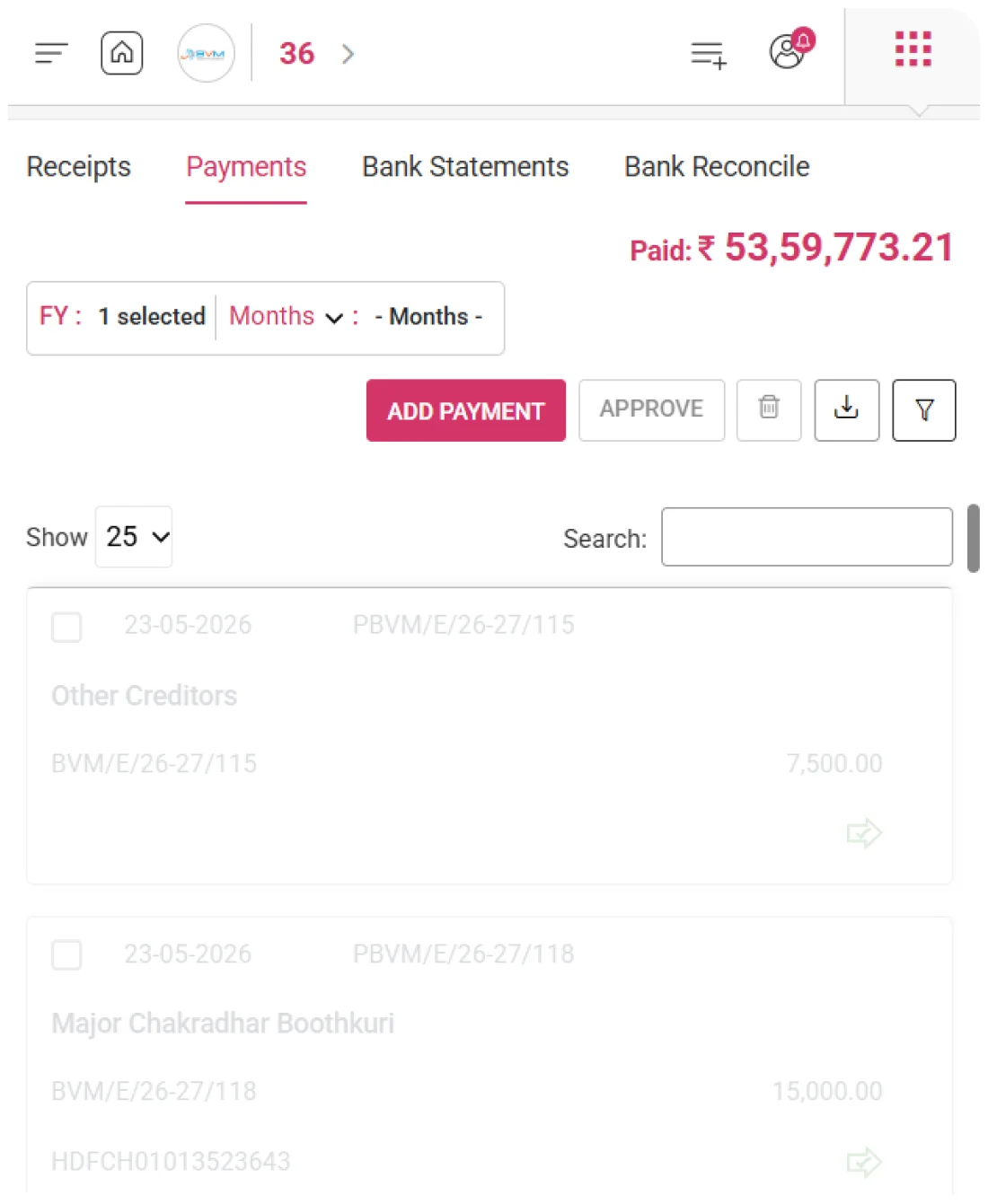
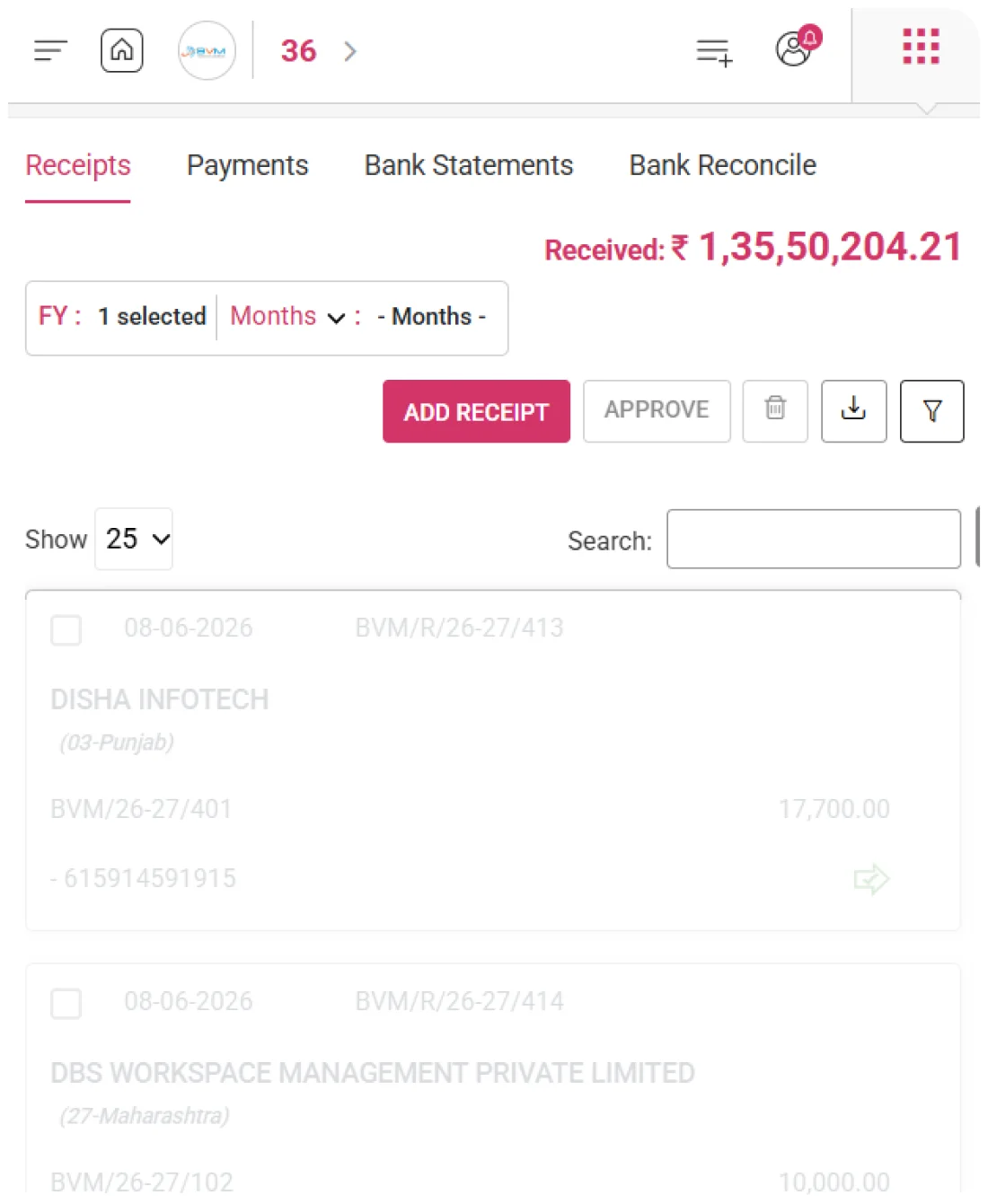
bankStatements-dashboard
Add Statement Entry

Structured Transaction Records

WhiteBooks allows finance teams to record every line from the organization's official bank statement as a structured entry — capturing the Bank Name, Transaction Narration, Cheque or Reference Number, Value Date, and Transaction Amount for each statement line.
importStatements-banking

Bank & Transaction Details

Every bank statement entry records the originating bank's identity and the transaction narration exactly as it appears on the official statement — creating a verbatim reference for direct comparison with the source document during reconciliation.

Reference Details

The cheque number or external reference number associated with each bank transaction is captured and stored against the entry — enabling accurate cross-referencing and matching with the corresponding internal payment, receipt, or contra records in WhiteBooks.

Value Date per Transaction

Each statement line is recorded against its value date — the actual date on which the transaction was credited or debited in the bank account — ensuring correct period-wise attribution for accurate balance verification and chronological reconciliation.
Statement Register

Detailed Bank Statement Register

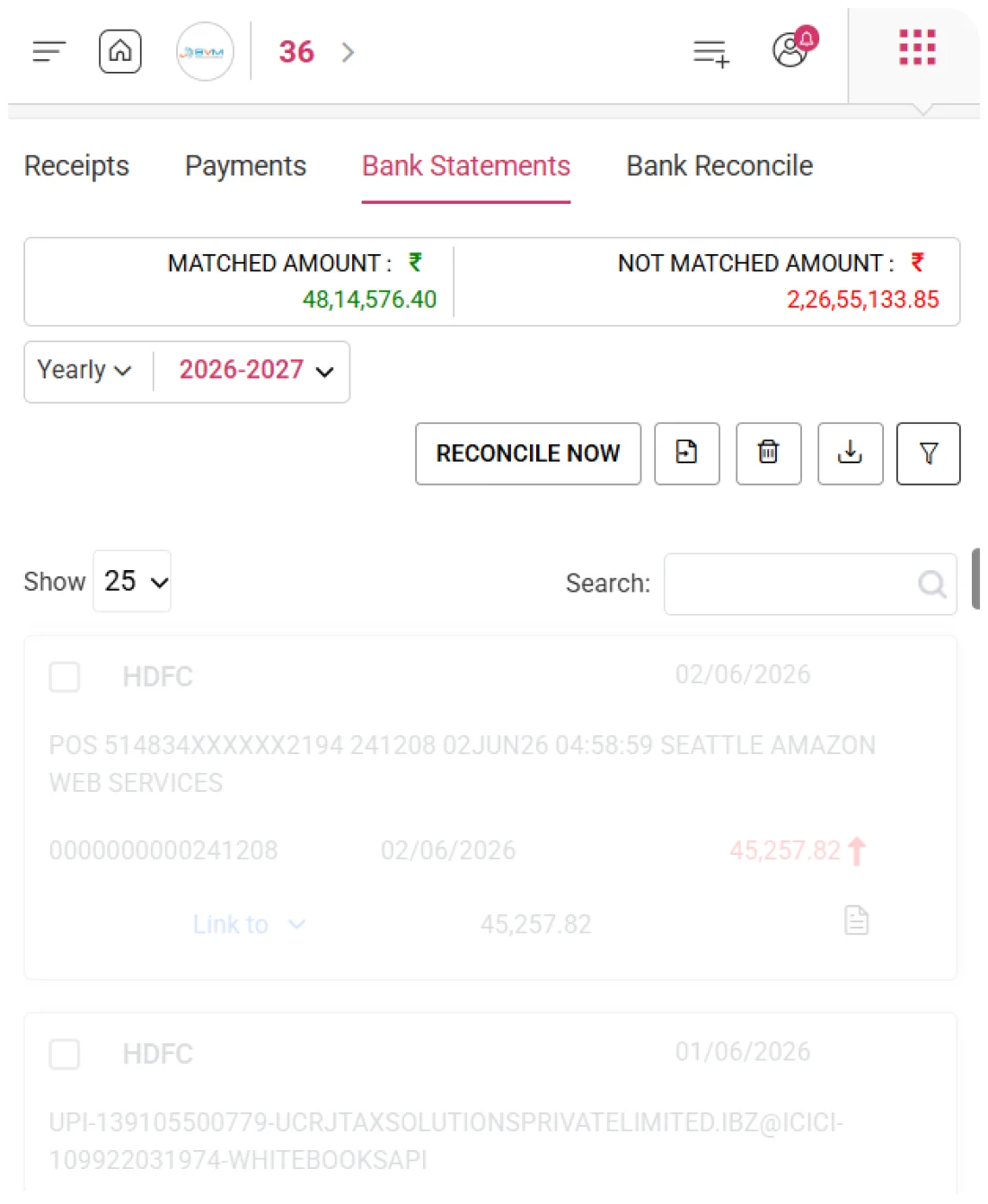
WhiteBooks presents all bank statement lines in a structured register — including Bank Name, Date, Narration, Cheque/Reference Number, Value Date, Amount, Linked To status, Remaining Amount, and Notes. This complete visibility lets finance teams track reconciliation, spot unmatched entries, and monitor partially linked transactions from a single register.
bankStatement-register-banking

Statement at a Glance

Each bank statement line is displayed with Bank Name, Date, Narration, Cheque/Reference Number, Value Date, and Amount — giving finance teams a clear, structured view of all transactions that need reconciliation against internal WhiteBooks records.

Linked To Status Tracking

The Linked To column indicates which internal WhiteBooks record — whether a payment, receipt, contra, or journal entry — has been matched to each bank statement line. This provides instant visibility into which entries are fully reconciled, partially linked, or still unlinked.

Remaining Amount per Entry

The Remaining Amount column shows the portion of the transaction value that is yet to be matched to any internal record. This helps reconciliation teams quickly identify partially matched entries and track outstanding balances requiring further linkage.
Bank Statements

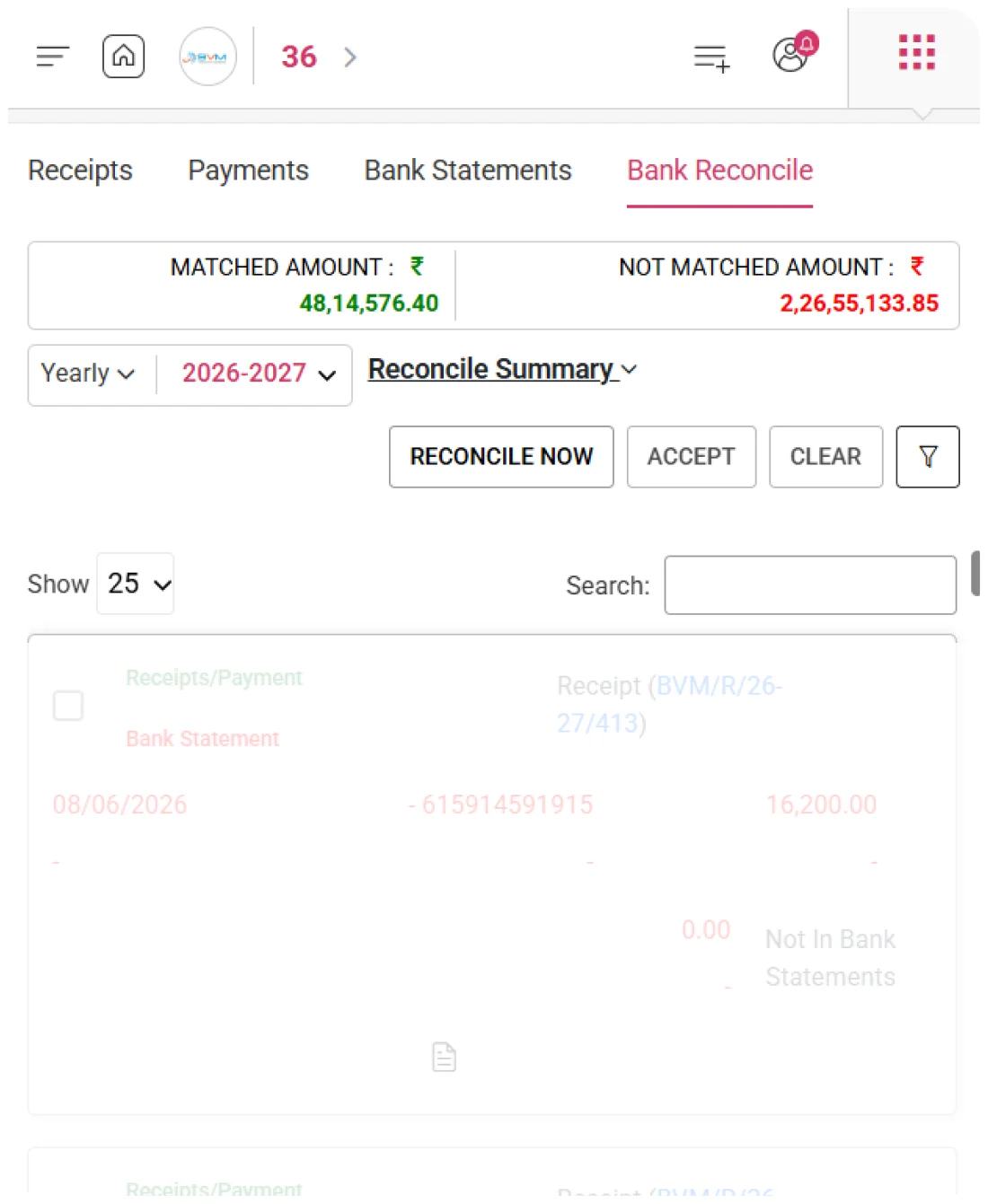
Instant Reconciliation Overview

WhiteBooks shows Total Matched and Not Matched amounts right on the Bank Statements screen. Finance managers get an instant view of reconciled vs. outstanding transactions, enabling quick, informed decisions without separate reports.
reconcileSummary-bankReconcile

Total Matched Amount

Aggregates the total value of all bank statement entries successfully linked to corresponding internal WhiteBooks records — giving the reconciliation team a confirmed, quantified figure of fully accounted bank activity within the period.

Outstanding Amount

Displays the total value of all bank statement entries not yet linked to any internal record — giving finance managers a precise, real-time measure of outstanding, unreconciled bank activity that requires investigation or corrective accounting action.

Reconciliation by Period

Matched vs. Not Matched totals give an instant view of reconciliation progress for the period. Finance teams can quickly spot high unmatched balances and prioritize outstanding entries before month-end.
Reconcile Now

One-Click Statement Matching

The ‘Reconcile Now’ action in WhiteBooks matches bank statement entries with internal records in one click. Unreconciled lines are shown alongside candidate transactions for easy review, confirmation, and linking.
bankReconcile-banking

Statement at a Glance

The Reconcile Now action triggers the bank reconciliation process for the selected period in a single click, presenting all unmatched statement entries alongside potential internal matches for systematic processing.

Transaction Matching

Unmatched statement entries are displayed with potential internal matches—payments, receipts, or contra entries—based on amount, date, and reference similarity. Finance teams can quickly review, verify, and confirm each match with full context.

Link & Update Balance

When a bank statement entry is confirmed as matched in WhiteBooks: the linkage is recorded, the remaining amount drops to zero, the value moves from Not Matched to Matched total, and the reconciliation is instantly reflected in the period report.
Statement Narration

Contextual Notes per Entry

WhiteBooks captures the original bank transaction narration and provides a Notes field for internal context. Finance teams can add remarks or investigation details, ensuring every entry has full context for review, audit, and reconciliation—without referring to the physical statement.
entryNotes-bankStatements

Preserve Bank Narration

The transaction narration from the official bank statement is captured and stored exactly as provided — preserving the bank’s description as the primary reference for matching statement lines against internal payments, receipts, and contra entries.

Reconciliation Notes

Finance teams can attach internal notes to any bank statement entry—recording investigations, clarifications, or reconciliation decisions. This builds a clear audit trail for management, auditors, and tax authorities.

Narration-Based Matching

Statement entries can be searched by narration, allowing teams to group similar transactions, find all entries from a specific counterparty, or locate a line using keywords—without needing the exact date or amount.
Statement Date Range

Period Statement Overview

WhiteBooks scopes the entire Bank Statements workspace to a specific month — ensuring all statement entries, matched totals, unmatched balances, and reconciliation statuses displayed are strictly relevant to the selected period.
bankStatement-dateRange

Select Statement by Month

The workspace displays only the statement entries corresponding to the selected calendar month — preventing cross-period transactions from appearing in the active reconciliation view.

Balance Alignment

Month-wise scoping ensures entries align with the period’s opening and closing balances. Finance teams can quickly verify that the reconciled closing balance matches the bank’s official statement.

Review Past Statements

Finance teams can access any historical month to review past statement entries, verify reconciliations, investigate unreconciled items, and ensure previous matches remain accurate despite subsequent transactions.
Reference Matching

Precise Matching via Reference

WhiteBooks uses the cheque number or external reference number captured against every bank statement entry as the primary matching key for linking statement lines to the corresponding internal payment and receipt records.
bankStatement-register-banking

Cheque Number Linking

Bank statement entries with a cheque number are matched directly to the corresponding internal payment in WhiteBooks. This creates a verifiable, document-backed link between the bank’s cleared cheque and the organization’s payment record.

Reference-Based Matching

The external reference number serves as the primary identifier for locating the corresponding internal record — enabling unambiguous reconciliation even when multiple transactions share the same amount or date.

Unmatched Ref Review

Bank statement entries with reference numbers that don’t match internal records are flagged as unmatched. Finance teams can quickly investigate unrecorded transactions, bank charges, interest credits, or payments needing new entries.
Statement Import

Automated Statement Import

WhiteBooks allows bulk import of bank statements, letting finance teams upload the full period in one go. This eliminates manual entry errors and automatically populates the register for immediate reconciliation.
importStatements-banking

Automatic Register Population

Every uploaded bank statement line — including bank name, narration, reference number, value date, and amount — is automatically added to the WhiteBooks register, organized chronologically for immediate use in reconciliation workflows.

Import Accuracy Verification

After import, WhiteBooks shows a verification summary with total entries and aggregate value. Finance teams can quickly confirm alignment with the official bank statement and ensure no lines are missed or duplicated.

Time-Saving & Error Reduction

Uploading the entire statement in one operation replaces manual transcription, significantly reducing entry errors and accelerating preparation for bank reconciliation against payments, receipts, and contra entries.
Export

Export Statement Data

WhiteBooks shows all bank statement entries in a period-scoped register with key details—bank, narration, reference, date, amount, linked record, remaining balance, and notes—giving finance teams full visibility of reconciled, unmatched, and partial transactions.
export-bankStatements

Comprehensive Transaction Visibility

Every statement line is structured and clearly presented, providing a complete, auditable view of banking activity for the active period.

Linked Record Tracking

Instantly see which internal payments, receipts, or contra entries have been matched to each statement line.

Remaining Amount Monitoring

Quickly identify partially reconciled or unmatched entries, supporting accurate and efficient reconciliation workflows.

Accounting pricing — built around what you actually use

WhiteBooks Accounting runs on a custom pricing model. We size the plan to your filing volume, number of GSTINs, integration scope and support tier — not to a fixed SKU. Most teams move from sandbox to production inside a week.

Start Free

Use the sandbox for as long as you need. No credit card. Real schemas, real responses, no usage caps for evaluation.

Talk to Sales

Tell us your filing volume and integrations. We come back with a written quote, SLA and onboarding plan within one business day.

Enterprise Plans

Multi-GSTIN, SSO, dedicated support, on-premise deployment and custom SLAs available for large teams.

Who this Accounting solution is built for

Every Accounting workflow on this page is shaped by feedback from real practitioners — accountants who file every month, integration engineers wiring our APIs into ERPs, and compliance heads accountable to the board for what gets submitted.

Accountants & Bookkeepers

Manage chart of accounts, vouchers, contra entries, bank statements and trial balance for unlimited clients without spreadsheets.

SME Finance Teams

Real-time P&L, balance sheet and cash-flow reports with drill-down to source documents — no month-end scramble.

Auditors & Reviewers

Read-only auditor logins, locked periods, immutable audit trail and one-click export of ledgers + supporting evidence.

Partner with WhiteBooks

WhiteBooks works with CA firms, ERP vendors, system integrators and channel partners across India and the GCC. Pick the track that matches how you serve clients — we will share commercials, training and co-marketing kits.

CA & Practitioner Partners

Onboard your client base, earn margin on every plan and get a co-branded portal to manage filings, due dates and ITC reconciliation.

Integration Partners

ERPs, POS systems and billing platforms — ship native WhiteBooks GST / e-Invoice / e-Way Bill integrations to your customers without building it yourself.

Channel & Resellers

Regional resellers and consultants — earn recurring commissions, get pre-sales support and a sandbox tenant for every prospect demo.

Frequently Asked Questions

We have put together some commonly asked questions

WhiteBooks records every bank statement line as a structured entry capturing Bank Name, Transaction Narration, Cheque or Reference Number, Value Date, and Amount. Each entry is stored against its value date — the actual credit or debit date — ensuring correct period-wise attribution and accurate balance verification during reconciliation.

WhiteBooks displays Total Matched and Not Matched amounts directly on the Bank Statements screen, giving finance managers an instant view of reconciled versus outstanding transactions without generating separate reports. Finance teams can quickly spot high unmatched balances and prioritize outstanding entries before month-end closing.

WhiteBooks stores the original bank transaction narration exactly as it appears on the statement, preserving it as the primary reference for matching against internal records. Finance teams can also attach internal notes to any entry — recording investigations or reconciliation decisions — building a clear audit trail for management, auditors, and tax authorities.

WhiteBooks uses the cheque number or external reference number as the primary matching key to link each bank statement line to its corresponding internal payment or receipt record. Entries with unmatched reference numbers are flagged automatically, enabling finance teams to quickly investigate bank charges, interest credits, or missing internal records.

WhiteBooks presents all bank statement lines in a structured register showing Bank Name, Date, Narration, Cheque/Reference Number, Value Date, Amount, Linked To status, Remaining Amount, and Notes. The Linked To column instantly shows which internal record — payment, receipt, or contra — is matched to each line, while the Remaining Amount highlights partially linked entries still requiring action.

WhiteBooks triggers the full reconciliation process in one click, presenting all unmatched statement entries alongside candidate internal records — payments, receipts, or contra entries — matched by amount, date, and reference. Once confirmed, the linkage is recorded, the remaining amount drops to zero, and the entry instantly moves from Not Matched to Matched in the period summary.

WhiteBooks scopes the entire Bank Statements workspace to a selected calendar month, displaying only the entries, matched totals, and reconciliation statuses relevant to that period. Finance teams can navigate to any historical month to review past entries, verify reconciliations, and investigate unreconciled items without affecting the active period.

WhiteBooks supports bulk import of the full bank statement in one operation, automatically populating the register chronologically and eliminating manual transcription errors. The complete statement register — including narration, reference, linked records, remaining balances, and notes — can also be exported as a structured dataset for audit documentation, statutory reviews, and external reconciliation workflows.

Last updated · View changelog

Quick Answer

Bank Statement Reconciliation Software with Automatic Matching

WhiteBooks Accounting Software is a cloud-based books-and-billing platform covering invoices, purchases, expenses, banking, inventory, payroll and financial reports under one login. It connects to 40+ ERPs including SAP, Oracle, Dynamics and Tally via REST API and is used by 25,000+ Indian businesses with 99.99% uptime and 24×7 Indian support. This feature is part of the Accounting module inside WhiteBooks.

25,000+ businesses served
40+ ERPs integrated
99.99% uptime SLA
24×7 Indian support
By CA Atul GargReviewing Editor — WhiteBooks Accounting Editorial DeskReviewed by the WhiteBooks Editorial Board · Last updated 8 June 2026