Follow us on our LinkedIn page

Complete GSTR-2B reconciliation features in one place

One-click reconciliation of purchases against GSTR-2B with auto-match, pending-ITC tracking and IMS support. WhiteBooks GST Filing Software runs on India's GSP-certified, cloud-first business management platform used by 25,000+ businesses.

WhiteBooks streamlines GSTR 2B reconciliation with IMS tracking, invoice matching, mismatch detection, and real time ITC visibility.

gstr2B-dashboard
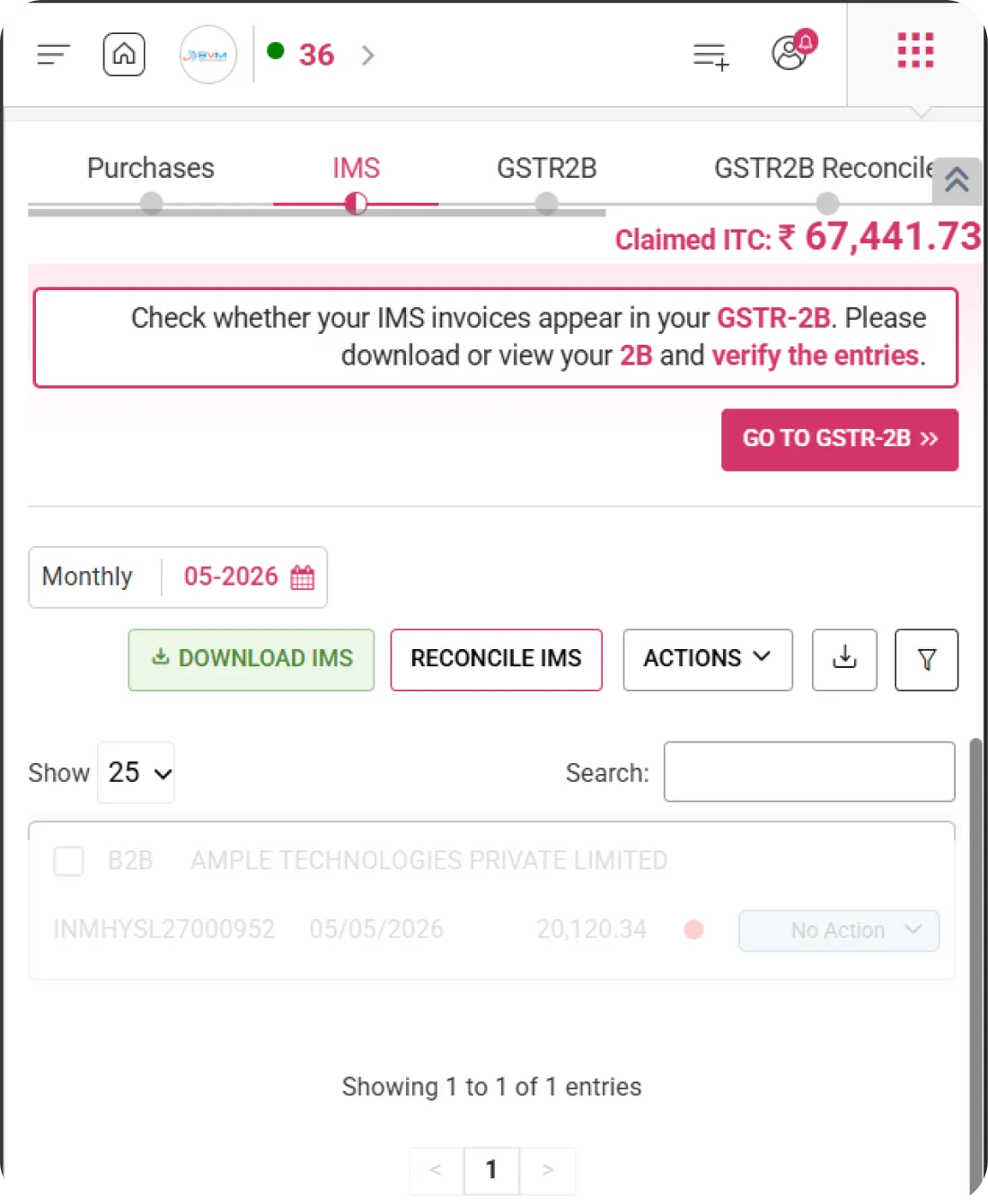
Data Available

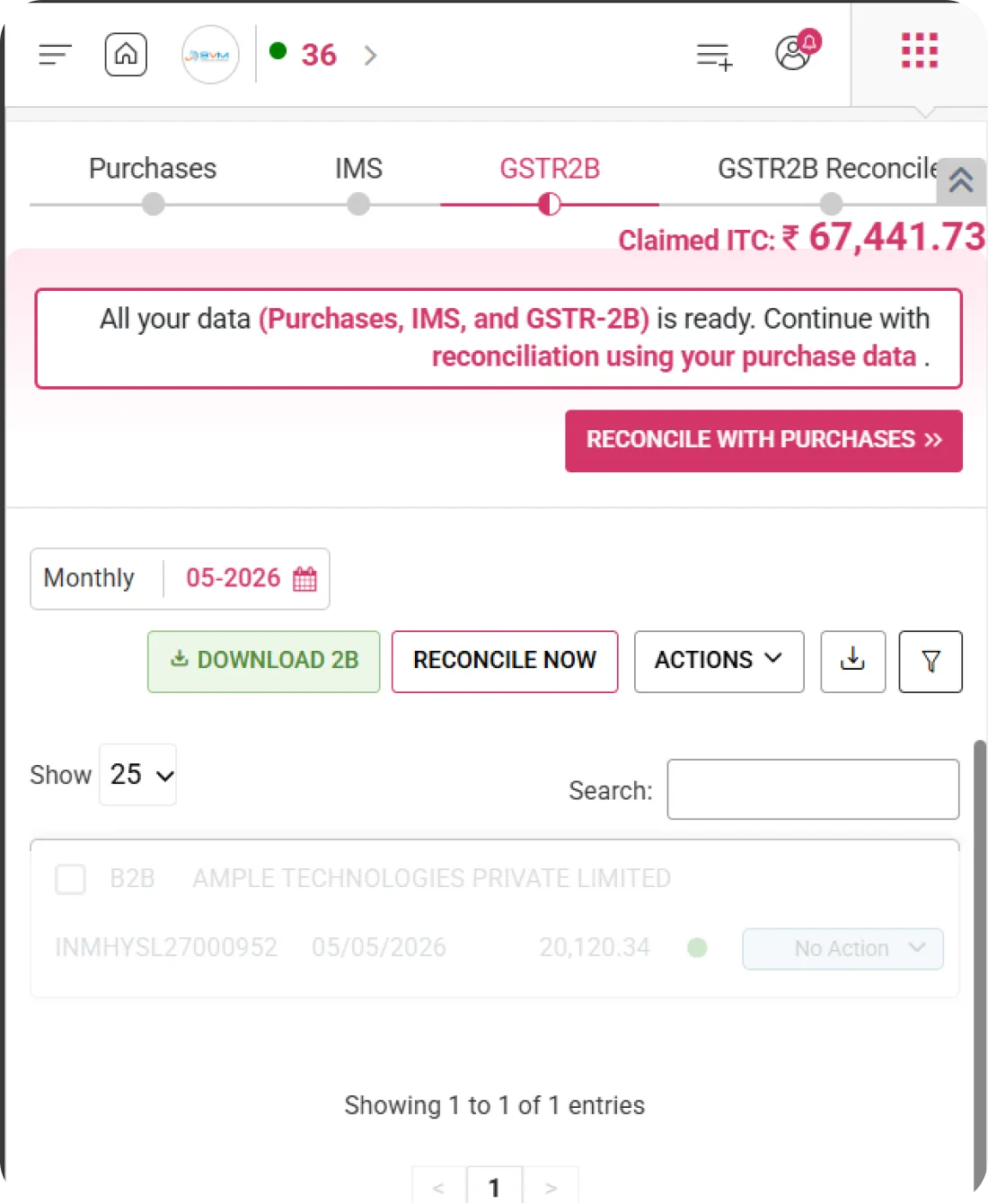
GSTR2B Data Ready for Reconciliation

WhiteBooks ensures all required datasets—Purchases, IMS, and GSTR-2B—are available and ready for reconciliation, providing confirmation, guidance, and immediate action options to streamline the process, improve accuracy, and ensure compliance readiness.
gstr2B-register

Data Readiness Confirmation

Confirms that Purchases, IMS, and GSTR-2B data have been successfully loaded and are prepared for reconciliation. Provides users with confidence that all necessary inputs are available for accurate ITC matching.

Reconciliation Prompt

Displays a clear prompt encouraging users to proceed with reconciliation using purchase records. Ensures the workflow is guided and prevents premature or incomplete reconciliation.

Reconcile with Purchases Action

Provides a direct action button to initiate reconciliation immediately. Enables users to start the matching process efficiently, reducing manual navigation and saving time.
IMS Summary

Invoice Matching System (IMS) Summary

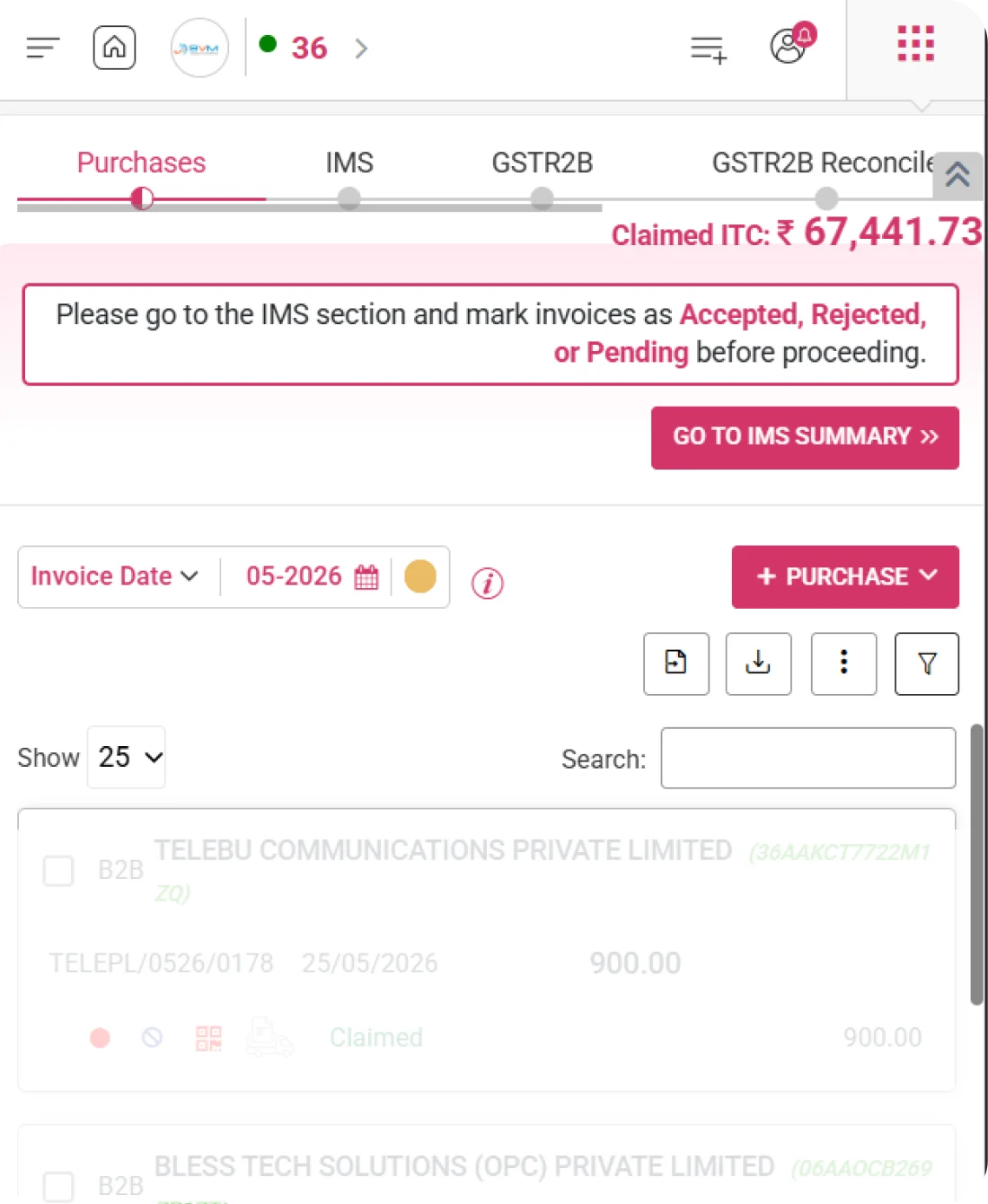
WhiteBooks provides a comprehensive view of all IMS invoice actions, including accepted, rejected, pending, and no action, enabling effective monitoring of invoice handling, ITC implications, and compliance readiness.
Gstr2B Ims Summary

Accepted Invoices

Displays invoices that have been accepted in IMS. Helps identify which credits are approved and ready for reconciliation or ITC claim.

Rejected & Pending

Shows invoices marked as rejected or pending action in IMS. Highlights records requiring review, clarification, or follow-up to ensure accurate ITC reporting.

No Action Count

Indicates invoices for which no action has been taken in IMS. Provides visibility into unprocessed records, allowing users to prioritize follow-up or reconciliation.
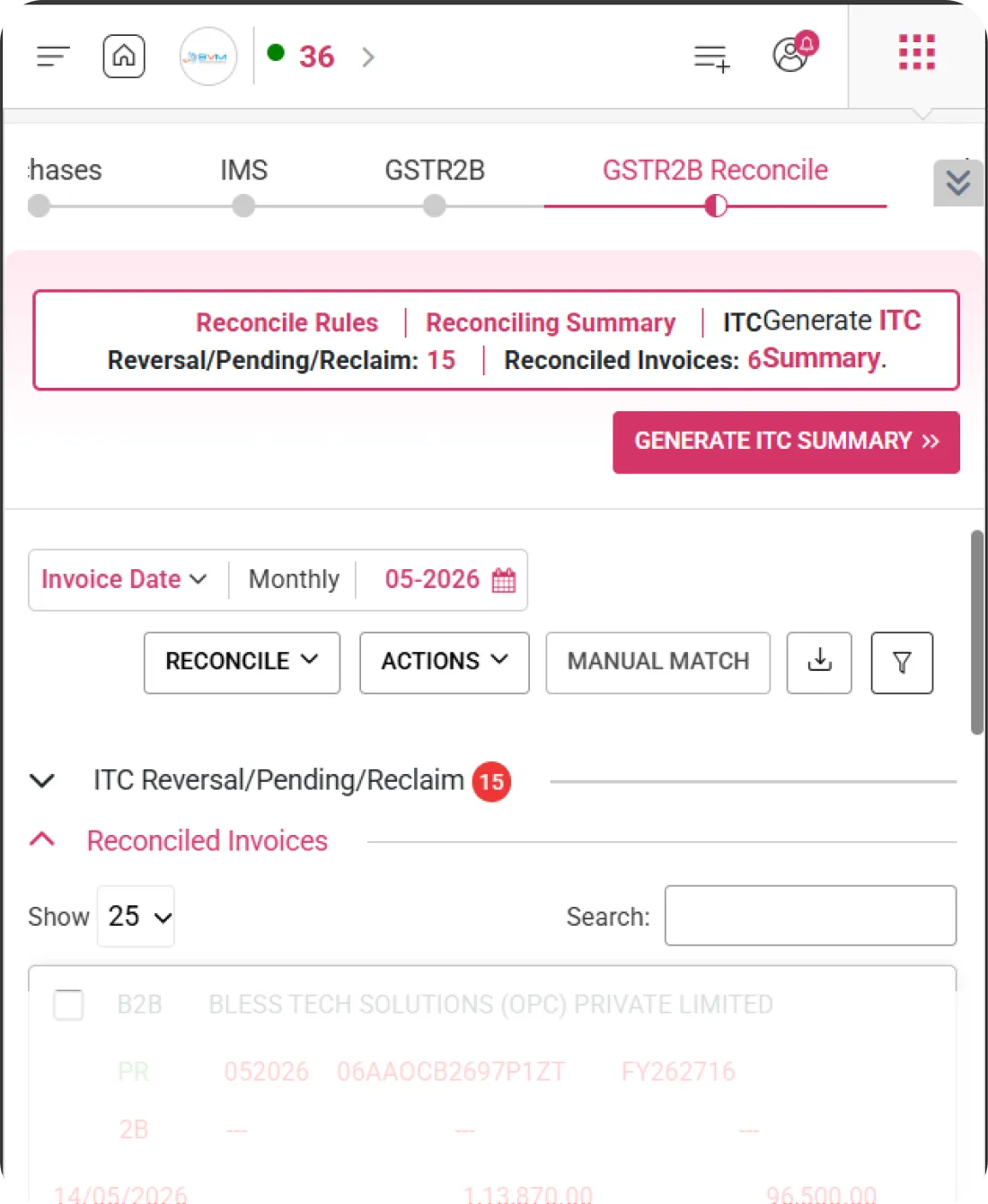
2B vs Purchases

2B vs Purchase Reconciliation Summary

WhiteBooks provides a clear comparison between GSTR-2B data and the purchase register to determine reconciliation status, identifying matched, missing, or partially matched invoices for accurate ITC claim processing and compliance readiness.
purchasesVs2B-reconSummary

Matched Invoices

Displays invoices that are perfectly matched between GSTR-2B and purchase records. These invoices are fully reconciled and ready for ITC claim, ensuring compliance and accuracy.

Not in Purchases

Highlights invoices that appear in GSTR-2B but are missing in the purchase register. Helps identify potential unrecorded entries or discrepancies requiring follow-up with suppliers.

Partially Matched

Shows invoices with partial mismatches, such as differences in invoice value, GST amount, or date. Enables users to review and correct discrepancies before claiming ITC.
Period Selection

Monthly Period Selection & Controls

WhiteBooks enables users to select the relevant return month and manage reconciliation actions efficiently, ensuring ITC review and GSTR-2B comparisons are performed accurately for the chosen period, supporting controlled processing, accurate tracking, and compliance readiness.
gstr2B-datewise

Monthly Period Selector

Allows users to select the specific return month. Ensures that all reconciliation actions, reports, and ITC calculations align with the correct filing period.

Download 2B Option

Provides the ability to download GSTR-2B data for the selected period. Supports offline verification, cross-checking with purchase records, and preparation for reconciliation.

Reconcile Now Action

Enables users to manually trigger the reconciliation process for the selected month. Matches GSTR-2B invoices with purchase records, highlights discrepancies, and updates ITC status in real time.
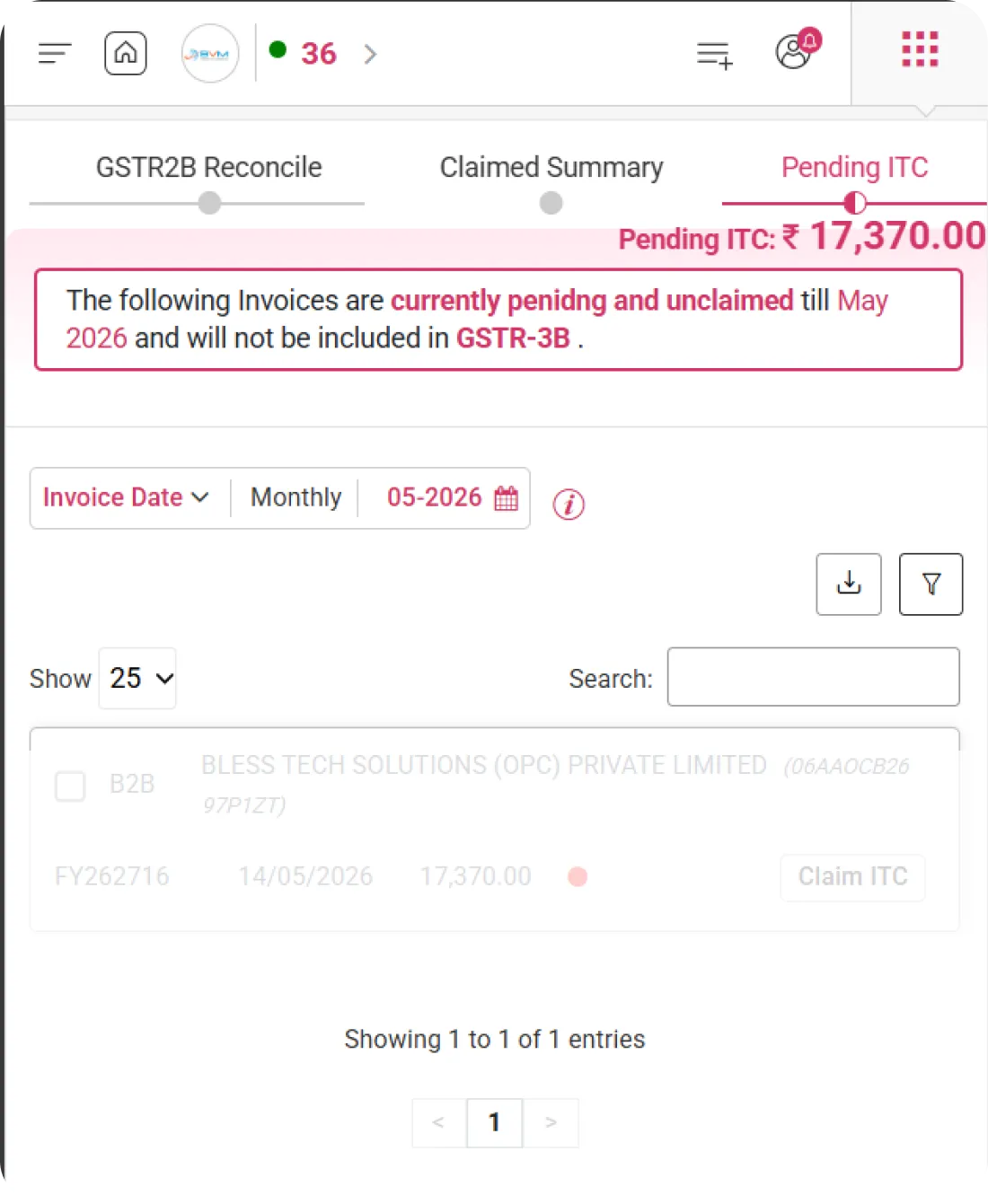
Invoice Listing

GSTR2B Invoice Listing

WhiteBooks provides a granular view of each invoice, displaying GST amounts, reconciliation outcomes, and IMS actions, enabling accurate tracking and management of ITC at the invoice level with improved visibility and compliance readiness.
gstr2B-register

Invoice Details

Displays essential invoice information including Type, Party Details, Invoice Number, Invoice Date, and GST/Tax amounts. Provides a structured view for easy reference and validation.

Reconciliation Status

Shows the matching status of each invoice—matched, partially matched, or unmatched—based on comparisons between purchase records and GSTR-2B. Enables precise ITC tracking.

IMS Actions

Displays actions recorded in IMS for each invoice, such as Accepted, Rejected, Pending, or No Action. Helps monitor supplier responses and guides further ITC claim decisions.
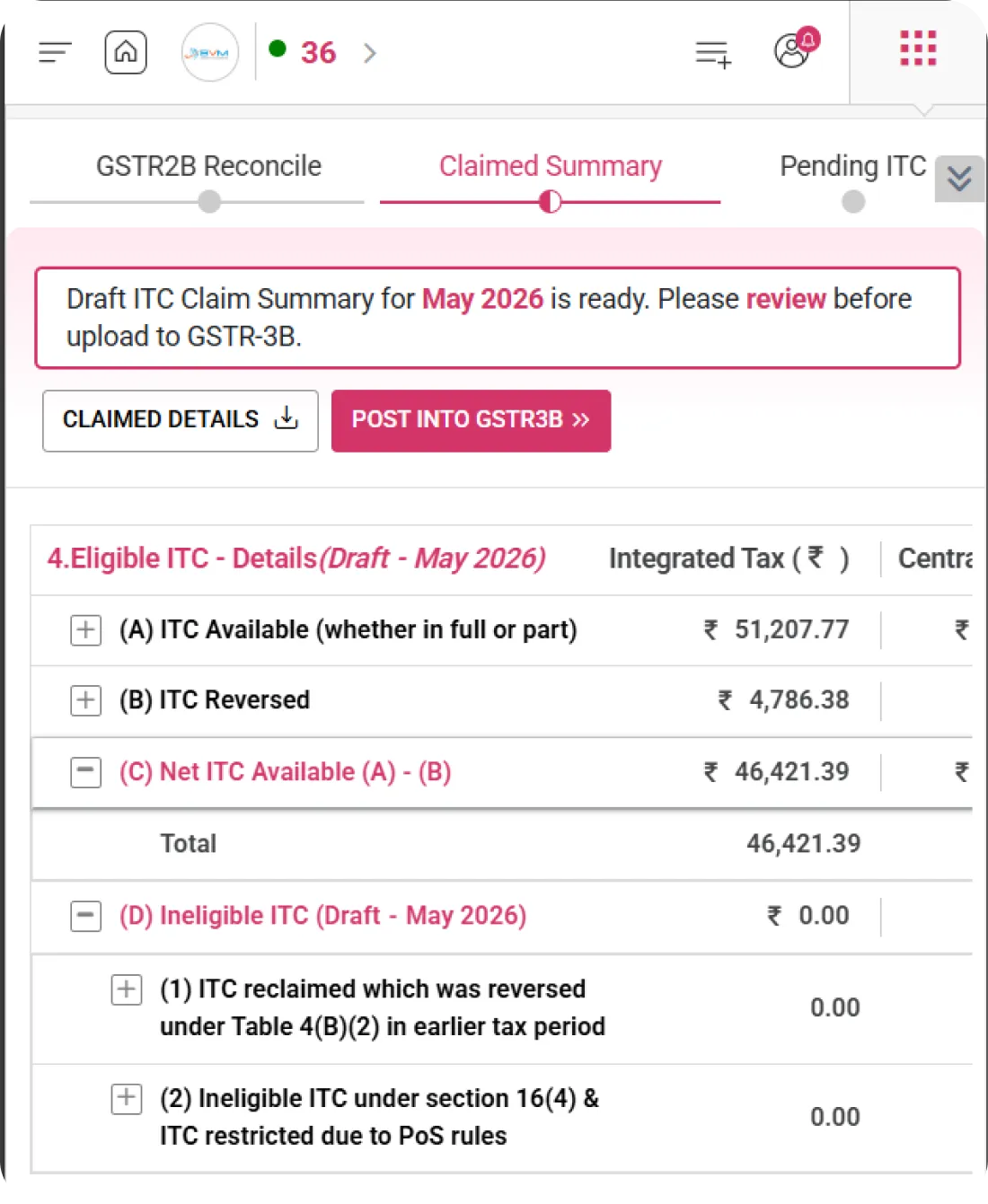
Claimed ITC

Claimed ITC Status Indicator

WhiteBooks provides a clear view of total ITC claimed for the selected period, helping users monitor credit utilization, ensure accurate reporting in GSTR-3B, and maintain compliance readiness.
gstr2B-register

Claimed ITC Amount

Displays the total ITC claimed for the selected period prominently at the top right. Offers an immediate snapshot of the claimable credit for quick reference.

Period-Based Claim Status

Shows claimed ITC specific to the selected month or return period. Ensures period-wise accuracy and alignment with filing cycles.

Real-Time Update Indicator

Automatically updates the total claimed ITC after reconciliation actions or IMS updates. Provides instant visibility into changes, maintaining accurate, up-to-date figures.
Get started with WhiteBooks
WhiteBooks automates GSTR 2B reconciliation by matching invoices, flagging mismatches, and ensuring accurate, filing ready ITC every period.
No Credit Card Required

GST pricing — built around what you actually use

WhiteBooks GST runs on a custom pricing model. We size the plan to your filing volume, number of GSTINs, integration scope and support tier — not to a fixed SKU. Most teams move from sandbox to production inside a week.

Start Free

Use the sandbox for as long as you need. No credit card. Real schemas, real responses, no usage caps for evaluation.

Talk to Sales

Tell us your filing volume and integrations. We come back with a written quote, SLA and onboarding plan within one business day.

Enterprise Plans

Multi-GSTIN, SSO, dedicated support, on-premise deployment and custom SLAs available for large teams.

Who this GST solution is built for

Every GST workflow on this page is shaped by feedback from real practitioners — accountants who file every month, integration engineers wiring our APIs into ERPs, and compliance heads accountable to the board for what gets submitted.

GST Practitioners & CAs

File GSTR-1, GSTR-3B, GSTR-9 for hundreds of clients from a single dashboard with bulk import, reconciliation and one-click filing.

Tax & Finance Teams

Match GSTR-2A/2B against purchase books, raise alerts on mismatches and lock the books only after ITC reconciliation is clean.

Enterprise Compliance Heads

Multi-GSTIN consolidation, role-based access, audit trail and exportable evidence for every filing decision.

Partner with WhiteBooks

WhiteBooks works with CA firms, ERP vendors, system integrators and channel partners across India and the GCC. Pick the track that matches how you serve clients — we will share commercials, training and co-marketing kits.

CA & Practitioner Partners

Onboard your client base, earn margin on every plan and get a co-branded portal to manage filings, due dates and ITC reconciliation.

Integration Partners

ERPs, POS systems and billing platforms — ship native WhiteBooks GST / e-Invoice / e-Way Bill integrations to your customers without building it yourself.

Channel & Resellers

Regional resellers and consultants — earn recurring commissions, get pre-sales support and a sandbox tenant for every prospect demo.

Frequently Asked Questions

We have put together some commonly asked questions

WhiteBooks compares your GSTR-2B data against your purchase register and classifies every invoice as Matched, Not in Purchases, or Partially Matched. Matched invoices are ready for ITC claim, while discrepancies are clearly flagged so you can follow up with suppliers, correct entries, or defer the claim — all before submission to avoid compliance risk.

The IMS Summary provides a complete overview of all invoice actions received from the Invoice Matching System — categorized as Accepted, Rejected, Pending, or No Action. This gives you an instant picture of which credits are cleared for ITC claims and which records still need your attention before the return is filed.

Yes. The Period Selection module lets you choose any specific return month and run reconciliation independently for that period. All ITC calculations, GSTR-2B comparisons, and invoice status checks are scoped to the selected month — so you can manage past periods, handle deferred credits, and stay aligned with your filing cycle without any cross-period confusion.

The Data Available module verifies that all three required datasets — Purchases, IMS data, and GSTR-2B — have been successfully loaded before you begin. It displays a clear readiness confirmation and surfaces a guided prompt to proceed, preventing incomplete or premature reconciliation runs that could result in inaccurate ITC matching or missed credits.

The Invoice Listing module shows each invoice with full details — Type, Party Information, Invoice Number, Invoice Date, and GST/Tax amounts — alongside its reconciliation status (Matched, Partially Matched, or Unmatched) and the corresponding IMS action. This granular view lets you validate every credit at the invoice level and spot any discrepancy before filing.

The Claimed ITC indicator consolidates total claimable credit for the selected return period and displays it prominently as a real-time figure. It updates automatically after each reconciliation run or IMS action — so the number you see always reflects the latest state of your matched and accepted invoices, giving you accurate data for GSTR-3B reporting without any manual recalculation.

Yes. Within the Period Selection module, WhiteBooks provides a direct Download 2B option for the chosen return month. This allows you to export GSTR-2B data for offline review, cross-verification with your purchase records, or sharing with your team or auditor — all without having to log into the GST portal separately.

WhiteBooks flags these as "Not in Purchases" in the 2B vs Purchases Reconciliation summary. These invoices are clearly separated from matched records so you can investigate whether they represent unrecorded supplier invoices, duplicate entries from the supplier's side, or data import errors — and take the right corrective action before the ITC claim is finalized for that period.

Last updated · View changelog

Quick Answer

Complete GSTR-2B reconciliation features in one place

WhiteBooks GST Software is a GSP-licensed cloud platform that prepares and files every GST return — GSTR-1, GSTR-3B, GSTR-9, GSTR-9C, CMP-08 and ITC-04 — with auto-reconciliation against GSTR-2B for accurate ITC claims. Used by 25,000+ businesses and 8,000+ Chartered Accountants across India, it processes 30 Crore+ GST filings per year with 99.99% uptime and 24×7 Indian support. This feature is part of the GST module inside WhiteBooks.

30 Crore+ GST filings / year
25,000+ businesses served
99.99% uptime SLA
24×7 Indian support
By CA Atul GargReviewing Editor — WhiteBooks GST Compliance DeskReviewed by the WhiteBooks Editorial Board · Last updated 8 June 2026