Follow us on our LinkedIn page

Secure Your Accounting with Role Based Access Control

WhiteBooks delivers role-based access control across all modules with configurable permissions for viewing, editing, and managing sales, purchases, GST, and. WhiteBooks Role runs on India's GSP-certified, cloud-first business management platform used by 25,000+ businesses.

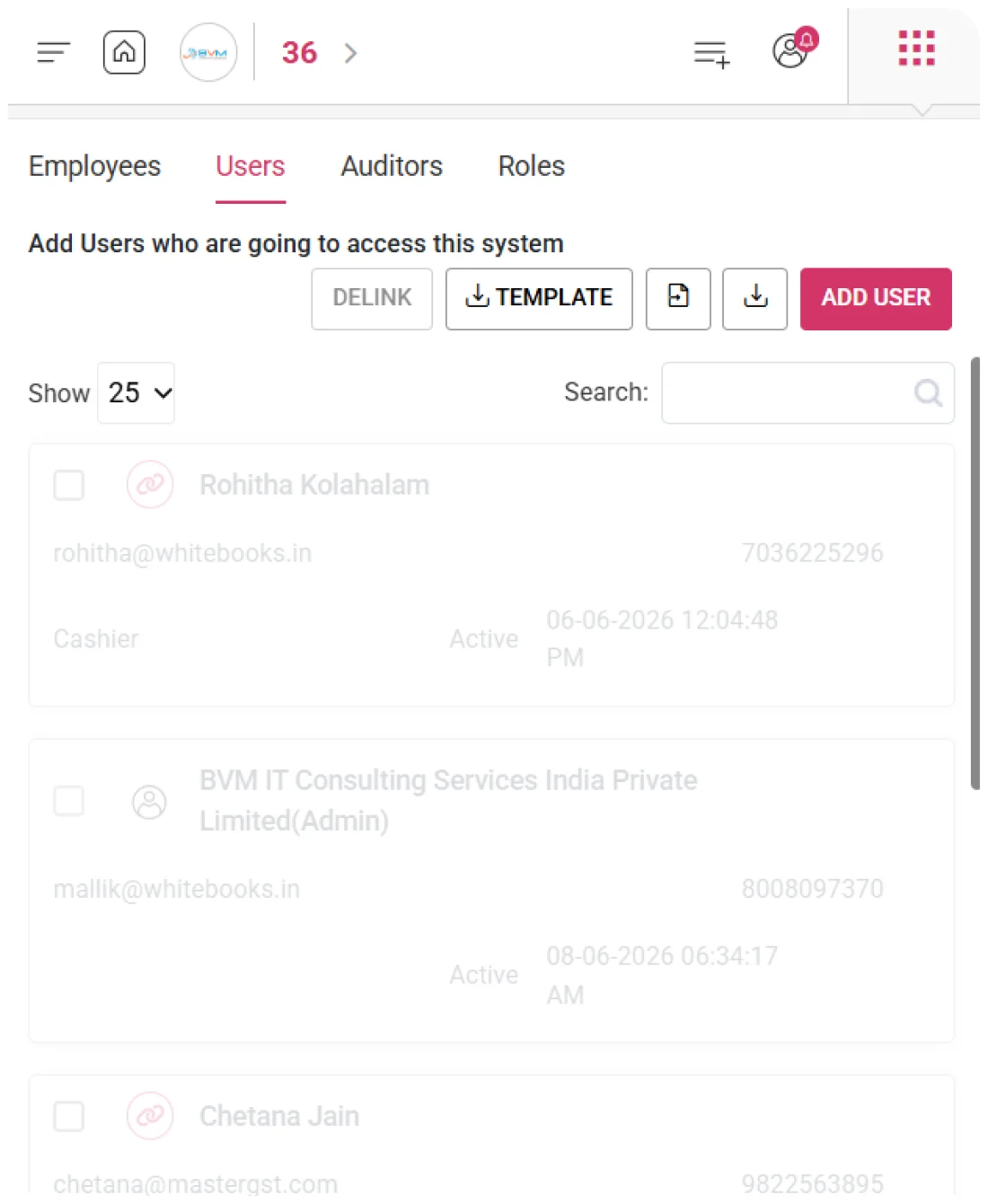
WhiteBooks controls user access with module level permissions, role based restrictions, portal controls, and a centralized role register for secure and managed operations.

roles-people-dashboard
Add Role

Granular Role-Based Access Control

WhiteBooks enables businesses to define custom roles with precise, module-level permissions across the entire system. Each role controls what users and auditors can view, add, edit, or delete within specific modules.
roles-permissions-people

Role Details

WhiteBooks records a unique role name along with a clear description at the time of creation, ensuring every role is easily identifiable.This helps administrators understand the purpose of each role without reviewing detailed permissions.It creates a well-documented and self-explanatory role structure.

Module-Level Permissions

Administrators can define View, Add, Edit, and Delete permissions for each module and sub-module individually.Administrators can define View, Add, Edit, and Delete permissions for each module and sub-module individually.This ensures roles are configured with precise access rights aligned to specific job functions.

Select All Permissions

A single toggle allows administrators to grant or revoke all permissions within a module instantly.This speeds up role creation for broader access needs while still allowing detailed customization.It balances efficiency with precise permission control.
Books Permissions

Control Every Action, Effortlessly

WhiteBooks provides a dedicated Books permission tab that allows administrators to configure access across all accounting sub-modules. Permissions can be defined at a granular level to control who can view, create, edit, or delete transactions.
books-rolePermissions-people

Sales Permissions

Administrators can define permissions for Sales-related modules including invoices, proforma, delivery challans, estimates, and recurring transactions.This ensures only authorized users can create, modify, or delete sales records based on their role.It protects revenue-related transactions from unauthorized access or changes.

Purchase Permissions

Permissions can be configured for Purchase Orders and Purchases independently, aligning access with procurement responsibilities.This ensures only designated users can manage vendor transactions and purchase records.It prevents unauthorized procurement activities and maintains financial control.

Cash & Bank Permissions

Access can be defined for Bank Statements, Bank Reconciliation, Payments, and Receipts modules.This ensures only authorized personnel can handle banking operations and financial entries.It safeguards critical cash and bank transactions from unauthorized modifications.
GST Permissions

End-to-End GST Access Control

WhiteBooks provides a dedicated GST permission tab that enables administrators to configure access across all GST-related functions. Permissions can be defined at a granular level to control who can view, create, edit, or delete GST records and returns.
gst-rolePermissions-people

GST Return Permissions

Administrators can define permissions for GST return functions including GSTR-1, GSTR-3B, and other filings.Administrators can define permissions for GST return functions including GSTR-1, GSTR-3B, and other filings.

GST Compliance Control

All GST-related actions such as adding, editing, or deleting records are governed by role-based permissions.This restricts critical compliance changes to authorized personnel only.It ensures the integrity and accuracy of GST data across the system.

Sub-Module Permissions

Permissions are independently configurable across GST sub-modules, allowing precise access control at each stage.Permissions are independently configurable across GST sub-modules, allowing precise access control at each stage.Users can be granted view-only or full access depending on their role requirements.
e-Way/e-Inv Permissions

Authorized Access for e-Way Bill & e-Invoice

WhiteBooks provides a dedicated e-Way Bill and e-Invoice permission tab to control access to all statutory document functions, ensuring only authorized roles can generate, manage, or cancel compliance documents.
e-Way-eInvoice-rolesPermissions

e-Invoice & IRN Permissions

Administrators can define permissions for e-Invoice generation, IRN creation, and cancellation within the role matrix.This ensures only authorized users can handle government-registered invoice actions.It prevents unauthorized IRN generation or cancellation that could impact compliance.

e-Way Bill Permissions

Permissions can be set for e-Way bill generation, extension, and cancellation based on role requirements.This ensures only designated users can manage goods movement documentation.It reduces the risk of compliance issues and penalties due to unauthorized actions.

Independent Permissions

e-Way bill and e-Invoice permissions are configured independently for precise control.This ensures access to one does not automatically grant access to the other.It enables strict governance over all statutory document operations.
Masters Permissions

Controlled Master Data Access

WhiteBooks offers a Masters permission, letting administrators control access to Items, Parties, and system configurations with view, create, edit, and delete rights—ensuring only authorized roles manage core business data.
masters-rolesPermissions-people

Item Permissions

WhiteBooks allows administrators to control access to the Items master — enabling only authorized roles to view, add, edit, or delete product and service records. This ensures item creation, pricing, HSN/SAC classification, and stock valuation remain accurate and secure.

Party Permissions

WhiteBooks enables administrators to manage access to the Parties master — restricting view, add, edit, and delete rights to roles explicitly authorized for master data management. This protects customer and vendor records, ensures billing accuracy, GST compliance, and preserves audit trails.

Configuration Permissions

WhiteBooks provides administrators with precise control over system configuration records — allowing only authorized roles to view, add, edit, or delete settings. This safeguards transaction behavior, tax computation, and compliance configuration across the platform.
Downloads Permissions

Secure & Controlled Data Exports

WhiteBooks provides precise control over data download and export across all modules and reports. Administrators can assign download authority at the role level, ensuring sensitive financial, GST, and compliance data is accessed only by authorized users.
downloads-rolesPermissions-people

Module Download Access

Administrators can grant download permissions for each module and report category independently. This ensures users can extract only the data relevant to their functional scope, preventing access to financial records, GST information, or compliance reports outside their designated responsibilities.

Sensitive Data Access

All data export actions are governed through role-specific download permissions. Only users explicitly authorized for each data category can extract transaction histories, party data, item catalogs, GST returns, or financial reports, safeguarding the organization’s critical business and compliance information.

Download Access Control

Download permissions are managed separately from view permissions. A user may be allowed to view a report without being able to download it, enabling organizations to maintain data visibility internally while controlling external distribution of sensitive financial and compliance data.
Govt Actions Permissions

Manage All Statutory Filings & Submissions

WhiteBooks provides precise control over all government portal interactions—including GST returns, e-Invoices, e-Way bills, and TDS compliance—ensuring only designated users with assigned role authority can perform authorized statutory submissions.
govtActions-roles-people

GST Portal Submission

Administrators can configure permissions for GST portal actions such as GSTR filing, challan payments, and return status tracking. This ensures only authorized roles can submit statutory GST positions, preventing unauthorized or premature filings that cannot be reversed after portal acceptance.

Filing Governance

All government portal actions are governed through role-specific permissions. Filing, amendments, and cancellations are restricted to authorized roles, safeguarding the organization from compliance discrepancies, penalties, or unintended changes to government-registered financial and tax positions.

Irreversible Action Control

Irreversible actions like filed return submissions, IRN cancellations, and e-Way bill closures are limited to users with explicit authority. This prevents individuals without organizational approval from making permanent statutory commitments on behalf of the business.
Reports Permissions

Control Access to All Business Reports

WhiteBooks enforces role-based view and download access across all reports—including financial statements, GST, sales, purchase, stock, and party ledgers—ensuring sensitive data is accessible only to authorized users.
reports-permissionRoles-people

Financial Reports Access

Administrators can configure view and download permissions for financial statements—such as profit & loss accounts, balance sheets, and cash flow statements—restricting access to roles explicitly authorized for financial data and safeguarding sensitive organizational performance information.

GST & Compliance Access

View and download access for GST and statutory compliance reports—including GSTR summaries, tax liability reports, and compliance reconciliations—is restricted to authorized roles, protecting the organization’s statutory tax positions and filing history from unauthorized visibility.

Sales & Purchase Access

Permissions for sales, purchase, and operational reports—including transaction summaries, party-wise ledgers, stock valuations, and item movement reports—are granted only to roles with explicit authority, ensuring transactional and operational analytics remain secure and functionally relevant.
Role Register

Centralized Control of Access & Roles

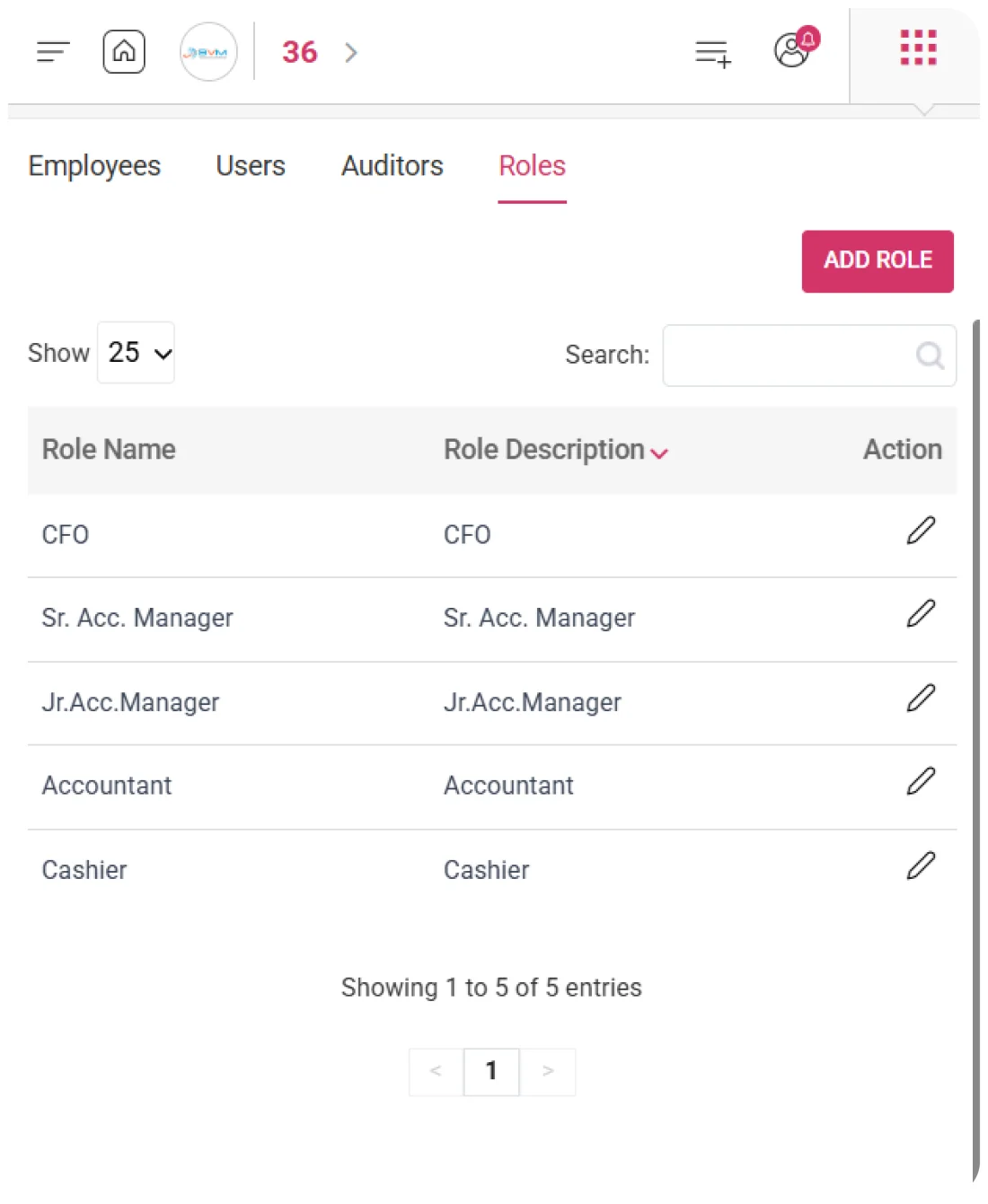
WhiteBooks offers a centralized role register showing all roles with their name, description, and actions—giving administrators a clear overview for efficient role assignments, reviews, and audits.
roles-register-people

Role Details

Every role is presented with its name and description in the register grid, giving administrators an at-a-glance summary of access configurations. This allows rapid identification of roles that match a user’s functional requirements without opening individual records.

Role Action Controls

Action controls for each role enable administrators to edit permissions or remove roles directly from the register. This streamlines role maintenance and updates, keeping access governance aligned with evolving organizational requirements.

Role Search

A live search function allows instant location of any role by name or description. Administrators can quickly identify the required access configuration for assignments, permission reviews, or modifications without scanning the entire list.
Get started with WhiteBooks
WhiteBooks is a GST ready accounting platform with role based access control for secure permissions across financial and compliance data.
No Credit Card Required

Accounting pricing — built around what you actually use

WhiteBooks Accounting runs on a custom pricing model. We size the plan to your filing volume, number of GSTINs, integration scope and support tier — not to a fixed SKU. Most teams move from sandbox to production inside a week.

Start Free

Use the sandbox for as long as you need. No credit card. Real schemas, real responses, no usage caps for evaluation.

Talk to Sales

Tell us your filing volume and integrations. We come back with a written quote, SLA and onboarding plan within one business day.

Enterprise Plans

Multi-GSTIN, SSO, dedicated support, on-premise deployment and custom SLAs available for large teams.

Who this Accounting solution is built for

Every Accounting workflow on this page is shaped by feedback from real practitioners — accountants who file every month, integration engineers wiring our APIs into ERPs, and compliance heads accountable to the board for what gets submitted.

Accountants & Bookkeepers

Manage chart of accounts, vouchers, contra entries, bank statements and trial balance for unlimited clients without spreadsheets.

SME Finance Teams

Real-time P&L, balance sheet and cash-flow reports with drill-down to source documents — no month-end scramble.

Auditors & Reviewers

Read-only auditor logins, locked periods, immutable audit trail and one-click export of ledgers + supporting evidence.

Partner with WhiteBooks

WhiteBooks works with CA firms, ERP vendors, system integrators and channel partners across India and the GCC. Pick the track that matches how you serve clients — we will share commercials, training and co-marketing kits.

CA & Practitioner Partners

Onboard your client base, earn margin on every plan and get a co-branded portal to manage filings, due dates and ITC reconciliation.

Integration Partners

ERPs, POS systems and billing platforms — ship native WhiteBooks GST / e-Invoice / e-Way Bill integrations to your customers without building it yourself.

Channel & Resellers

Regional resellers and consultants — earn recurring commissions, get pre-sales support and a sandbox tenant for every prospect demo.

Frequently Asked Questions

We have put together some commonly asked questions

WhiteBooks records a unique role name and description at creation, then allows administrators to define View, Add, Edit, and Delete permissions for each module and sub-module individually. A single toggle also allows all permissions within a module to be granted or revoked instantly — balancing speed for broader access needs with precise control for specific job functions.

WhiteBooks provides a dedicated Books permission tab where administrators configure granular access across all accounting sub-modules — including Sales (invoices, proforma, delivery challans, estimates, recurring transactions), Purchases (purchase orders and bills), and Cash & Bank (bank statements, reconciliation, payments, and receipts). Permissions can be set independently per sub-module to align access with each user's functional responsibility.

WhiteBooks provides a dedicated GST permission tab where administrators configure access across all GST-related functions — including GSTR-1, GSTR-3B, and other filings. All add, edit, and delete actions on GST records are governed by role-based permissions, restricting critical compliance changes to authorized personnel only and ensuring the integrity of GST data across the system.

WhiteBooks restricts all government portal interactions — including GSTR filing, challan payments, IRN cancellations, and e-Way bill closures — to roles with explicit authority. Irreversible actions are limited to users with organizational approval, preventing premature or unauthorized statutory submissions that cannot be reversed after portal acceptance.

WhiteBooks configures e-Way bill and e-Invoice permissions independently — access to one does not automatically grant access to the other. Administrators can define permissions for e-Invoice generation, IRN creation, and cancellation separately from e-Way bill generation, extension, and cancellation, enabling strict governance over all statutory document operations.

WhiteBooks provides a Masters permission tab where administrators control view, add, edit, and delete access to the Items master, Parties master, and system configuration records independently. This ensures item pricing, HSN/SAC classifications, customer and vendor records, and transaction configuration remain accurate and protected — restricted only to roles explicitly authorized for master data management.

WhiteBooks manages download permissions separately from view permissions — a user can be authorized to view a report without being able to extract it. Administrators assign download authority at the role level per module and report category, maintaining internal data visibility while controlling external distribution of sensitive financial, GST, and compliance information.

WhiteBooks provides a centralized role register displaying every role with its name, description, and action controls — enabling administrators to edit permissions or remove roles directly from the grid without opening individual records. A live search function allows instant location of any role by name or description, keeping access governance aligned with evolving organizational requirements.

Last updated · View changelog

Quick Answer

Secure Your Accounting with Role Based Access Control

WhiteBooks Accounting Software is a cloud-based books-and-billing platform covering invoices, purchases, expenses, banking, inventory, payroll and financial reports under one login. It connects to 40+ ERPs including SAP, Oracle, Dynamics and Tally via REST API and is used by 25,000+ Indian businesses with 99.99% uptime and 24×7 Indian support. This feature is part of the Accounting module inside WhiteBooks.

25,000+ businesses served
40+ ERPs integrated
99.99% uptime SLA
24×7 Indian support
By CA Atul GargReviewing Editor — WhiteBooks Accounting Editorial DeskReviewed by the WhiteBooks Editorial Board · Last updated 8 June 2026