
One Click To Check And Verify GST Numbers
Add or import multiple GSTINs, validate all at once, and download complete verified details — straight from the official GSTN database.
Search HereStep 01
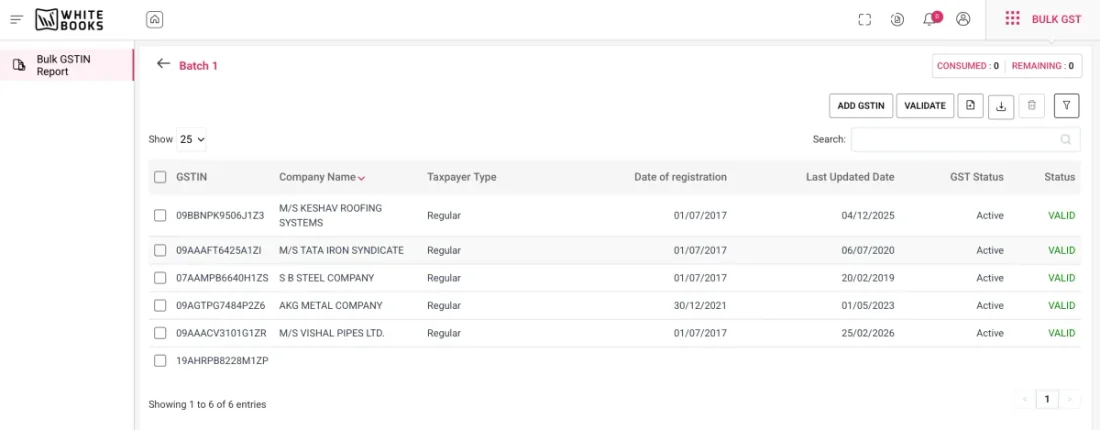
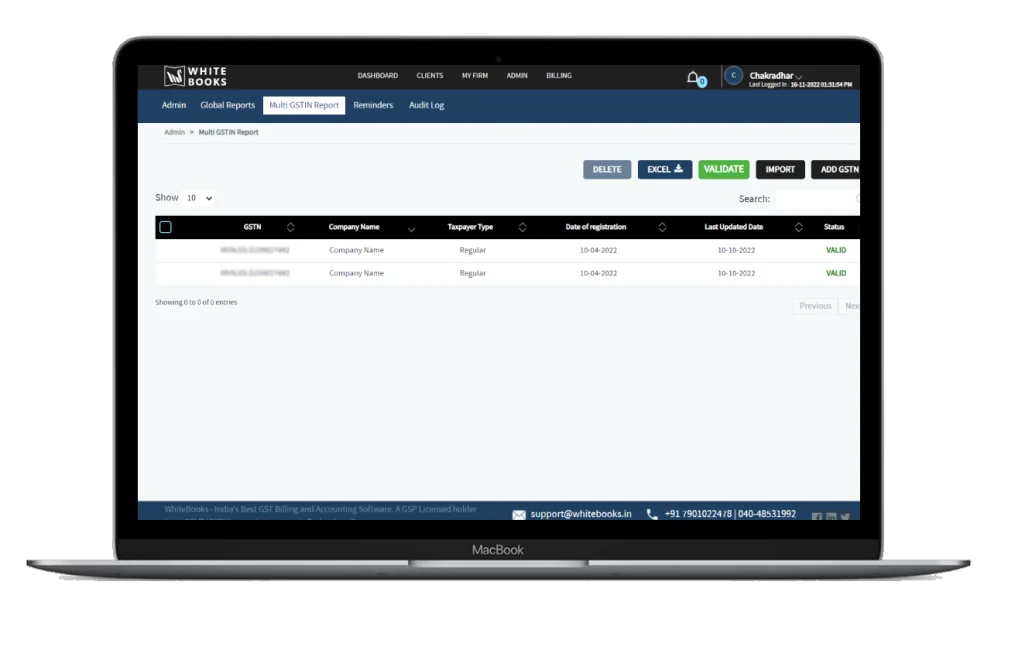
Add / Import Multiple GST Numbers
There are two easy ways to get your GST numbers into the tool — choose whichever fits your workflow.
By adding directly in the box
Type or paste multiple GST numbers directly into the input box — one per line or comma-separated.
By importing Excel
Upload a CSV or Excel file containing your list of GSTINs for instant bulk processing.
Step 02
Validate Multiple GST Numbers in One Click
By doing the verification it will check the added or imported GST numbers are valid or not. If the GST Numbers are valid it will give all the details of the GSTIN.
The tool runs all GSTINs through the official GSTN database simultaneously — invalid formats are flagged instantly, while valid numbers return complete, verified taxpayer information in seconds.
Try it free →Step 03
View / Download Complete Details of GST Numbers
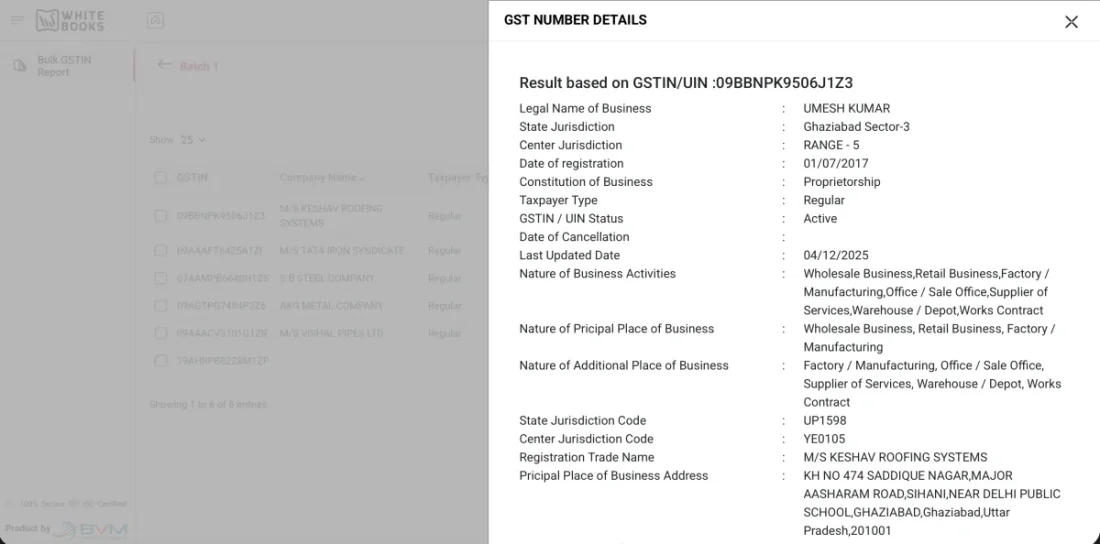
For every valid GSTIN, the tool retrieves comprehensive registration details directly from the GSTN database — and lets you export everything as Excel or CSV.
- Legal Name of Business
- State Jurisdiction
- Center Jurisdiction
- Date of Registration
- Constitution of Business
- Taxpayer Type
- GSTIN / UIN Status
- Date of Cancellation
- Last Updated Date
- Nature of Business Activities
- Nature of Principal Place of Business
- Nature of Additional Place of Business
- State Jurisdiction Code
- Center Jurisdiction Code
- Registration Trade Name
- Principal Place of Business Address
- Additional Place of Business Address
FAQs
Frequently asked questions.
What Our Customers Say
Trusted by finance controllers and IT heads across the country.
“I just wanted to share a quick note and let you know that you guys do a really good job. I'm glad I decided to do business with you. You guys have made integration so quick and smooth which has not been there with other GSPs. When it comes to support, you guys have always been there round the clock. Thanks, guys!”

“WhiteBooks helped me to Generate the e-Invoices and e-Way Bills from my SAP in a single click. Their SAP connector is efficient, simple and cost effective.”

Verify, file, and automate — all in one place.
WhiteBooks is a GSP-licensed compliance platform used by 25,000+ businesses. Automate GST filing, e-Invoicing, e-Way Bills, and ITC reconciliation from a single workspace.