
Follow us on our LinkedIn page

Powerful Inventory Reports for Complete Stock Control

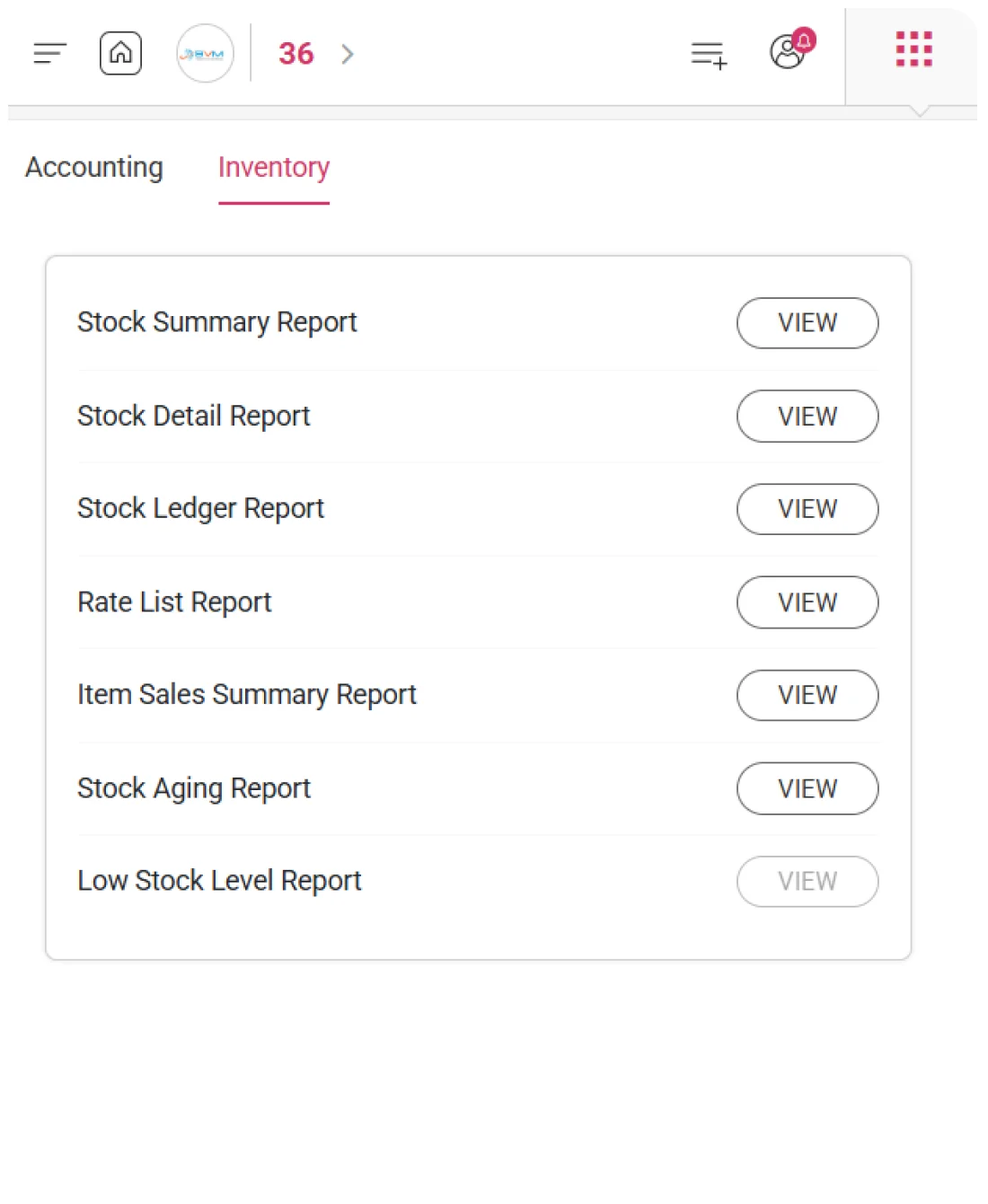
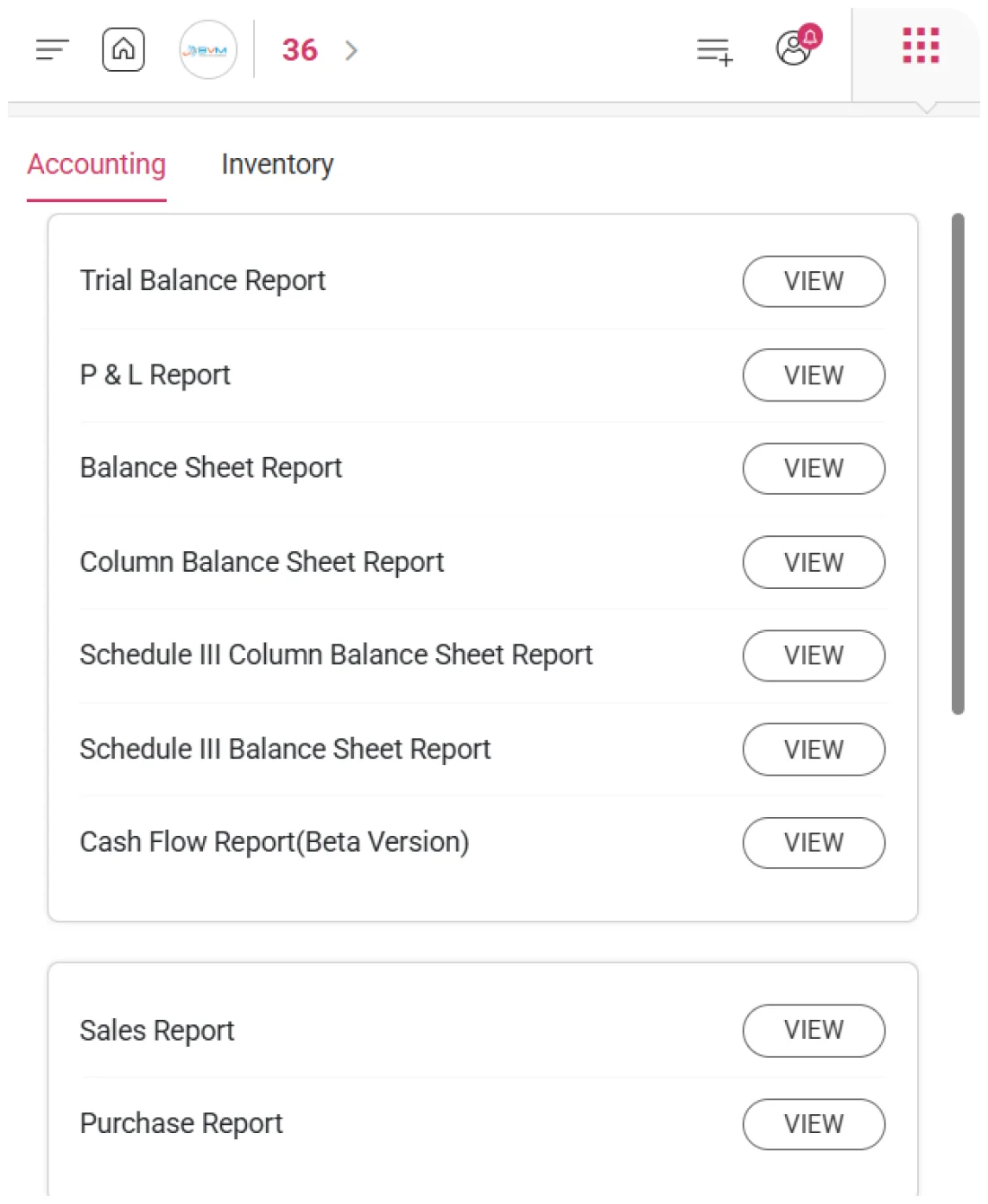
WhiteBooks provides comprehensive inventory reports including stock, ledger, sales, aging, and low stock insights with real time tracking and valuation. WhiteBooks Inventory Reports Software India is part of the WhiteBooks platform — a GSP-certified, cloud-first business management suite used by Indian SMBs and mid-market enterprises.

WhiteBooks delivers inventory reports including stock, ledger, sales, aging, and low stock insights with real time visibility into quantity, value, and movement.

inventory-reports-dashboard
Stock Summary Report

Complete Inventory Valuation Summary for Every Item

WhiteBooks generates a Stock Summary Report that consolidates item-wise purchase price, selling price, quantity, and total stock value. It provides a complete inventory snapshot for valuation, pricing, and margin analysis.
stock-summary-inventory-report

Item Price Visibility

WhiteBooks displays both purchase price and selling price for every item, giving clear insight into cost structure and margin potential. This helps teams evaluate pricing strategy, procurement costs, and discount decisions effectively.

Stock Quantity Value

Each item shows current stock quantity along with its total monetary value, offering a clear view of inventory investment. This enables better stock planning, capital assessment, and inventory optimization decisions.

Excel Data Export

The report can be exported to Excel for further analysis and reporting. This provides a structured dataset for valuation, margin analysis, and management reporting without manual data preparation.
Stock Detail Report

Detailed Item-Wise Stock Movement Report

WhiteBooks generates a Monthly Stock Detail Report for a selected item, capturing all stock movements within a period. It provides a chronological record of inward, outward, and closing stock for accurate inventory tracking and reconciliation.
stock-details-inventory-report

Stock Movement History

WhiteBooks records every stock movement in chronological order for the selected item, including date, transaction type, and quantity. This creates a complete audit trail to trace how each movement impacts stock levels over time.

Stock Movement Tracking

Each entry captures both incoming and outgoing quantities along with the updated closing stock. This ensures inventory managers can verify that every transaction correctly updates the item’s running balance.

Item Monthly Stock

The report is scoped to a single item and selected month, ensuring focused analysis without unrelated data. This allows precise verification of stock movement and simplifies reconciliation of item-level inventory positions.
Stock Ledger Report

Item-Wise Stock Ledger with Complete Movement Tracking

WhiteBooks generates a Monthly Stock Ledger Report for a selected item, capturing every stock movement with voucher reference, quantity, rate, and running balance. It provides a complete, transaction-linked ledger for accurate inventory reconciliation, valuation verification, and audit readiness.
stock-ledger-inventory-report

Voucher Stock Ledger

Each stock movement is linked to its originating voucher such as sales, purchases, or adjustments. This creates a fully traceable ledger where every entry can be verified against source transactions for audit and reconciliation.

Movement Price Tracking

The report captures the exact rate or price at the time of every stock movement. This ensures accurate valuation tracking and supports inventory costing methods like FIFO or weighted average analysis.

Running Balance View

WhiteBooks maintains a running stock balance after each transaction, showing real-time quantity updates. This helps verify closing stock accuracy and ensures consistency across all recorded movements.
Rate List Report

Detailed Item Pricing Across All Products

WhiteBooks generates a Rate List Report listing all items with item code, name, MRP, and selling price in a single consolidated view, ensuring quick pricing reference and consistent rate verification across the organization.
rate-list-inventory-report

Item Reference Details

Each item is listed with its code, name, and MRP price, providing a standardized reference for maximum retail pricing. This helps ensure pricing compliance and prevents unauthorized pricing deviations across sales channels.

Selling Price Catalogue

The report shows the configured selling price for every item in one consolidated view. This enables sales and pricing teams to maintain consistent customer pricing without checking individual item records.

Pricing Data Export

WhiteBooks allows the rate list to be exported to Excel for sharing and analysis. This supports quotation preparation, pricing reviews, and distribution of official rate lists to internal and external stakeholders.
Item Sales Summary Report

Item-Wise Sales Quantity Summary Across Period

WhiteBooks generates an Item Sales Summary Report that shows total units sold per item for a selected period. It provides a clear view of product-wise sales performance and overall catalogue sales volume, enabling better inventory planning and sales analysis.
sales-summary-inventory-report

Item-Wise Quantity Sold

WhiteBooks displays the total unit quantity sold for each item during the selected period. This helps inventory and sales teams understand actual product demand and plan replenishment based on real sales data.

Item Movement Insights

The report highlights high and low-performing items by comparing sales quantities across the catalogue. This supports decisions on promotions, stock optimization, and product portfolio improvements.

Catalogue Sales Volume

WhiteBooks presents the total units sold across all items as a summary figure. This gives management a quick overview of overall sales throughput for the selected period, supporting faster performance assessment and decision-making.
Stock Aging Report

Track Stock Age for Better Inventory Planning

WhiteBooks generates a Monthly Stock Aging Report that classifies item-wise inventory based on holding period. It provides a time-based view of stock movement, helping identify slow-moving items, optimize working capital, and plan liquidation effectively.
stock-aging-report

Stock Age Classification

WhiteBooks categorizes each item’s stock into seven aging buckets from newly received inventory to stock older than 180 days. This enables clear visibility into how long products have remained unsold across the warehouse.

Aging Interval Structure

The aging bracket intervals can be customized to match business inventory policies. This flexibility ensures accurate alignment with different product cycles, from fast-moving goods to long-cycle industrial stock.

Item Stock Aging

Each item displays current stock quantity along with its aging distribution and unit code. This helps inventory teams evaluate stock health and take informed decisions on liquidation or replenishment.
Low Stock Level Report

Stay Ahead of Inventory Stockouts

WhiteBooks generates a Low Stock Level Report that identifies items at or below minimum stock levels, providing early stock-out risk visibility and enabling timely replenishment to avoid sales or production disruptions.
stock-summary-inventory-report

Minimum Stock Alert

WhiteBooks automatically flags all items that have breached or are close to their minimum stock threshold. This gives inventory teams immediate visibility into at-risk products requiring urgent replenishment attention.

Stock Level Comparison

The report compares current stock with configured minimum levels for each item. This highlights exact shortages, helping procurement teams determine precise replenishment quantities for each product.

Procurement Action Support

WhiteBooks converts low stock alerts into actionable procurement triggers. This supports timely purchase order creation, ensuring continuous availability and preventing emergency stockouts while maintaining smooth inventory replenishment planning.
Get started with WhiteBooks
Stop guessing inventory. WhiteBooks gives real-time stock, valuation, aging, and alerts — all in one place. Start free.
No Credit Card Required

All the Pricing you will need in an Accounting Software

WhiteBooks delivers inventory reports including stock, ledger, sales, aging, and low stock insights with real time visibility into quantity, value, and movement.

features-banner
Stock Detail Report

Detailed Item-Wise Stock Movement Report

WhiteBooks generates a Monthly Stock Detail Report for a selected item, capturing all stock movements within a period. It provides a chronological record of inward, outward, and closing stock for accurate inventory tracking and reconciliation.

Stock Movement History

WhiteBooks records every stock movement in chronological order for the selected item, including date, transaction type, and quantity. This creates a complete audit trail to trace how each movement impacts stock levels over time.

Stock Movement Tracking

Each entry captures both incoming and outgoing quantities along with the updated closing stock. This ensures inventory managers can verify that every transaction correctly updates the item’s running balance.

Item Monthly Stock

The report is scoped to a single item and selected month, ensuring focused analysis without unrelated data. This allows precise verification of stock movement and simplifies reconciliation of item-level inventory positions.
Stock Detail Report

Detailed Item-Wise Stock Movement Report

WhiteBooks generates a Monthly Stock Detail Report for a selected item, capturing all stock movements within a period. It provides a chronological record of inward, outward, and closing stock for accurate inventory tracking and reconciliation.

Stock Movement History

WhiteBooks records every stock movement in chronological order for the selected item, including date, transaction type, and quantity. This creates a complete audit trail to trace how each movement impacts stock levels over time.

Stock Movement Tracking

Each entry captures both incoming and outgoing quantities along with the updated closing stock. This ensures inventory managers can verify that every transaction correctly updates the item’s running balance.

Item Monthly Stock

The report is scoped to a single item and selected month, ensuring focused analysis without unrelated data. This allows precise verification of stock movement and simplifies reconciliation of item-level inventory positions.
Get started with WhiteBooks
Stop guessing inventory. WhiteBooks gives real-time stock, valuation, aging, and alerts — all in one place. Start free.
No Credit Card Required
Stock Summary Report

Complete Inventory Valuation Summary for Every Item

WhiteBooks generates a Stock Summary Report that consolidates item-wise purchase price, selling price, quantity, and total stock value. It provides a complete inventory snapshot for valuation, pricing, and margin analysis.

Item Price Visibility

WhiteBooks displays both purchase price and selling price for every item, giving clear insight into cost structure and margin potential. This helps teams evaluate pricing strategy, procurement costs, and discount decisions effectively.

Stock Quantity Value

Each item shows current stock quantity along with its total monetary value, offering a clear view of inventory investment. This enables better stock planning, capital assessment, and inventory optimization decisions.

Excel Data Export

The report can be exported to Excel for further analysis and reporting. This provides a structured dataset for valuation, margin analysis, and management reporting without manual data preparation.
Stock Summary Report

Complete Inventory Valuation Summary for Every Item

WhiteBooks generates a Stock Summary Report that consolidates item-wise purchase price, selling price, quantity, and total stock value. It provides a complete inventory snapshot for valuation, pricing, and margin analysis.

Item Price Visibility

WhiteBooks displays both purchase price and selling price for every item, giving clear insight into cost structure and margin potential. This helps teams evaluate pricing strategy, procurement costs, and discount decisions effectively.

Stock Quantity Value

Each item shows current stock quantity along with its total monetary value, offering a clear view of inventory investment. This enables better stock planning, capital assessment, and inventory optimization decisions.

Excel Data Export

The report can be exported to Excel for further analysis and reporting. This provides a structured dataset for valuation, margin analysis, and management reporting without manual data preparation.
Get started with WhiteBooks
Stop guessing inventory. WhiteBooks gives real-time stock, valuation, aging, and alerts — all in one place. Start free.
No Credit Card Required
Stock Ledger Report

Item-Wise Stock Ledger with Complete Movement Tracking

WhiteBooks generates a Monthly Stock Ledger Report for a selected item, capturing every stock movement with voucher reference, quantity, rate, and running balance. It provides a complete, transaction-linked ledger for accurate inventory reconciliation, valuation verification, and audit readiness.

Voucher Stock Ledger

Each stock movement is linked to its originating voucher such as sales, purchases, or adjustments. This creates a fully traceable ledger where every entry can be verified against source transactions for audit and reconciliation.

Movement Price Tracking

The report captures the exact rate or price at the time of every stock movement. This ensures accurate valuation tracking and supports inventory costing methods like FIFO or weighted average analysis.

Running Balance View

WhiteBooks maintains a running stock balance after each transaction, showing real-time quantity updates. This helps verify closing stock accuracy and ensures consistency across all recorded movements.
Stock Ledger Report

Item-Wise Stock Ledger with Complete Movement Tracking

WhiteBooks generates a Monthly Stock Ledger Report for a selected item, capturing every stock movement with voucher reference, quantity, rate, and running balance. It provides a complete, transaction-linked ledger for accurate inventory reconciliation, valuation verification, and audit readiness.

Voucher Stock Ledger

Each stock movement is linked to its originating voucher such as sales, purchases, or adjustments. This creates a fully traceable ledger where every entry can be verified against source transactions for audit and reconciliation.

Movement Price Tracking

The report captures the exact rate or price at the time of every stock movement. This ensures accurate valuation tracking and supports inventory costing methods like FIFO or weighted average analysis.

Running Balance View

WhiteBooks maintains a running stock balance after each transaction, showing real-time quantity updates. This helps verify closing stock accuracy and ensures consistency across all recorded movements.
Get started with WhiteBooks
Stop guessing inventory. WhiteBooks gives real-time stock, valuation, aging, and alerts — all in one place. Start free.
No Credit Card Required
Rate List Report

Detailed Item Pricing Across All Products

WhiteBooks generates a Rate List Report listing all items with item code, name, MRP, and selling price in a single consolidated view, ensuring quick pricing reference and consistent rate verification across the organization.

Item Reference Details

Each item is listed with its code, name, and MRP price, providing a standardized reference for maximum retail pricing. This helps ensure pricing compliance and prevents unauthorized pricing deviations across sales channels.

Selling Price Catalogue

The report shows the configured selling price for every item in one consolidated view. This enables sales and pricing teams to maintain consistent customer pricing without checking individual item records.

Pricing Data Export

WhiteBooks allows the rate list to be exported to Excel for sharing and analysis. This supports quotation preparation, pricing reviews, and distribution of official rate lists to internal and external stakeholders.
Rate List Report

Detailed Item Pricing Across All Products

WhiteBooks generates a Rate List Report listing all items with item code, name, MRP, and selling price in a single consolidated view, ensuring quick pricing reference and consistent rate verification across the organization.

Item Reference Details

Each item is listed with its code, name, and MRP price, providing a standardized reference for maximum retail pricing. This helps ensure pricing compliance and prevents unauthorized pricing deviations across sales channels.

Selling Price Catalogue

The report shows the configured selling price for every item in one consolidated view. This enables sales and pricing teams to maintain consistent customer pricing without checking individual item records.

Pricing Data Export

WhiteBooks allows the rate list to be exported to Excel for sharing and analysis. This supports quotation preparation, pricing reviews, and distribution of official rate lists to internal and external stakeholders.
Get started with WhiteBooks
Stop guessing inventory. WhiteBooks gives real-time stock, valuation, aging, and alerts — all in one place. Start free.
No Credit Card Required
Item Sales Summary Report

Item-Wise Sales Quantity Summary Across Period

WhiteBooks generates an Item Sales Summary Report that shows total units sold per item for a selected period. It provides a clear view of product-wise sales performance and overall catalogue sales volume, enabling better inventory planning and sales analysis.

Item-Wise Quantity Sold

WhiteBooks displays the total unit quantity sold for each item during the selected period. This helps inventory and sales teams understand actual product demand and plan replenishment based on real sales data.

Item Movement Insights

The report highlights high and low-performing items by comparing sales quantities across the catalogue. This supports decisions on promotions, stock optimization, and product portfolio improvements.

Catalogue Sales Volume

WhiteBooks presents the total units sold across all items as a summary figure. This gives management a quick overview of overall sales throughput for the selected period, supporting faster performance assessment and decision-making.
Item Sales Summary Report

Item-Wise Sales Quantity Summary Across Period

WhiteBooks generates an Item Sales Summary Report that shows total units sold per item for a selected period. It provides a clear view of product-wise sales performance and overall catalogue sales volume, enabling better inventory planning and sales analysis.

Item-Wise Quantity Sold

WhiteBooks displays the total unit quantity sold for each item during the selected period. This helps inventory and sales teams understand actual product demand and plan replenishment based on real sales data.

Item Movement Insights

The report highlights high and low-performing items by comparing sales quantities across the catalogue. This supports decisions on promotions, stock optimization, and product portfolio improvements.

Catalogue Sales Volume

WhiteBooks presents the total units sold across all items as a summary figure. This gives management a quick overview of overall sales throughput for the selected period, supporting faster performance assessment and decision-making.
Get started with WhiteBooks
Stop guessing inventory. WhiteBooks gives real-time stock, valuation, aging, and alerts — all in one place. Start free.
No Credit Card Required
Stock Aging Report

Track Stock Age for Better Inventory Planning

WhiteBooks generates a Monthly Stock Aging Report that classifies item-wise inventory based on holding period. It provides a time-based view of stock movement, helping identify slow-moving items, optimize working capital, and plan liquidation effectively.

Stock Age Classification

WhiteBooks categorizes each item’s stock into seven aging buckets from newly received inventory to stock older than 180 days. This enables clear visibility into how long products have remained unsold across the warehouse.

Aging Interval Structure

The aging bracket intervals can be customized to match business inventory policies. This flexibility ensures accurate alignment with different product cycles, from fast-moving goods to long-cycle industrial stock.

Item Stock Aging

Each item displays current stock quantity along with its aging distribution and unit code. This helps inventory teams evaluate stock health and take informed decisions on liquidation or replenishment.
Stock Aging Report

Track Stock Age for Better Inventory Planning

WhiteBooks generates a Monthly Stock Aging Report that classifies item-wise inventory based on holding period. It provides a time-based view of stock movement, helping identify slow-moving items, optimize working capital, and plan liquidation effectively.

Stock Age Classification

WhiteBooks categorizes each item’s stock into seven aging buckets from newly received inventory to stock older than 180 days. This enables clear visibility into how long products have remained unsold across the warehouse.

Aging Interval Structure

The aging bracket intervals can be customized to match business inventory policies. This flexibility ensures accurate alignment with different product cycles, from fast-moving goods to long-cycle industrial stock.

Item Stock Aging

Each item displays current stock quantity along with its aging distribution and unit code. This helps inventory teams evaluate stock health and take informed decisions on liquidation or replenishment.
Get started with WhiteBooks
Stop guessing inventory. WhiteBooks gives real-time stock, valuation, aging, and alerts — all in one place. Start free.
No Credit Card Required
Low Stock Level Report

Stay Ahead of Inventory Stockouts

WhiteBooks generates a Low Stock Level Report that identifies items at or below minimum stock levels, providing early stock-out risk visibility and enabling timely replenishment to avoid sales or production disruptions.

Minimum Stock Alert

WhiteBooks automatically flags all items that have breached or are close to their minimum stock threshold. This gives inventory teams immediate visibility into at-risk products requiring urgent replenishment attention.

Stock Level Comparison

The report compares current stock with configured minimum levels for each item. This highlights exact shortages, helping procurement teams determine precise replenishment quantities for each product.

Procurement Action Support

WhiteBooks converts low stock alerts into actionable procurement triggers. This supports timely purchase order creation, ensuring continuous availability and preventing emergency stockouts while maintaining smooth inventory replenishment planning.
Low Stock Level Report

Stay Ahead of Inventory Stockouts

WhiteBooks generates a Low Stock Level Report that identifies items at or below minimum stock levels, providing early stock-out risk visibility and enabling timely replenishment to avoid sales or production disruptions.

Minimum Stock Alert

WhiteBooks automatically flags all items that have breached or are close to their minimum stock threshold. This gives inventory teams immediate visibility into at-risk products requiring urgent replenishment attention.

Stock Level Comparison

The report compares current stock with configured minimum levels for each item. This highlights exact shortages, helping procurement teams determine precise replenishment quantities for each product.

Procurement Action Support

WhiteBooks converts low stock alerts into actionable procurement triggers. This supports timely purchase order creation, ensuring continuous availability and preventing emergency stockouts while maintaining smooth inventory replenishment planning.
Get started with WhiteBooks
Stop guessing inventory. WhiteBooks gives real-time stock, valuation, aging, and alerts — all in one place. Start free.
No Credit Card Required

All the Solutions you will need in an Accounting Software

WhiteBooks delivers inventory reports including stock, ledger, sales, aging, and low stock insights with real time visibility into quantity, value, and movement.

features-banner
Stock Detail Report

Detailed Item-Wise Stock Movement Report

WhiteBooks generates a Monthly Stock Detail Report for a selected item, capturing all stock movements within a period. It provides a chronological record of inward, outward, and closing stock for accurate inventory tracking and reconciliation.

Stock Movement History

WhiteBooks records every stock movement in chronological order for the selected item, including date, transaction type, and quantity. This creates a complete audit trail to trace how each movement impacts stock levels over time.

Stock Movement Tracking

Each entry captures both incoming and outgoing quantities along with the updated closing stock. This ensures inventory managers can verify that every transaction correctly updates the item’s running balance.

Item Monthly Stock

The report is scoped to a single item and selected month, ensuring focused analysis without unrelated data. This allows precise verification of stock movement and simplifies reconciliation of item-level inventory positions.
Stock Detail Report

Detailed Item-Wise Stock Movement Report

WhiteBooks generates a Monthly Stock Detail Report for a selected item, capturing all stock movements within a period. It provides a chronological record of inward, outward, and closing stock for accurate inventory tracking and reconciliation.

Stock Movement History

WhiteBooks records every stock movement in chronological order for the selected item, including date, transaction type, and quantity. This creates a complete audit trail to trace how each movement impacts stock levels over time.

Stock Movement Tracking

Each entry captures both incoming and outgoing quantities along with the updated closing stock. This ensures inventory managers can verify that every transaction correctly updates the item’s running balance.

Item Monthly Stock

The report is scoped to a single item and selected month, ensuring focused analysis without unrelated data. This allows precise verification of stock movement and simplifies reconciliation of item-level inventory positions.
Get started with WhiteBooks
Stop guessing inventory. WhiteBooks gives real-time stock, valuation, aging, and alerts — all in one place. Start free.
No Credit Card Required
Stock Summary Report

Complete Inventory Valuation Summary for Every Item

WhiteBooks generates a Stock Summary Report that consolidates item-wise purchase price, selling price, quantity, and total stock value. It provides a complete inventory snapshot for valuation, pricing, and margin analysis.

Item Price Visibility

WhiteBooks displays both purchase price and selling price for every item, giving clear insight into cost structure and margin potential. This helps teams evaluate pricing strategy, procurement costs, and discount decisions effectively.

Stock Quantity Value

Each item shows current stock quantity along with its total monetary value, offering a clear view of inventory investment. This enables better stock planning, capital assessment, and inventory optimization decisions.

Excel Data Export

The report can be exported to Excel for further analysis and reporting. This provides a structured dataset for valuation, margin analysis, and management reporting without manual data preparation.
Stock Summary Report

Complete Inventory Valuation Summary for Every Item

WhiteBooks generates a Stock Summary Report that consolidates item-wise purchase price, selling price, quantity, and total stock value. It provides a complete inventory snapshot for valuation, pricing, and margin analysis.

Item Price Visibility

WhiteBooks displays both purchase price and selling price for every item, giving clear insight into cost structure and margin potential. This helps teams evaluate pricing strategy, procurement costs, and discount decisions effectively.

Stock Quantity Value

Each item shows current stock quantity along with its total monetary value, offering a clear view of inventory investment. This enables better stock planning, capital assessment, and inventory optimization decisions.

Excel Data Export

The report can be exported to Excel for further analysis and reporting. This provides a structured dataset for valuation, margin analysis, and management reporting without manual data preparation.
Get started with WhiteBooks
Stop guessing inventory. WhiteBooks gives real-time stock, valuation, aging, and alerts — all in one place. Start free.
No Credit Card Required
Stock Ledger Report

Item-Wise Stock Ledger with Complete Movement Tracking

WhiteBooks generates a Monthly Stock Ledger Report for a selected item, capturing every stock movement with voucher reference, quantity, rate, and running balance. It provides a complete, transaction-linked ledger for accurate inventory reconciliation, valuation verification, and audit readiness.

Voucher Stock Ledger

Each stock movement is linked to its originating voucher such as sales, purchases, or adjustments. This creates a fully traceable ledger where every entry can be verified against source transactions for audit and reconciliation.

Movement Price Tracking

The report captures the exact rate or price at the time of every stock movement. This ensures accurate valuation tracking and supports inventory costing methods like FIFO or weighted average analysis.

Running Balance View

WhiteBooks maintains a running stock balance after each transaction, showing real-time quantity updates. This helps verify closing stock accuracy and ensures consistency across all recorded movements.
Stock Ledger Report

Item-Wise Stock Ledger with Complete Movement Tracking

WhiteBooks generates a Monthly Stock Ledger Report for a selected item, capturing every stock movement with voucher reference, quantity, rate, and running balance. It provides a complete, transaction-linked ledger for accurate inventory reconciliation, valuation verification, and audit readiness.

Voucher Stock Ledger

Each stock movement is linked to its originating voucher such as sales, purchases, or adjustments. This creates a fully traceable ledger where every entry can be verified against source transactions for audit and reconciliation.

Movement Price Tracking

The report captures the exact rate or price at the time of every stock movement. This ensures accurate valuation tracking and supports inventory costing methods like FIFO or weighted average analysis.

Running Balance View

WhiteBooks maintains a running stock balance after each transaction, showing real-time quantity updates. This helps verify closing stock accuracy and ensures consistency across all recorded movements.
Get started with WhiteBooks
Stop guessing inventory. WhiteBooks gives real-time stock, valuation, aging, and alerts — all in one place. Start free.
No Credit Card Required
Rate List Report

Detailed Item Pricing Across All Products

WhiteBooks generates a Rate List Report listing all items with item code, name, MRP, and selling price in a single consolidated view, ensuring quick pricing reference and consistent rate verification across the organization.

Item Reference Details

Each item is listed with its code, name, and MRP price, providing a standardized reference for maximum retail pricing. This helps ensure pricing compliance and prevents unauthorized pricing deviations across sales channels.

Selling Price Catalogue

The report shows the configured selling price for every item in one consolidated view. This enables sales and pricing teams to maintain consistent customer pricing without checking individual item records.

Pricing Data Export

WhiteBooks allows the rate list to be exported to Excel for sharing and analysis. This supports quotation preparation, pricing reviews, and distribution of official rate lists to internal and external stakeholders.
Rate List Report

Detailed Item Pricing Across All Products

WhiteBooks generates a Rate List Report listing all items with item code, name, MRP, and selling price in a single consolidated view, ensuring quick pricing reference and consistent rate verification across the organization.

Item Reference Details

Each item is listed with its code, name, and MRP price, providing a standardized reference for maximum retail pricing. This helps ensure pricing compliance and prevents unauthorized pricing deviations across sales channels.

Selling Price Catalogue

The report shows the configured selling price for every item in one consolidated view. This enables sales and pricing teams to maintain consistent customer pricing without checking individual item records.

Pricing Data Export

WhiteBooks allows the rate list to be exported to Excel for sharing and analysis. This supports quotation preparation, pricing reviews, and distribution of official rate lists to internal and external stakeholders.
Get started with WhiteBooks
Stop guessing inventory. WhiteBooks gives real-time stock, valuation, aging, and alerts — all in one place. Start free.
No Credit Card Required
Item Sales Summary Report

Item-Wise Sales Quantity Summary Across Period

WhiteBooks generates an Item Sales Summary Report that shows total units sold per item for a selected period. It provides a clear view of product-wise sales performance and overall catalogue sales volume, enabling better inventory planning and sales analysis.

Item-Wise Quantity Sold

WhiteBooks displays the total unit quantity sold for each item during the selected period. This helps inventory and sales teams understand actual product demand and plan replenishment based on real sales data.

Item Movement Insights

The report highlights high and low-performing items by comparing sales quantities across the catalogue. This supports decisions on promotions, stock optimization, and product portfolio improvements.

Catalogue Sales Volume

WhiteBooks presents the total units sold across all items as a summary figure. This gives management a quick overview of overall sales throughput for the selected period, supporting faster performance assessment and decision-making.
Item Sales Summary Report

Item-Wise Sales Quantity Summary Across Period

WhiteBooks generates an Item Sales Summary Report that shows total units sold per item for a selected period. It provides a clear view of product-wise sales performance and overall catalogue sales volume, enabling better inventory planning and sales analysis.

Item-Wise Quantity Sold

WhiteBooks displays the total unit quantity sold for each item during the selected period. This helps inventory and sales teams understand actual product demand and plan replenishment based on real sales data.

Item Movement Insights

The report highlights high and low-performing items by comparing sales quantities across the catalogue. This supports decisions on promotions, stock optimization, and product portfolio improvements.

Catalogue Sales Volume

WhiteBooks presents the total units sold across all items as a summary figure. This gives management a quick overview of overall sales throughput for the selected period, supporting faster performance assessment and decision-making.
Get started with WhiteBooks
Stop guessing inventory. WhiteBooks gives real-time stock, valuation, aging, and alerts — all in one place. Start free.
No Credit Card Required
Stock Aging Report

Track Stock Age for Better Inventory Planning

WhiteBooks generates a Monthly Stock Aging Report that classifies item-wise inventory based on holding period. It provides a time-based view of stock movement, helping identify slow-moving items, optimize working capital, and plan liquidation effectively.

Stock Age Classification

WhiteBooks categorizes each item’s stock into seven aging buckets from newly received inventory to stock older than 180 days. This enables clear visibility into how long products have remained unsold across the warehouse.

Aging Interval Structure

The aging bracket intervals can be customized to match business inventory policies. This flexibility ensures accurate alignment with different product cycles, from fast-moving goods to long-cycle industrial stock.

Item Stock Aging

Each item displays current stock quantity along with its aging distribution and unit code. This helps inventory teams evaluate stock health and take informed decisions on liquidation or replenishment.
Stock Aging Report

Track Stock Age for Better Inventory Planning

WhiteBooks generates a Monthly Stock Aging Report that classifies item-wise inventory based on holding period. It provides a time-based view of stock movement, helping identify slow-moving items, optimize working capital, and plan liquidation effectively.

Stock Age Classification

WhiteBooks categorizes each item’s stock into seven aging buckets from newly received inventory to stock older than 180 days. This enables clear visibility into how long products have remained unsold across the warehouse.

Aging Interval Structure

The aging bracket intervals can be customized to match business inventory policies. This flexibility ensures accurate alignment with different product cycles, from fast-moving goods to long-cycle industrial stock.

Item Stock Aging

Each item displays current stock quantity along with its aging distribution and unit code. This helps inventory teams evaluate stock health and take informed decisions on liquidation or replenishment.
Get started with WhiteBooks
Stop guessing inventory. WhiteBooks gives real-time stock, valuation, aging, and alerts — all in one place. Start free.
No Credit Card Required
Low Stock Level Report

Stay Ahead of Inventory Stockouts

WhiteBooks generates a Low Stock Level Report that identifies items at or below minimum stock levels, providing early stock-out risk visibility and enabling timely replenishment to avoid sales or production disruptions.

Minimum Stock Alert

WhiteBooks automatically flags all items that have breached or are close to their minimum stock threshold. This gives inventory teams immediate visibility into at-risk products requiring urgent replenishment attention.

Stock Level Comparison

The report compares current stock with configured minimum levels for each item. This highlights exact shortages, helping procurement teams determine precise replenishment quantities for each product.

Procurement Action Support

WhiteBooks converts low stock alerts into actionable procurement triggers. This supports timely purchase order creation, ensuring continuous availability and preventing emergency stockouts while maintaining smooth inventory replenishment planning.
Low Stock Level Report

Stay Ahead of Inventory Stockouts

WhiteBooks generates a Low Stock Level Report that identifies items at or below minimum stock levels, providing early stock-out risk visibility and enabling timely replenishment to avoid sales or production disruptions.

Minimum Stock Alert

WhiteBooks automatically flags all items that have breached or are close to their minimum stock threshold. This gives inventory teams immediate visibility into at-risk products requiring urgent replenishment attention.

Stock Level Comparison

The report compares current stock with configured minimum levels for each item. This highlights exact shortages, helping procurement teams determine precise replenishment quantities for each product.

Procurement Action Support

WhiteBooks converts low stock alerts into actionable procurement triggers. This supports timely purchase order creation, ensuring continuous availability and preventing emergency stockouts while maintaining smooth inventory replenishment planning.
Get started with WhiteBooks
Stop guessing inventory. WhiteBooks gives real-time stock, valuation, aging, and alerts — all in one place. Start free.
No Credit Card Required

All the Partners you will need in an Accounting Software

WhiteBooks delivers inventory reports including stock, ledger, sales, aging, and low stock insights with real time visibility into quantity, value, and movement.

features-banner
Stock Detail Report

Detailed Item-Wise Stock Movement Report

WhiteBooks generates a Monthly Stock Detail Report for a selected item, capturing all stock movements within a period. It provides a chronological record of inward, outward, and closing stock for accurate inventory tracking and reconciliation.

Stock Movement History

WhiteBooks records every stock movement in chronological order for the selected item, including date, transaction type, and quantity. This creates a complete audit trail to trace how each movement impacts stock levels over time.

Stock Movement Tracking

Each entry captures both incoming and outgoing quantities along with the updated closing stock. This ensures inventory managers can verify that every transaction correctly updates the item’s running balance.

Item Monthly Stock

The report is scoped to a single item and selected month, ensuring focused analysis without unrelated data. This allows precise verification of stock movement and simplifies reconciliation of item-level inventory positions.
Stock Detail Report

Detailed Item-Wise Stock Movement Report

WhiteBooks generates a Monthly Stock Detail Report for a selected item, capturing all stock movements within a period. It provides a chronological record of inward, outward, and closing stock for accurate inventory tracking and reconciliation.

Stock Movement History

WhiteBooks records every stock movement in chronological order for the selected item, including date, transaction type, and quantity. This creates a complete audit trail to trace how each movement impacts stock levels over time.

Stock Movement Tracking

Each entry captures both incoming and outgoing quantities along with the updated closing stock. This ensures inventory managers can verify that every transaction correctly updates the item’s running balance.

Item Monthly Stock

The report is scoped to a single item and selected month, ensuring focused analysis without unrelated data. This allows precise verification of stock movement and simplifies reconciliation of item-level inventory positions.
Get started with WhiteBooks
Stop guessing inventory. WhiteBooks gives real-time stock, valuation, aging, and alerts — all in one place. Start free.
No Credit Card Required
Stock Summary Report

Complete Inventory Valuation Summary for Every Item

WhiteBooks generates a Stock Summary Report that consolidates item-wise purchase price, selling price, quantity, and total stock value. It provides a complete inventory snapshot for valuation, pricing, and margin analysis.

Item Price Visibility

WhiteBooks displays both purchase price and selling price for every item, giving clear insight into cost structure and margin potential. This helps teams evaluate pricing strategy, procurement costs, and discount decisions effectively.

Stock Quantity Value

Each item shows current stock quantity along with its total monetary value, offering a clear view of inventory investment. This enables better stock planning, capital assessment, and inventory optimization decisions.

Excel Data Export

The report can be exported to Excel for further analysis and reporting. This provides a structured dataset for valuation, margin analysis, and management reporting without manual data preparation.
Stock Summary Report

Complete Inventory Valuation Summary for Every Item

WhiteBooks generates a Stock Summary Report that consolidates item-wise purchase price, selling price, quantity, and total stock value. It provides a complete inventory snapshot for valuation, pricing, and margin analysis.

Item Price Visibility

WhiteBooks displays both purchase price and selling price for every item, giving clear insight into cost structure and margin potential. This helps teams evaluate pricing strategy, procurement costs, and discount decisions effectively.

Stock Quantity Value

Each item shows current stock quantity along with its total monetary value, offering a clear view of inventory investment. This enables better stock planning, capital assessment, and inventory optimization decisions.

Excel Data Export

The report can be exported to Excel for further analysis and reporting. This provides a structured dataset for valuation, margin analysis, and management reporting without manual data preparation.
Get started with WhiteBooks
Stop guessing inventory. WhiteBooks gives real-time stock, valuation, aging, and alerts — all in one place. Start free.
No Credit Card Required
Stock Ledger Report

Item-Wise Stock Ledger with Complete Movement Tracking

WhiteBooks generates a Monthly Stock Ledger Report for a selected item, capturing every stock movement with voucher reference, quantity, rate, and running balance. It provides a complete, transaction-linked ledger for accurate inventory reconciliation, valuation verification, and audit readiness.

Voucher Stock Ledger

Each stock movement is linked to its originating voucher such as sales, purchases, or adjustments. This creates a fully traceable ledger where every entry can be verified against source transactions for audit and reconciliation.

Movement Price Tracking

The report captures the exact rate or price at the time of every stock movement. This ensures accurate valuation tracking and supports inventory costing methods like FIFO or weighted average analysis.

Running Balance View

WhiteBooks maintains a running stock balance after each transaction, showing real-time quantity updates. This helps verify closing stock accuracy and ensures consistency across all recorded movements.
Stock Ledger Report

Item-Wise Stock Ledger with Complete Movement Tracking

WhiteBooks generates a Monthly Stock Ledger Report for a selected item, capturing every stock movement with voucher reference, quantity, rate, and running balance. It provides a complete, transaction-linked ledger for accurate inventory reconciliation, valuation verification, and audit readiness.

Voucher Stock Ledger

Each stock movement is linked to its originating voucher such as sales, purchases, or adjustments. This creates a fully traceable ledger where every entry can be verified against source transactions for audit and reconciliation.

Movement Price Tracking

The report captures the exact rate or price at the time of every stock movement. This ensures accurate valuation tracking and supports inventory costing methods like FIFO or weighted average analysis.

Running Balance View

WhiteBooks maintains a running stock balance after each transaction, showing real-time quantity updates. This helps verify closing stock accuracy and ensures consistency across all recorded movements.
Get started with WhiteBooks
Stop guessing inventory. WhiteBooks gives real-time stock, valuation, aging, and alerts — all in one place. Start free.
No Credit Card Required
Rate List Report

Detailed Item Pricing Across All Products

WhiteBooks generates a Rate List Report listing all items with item code, name, MRP, and selling price in a single consolidated view, ensuring quick pricing reference and consistent rate verification across the organization.

Item Reference Details

Each item is listed with its code, name, and MRP price, providing a standardized reference for maximum retail pricing. This helps ensure pricing compliance and prevents unauthorized pricing deviations across sales channels.

Selling Price Catalogue

The report shows the configured selling price for every item in one consolidated view. This enables sales and pricing teams to maintain consistent customer pricing without checking individual item records.

Pricing Data Export

WhiteBooks allows the rate list to be exported to Excel for sharing and analysis. This supports quotation preparation, pricing reviews, and distribution of official rate lists to internal and external stakeholders.
Rate List Report

Detailed Item Pricing Across All Products

WhiteBooks generates a Rate List Report listing all items with item code, name, MRP, and selling price in a single consolidated view, ensuring quick pricing reference and consistent rate verification across the organization.

Item Reference Details

Each item is listed with its code, name, and MRP price, providing a standardized reference for maximum retail pricing. This helps ensure pricing compliance and prevents unauthorized pricing deviations across sales channels.

Selling Price Catalogue

The report shows the configured selling price for every item in one consolidated view. This enables sales and pricing teams to maintain consistent customer pricing without checking individual item records.

Pricing Data Export

WhiteBooks allows the rate list to be exported to Excel for sharing and analysis. This supports quotation preparation, pricing reviews, and distribution of official rate lists to internal and external stakeholders.
Get started with WhiteBooks
Stop guessing inventory. WhiteBooks gives real-time stock, valuation, aging, and alerts — all in one place. Start free.
No Credit Card Required
Item Sales Summary Report

Item-Wise Sales Quantity Summary Across Period

WhiteBooks generates an Item Sales Summary Report that shows total units sold per item for a selected period. It provides a clear view of product-wise sales performance and overall catalogue sales volume, enabling better inventory planning and sales analysis.

Item-Wise Quantity Sold

WhiteBooks displays the total unit quantity sold for each item during the selected period. This helps inventory and sales teams understand actual product demand and plan replenishment based on real sales data.

Item Movement Insights

The report highlights high and low-performing items by comparing sales quantities across the catalogue. This supports decisions on promotions, stock optimization, and product portfolio improvements.

Catalogue Sales Volume

WhiteBooks presents the total units sold across all items as a summary figure. This gives management a quick overview of overall sales throughput for the selected period, supporting faster performance assessment and decision-making.
Item Sales Summary Report

Item-Wise Sales Quantity Summary Across Period

WhiteBooks generates an Item Sales Summary Report that shows total units sold per item for a selected period. It provides a clear view of product-wise sales performance and overall catalogue sales volume, enabling better inventory planning and sales analysis.

Item-Wise Quantity Sold

WhiteBooks displays the total unit quantity sold for each item during the selected period. This helps inventory and sales teams understand actual product demand and plan replenishment based on real sales data.

Item Movement Insights

The report highlights high and low-performing items by comparing sales quantities across the catalogue. This supports decisions on promotions, stock optimization, and product portfolio improvements.

Catalogue Sales Volume

WhiteBooks presents the total units sold across all items as a summary figure. This gives management a quick overview of overall sales throughput for the selected period, supporting faster performance assessment and decision-making.
Get started with WhiteBooks
Stop guessing inventory. WhiteBooks gives real-time stock, valuation, aging, and alerts — all in one place. Start free.
No Credit Card Required
Stock Aging Report

Track Stock Age for Better Inventory Planning

WhiteBooks generates a Monthly Stock Aging Report that classifies item-wise inventory based on holding period. It provides a time-based view of stock movement, helping identify slow-moving items, optimize working capital, and plan liquidation effectively.

Stock Age Classification

WhiteBooks categorizes each item’s stock into seven aging buckets from newly received inventory to stock older than 180 days. This enables clear visibility into how long products have remained unsold across the warehouse.

Aging Interval Structure

The aging bracket intervals can be customized to match business inventory policies. This flexibility ensures accurate alignment with different product cycles, from fast-moving goods to long-cycle industrial stock.

Item Stock Aging

Each item displays current stock quantity along with its aging distribution and unit code. This helps inventory teams evaluate stock health and take informed decisions on liquidation or replenishment.
Stock Aging Report

Track Stock Age for Better Inventory Planning

WhiteBooks generates a Monthly Stock Aging Report that classifies item-wise inventory based on holding period. It provides a time-based view of stock movement, helping identify slow-moving items, optimize working capital, and plan liquidation effectively.

Stock Age Classification

WhiteBooks categorizes each item’s stock into seven aging buckets from newly received inventory to stock older than 180 days. This enables clear visibility into how long products have remained unsold across the warehouse.

Aging Interval Structure

The aging bracket intervals can be customized to match business inventory policies. This flexibility ensures accurate alignment with different product cycles, from fast-moving goods to long-cycle industrial stock.

Item Stock Aging

Each item displays current stock quantity along with its aging distribution and unit code. This helps inventory teams evaluate stock health and take informed decisions on liquidation or replenishment.
Get started with WhiteBooks
Stop guessing inventory. WhiteBooks gives real-time stock, valuation, aging, and alerts — all in one place. Start free.
No Credit Card Required
Low Stock Level Report

Stay Ahead of Inventory Stockouts

WhiteBooks generates a Low Stock Level Report that identifies items at or below minimum stock levels, providing early stock-out risk visibility and enabling timely replenishment to avoid sales or production disruptions.

Minimum Stock Alert

WhiteBooks automatically flags all items that have breached or are close to their minimum stock threshold. This gives inventory teams immediate visibility into at-risk products requiring urgent replenishment attention.

Stock Level Comparison

The report compares current stock with configured minimum levels for each item. This highlights exact shortages, helping procurement teams determine precise replenishment quantities for each product.

Procurement Action Support

WhiteBooks converts low stock alerts into actionable procurement triggers. This supports timely purchase order creation, ensuring continuous availability and preventing emergency stockouts while maintaining smooth inventory replenishment planning.
Low Stock Level Report

Stay Ahead of Inventory Stockouts

WhiteBooks generates a Low Stock Level Report that identifies items at or below minimum stock levels, providing early stock-out risk visibility and enabling timely replenishment to avoid sales or production disruptions.

Minimum Stock Alert

WhiteBooks automatically flags all items that have breached or are close to their minimum stock threshold. This gives inventory teams immediate visibility into at-risk products requiring urgent replenishment attention.

Stock Level Comparison

The report compares current stock with configured minimum levels for each item. This highlights exact shortages, helping procurement teams determine precise replenishment quantities for each product.

Procurement Action Support

WhiteBooks converts low stock alerts into actionable procurement triggers. This supports timely purchase order creation, ensuring continuous availability and preventing emergency stockouts while maintaining smooth inventory replenishment planning.
Get started with WhiteBooks
Stop guessing inventory. WhiteBooks gives real-time stock, valuation, aging, and alerts — all in one place. Start free.
No Credit Card Required

All the Resources you will need in an Accounting Software

WhiteBooks delivers inventory reports including stock, ledger, sales, aging, and low stock insights with real time visibility into quantity, value, and movement.

features-banner
Stock Detail Report

Detailed Item-Wise Stock Movement Report

WhiteBooks generates a Monthly Stock Detail Report for a selected item, capturing all stock movements within a period. It provides a chronological record of inward, outward, and closing stock for accurate inventory tracking and reconciliation.

Stock Movement History

WhiteBooks records every stock movement in chronological order for the selected item, including date, transaction type, and quantity. This creates a complete audit trail to trace how each movement impacts stock levels over time.

Stock Movement Tracking

Each entry captures both incoming and outgoing quantities along with the updated closing stock. This ensures inventory managers can verify that every transaction correctly updates the item’s running balance.

Item Monthly Stock

The report is scoped to a single item and selected month, ensuring focused analysis without unrelated data. This allows precise verification of stock movement and simplifies reconciliation of item-level inventory positions.
Stock Detail Report

Detailed Item-Wise Stock Movement Report

WhiteBooks generates a Monthly Stock Detail Report for a selected item, capturing all stock movements within a period. It provides a chronological record of inward, outward, and closing stock for accurate inventory tracking and reconciliation.

Stock Movement History

WhiteBooks records every stock movement in chronological order for the selected item, including date, transaction type, and quantity. This creates a complete audit trail to trace how each movement impacts stock levels over time.

Stock Movement Tracking

Each entry captures both incoming and outgoing quantities along with the updated closing stock. This ensures inventory managers can verify that every transaction correctly updates the item’s running balance.

Item Monthly Stock

The report is scoped to a single item and selected month, ensuring focused analysis without unrelated data. This allows precise verification of stock movement and simplifies reconciliation of item-level inventory positions.
Get started with WhiteBooks
Stop guessing inventory. WhiteBooks gives real-time stock, valuation, aging, and alerts — all in one place. Start free.
No Credit Card Required
Stock Summary Report

Complete Inventory Valuation Summary for Every Item

WhiteBooks generates a Stock Summary Report that consolidates item-wise purchase price, selling price, quantity, and total stock value. It provides a complete inventory snapshot for valuation, pricing, and margin analysis.

Item Price Visibility

WhiteBooks displays both purchase price and selling price for every item, giving clear insight into cost structure and margin potential. This helps teams evaluate pricing strategy, procurement costs, and discount decisions effectively.

Stock Quantity Value

Each item shows current stock quantity along with its total monetary value, offering a clear view of inventory investment. This enables better stock planning, capital assessment, and inventory optimization decisions.

Excel Data Export

The report can be exported to Excel for further analysis and reporting. This provides a structured dataset for valuation, margin analysis, and management reporting without manual data preparation.
Stock Summary Report

Complete Inventory Valuation Summary for Every Item

WhiteBooks generates a Stock Summary Report that consolidates item-wise purchase price, selling price, quantity, and total stock value. It provides a complete inventory snapshot for valuation, pricing, and margin analysis.

Item Price Visibility

WhiteBooks displays both purchase price and selling price for every item, giving clear insight into cost structure and margin potential. This helps teams evaluate pricing strategy, procurement costs, and discount decisions effectively.

Stock Quantity Value

Each item shows current stock quantity along with its total monetary value, offering a clear view of inventory investment. This enables better stock planning, capital assessment, and inventory optimization decisions.

Excel Data Export

The report can be exported to Excel for further analysis and reporting. This provides a structured dataset for valuation, margin analysis, and management reporting without manual data preparation.
Get started with WhiteBooks
Stop guessing inventory. WhiteBooks gives real-time stock, valuation, aging, and alerts — all in one place. Start free.
No Credit Card Required
Stock Ledger Report

Item-Wise Stock Ledger with Complete Movement Tracking

WhiteBooks generates a Monthly Stock Ledger Report for a selected item, capturing every stock movement with voucher reference, quantity, rate, and running balance. It provides a complete, transaction-linked ledger for accurate inventory reconciliation, valuation verification, and audit readiness.

Voucher Stock Ledger

Each stock movement is linked to its originating voucher such as sales, purchases, or adjustments. This creates a fully traceable ledger where every entry can be verified against source transactions for audit and reconciliation.

Movement Price Tracking

The report captures the exact rate or price at the time of every stock movement. This ensures accurate valuation tracking and supports inventory costing methods like FIFO or weighted average analysis.

Running Balance View

WhiteBooks maintains a running stock balance after each transaction, showing real-time quantity updates. This helps verify closing stock accuracy and ensures consistency across all recorded movements.
Stock Ledger Report

Item-Wise Stock Ledger with Complete Movement Tracking

WhiteBooks generates a Monthly Stock Ledger Report for a selected item, capturing every stock movement with voucher reference, quantity, rate, and running balance. It provides a complete, transaction-linked ledger for accurate inventory reconciliation, valuation verification, and audit readiness.

Voucher Stock Ledger

Each stock movement is linked to its originating voucher such as sales, purchases, or adjustments. This creates a fully traceable ledger where every entry can be verified against source transactions for audit and reconciliation.

Movement Price Tracking

The report captures the exact rate or price at the time of every stock movement. This ensures accurate valuation tracking and supports inventory costing methods like FIFO or weighted average analysis.

Running Balance View

WhiteBooks maintains a running stock balance after each transaction, showing real-time quantity updates. This helps verify closing stock accuracy and ensures consistency across all recorded movements.
Get started with WhiteBooks
Stop guessing inventory. WhiteBooks gives real-time stock, valuation, aging, and alerts — all in one place. Start free.
No Credit Card Required
Rate List Report

Detailed Item Pricing Across All Products

WhiteBooks generates a Rate List Report listing all items with item code, name, MRP, and selling price in a single consolidated view, ensuring quick pricing reference and consistent rate verification across the organization.

Item Reference Details

Each item is listed with its code, name, and MRP price, providing a standardized reference for maximum retail pricing. This helps ensure pricing compliance and prevents unauthorized pricing deviations across sales channels.

Selling Price Catalogue

The report shows the configured selling price for every item in one consolidated view. This enables sales and pricing teams to maintain consistent customer pricing without checking individual item records.

Pricing Data Export

WhiteBooks allows the rate list to be exported to Excel for sharing and analysis. This supports quotation preparation, pricing reviews, and distribution of official rate lists to internal and external stakeholders.
Rate List Report

Detailed Item Pricing Across All Products

WhiteBooks generates a Rate List Report listing all items with item code, name, MRP, and selling price in a single consolidated view, ensuring quick pricing reference and consistent rate verification across the organization.

Item Reference Details

Each item is listed with its code, name, and MRP price, providing a standardized reference for maximum retail pricing. This helps ensure pricing compliance and prevents unauthorized pricing deviations across sales channels.

Selling Price Catalogue

The report shows the configured selling price for every item in one consolidated view. This enables sales and pricing teams to maintain consistent customer pricing without checking individual item records.

Pricing Data Export

WhiteBooks allows the rate list to be exported to Excel for sharing and analysis. This supports quotation preparation, pricing reviews, and distribution of official rate lists to internal and external stakeholders.
Get started with WhiteBooks
Stop guessing inventory. WhiteBooks gives real-time stock, valuation, aging, and alerts — all in one place. Start free.
No Credit Card Required
Item Sales Summary Report

Item-Wise Sales Quantity Summary Across Period

WhiteBooks generates an Item Sales Summary Report that shows total units sold per item for a selected period. It provides a clear view of product-wise sales performance and overall catalogue sales volume, enabling better inventory planning and sales analysis.

Item-Wise Quantity Sold

WhiteBooks displays the total unit quantity sold for each item during the selected period. This helps inventory and sales teams understand actual product demand and plan replenishment based on real sales data.

Item Movement Insights

The report highlights high and low-performing items by comparing sales quantities across the catalogue. This supports decisions on promotions, stock optimization, and product portfolio improvements.

Catalogue Sales Volume

WhiteBooks presents the total units sold across all items as a summary figure. This gives management a quick overview of overall sales throughput for the selected period, supporting faster performance assessment and decision-making.
Item Sales Summary Report

Item-Wise Sales Quantity Summary Across Period

WhiteBooks generates an Item Sales Summary Report that shows total units sold per item for a selected period. It provides a clear view of product-wise sales performance and overall catalogue sales volume, enabling better inventory planning and sales analysis.

Item-Wise Quantity Sold

WhiteBooks displays the total unit quantity sold for each item during the selected period. This helps inventory and sales teams understand actual product demand and plan replenishment based on real sales data.

Item Movement Insights

The report highlights high and low-performing items by comparing sales quantities across the catalogue. This supports decisions on promotions, stock optimization, and product portfolio improvements.

Catalogue Sales Volume

WhiteBooks presents the total units sold across all items as a summary figure. This gives management a quick overview of overall sales throughput for the selected period, supporting faster performance assessment and decision-making.
Get started with WhiteBooks
Stop guessing inventory. WhiteBooks gives real-time stock, valuation, aging, and alerts — all in one place. Start free.
No Credit Card Required
Stock Aging Report

Track Stock Age for Better Inventory Planning

WhiteBooks generates a Monthly Stock Aging Report that classifies item-wise inventory based on holding period. It provides a time-based view of stock movement, helping identify slow-moving items, optimize working capital, and plan liquidation effectively.

Stock Age Classification

WhiteBooks categorizes each item’s stock into seven aging buckets from newly received inventory to stock older than 180 days. This enables clear visibility into how long products have remained unsold across the warehouse.

Aging Interval Structure

The aging bracket intervals can be customized to match business inventory policies. This flexibility ensures accurate alignment with different product cycles, from fast-moving goods to long-cycle industrial stock.

Item Stock Aging

Each item displays current stock quantity along with its aging distribution and unit code. This helps inventory teams evaluate stock health and take informed decisions on liquidation or replenishment.
Stock Aging Report

Track Stock Age for Better Inventory Planning

WhiteBooks generates a Monthly Stock Aging Report that classifies item-wise inventory based on holding period. It provides a time-based view of stock movement, helping identify slow-moving items, optimize working capital, and plan liquidation effectively.

Stock Age Classification

WhiteBooks categorizes each item’s stock into seven aging buckets from newly received inventory to stock older than 180 days. This enables clear visibility into how long products have remained unsold across the warehouse.

Aging Interval Structure

The aging bracket intervals can be customized to match business inventory policies. This flexibility ensures accurate alignment with different product cycles, from fast-moving goods to long-cycle industrial stock.

Item Stock Aging

Each item displays current stock quantity along with its aging distribution and unit code. This helps inventory teams evaluate stock health and take informed decisions on liquidation or replenishment.
Get started with WhiteBooks
Stop guessing inventory. WhiteBooks gives real-time stock, valuation, aging, and alerts — all in one place. Start free.
No Credit Card Required
Low Stock Level Report

Stay Ahead of Inventory Stockouts

WhiteBooks generates a Low Stock Level Report that identifies items at or below minimum stock levels, providing early stock-out risk visibility and enabling timely replenishment to avoid sales or production disruptions.

Minimum Stock Alert

WhiteBooks automatically flags all items that have breached or are close to their minimum stock threshold. This gives inventory teams immediate visibility into at-risk products requiring urgent replenishment attention.

Stock Level Comparison

The report compares current stock with configured minimum levels for each item. This highlights exact shortages, helping procurement teams determine precise replenishment quantities for each product.

Procurement Action Support

WhiteBooks converts low stock alerts into actionable procurement triggers. This supports timely purchase order creation, ensuring continuous availability and preventing emergency stockouts while maintaining smooth inventory replenishment planning.
Low Stock Level Report

Stay Ahead of Inventory Stockouts

WhiteBooks generates a Low Stock Level Report that identifies items at or below minimum stock levels, providing early stock-out risk visibility and enabling timely replenishment to avoid sales or production disruptions.

Minimum Stock Alert

WhiteBooks automatically flags all items that have breached or are close to their minimum stock threshold. This gives inventory teams immediate visibility into at-risk products requiring urgent replenishment attention.

Stock Level Comparison

The report compares current stock with configured minimum levels for each item. This highlights exact shortages, helping procurement teams determine precise replenishment quantities for each product.

Procurement Action Support

WhiteBooks converts low stock alerts into actionable procurement triggers. This supports timely purchase order creation, ensuring continuous availability and preventing emergency stockouts while maintaining smooth inventory replenishment planning.
Get started with WhiteBooks
Stop guessing inventory. WhiteBooks gives real-time stock, valuation, aging, and alerts — all in one place. Start free.
No Credit Card Required

Frequently Asked Questions

We have put together some commonly asked questions

WhiteBooks generates a Stock Summary Report that consolidates item-wise purchase price, selling price, current stock quantity, and total monetary value in a single view. This gives finance and inventory teams immediate insight into cost structure, margin potential, and capital tied up in inventory — and the report can be exported to Excel for valuation analysis and management reporting

WhiteBooks generates a Monthly Stock Detail Report scoped to a single item and selected month — recording every movement in chronological order with date, transaction type, incoming and outgoing quantities, and updated closing stock. This creates a complete audit trail that allows inventory managers to verify how each transaction impacts the item's running balance and reconcile item-level positions precisely.

WhiteBooks generates a Monthly Stock Ledger Report that goes beyond movement tracking — linking every stock entry to its originating voucher (sales, purchases, or adjustments) and capturing the exact rate at the time of each transaction. It also maintains a running balance after every entry, supporting inventory costing methods like FIFO or weighted average and providing full audit and reconciliation readiness.

WhiteBooks generates a Monthly Stock Aging Report that categorizes each item's stock into seven aging buckets — from newly received inventory to stock held for more than 180 days. The aging bracket intervals can be customized to align with different product cycles, giving inventory teams a clear view of slow-moving items and enabling informed decisions on liquidation or replenishment.

WhiteBooks generates a Rate List Report listing every item with its code, name, MRP, and configured selling price in a consolidated view. This enables sales and pricing teams to maintain consistent customer pricing without checking individual item records, and the report can be exported to Excel to support quotation preparation, pricing reviews, and official rate list distribution.

WhiteBooks generates an Item Sales Summary Report showing total units sold per item for a selected period, along with the overall catalogue sales volume. It highlights high and low-performing items by comparing quantities across the product range, helping inventory and sales teams understand actual demand, plan replenishment based on real data, and make informed decisions on promotions and product portfolio adjustments.

WhiteBooks generates a Low Stock Level Report that automatically flags all items at or below their configured minimum stock threshold — giving inventory teams immediate visibility into at-risk products. The report compares current stock against minimum levels to highlight exact shortages, and converts these alerts into actionable procurement triggers to support timely purchase order creation and prevent emergency stockouts.

The Stock Ledger Report is best suited for this purpose — it links every stock movement to its originating voucher, captures the exact rate at transaction time, and maintains a running balance after each entry. This makes every entry fully verifiable against source transactions, provides accurate valuation tracking, and ensures the ledger is complete and audit-ready for internal review or statutory inspection.