Follow us on our LinkedIn page

All employee and workforce management in one software

WhiteBooks manages employees with onboarding, bulk import, centralized records, instant retrieval, and audit ready exports for payroll and compliance with. WhiteBooks Employee Management & Payroll Software runs on India's GSP-certified, cloud-first business management platform used by 25,000+ businesses.

WhiteBooks streamlines employee management with bulk onboarding, centralized records, and export-ready data.

employees-dashboard
Add Employee

Structured Employee Onboarding

WhiteBooks provides a dedicated employee creation capability that allows businesses to register every individual in their workforce as a fully structured employee record.
add-employee

Complete Employee Identity & Profile Capture

WhiteBooks captures every employee's complete identity at the point of creation — including a unique employee ID, full name, email address, mobile number, and joining date — creating a single, verified employee profile that serves as the reference for every payroll transaction, compliance obligation, and workforce management decision associated with that individual across the WhiteBooks system.

Employment Detail & Joining Record

WhiteBooks records the joining date for every employee at the point of onboarding — establishing the foundational employment parameter that determines payroll eligibility, statutory compliance obligations, and expense allocation — ensuring that every payroll and compliance action taken in WhiteBooks is always anchored to accurate, verified employment commencement data.

Employee Status Assignment at Creation

WhiteBooks assigns an employment status to every employee record at the point of creation — ensuring that only currently employed individuals are included in payroll runs and statutory filings, while retaining complete historical records of former employees for audit, statutory, and reference purposes without permanently removing any employment data from the system.
Employee Register

Centralized Employee Register

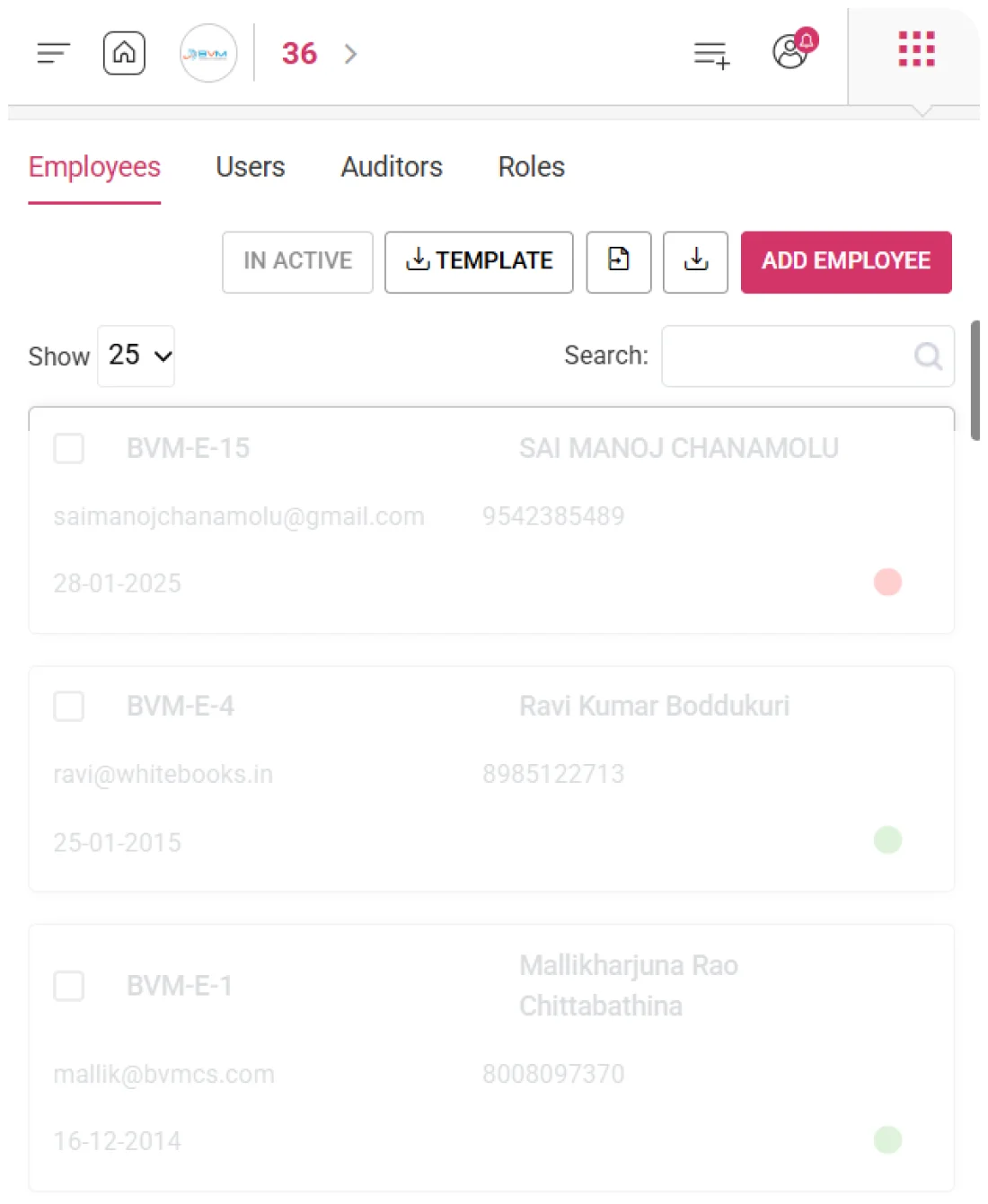
WhiteBooks offers a centralized employee register with full profiles—ID, name, email, mobile, joining date, and status—providing payroll and management teams instant insights for decisions, contact verification, and compliance.
employee-register

Complete Employee Portfolio Data at a Glance

WhiteBooks presents every registered employee with their complete profile — employee ID, name, email address, mobile number, joining date, and employment status — in a single structured register, giving every authorized team member the workforce context needed to make informed payroll and compliance decisions without opening individual employee records.

Employee Search & Quick Record Retrieval

WhiteBooks provides a search capability within the employee register — allowing payroll and finance teams to instantly locate any employee record by name, employee ID, email, or mobile number, enabling rapid access to individual employee profiles without scrolling through the complete workforce list regardless of the total number of employees registered in the system.

Customizable Register View

WhiteBooks allows the team to configure how many employee records are displayed per page in the register — giving finance and payroll personnel control over the density and scope of the workforce view to match their review workflow, whether conducting a rapid workforce headcount check or performing a detailed line-by-line employee profile audit.
Template Import

Bulk Import Employee Data

WhiteBooks enables bulk workforce registration via structured templates. Upload a pre-formatted file with employee IDs, names, emails, mobile numbers, joining dates, and statuses to quickly populate the employee register, eliminating manual entry and ensuring accurate onboarding.
employees-template-overview

Bulk Employee Import

WhiteBooks provides a downloadable import template that businesses populate with their complete employee roster — including employee IDs, names, email addresses, mobile numbers, joining dates, and employment status classifications — before uploading the completed file to simultaneously register every employee without individual record creation.

Import Data Validation Before Workforce Registration

WhiteBooks validates every imported employee record against required field completeness, duplicate employee ID detection, email format accuracy, and joining date consistency before registering any entry — presenting a validation summary that identifies errors and incomplete records, giving the team the opportunity to correct issues before the import is confirmed.

Existing Employee Register Preservation During Import

WhiteBooks preserves all existing employee records during a template import — ensuring that bulk registration of new employees does not affect, overwrite, or duplicate any employee profiles already established in the system, maintaining complete employee register integrity throughout the import process.
Export

Seamless Employee Data Export

WhiteBooks enables export of the full employee register—including IDs, names, emails, mobile numbers, joining dates, and status—into a structured format for payroll audits, compliance, and management reporting.
employees-export

Full Employee Register Export

WhiteBooks extracts the complete employee register in a single export operation — producing a structured output containing every employee's ID, name, email address, mobile number, joining date, and employment status — ready for immediate use in payroll processing and compliance workflows without additional formatting.

Staff Composition Analysis

The exported employee dataset enables finance and management teams to build workforce headcount reports, joining date tenure analyses, and active versus inactive employee comparisons — providing the structured workforce intelligence needed for informed payroll budgeting, TDS computation planning, and statutory compliance preparation.

Audit Ready Documents

Downloaded employee records serve as official documentation of the organization’s complete workforce. They support statutory compliance by verifying employee registration, joining dates, and current employment status. These records aid payroll audits and employee master reviews. They also facilitate regulatory submissions requiring proof of the registered workforce. Overall, the export ensures accuracy, accountability, and compliance across all workforce reporting needs.
Instant retrieval

Instant Employee Record Retrieval

WhiteBooks provides a search capability directly within the employee register that allows finance and payroll teams to instantly retrieve any employee record without manually scanning the full list.
employee-retreival

Employee Lookup by ID

WhiteBooks enables instant retrieval of any employee record by searching against the employee's name, employee ID, email address, or mobile number — ensuring that the correct individual's profile is located without ambiguity, regardless of the total size of the employee register, enabling payroll and finance teams to act on the right record every time.

Real-Time Result Filtering

WhiteBooks filters the employee register in real time as search terms are entered — progressively narrowing the displayed records to match the search input without requiring a full page reload or separate search submission, enabling rapid identification of the target employee record with minimal keystrokes and no navigational interruption to the payroll or compliance workflow.

Result Context Overview

WhiteBooks displays all key profile fields — employee ID, name, email, mobile number, joining date, and status — for every record returned in a search result, ensuring that the team can confirm the correct employee identity from the search output itself without needing to open individual records to verify that the right individual has been located.
Get started with WhiteBooks
WhiteBooks streamlines employee management with structured onboarding, bulk import, instant access, and export-ready records for payroll and compliance.
No Credit Card Required

Accounting pricing — built around what you actually use

WhiteBooks Accounting runs on a custom pricing model. We size the plan to your filing volume, number of GSTINs, integration scope and support tier — not to a fixed SKU. Most teams move from sandbox to production inside a week.

Start Free

Use the sandbox for as long as you need. No credit card. Real schemas, real responses, no usage caps for evaluation.

Talk to Sales

Tell us your filing volume and integrations. We come back with a written quote, SLA and onboarding plan within one business day.

Enterprise Plans

Multi-GSTIN, SSO, dedicated support, on-premise deployment and custom SLAs available for large teams.

Who this Accounting solution is built for

Every Accounting workflow on this page is shaped by feedback from real practitioners — accountants who file every month, integration engineers wiring our APIs into ERPs, and compliance heads accountable to the board for what gets submitted.

Accountants & Bookkeepers

Manage chart of accounts, vouchers, contra entries, bank statements and trial balance for unlimited clients without spreadsheets.

SME Finance Teams

Real-time P&L, balance sheet and cash-flow reports with drill-down to source documents — no month-end scramble.

Auditors & Reviewers

Read-only auditor logins, locked periods, immutable audit trail and one-click export of ledgers + supporting evidence.

Partner with WhiteBooks

WhiteBooks works with CA firms, ERP vendors, system integrators and channel partners across India and the GCC. Pick the track that matches how you serve clients — we will share commercials, training and co-marketing kits.

CA & Practitioner Partners

Onboard your client base, earn margin on every plan and get a co-branded portal to manage filings, due dates and ITC reconciliation.

Integration Partners

ERPs, POS systems and billing platforms — ship native WhiteBooks GST / e-Invoice / e-Way Bill integrations to your customers without building it yourself.

Channel & Resellers

Regional resellers and consultants — earn recurring commissions, get pre-sales support and a sandbox tenant for every prospect demo.

Frequently Asked Questions

We have put together some commonly asked questions

WhiteBooks creates a fully structured employee record capturing a unique employee ID, full name, email address, mobile number, joining date, and employment status. This verified profile becomes the central reference for all payroll transactions, compliance obligations, and workforce management decisions associated with that individual across the WhiteBooks system.

WhiteBooks provides a centralized employee register displaying every employee's ID, name, email address, mobile number, joining date, and employment status in a single structured view. This gives every authorized team member the workforce context needed to make informed payroll and compliance decisions without opening individual employee records.

WhiteBooks provides a downloadable import template that businesses populate with their complete employee roster — including employee IDs, names, email addresses, mobile numbers, joining dates, and employment status classifications — before uploading the completed file to simultaneously register every employee. Pre-import validation checks for field completeness, duplicate IDs, email format accuracy, and joining date consistency before any entry is confirmed.

WhiteBooks preserves all existing employee records during a template import — ensuring that bulk registration of new employees does not affect, overwrite, or duplicate any employee profiles already established in the system. This maintains complete employee register integrity throughout the import process, regardless of the size of the incoming dataset.

WhiteBooks assigns an employment status to every employee record at the point of creation — ensuring that only currently employed individuals are included in payroll runs and statutory filings. Complete historical records of former employees are retained for audit, statutory, and reference purposes without permanently removing any employment data from the system.

WhiteBooks extracts the complete employee register in a single export operation — producing a structured output containing every employee's ID, name, email address, mobile number, joining date, and employment status. The exported dataset supports payroll audits, workforce headcount reports, statutory compliance verification, and regulatory submissions requiring proof of the registered workforce.

WhiteBooks enables instant retrieval of any employee record by searching against the employee's name, employee ID, email address, or mobile number. The register filters in real time as search terms are entered — progressively narrowing displayed records without requiring a full page reload, enabling rapid identification of the target employee with minimal keystrokes and no interruption to the payroll or compliance workflow.

WhiteBooks allows the team to configure how many employee records are displayed per page in the register — giving finance and payroll personnel control over the density and scope of the workforce view to match their review workflow, whether conducting a rapid workforce headcount check or performing a detailed line-by-line employee profile audit.

Last updated · View changelog

Quick Answer

All employee and workforce management in one software

WhiteBooks Accounting Software is a cloud-based books-and-billing platform covering invoices, purchases, expenses, banking, inventory, payroll and financial reports under one login. It connects to 40+ ERPs including SAP, Oracle, Dynamics and Tally via REST API and is used by 25,000+ Indian businesses with 99.99% uptime and 24×7 Indian support. This feature is part of the Accounting module inside WhiteBooks.

25,000+ businesses served
40+ ERPs integrated
99.99% uptime SLA
24×7 Indian support
By CA Atul GargReviewing Editor — WhiteBooks Accounting Editorial DeskReviewed by the WhiteBooks Editorial Board · Last updated 8 June 2026