

25,000+
Active
Clients
Clients

Simplify your business accounting, GST filing, and inventory management

































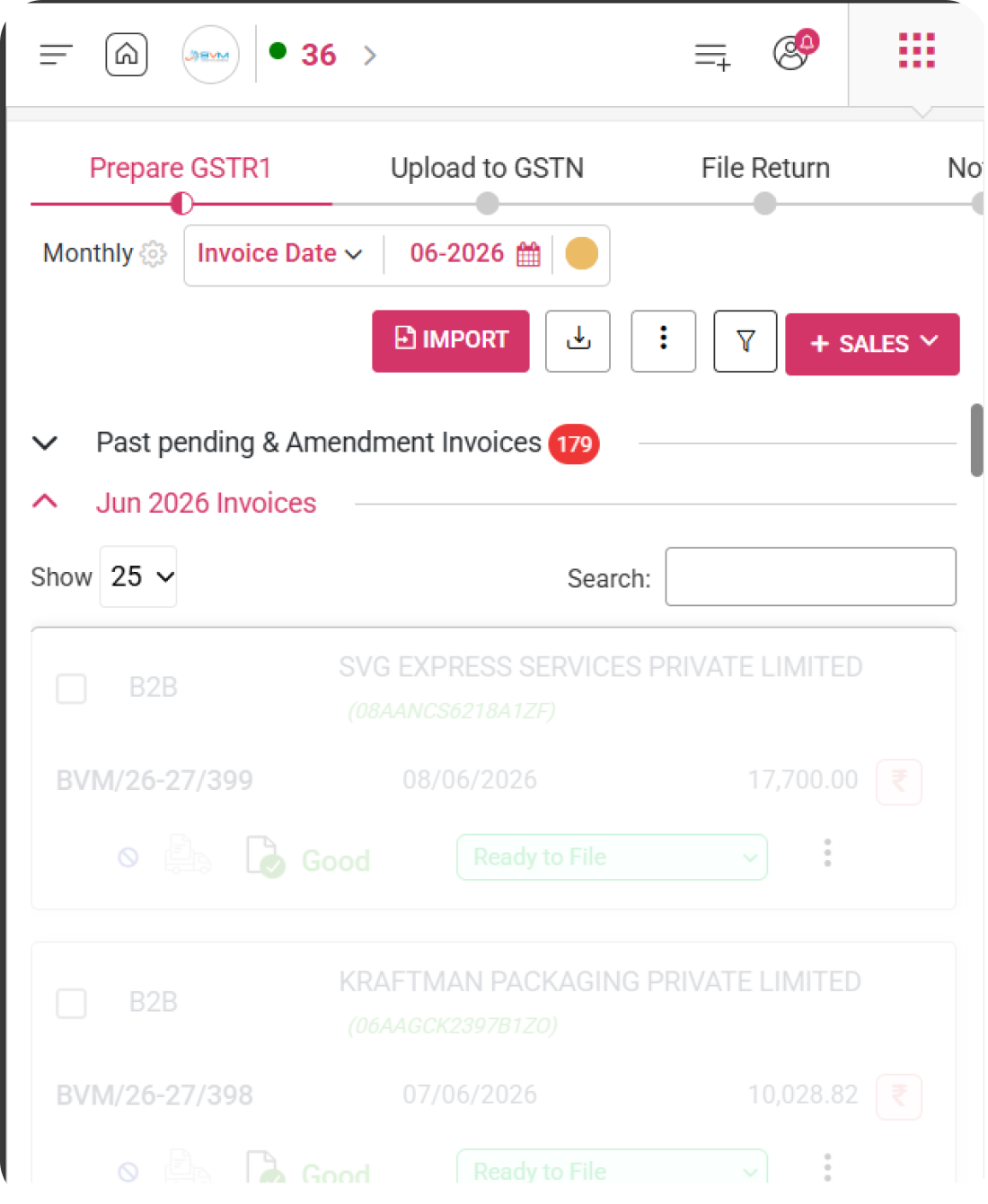
Simplify your GSTR 1 filing with WhiteBooks by adding invoices manually or importing them directly from Tally and other ERP systems.
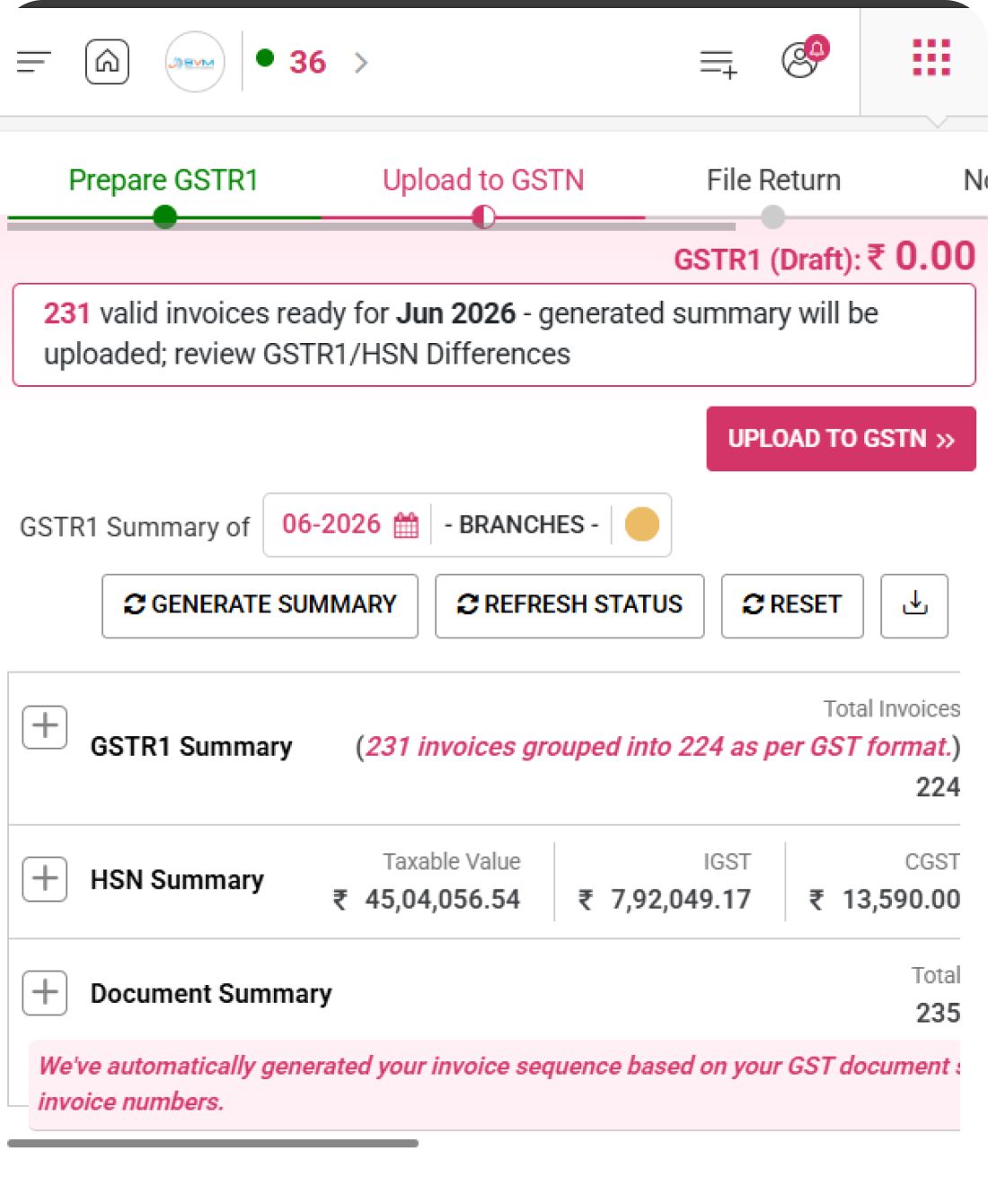
Easily upload validated invoices to the GSTN portal with WhiteBooks and monitor upload status instantly.
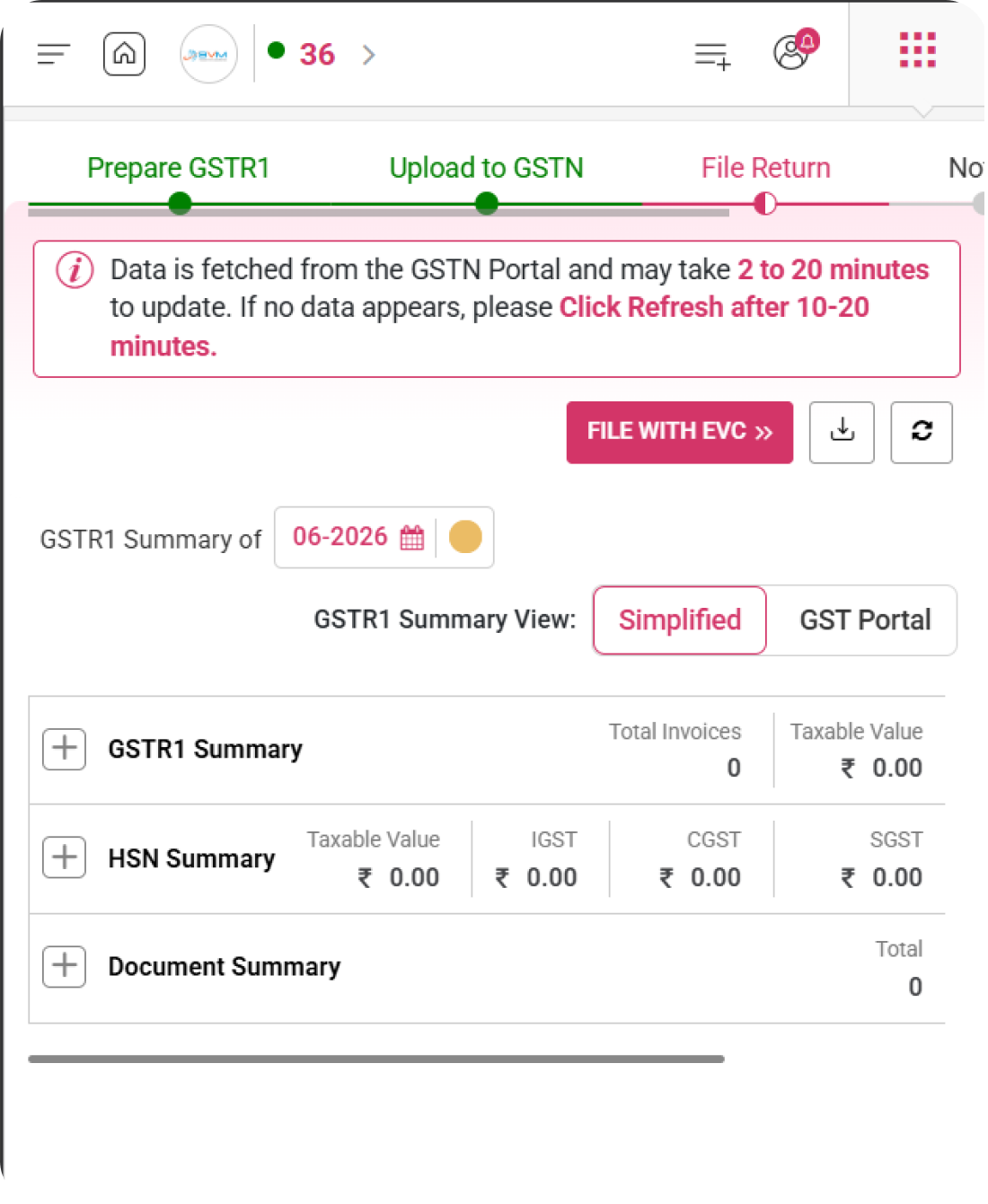
Review GSTR 1 summary, HSN summary, and document details in WhiteBooks and file your return securely using EVC.
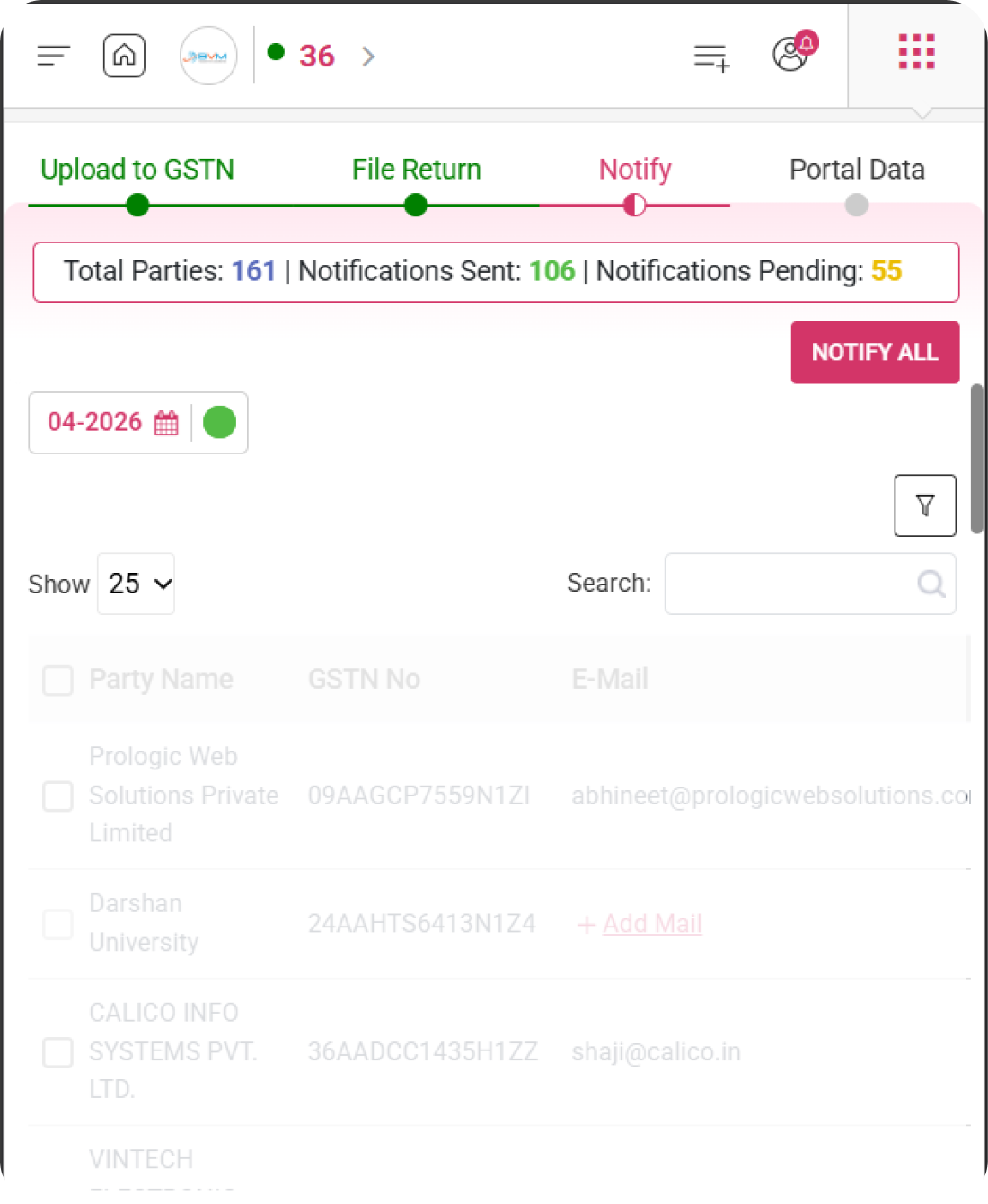
Monitor notification status for each party, add missing email details, and ensure all recipients are informed before finalizing your GSTR-1 filing process.
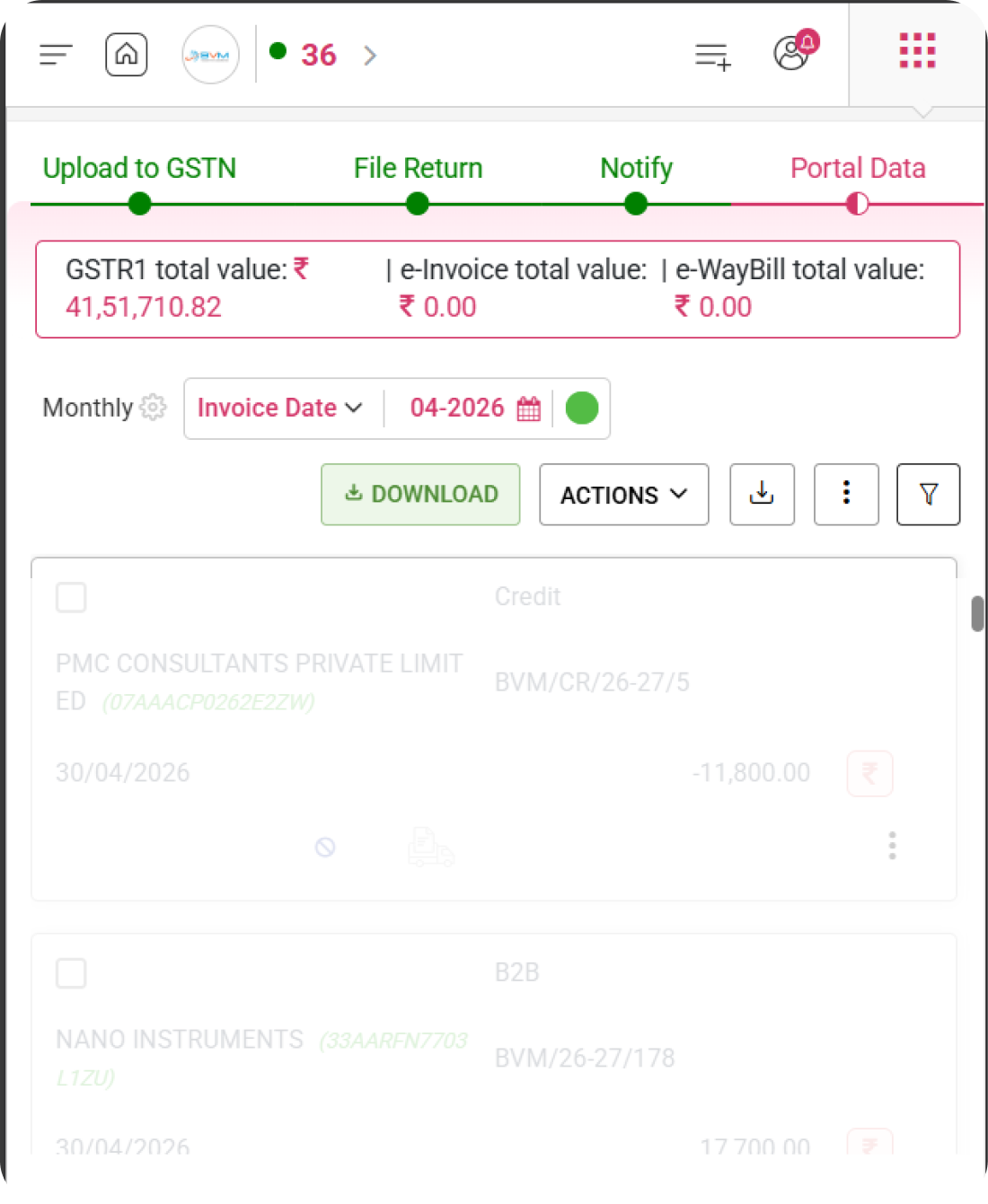
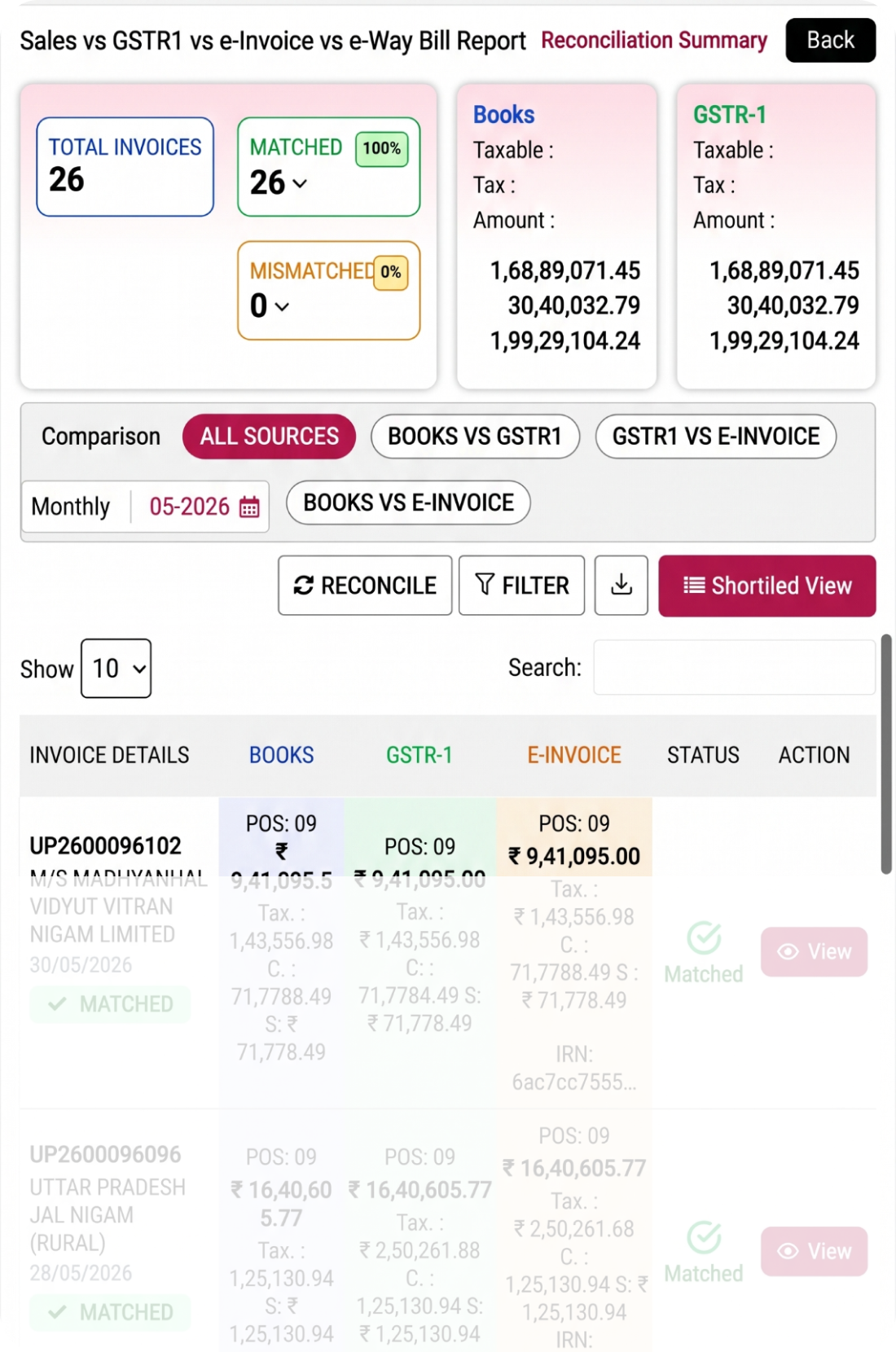
Review GST portal data alongside your records, including GSTR-1, e-Invoice, and e-Way Bill values, to identify mismatches and ensure accurate reconciliation before filing.
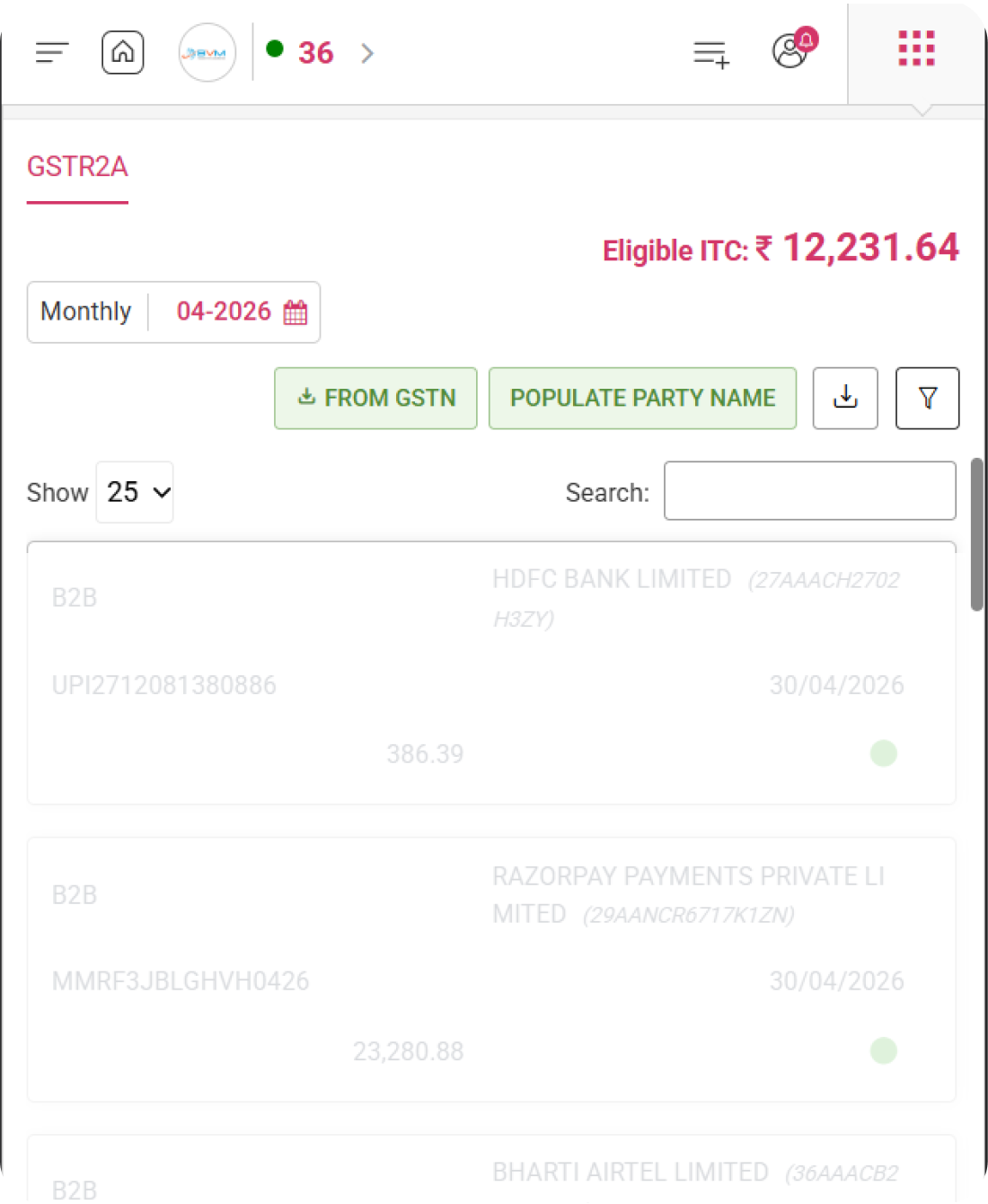
Fetch GSTR 2A data for any selected month in WhiteBooks and review inward supply invoices with eligible ITC in one place.
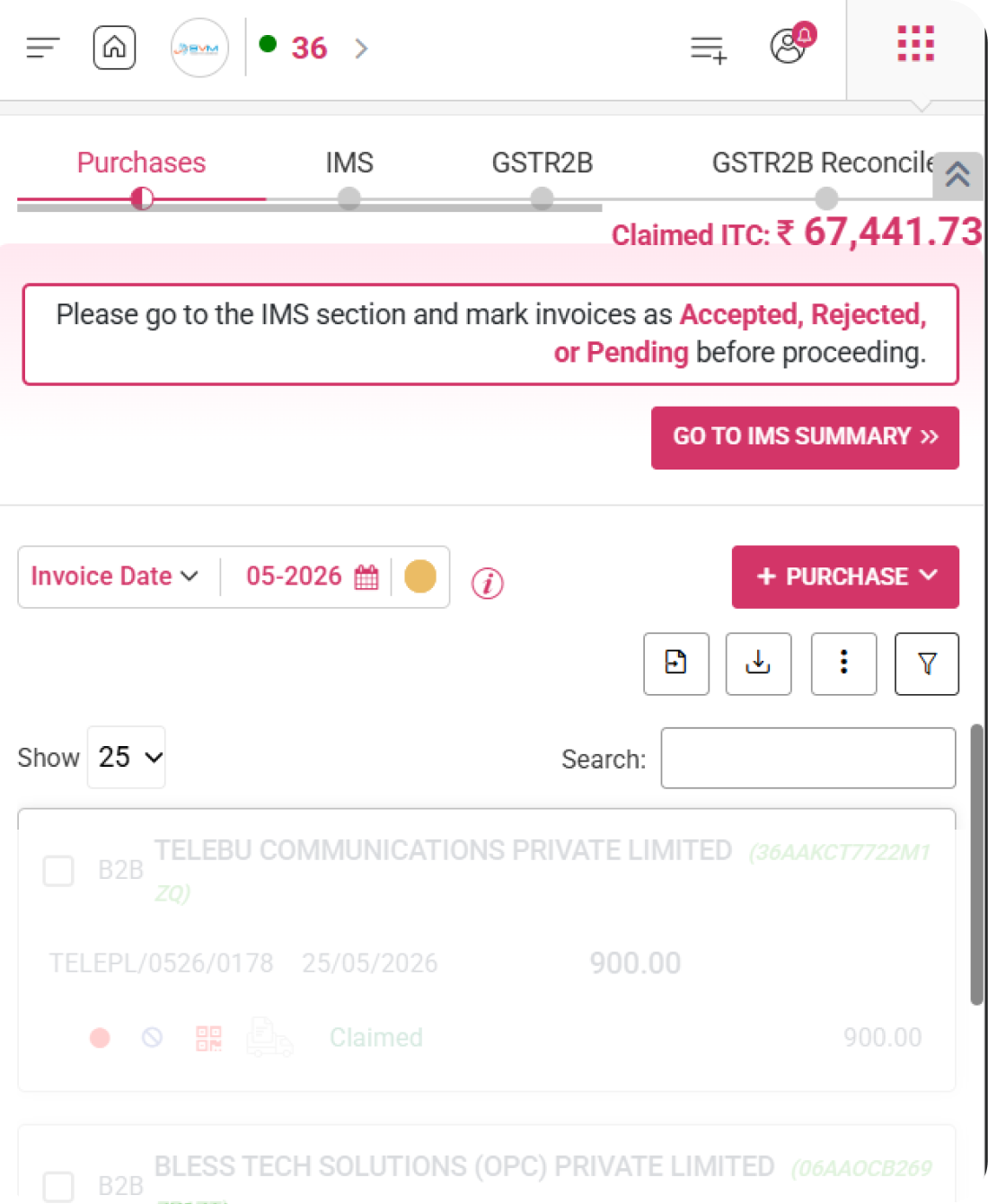
Add or import purchase invoices in WhiteBooks and monitor IMS status, GSTR 2B matching, and ITC eligibility in one place.
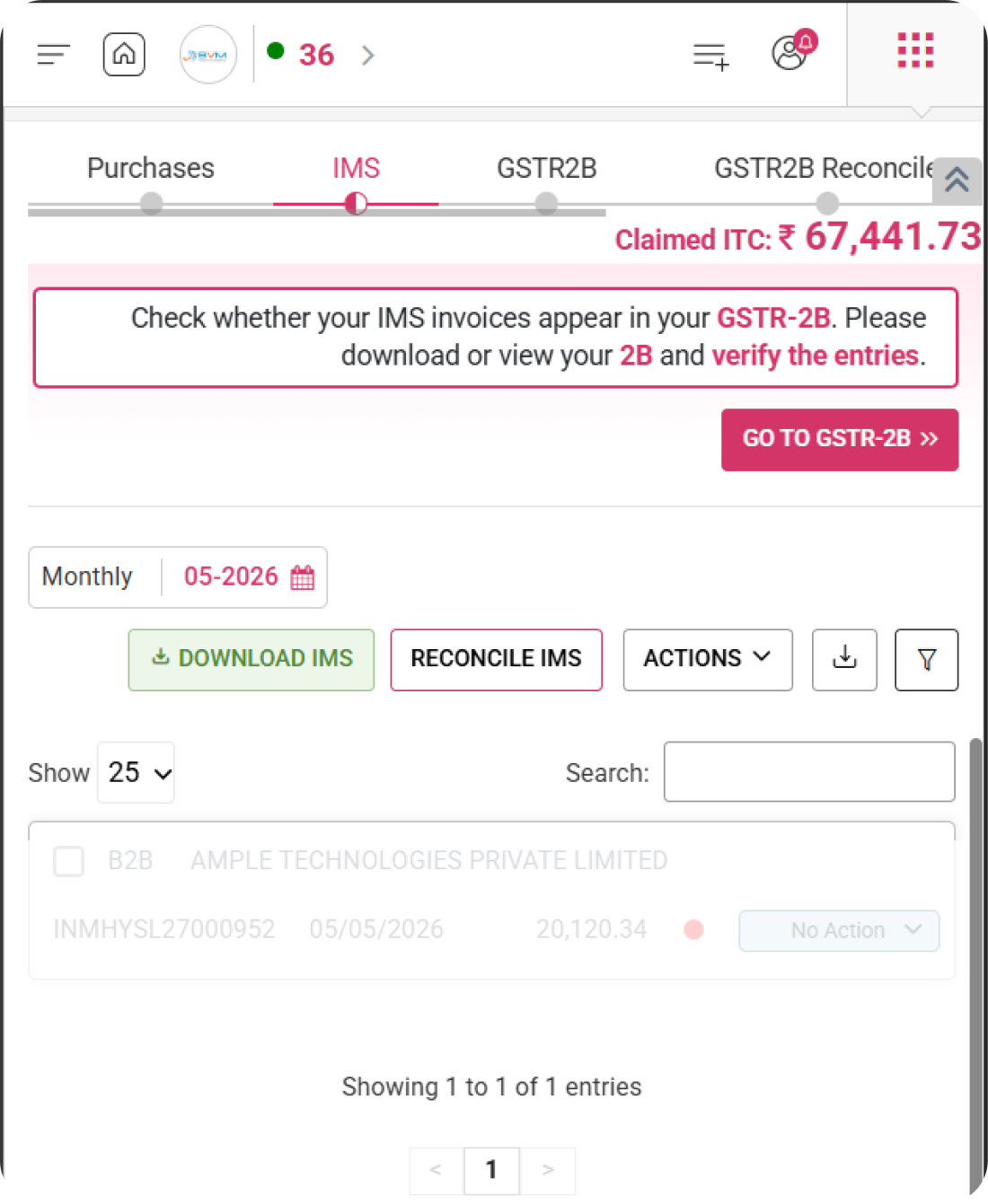
Review and manage IMS invoices in WhiteBooks by marking them as Accepted, Rejected, or Pending before GSTR 2B verification.
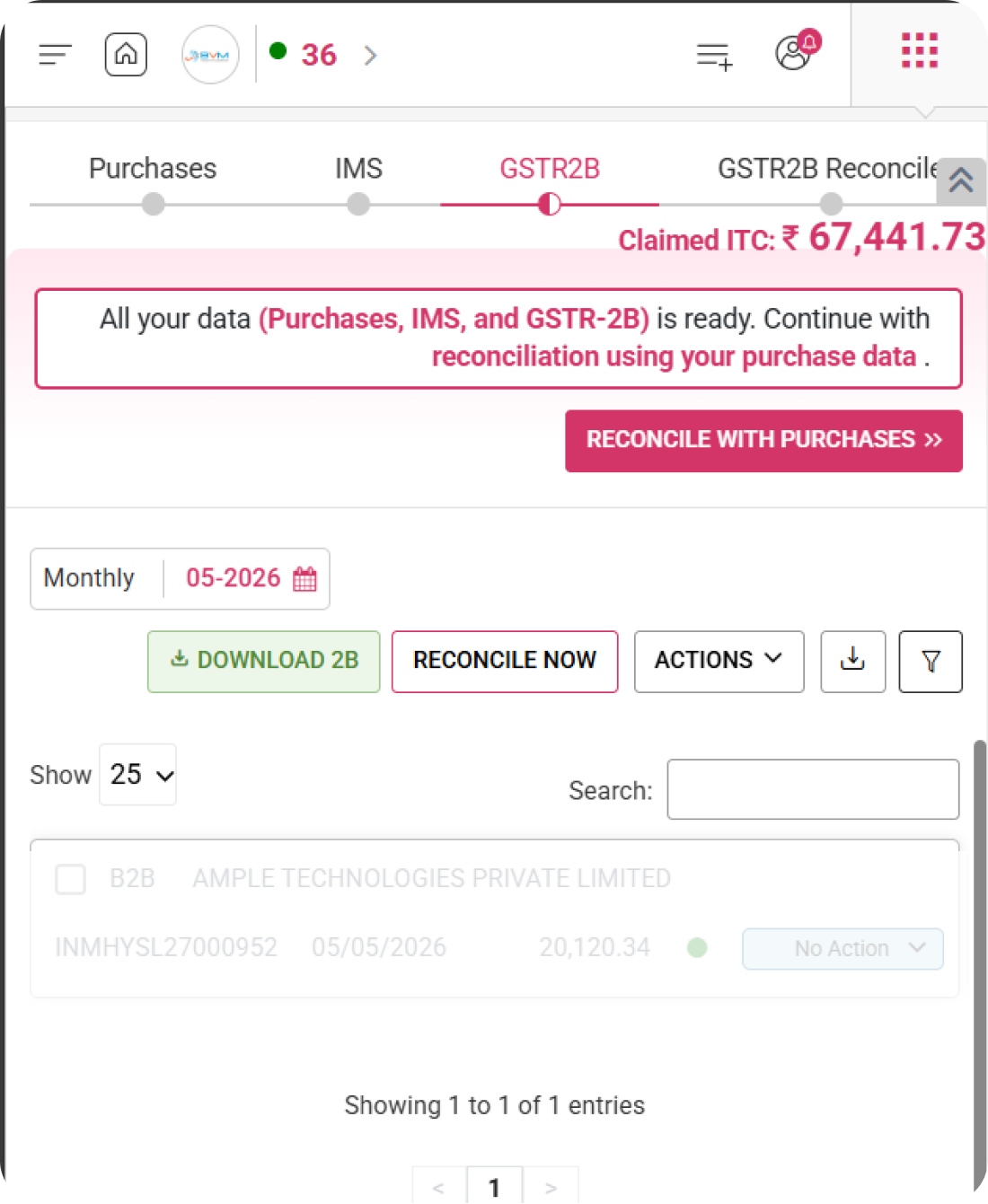
WhiteBooks lets you download GSTR 2B data and reconcile it with purchase invoices to identify matched, unmatched, and partially matched entries.
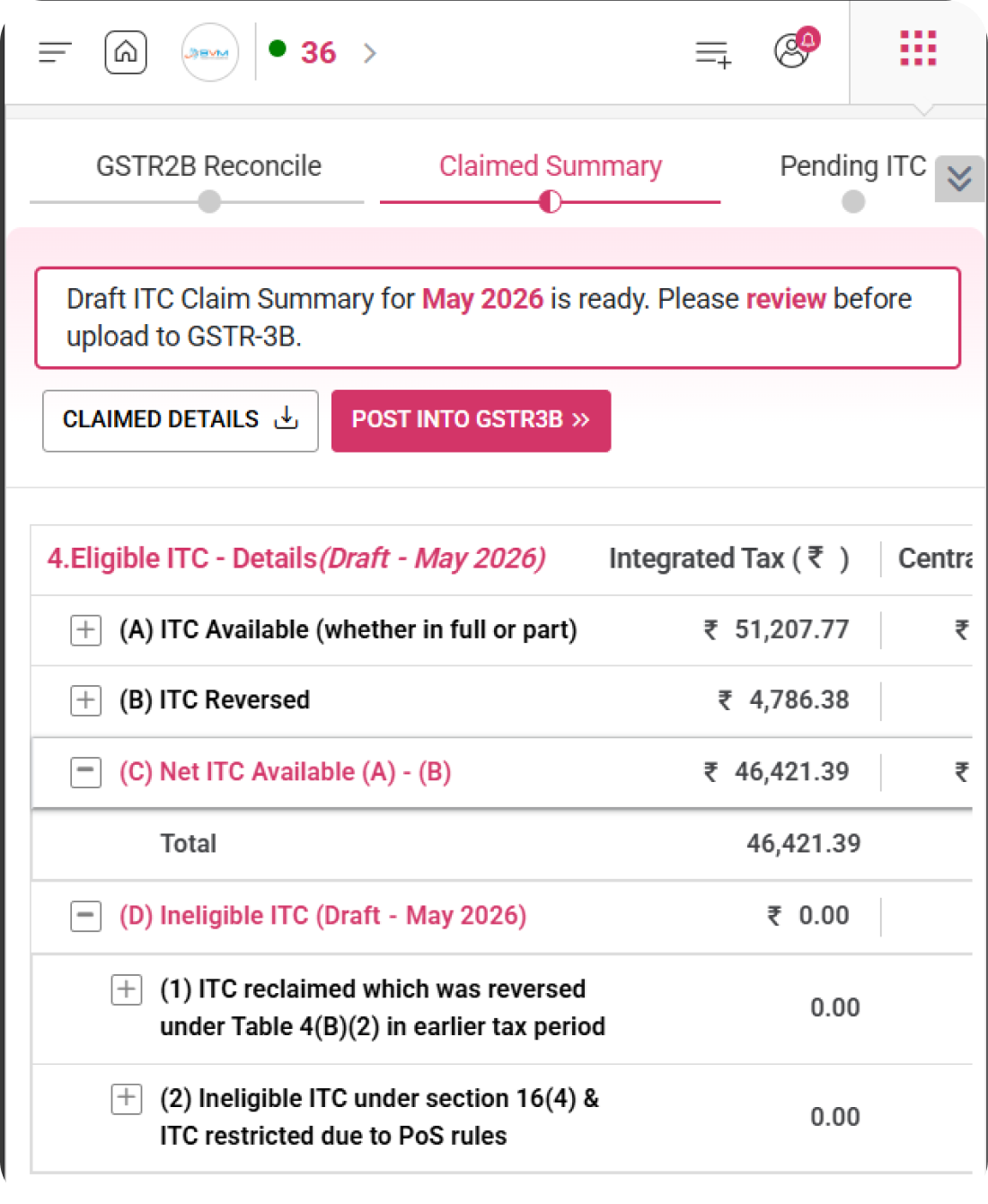
With WhiteBooks, review your draft ITC claim summary including Available, Reversed, Reclaimed, Ineligible, and Pending ITC before posting to GSTR 3B.
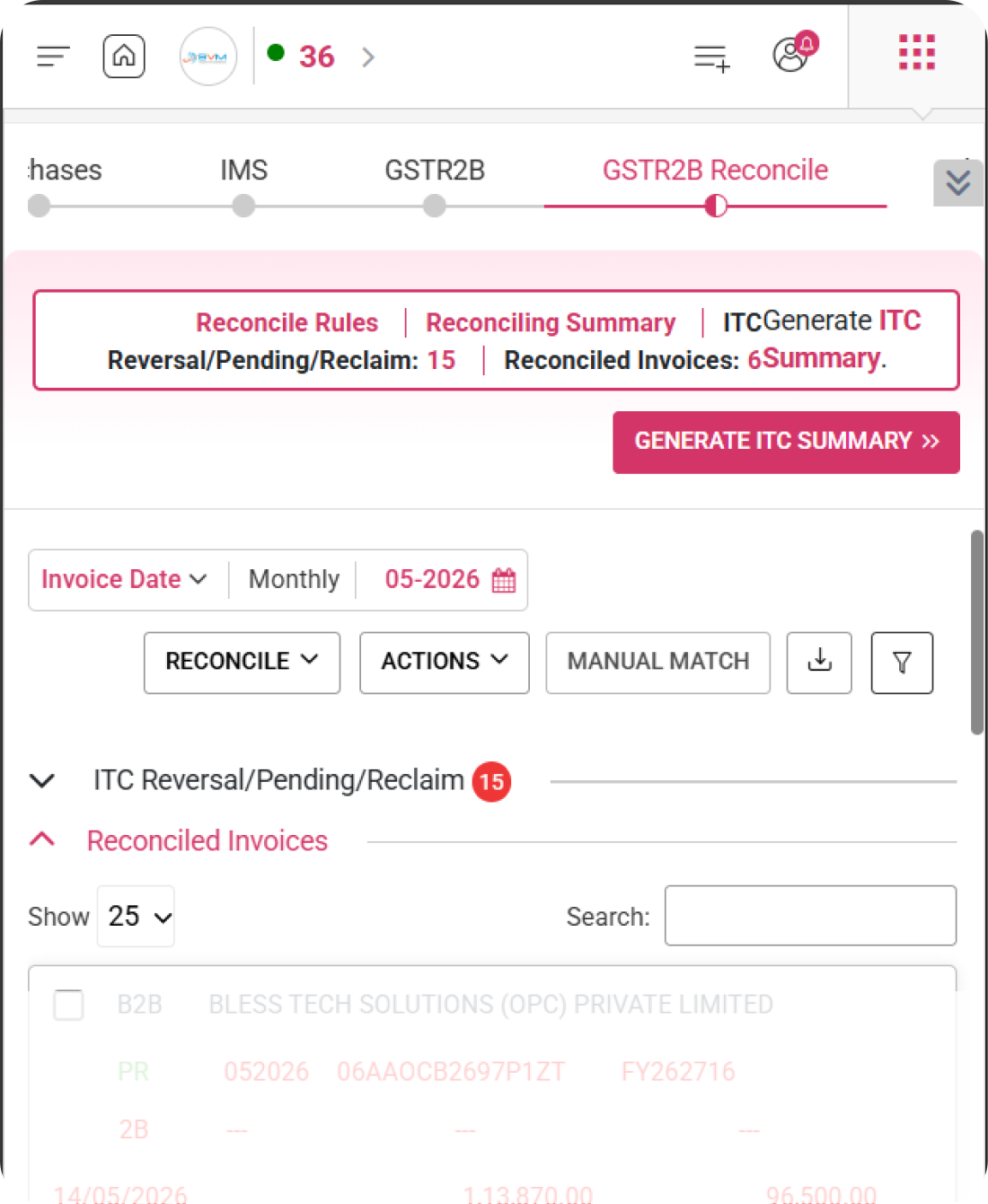
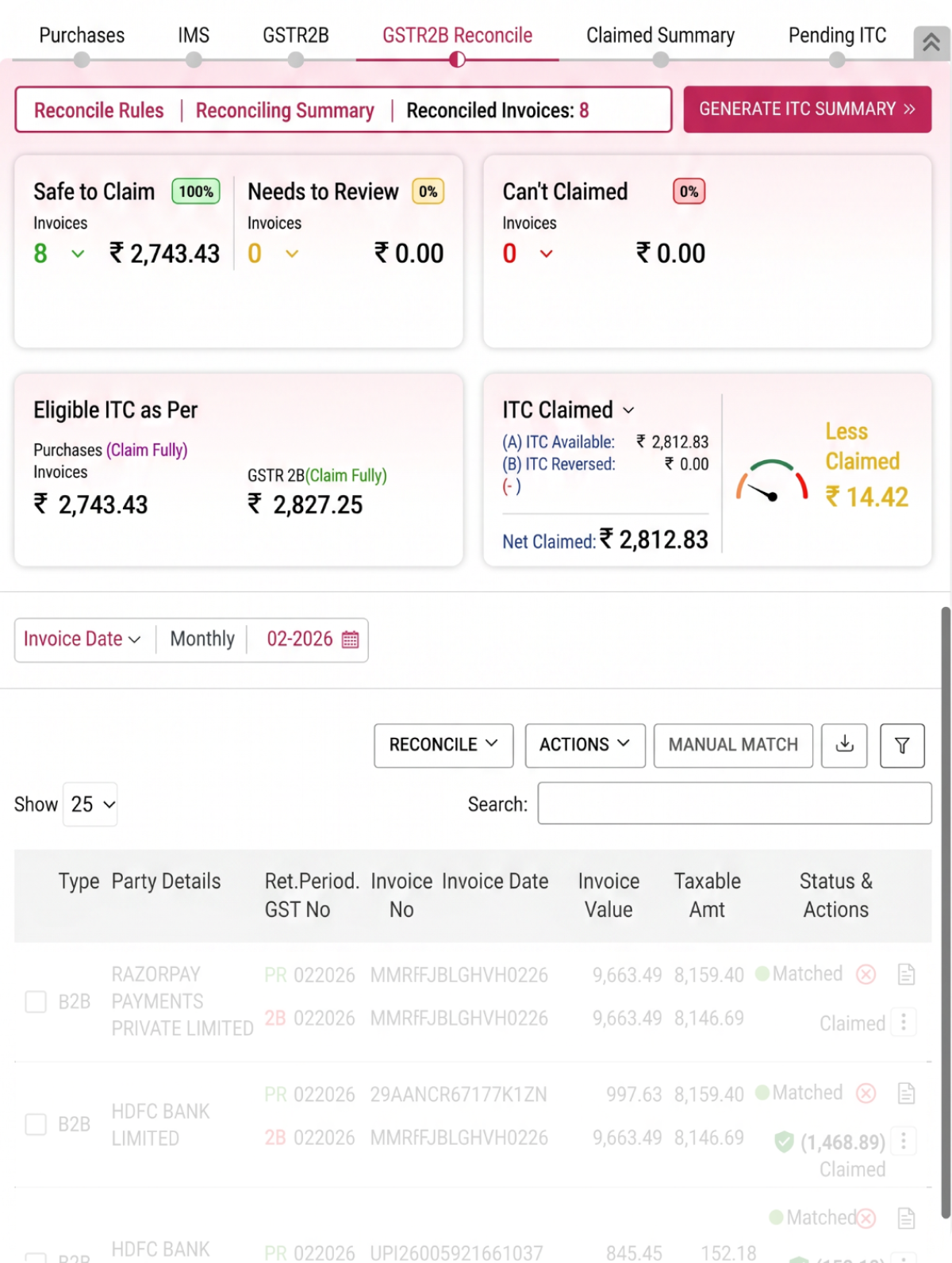
Reconcile your purchases with GSTR 2B in WhiteBooks and classify ITC into Safe to Claim, Needs Review, and Cannot be Claimed for accurate return filing.
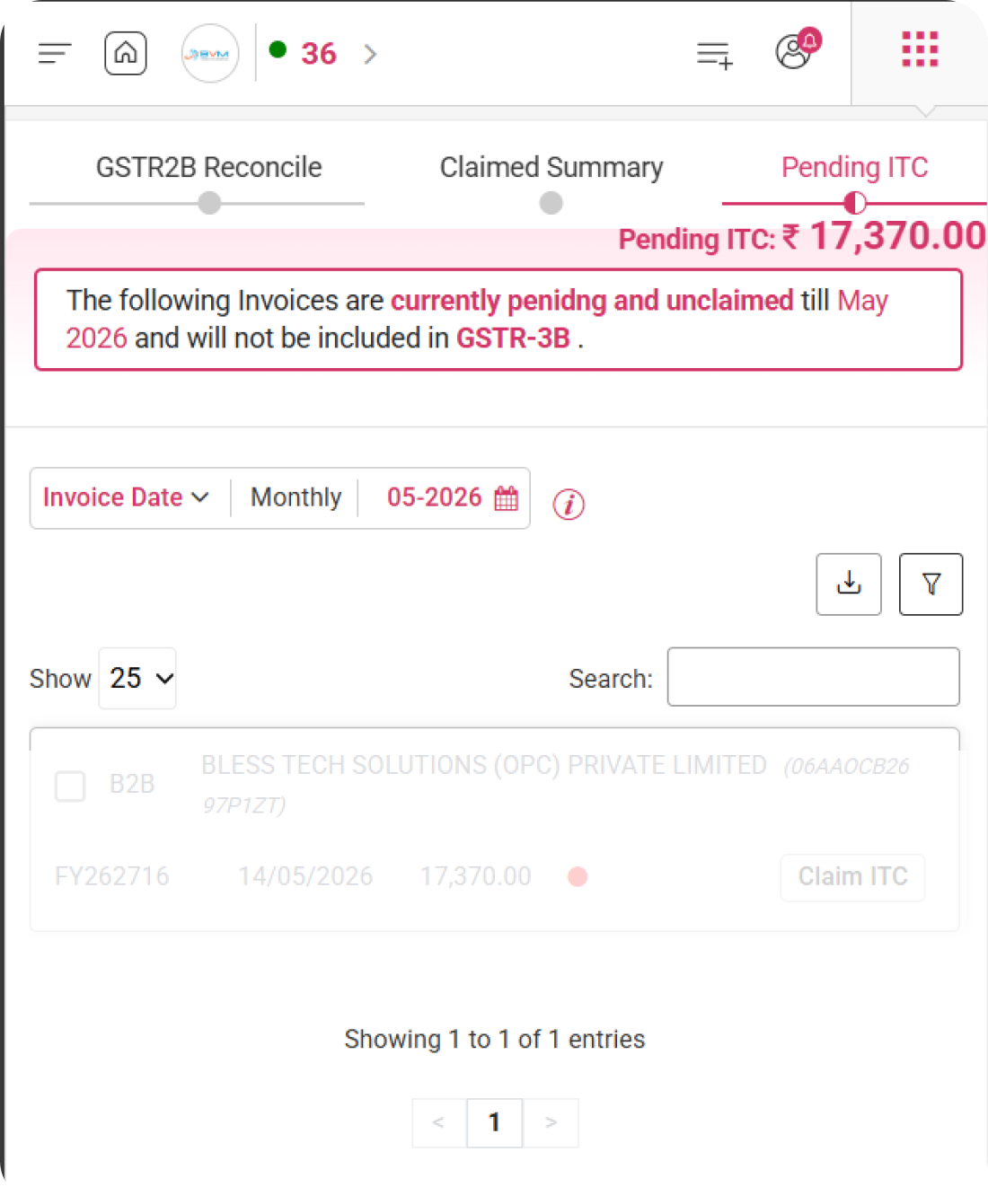
View pending purchase invoices in WhiteBooks that are excluded from GSTR 3B for the selected period with a Claim ITC option for each.
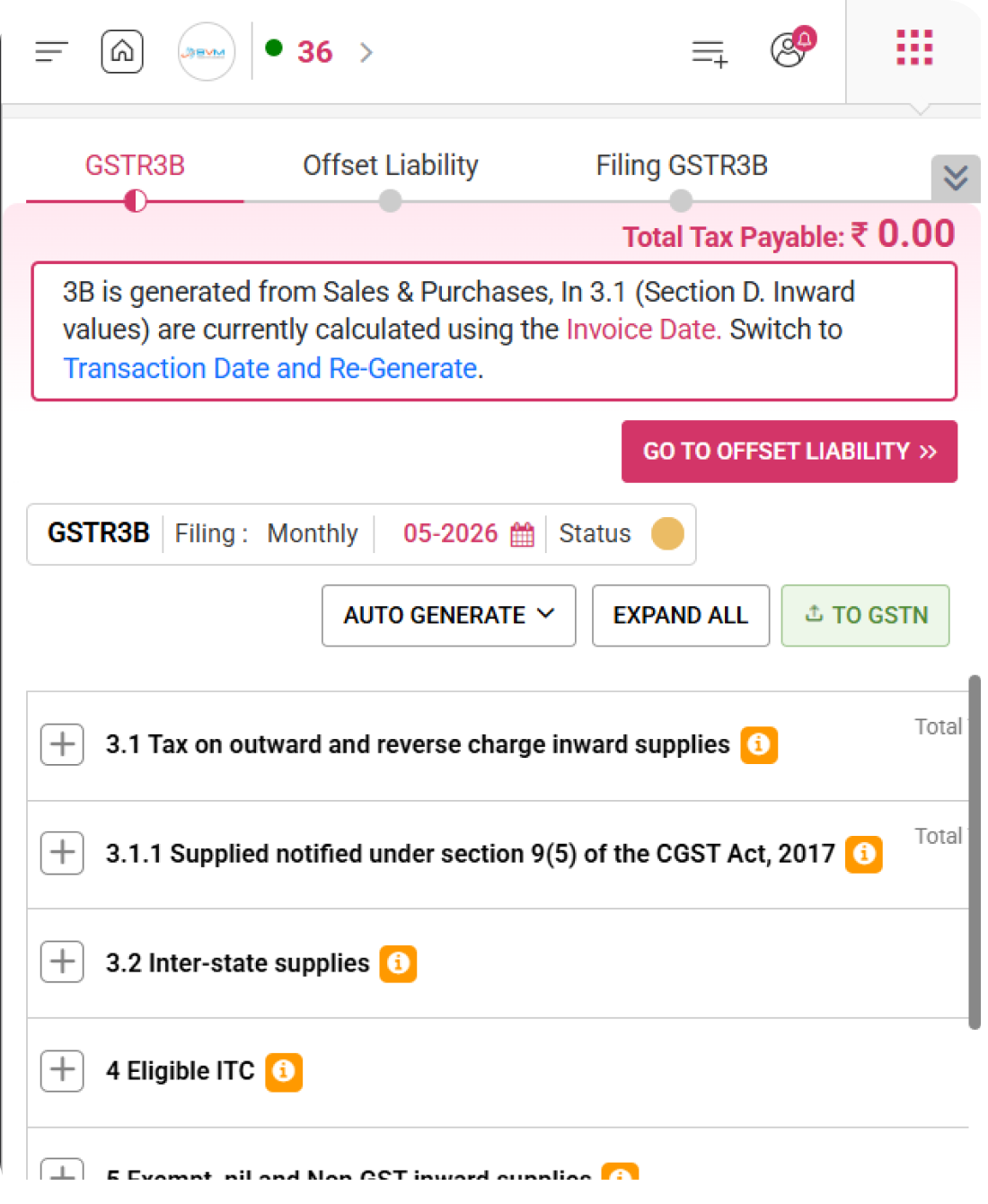
WhiteBooks lets you auto generate your GSTR 3B return from sales and purchase data or GSTR 1 liability and push the finalized data directly to the GSTN portal.
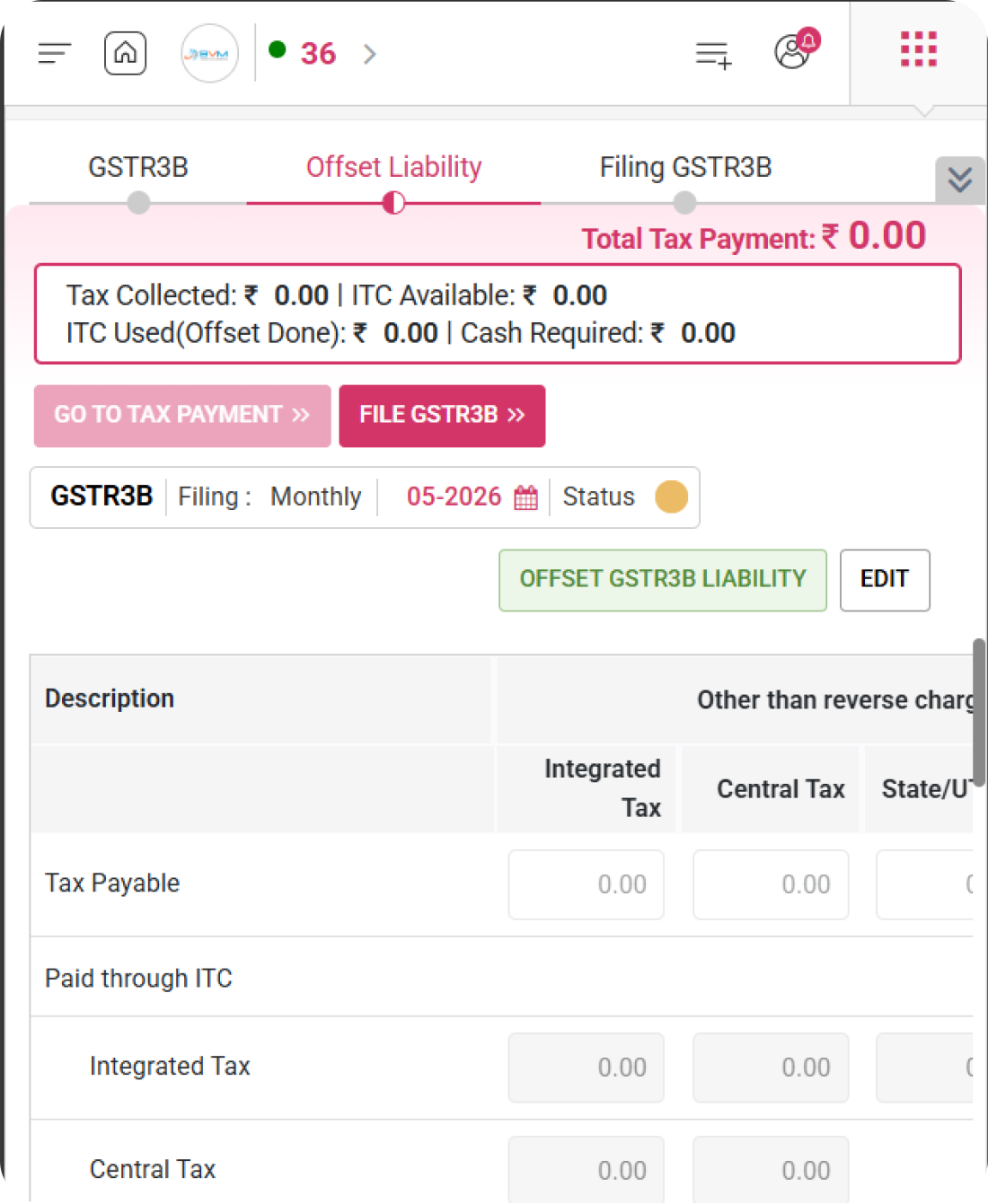
WhiteBooks lets you view your cash ledger and credit ledger closing balances and offset tax liability using available ITC and cash for IGST, CGST, SGST, and CESS.
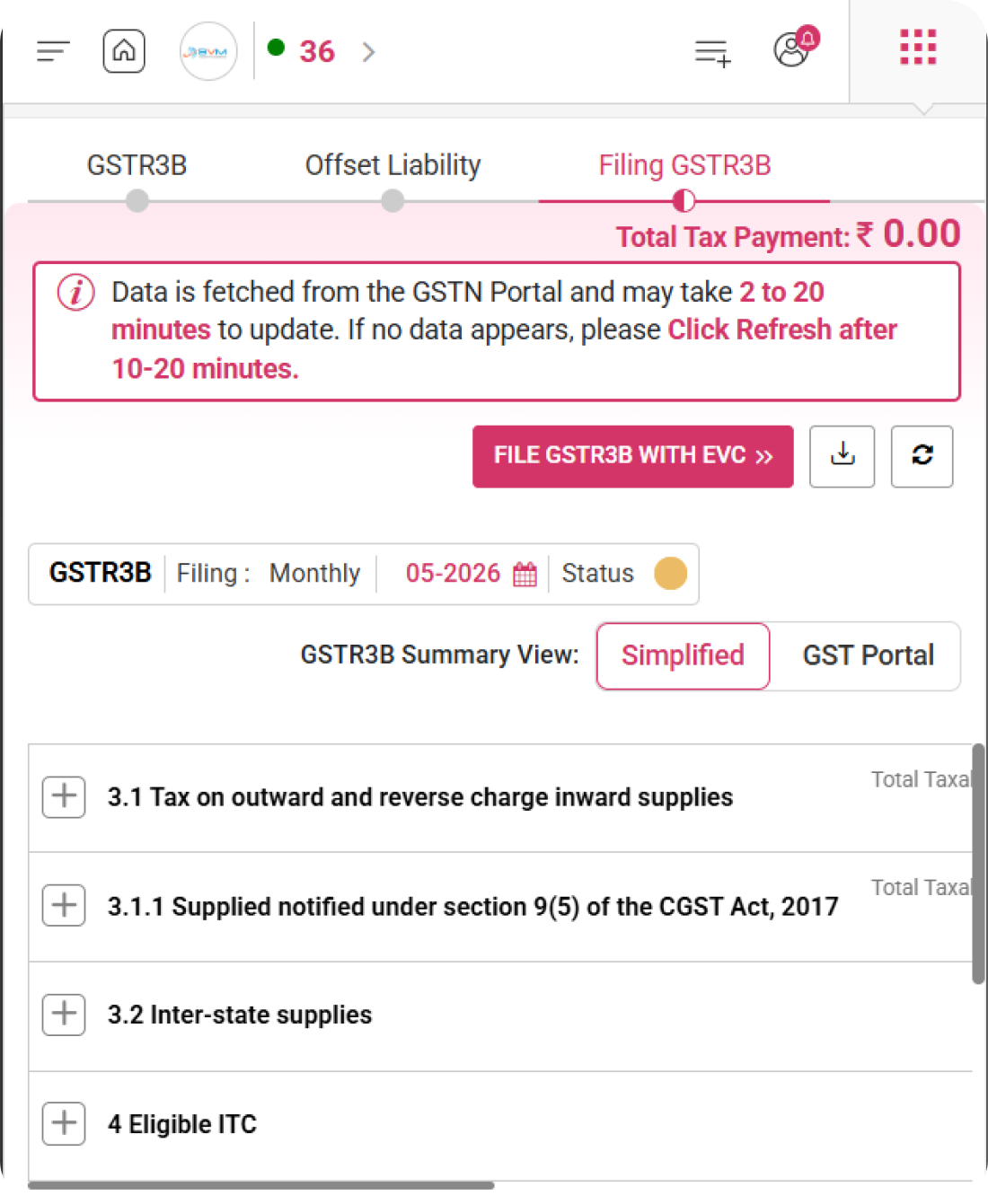
Review your GSTR 3B filing summary in WhiteBooks, fetched from the GSTN portal, and file your return using EVC for the selected monthly period.
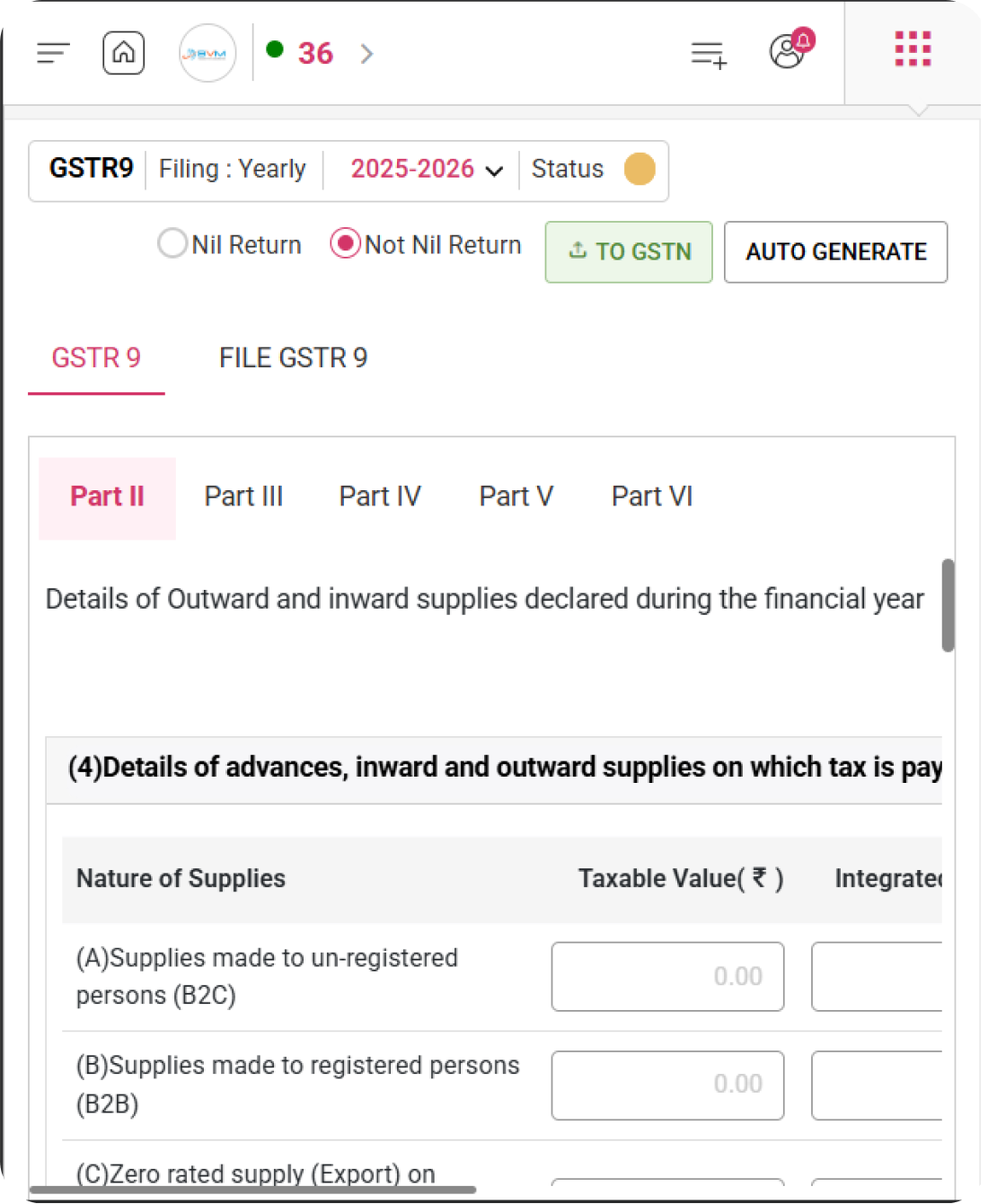
With WhiteBooks, capture all outward and inward supplies for the financial year including advances, B2B, B2C, exports, SEZ, and reverse charge supplies.
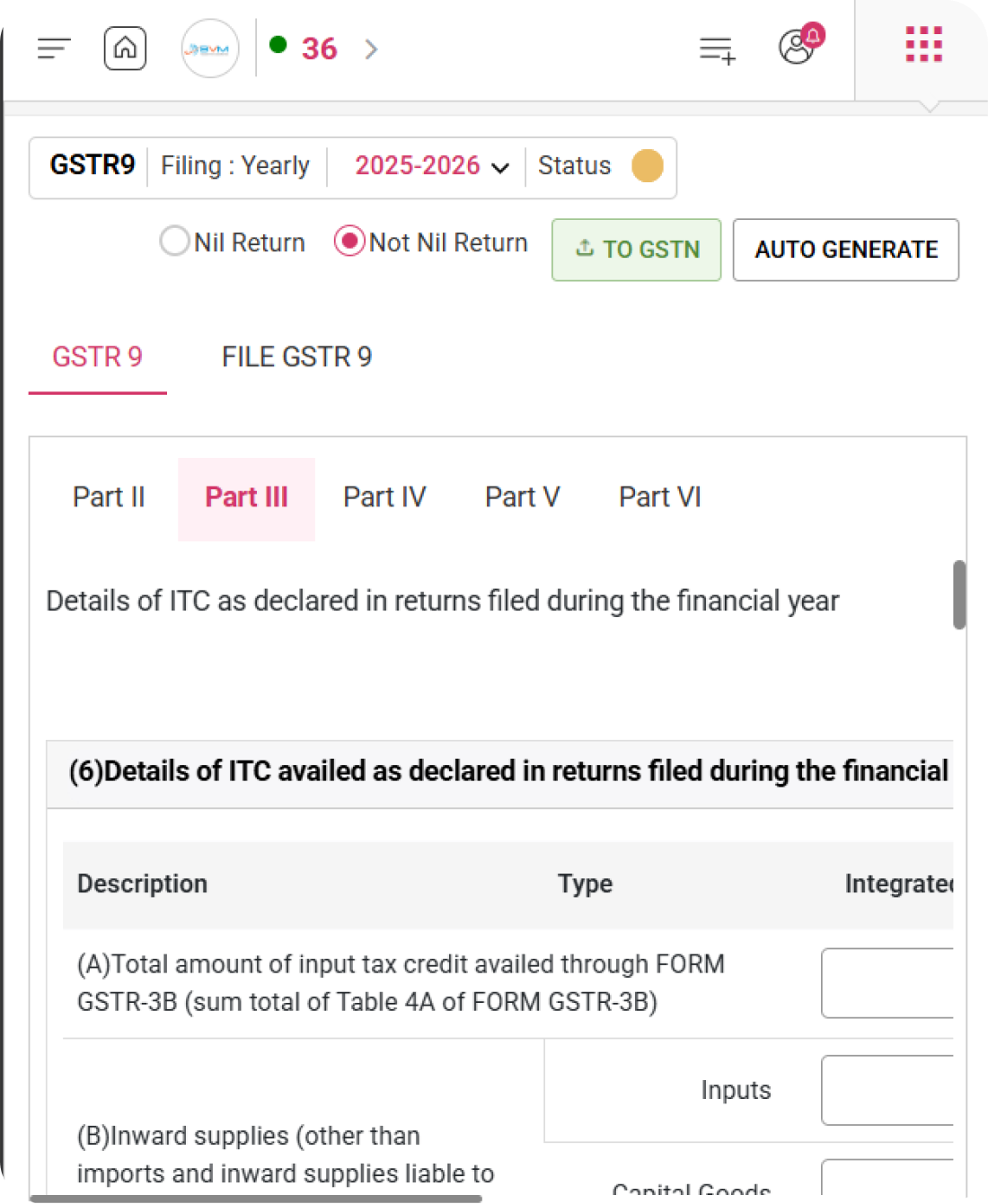
Declare complete Input Tax Credit details in WhiteBooks for the financial year including inputs, capital goods, and input services as reported in filed returns.
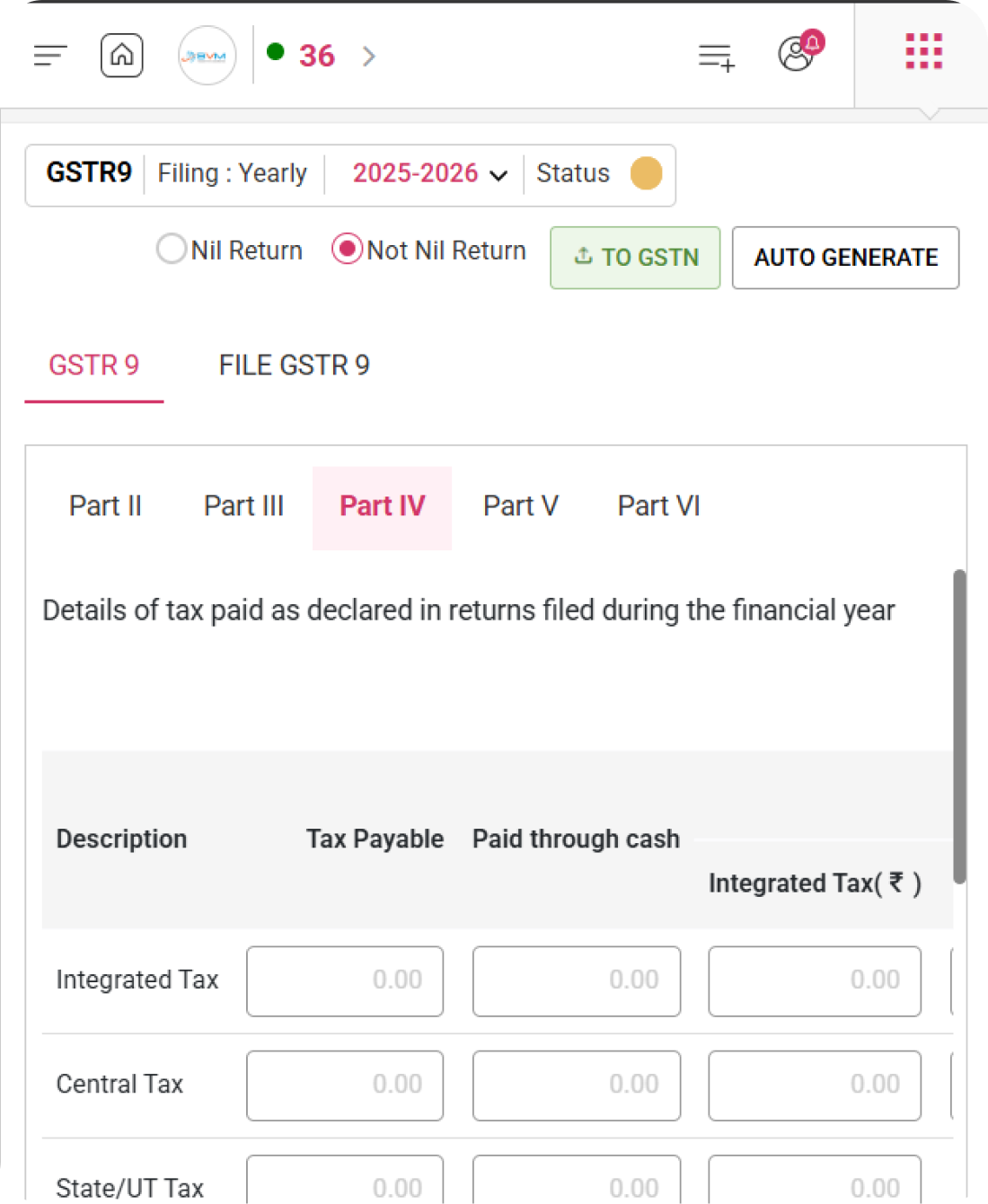
Report full tax payment details in WhiteBooks for the financial year including tax payable, cash payments, and ITC utilization across all tax heads.
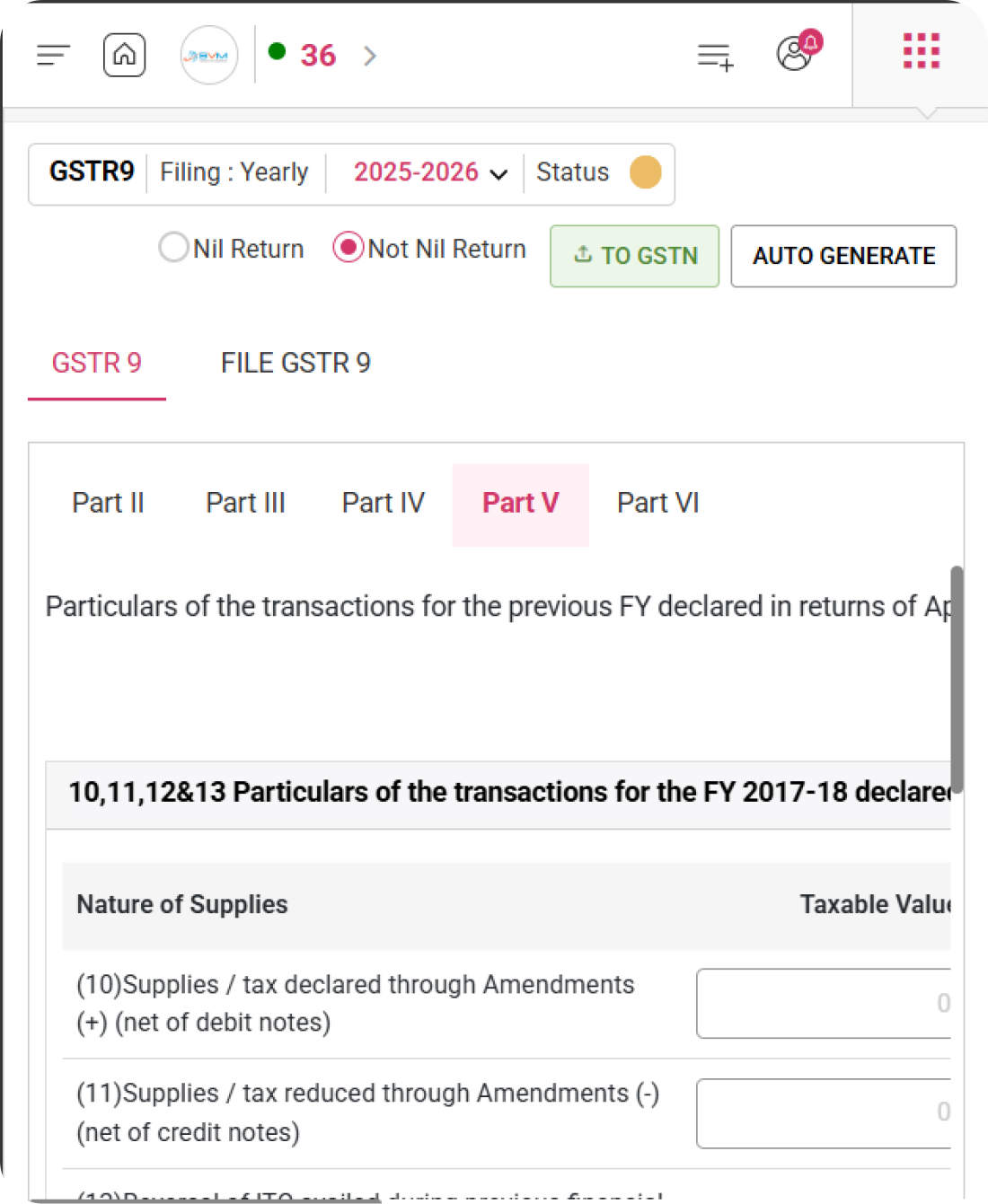
Report previous financial year transaction details in WhiteBooks as declared in returns filed between April and September of the current financial year or up to annual return filing.
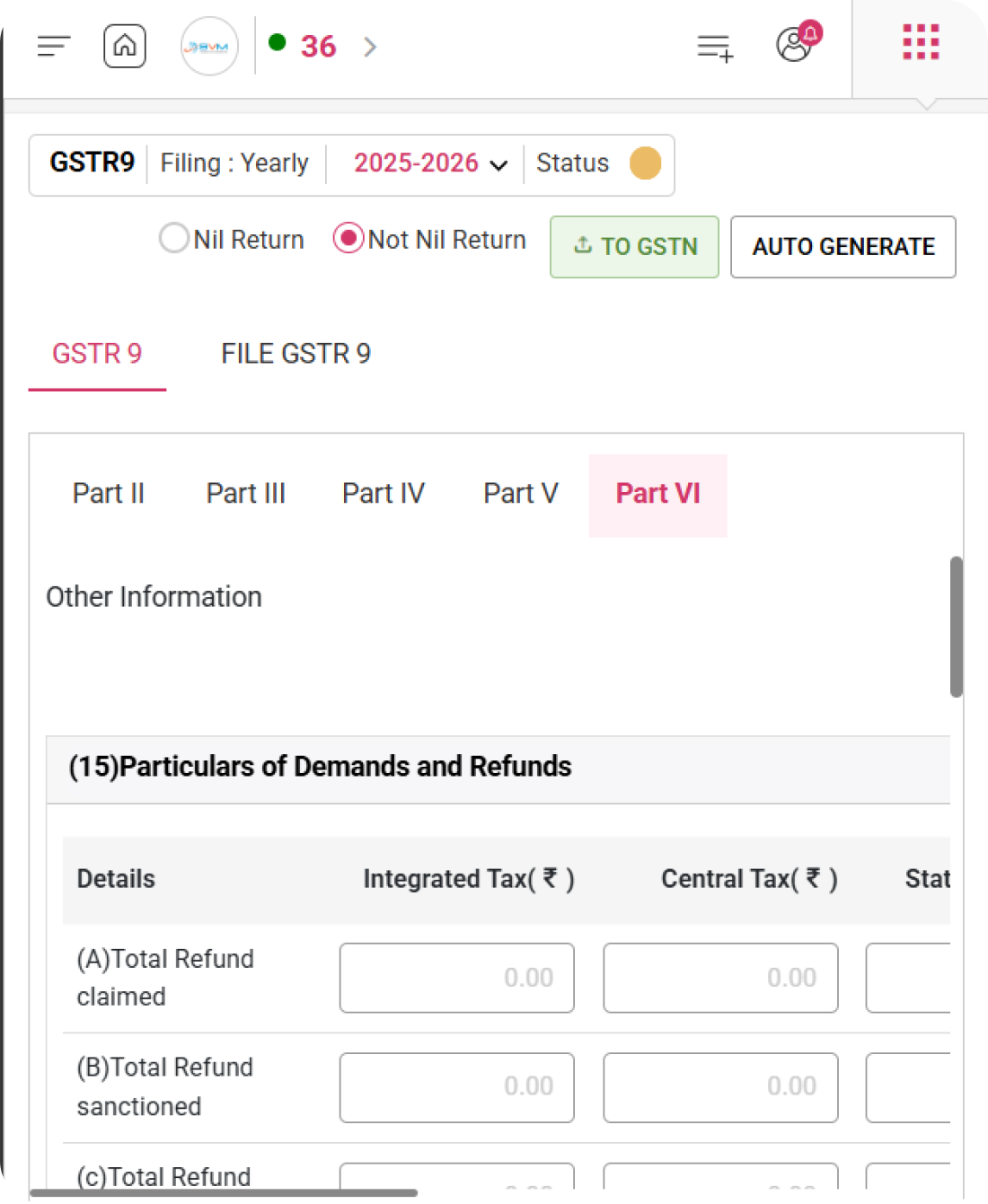
WhiteBooks lets you report additional details including demands and refunds, composition supplies, deemed supplies under Section 143, and goods sent on approval.
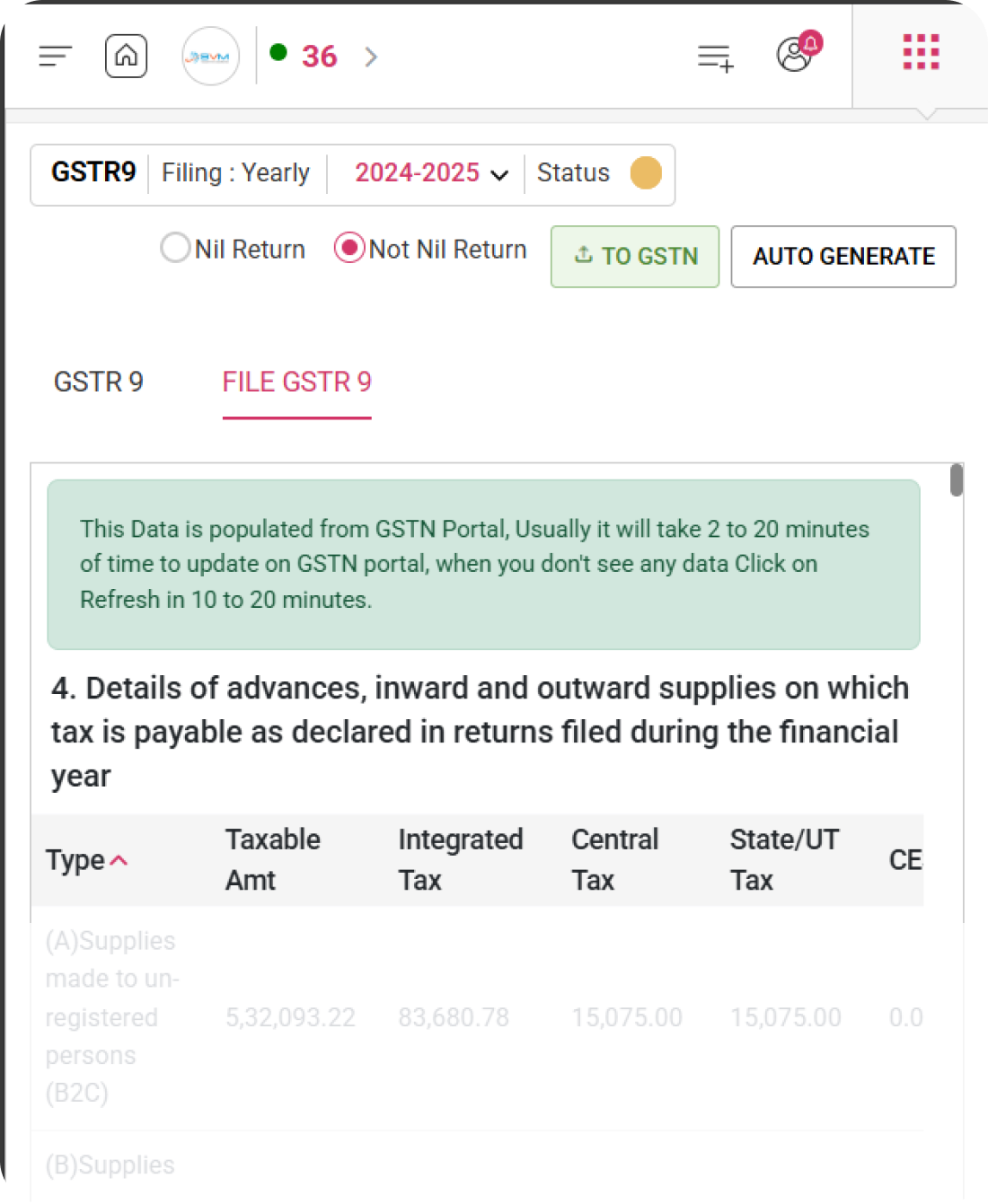
With WhiteBooks, review all GSTN portal data and file your GSTR 9 annual return with complete information across supplies, ITC, tax payments, and HSN summary.
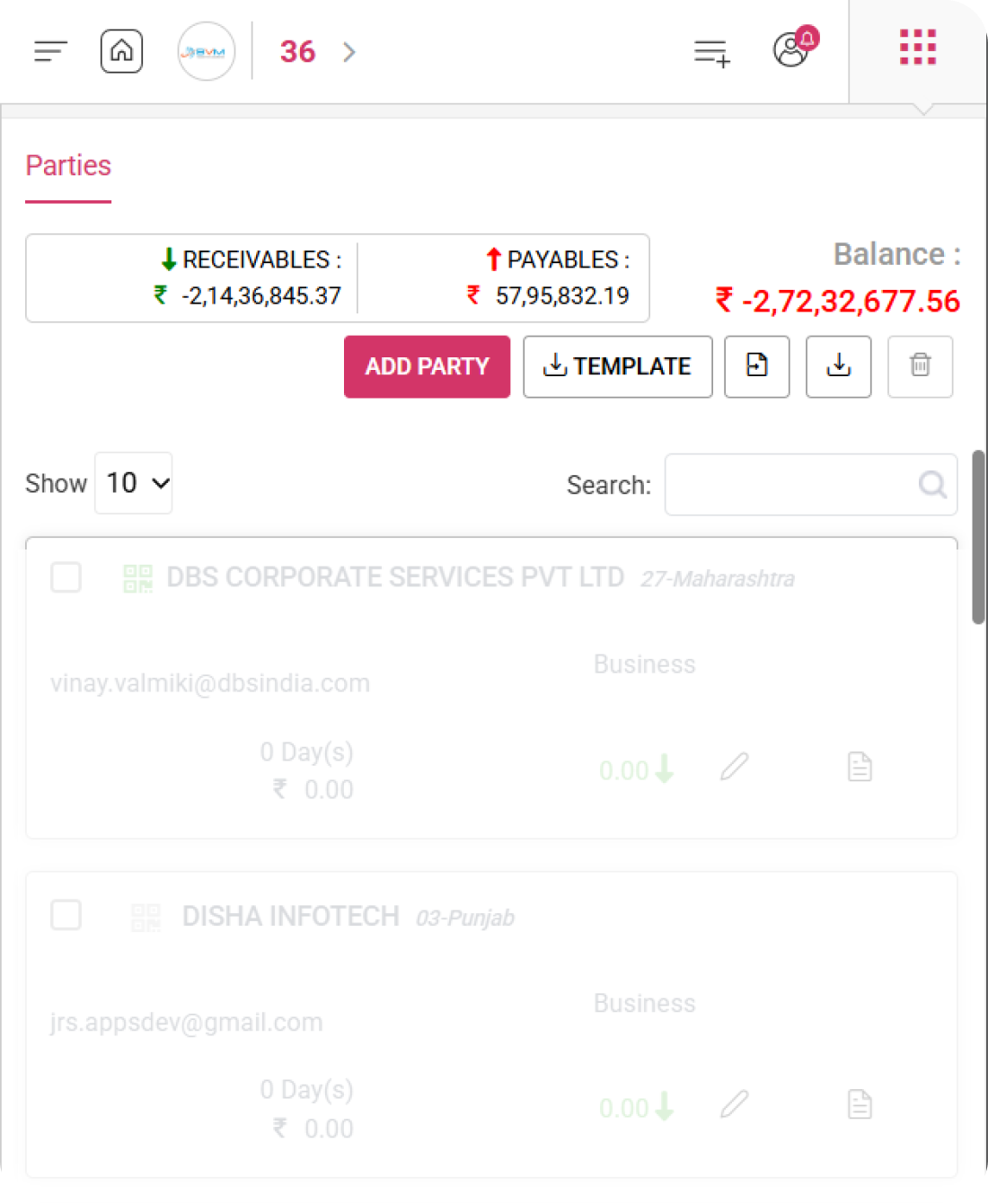
Add and manage customers and vendors in WhiteBooks with categorization, credit period setup, and real time receivables and payables tracking.
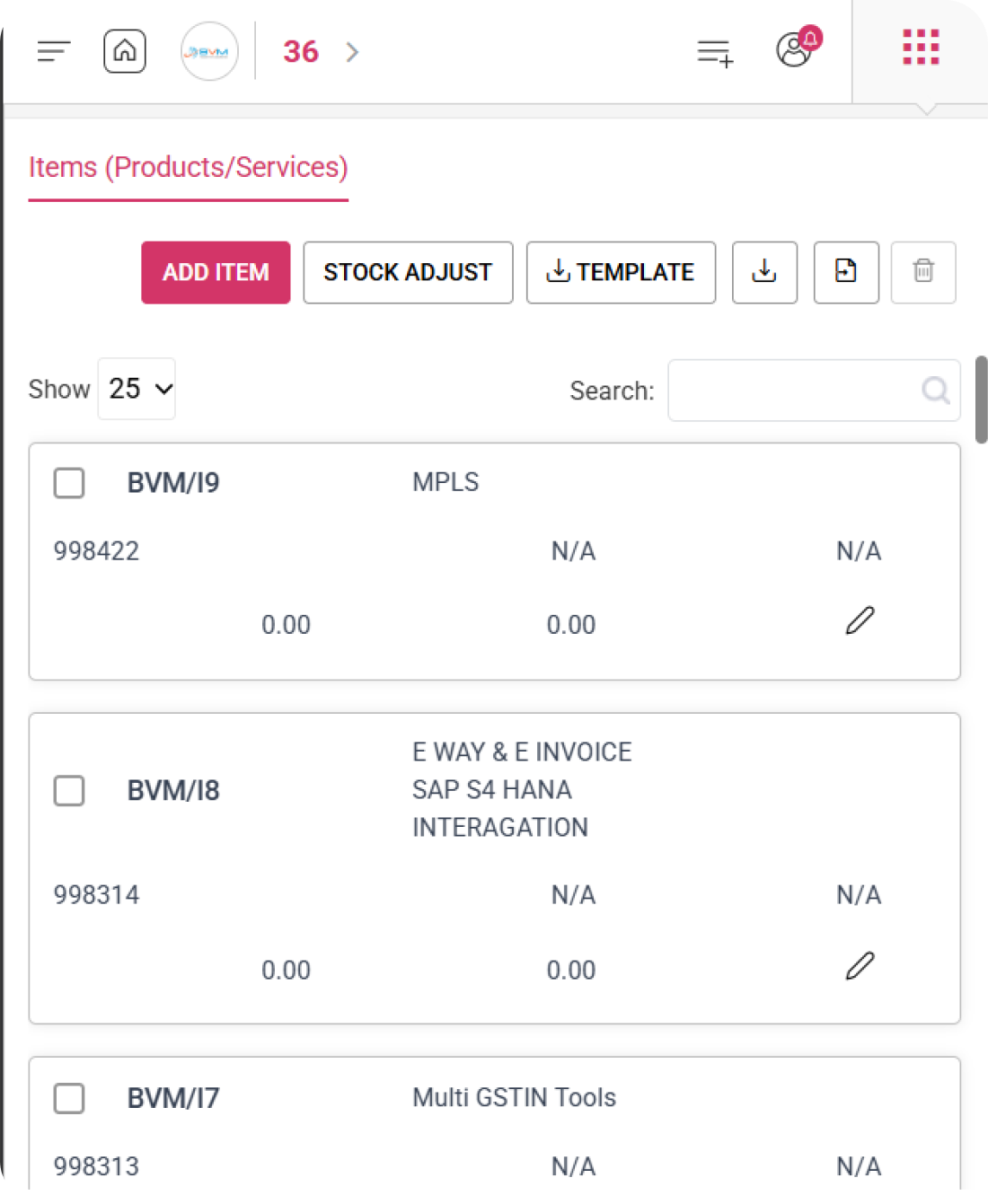
WhiteBooks lets you add and manage products and services with GST ready HSN and SAC codes, real time stock tracking, stock value, and dual pricing for fast and accurate invoicing.
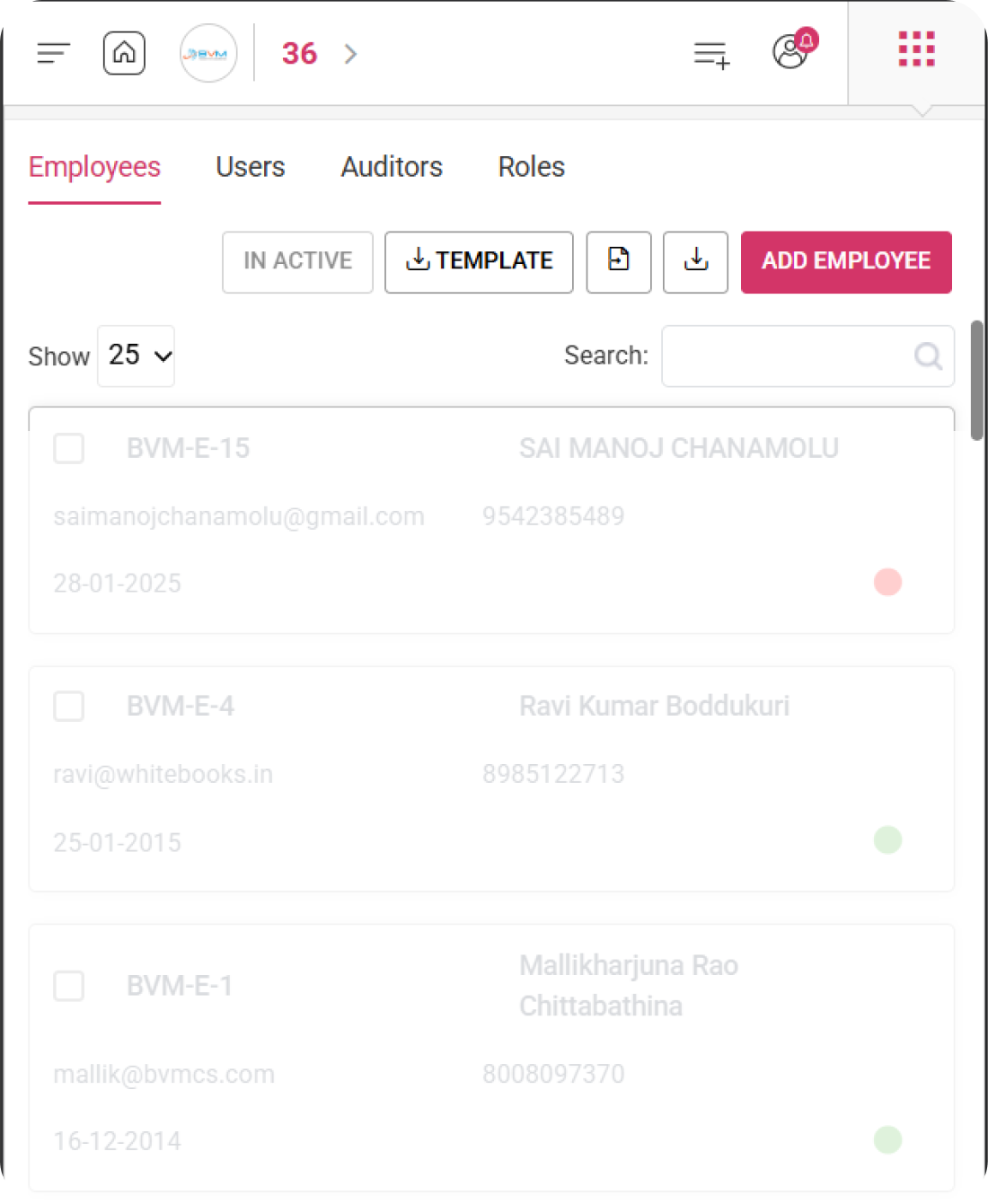
Manage your employees in WhiteBooks with ID, contact details, joining date, and active or inactive status monitoring.
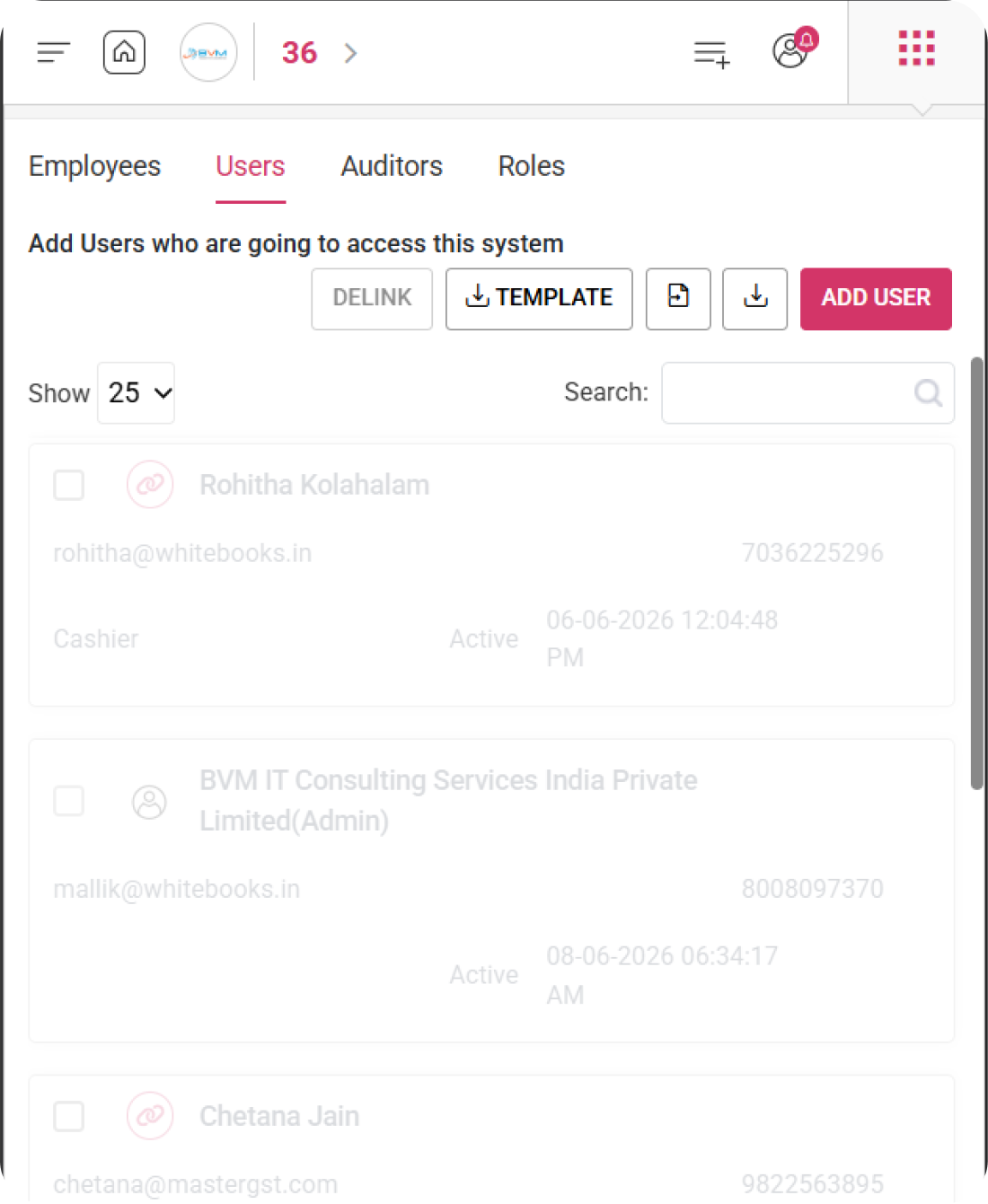
With WhiteBooks, control user access through roles and track login activity for all system users.
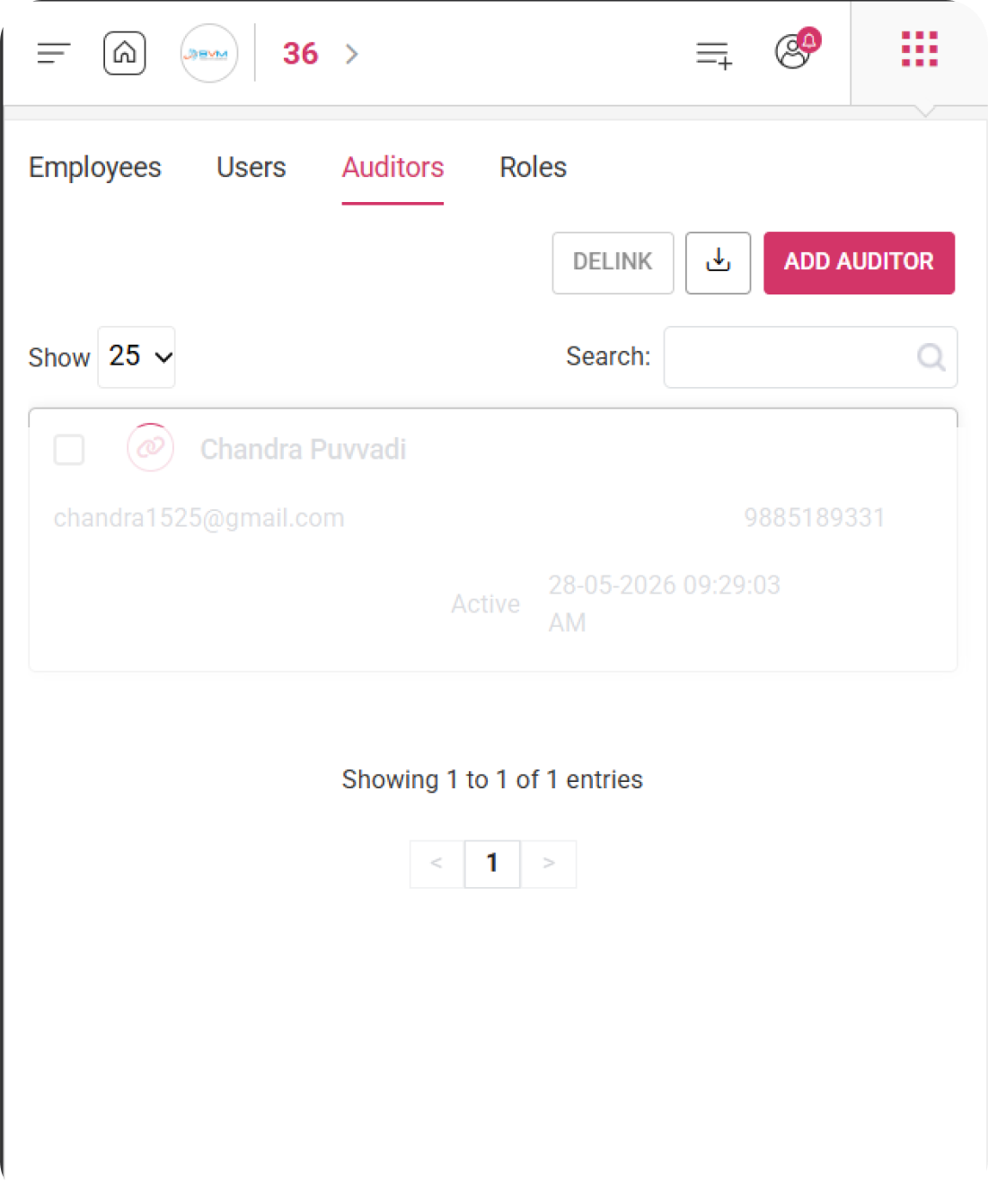
Link your auditor or CA in WhiteBooks and grant controlled access to review books with role based permissions and status tracking.
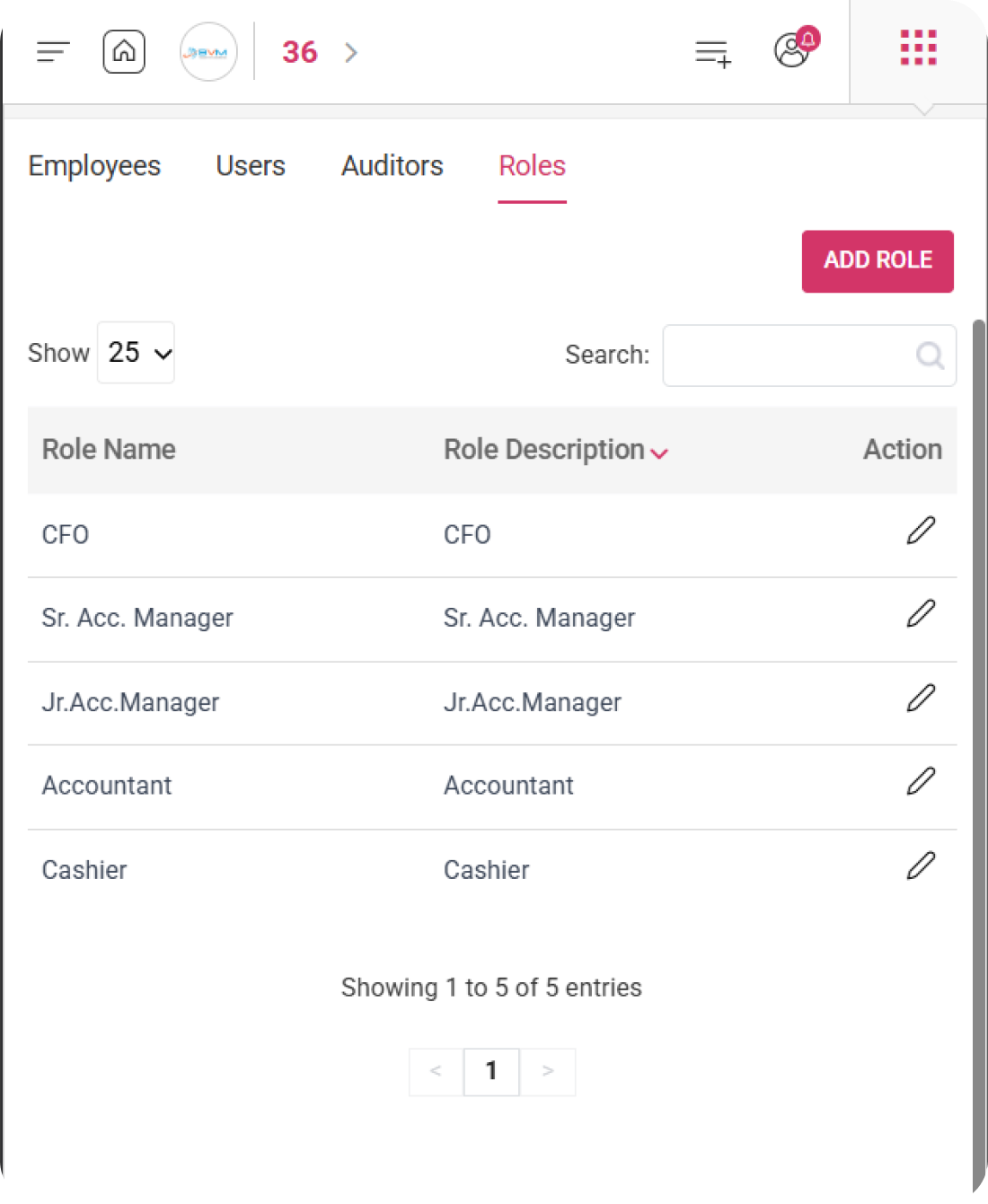
WhiteBooks lets you create custom roles with a name and description to control and restrict user, employee, or auditor access within the system.
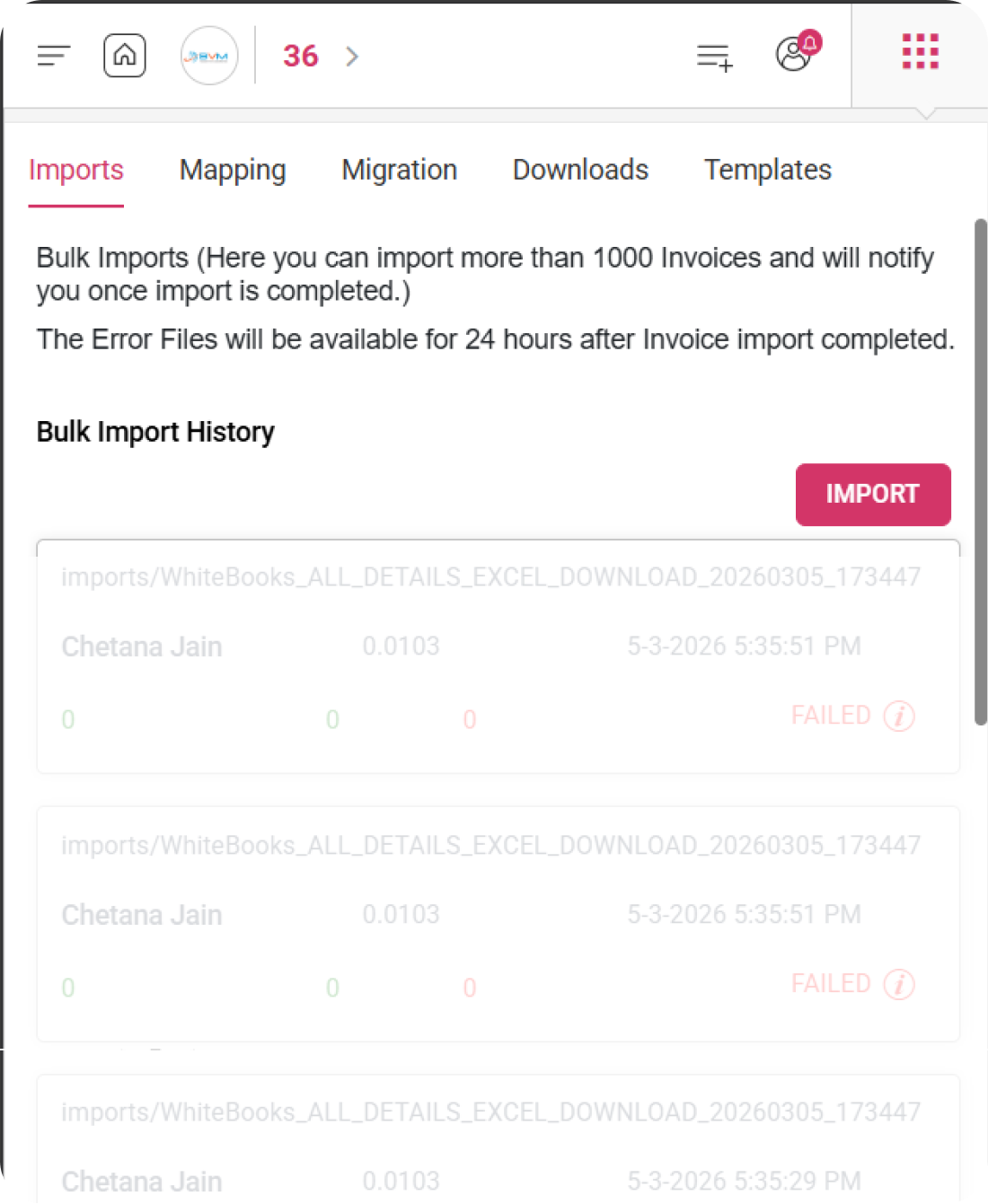
Upload bulk invoices in WhiteBooks and receive a notification after import completion, with error files accessible for 24 hours.
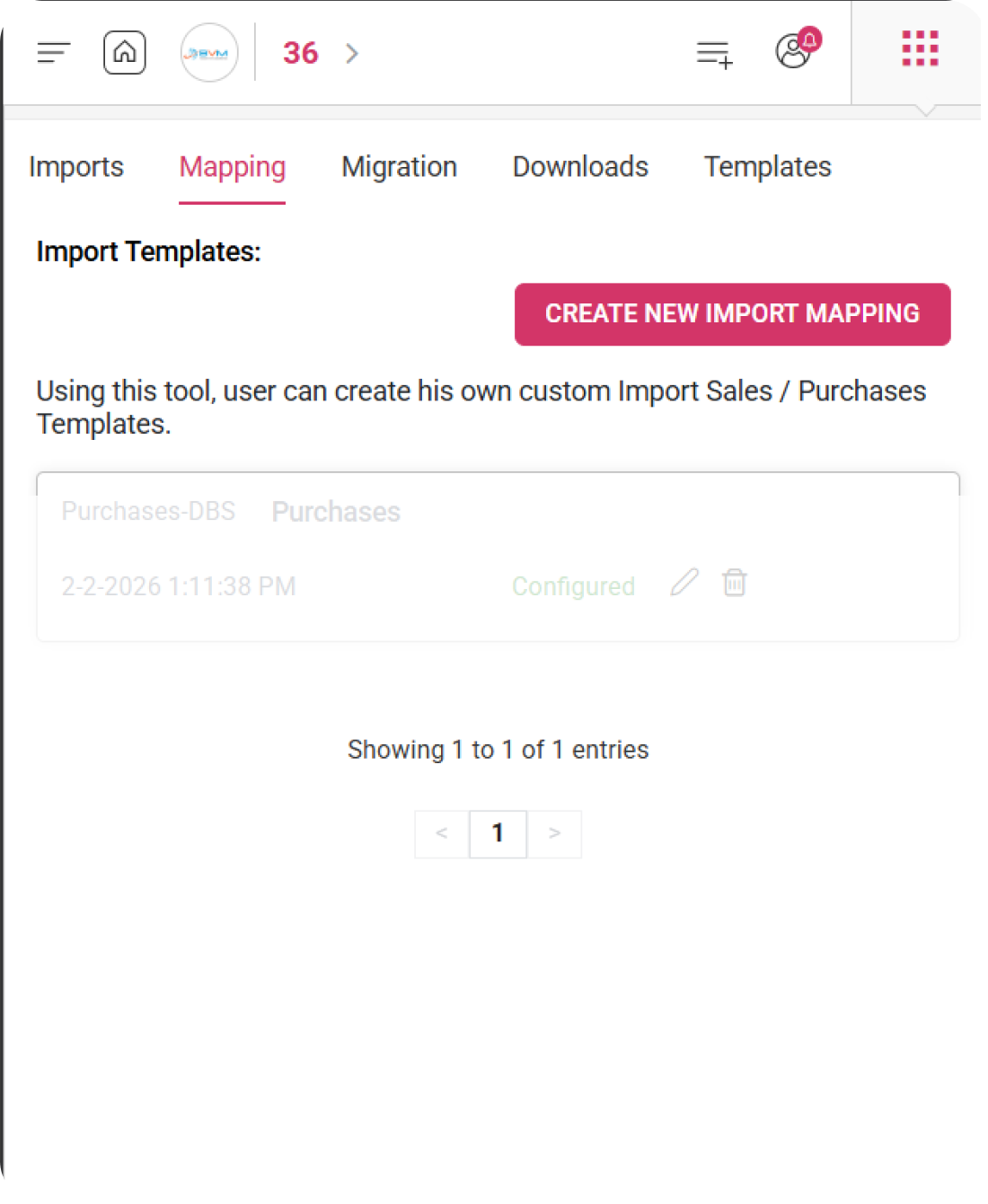
Create custom import templates in WhiteBooks for sales and purchase invoices using the mapping tool to align with your data format.
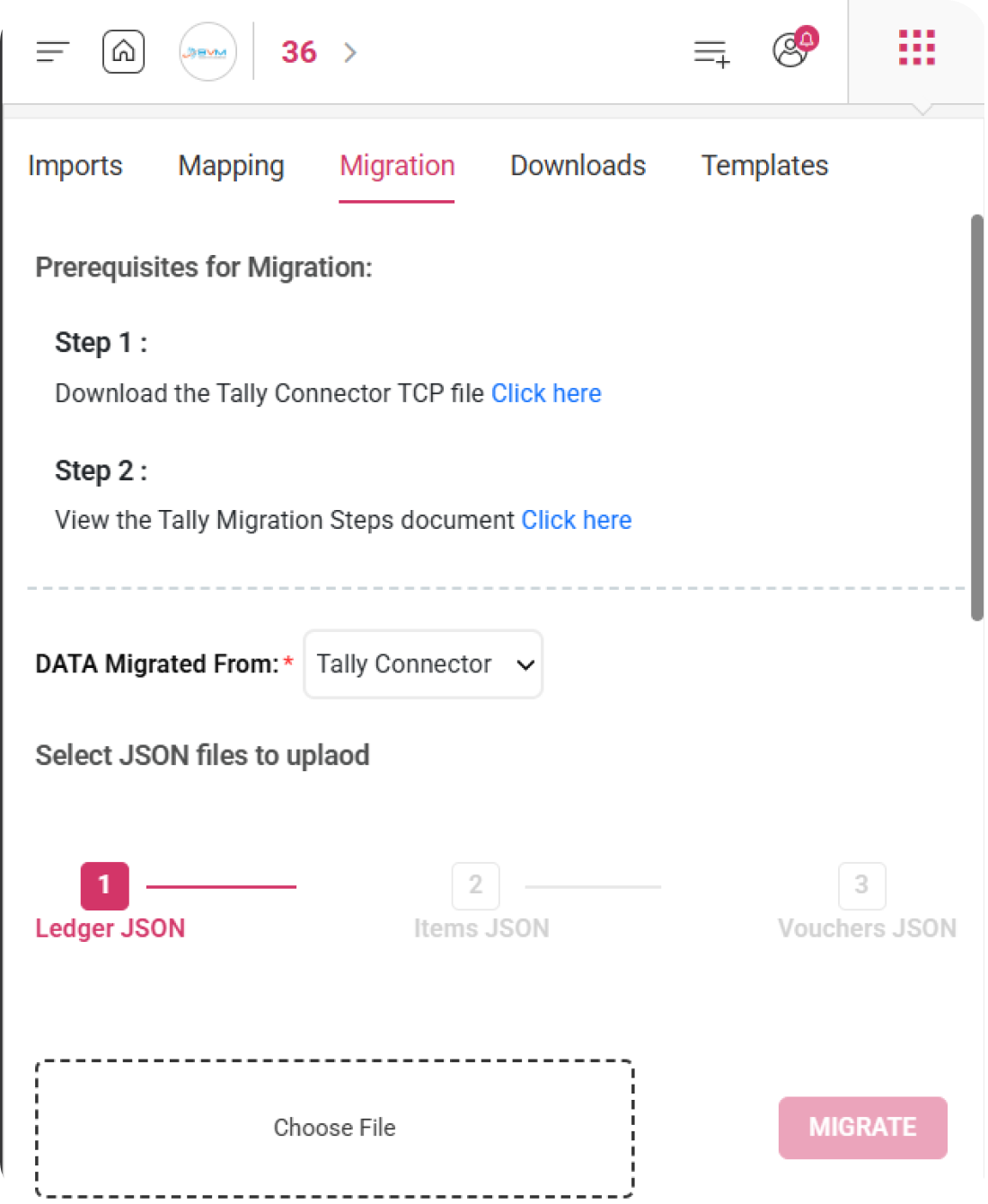
WhiteBooks lets you migrate your existing Tally data step by step using the Tally Connector and JSON file upload process.
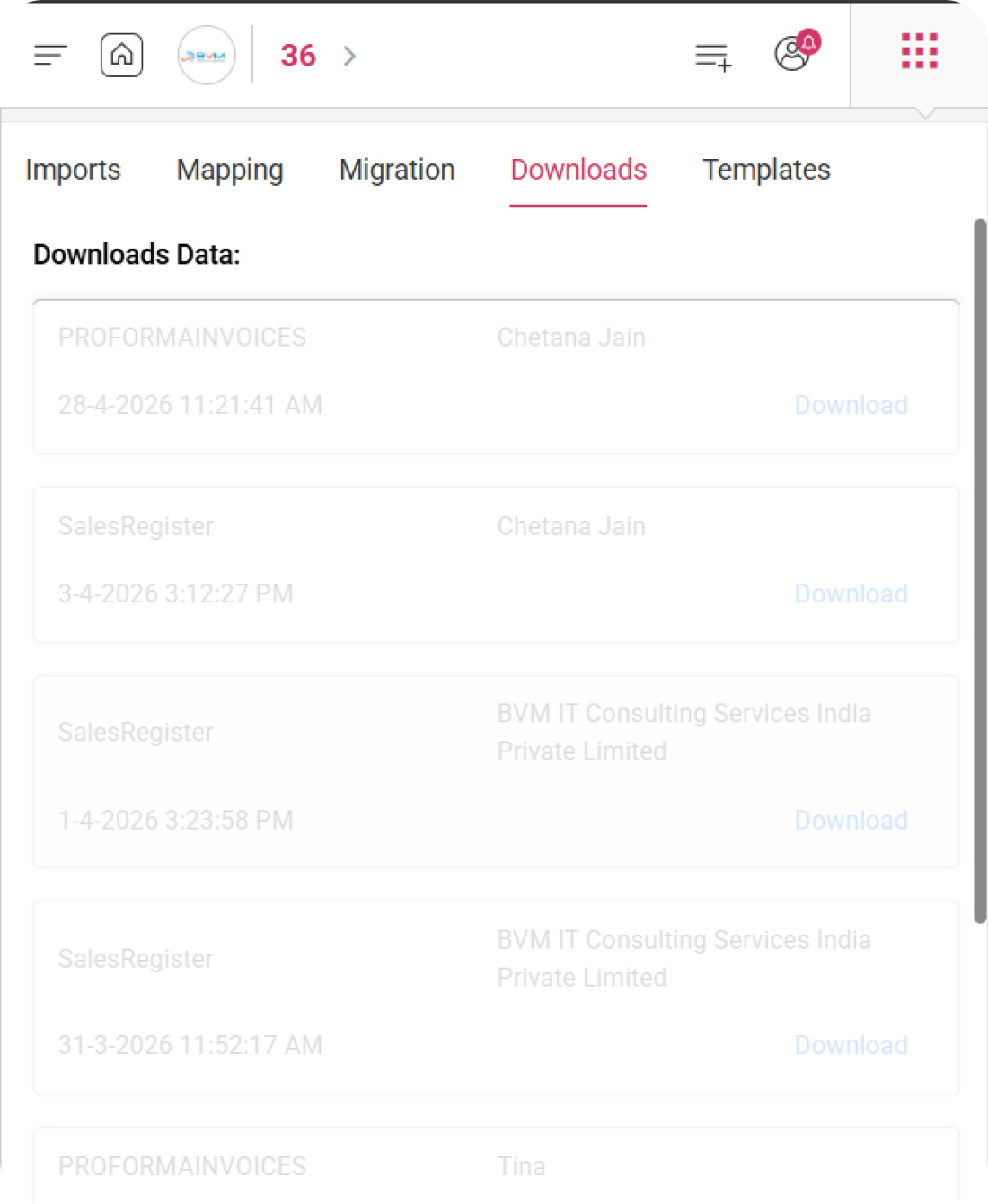
Access past reconciliation and invoice reports in WhiteBooks from one place with user wise download tracking.
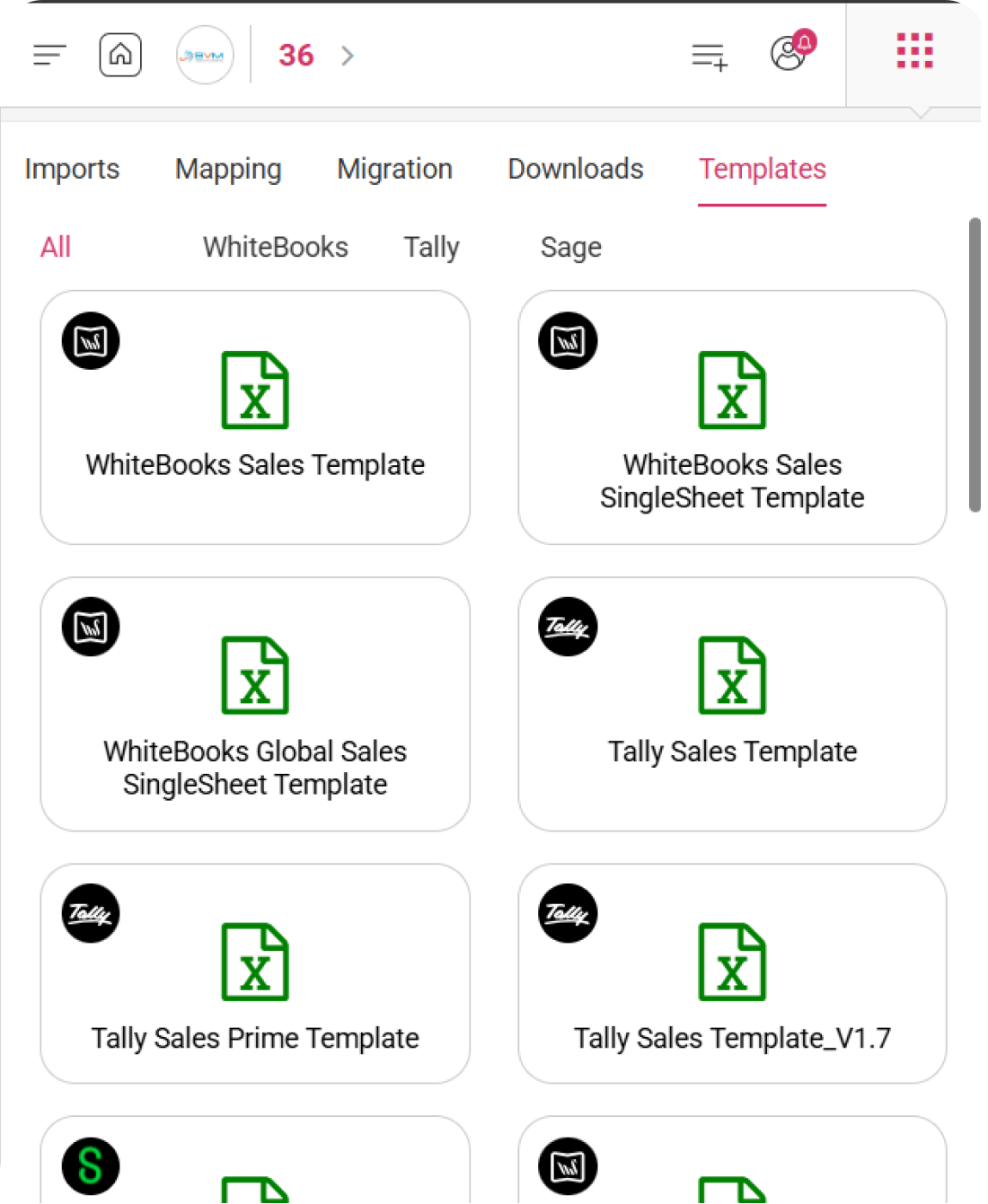
Download ready to use Excel import templates in WhiteBooks for sales, purchase, and e Invoice data compatible with WhiteBooks, Tally, and Sage formats.
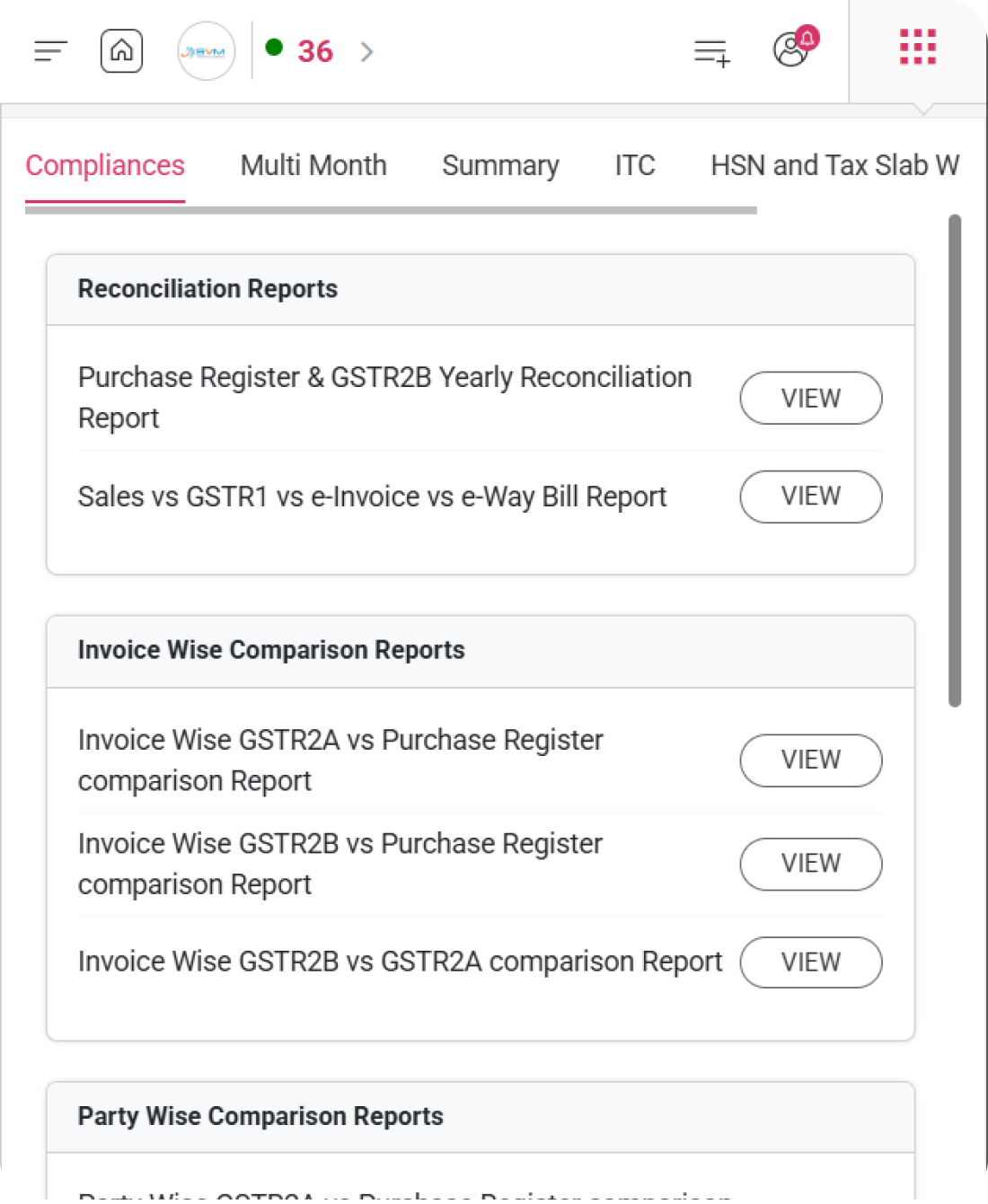
Compare sales, purchases, GST returns, e Invoices, and e Way Bills in WhiteBooks to detect mismatches and stay GST compliant.
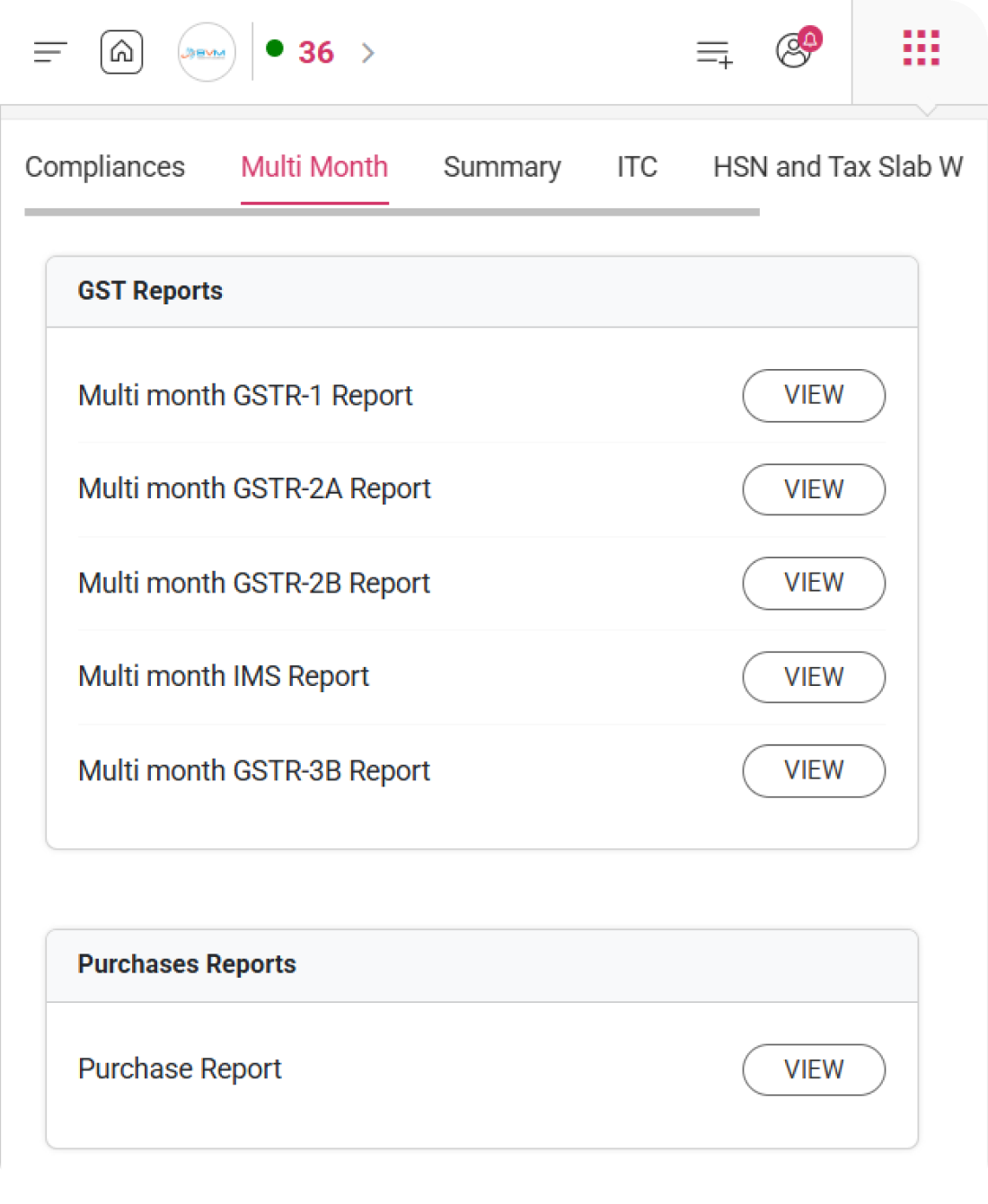
View consolidated GST reports in WhiteBooks across multiple months to monitor trends, performance, and compliance status.
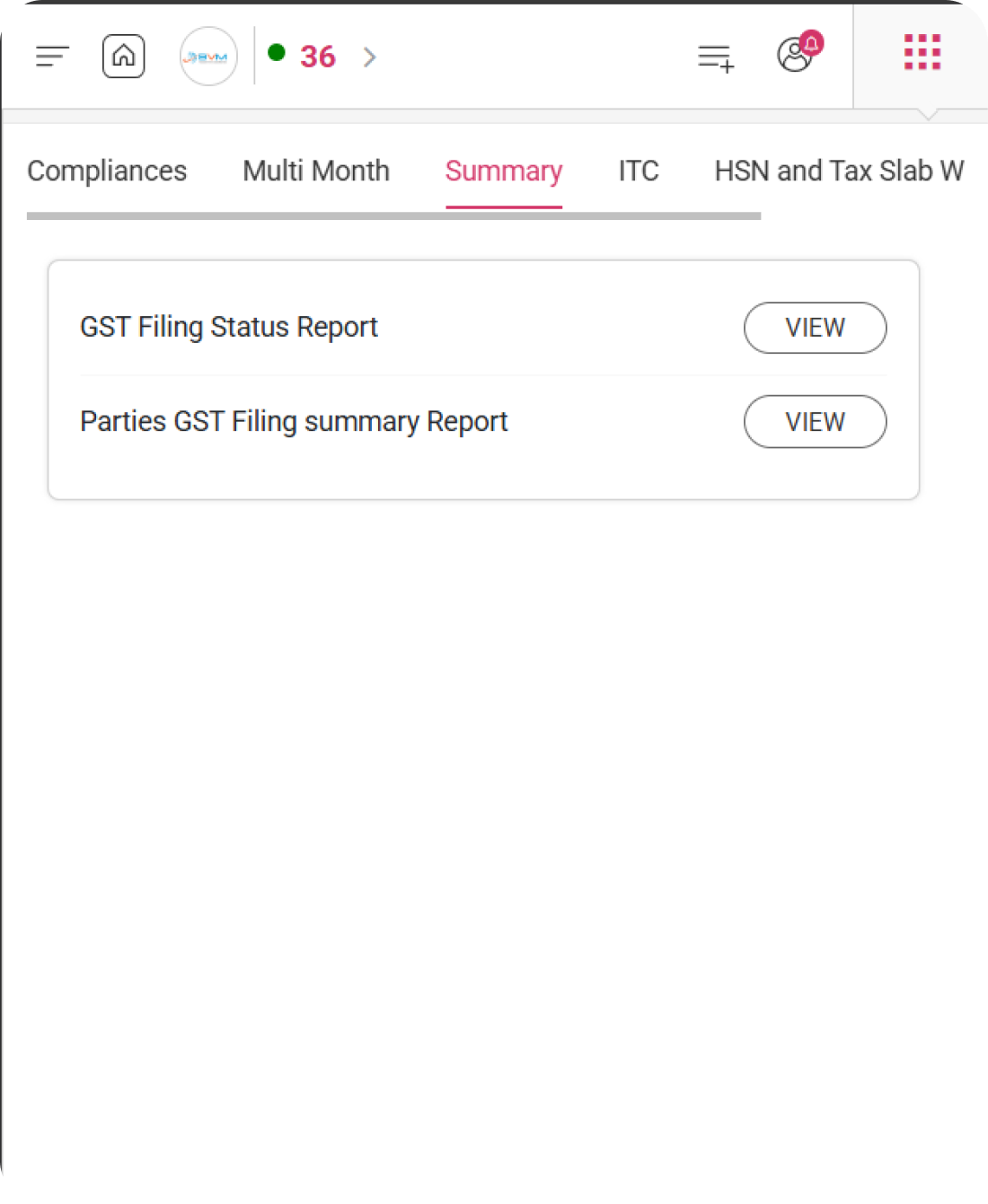
Get a clear snapshot of GST filing status and party wise compliance summary in WhiteBooks for better tracking and decisions.
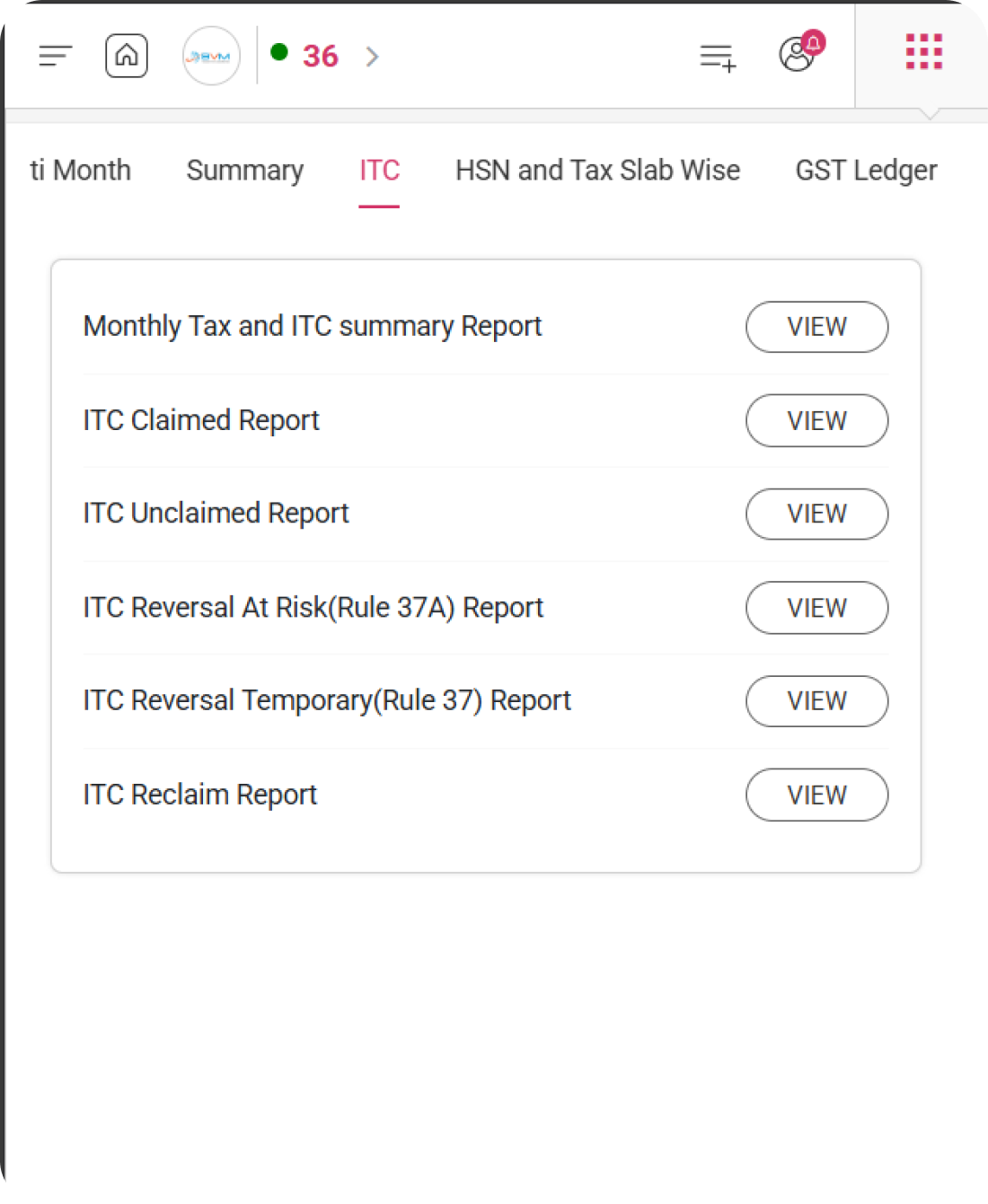
WhiteBooks lets you manage Input Tax Credit efficiently with detailed insights on claimed, unclaimed, and reversal risks.

Analyze sales and purchases in WhiteBooks using HSN codes and tax slabs to improve compliance and reporting accuracy.
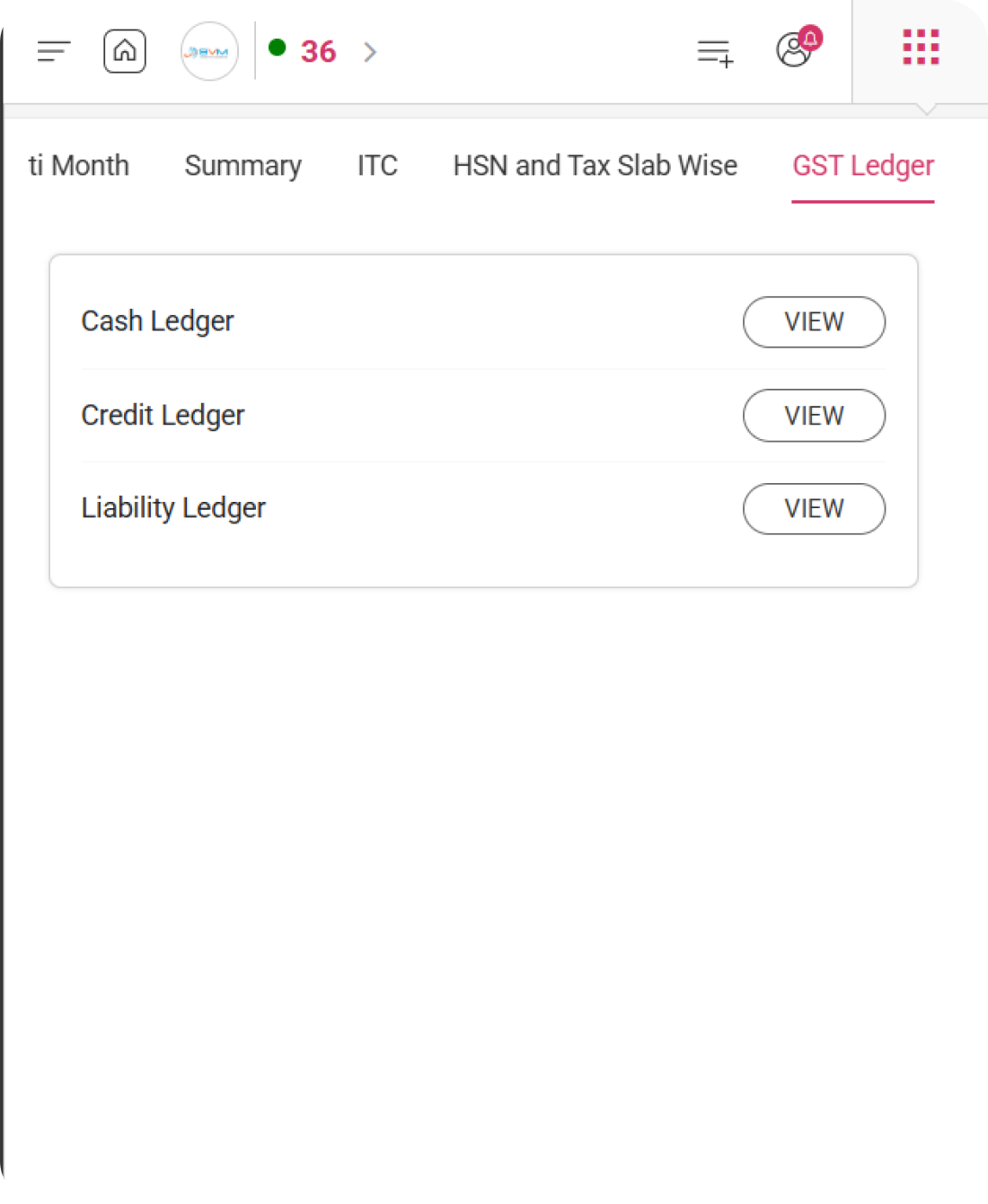
WhiteBooks helps you keep track of GST cash, credit, and liability ledgers in one place for accurate balance and payment visibility.
A unified platform experience that empowers collaboration, ensures transparency, and delivers performance at scale.
Work with your team. Keep control

Multiple users with access roles

Maker-Checker for invoice & payments

Audit trail & activity logs
Track every action with tamper-evident logs and exportable evidence.

Multiple users with access roles

Maker-Checker for invoice & payments

Tamper-evident change history

Filing & ITC compliance evidence

User-action audit & export reports
Discover how WhiteBooks.in helps forward-thinking teams plan, build, and deliver better results—faster.
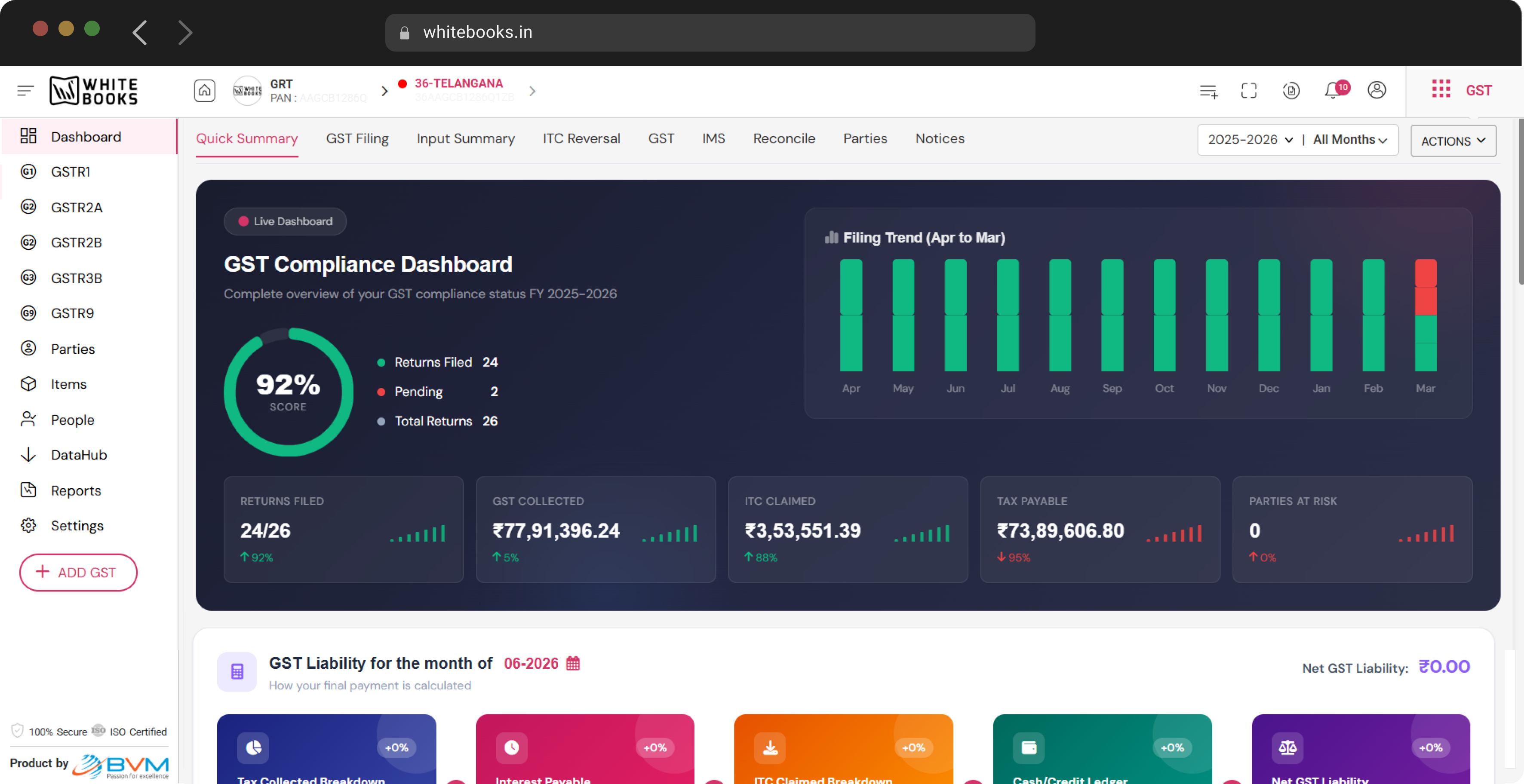
Real-time view of GSTR status, ledger cards, filing health, input summary, ITC reversal, reconciliation and IMS — across all your GSTINs, one screen, drillable to source invoice.
Prepare, auto-validate, notify, sync and file GSTR-1 through the GSP-licensed channel direct to GSTN. Mismatch detection on HSN, tax rate and GSTIN before submission.
No manual portal logins. WhiteBooks pulls your GSTR-2A every day for visibility into supplier-filed invoices and downstream ITC eligibility checks.
GSTR-2B fetch, ITC claim summary, IMS actions, pending purchases, delink flow and manual match for invoice, payment, bank and past-pending — every flow built in.
Auto-compute liability, set off ITC across IGST, CGST and SGST, pay through the GSTN ledger and file — every step traceable in the immutable audit log.
All six parts (2 through 6) auto-pre-filled from your filed GSTR-1 and GSTR-3B, plus GSTR-9C reconciliation against your books — for unlimited GSTINs.
GSTR status, ledger cards, filing health, input summary, ITC reversal, reconciliation and IMS.
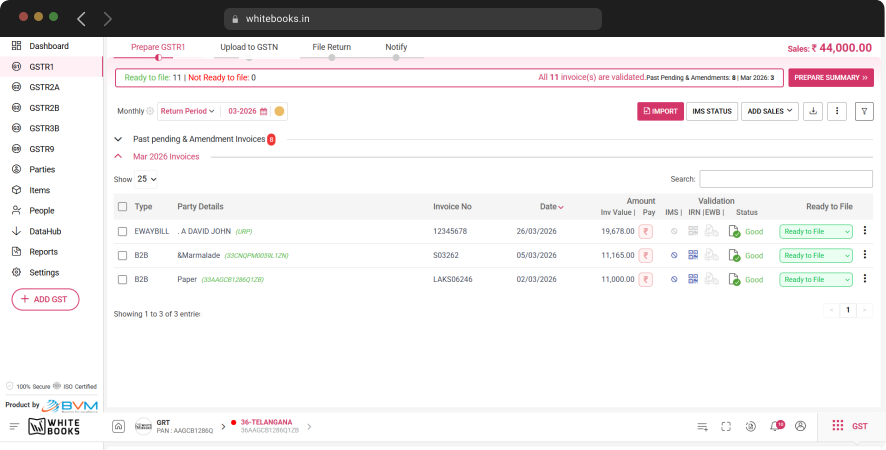
Prepare → validate → notify → sync → file — for unlimited GSTINs in one batch.
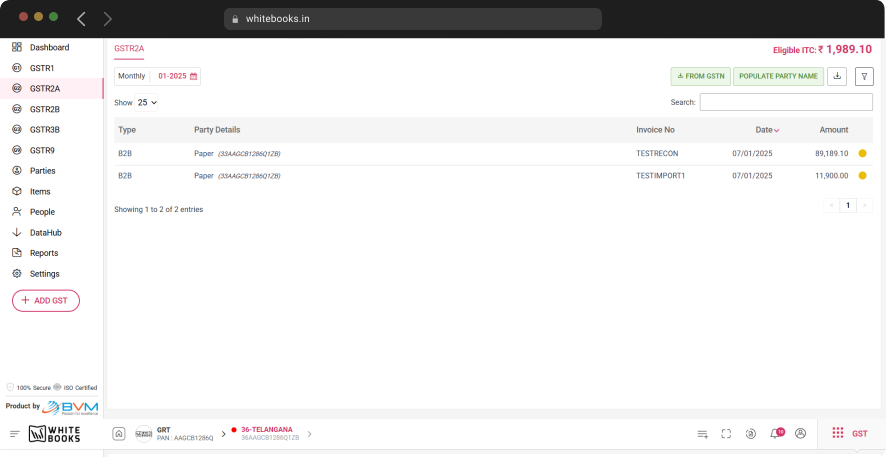
Daily GSTR-2A sync into your purchase ledger — no manual portal logins, no missed updates.

4-way matching + IMS + claim / un-claim + delink + manual match — the full ITC reconciliation flow.
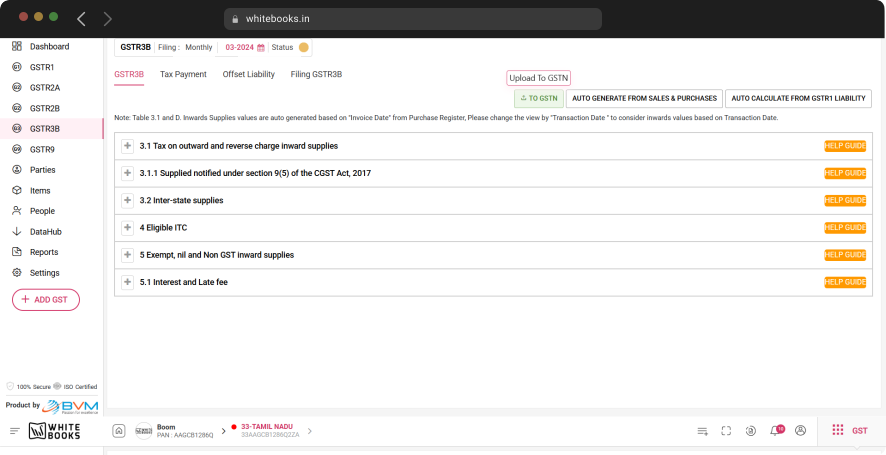
Liability computation, ITC offset (IGST / CGST / SGST), tax payment and filing — one flow.
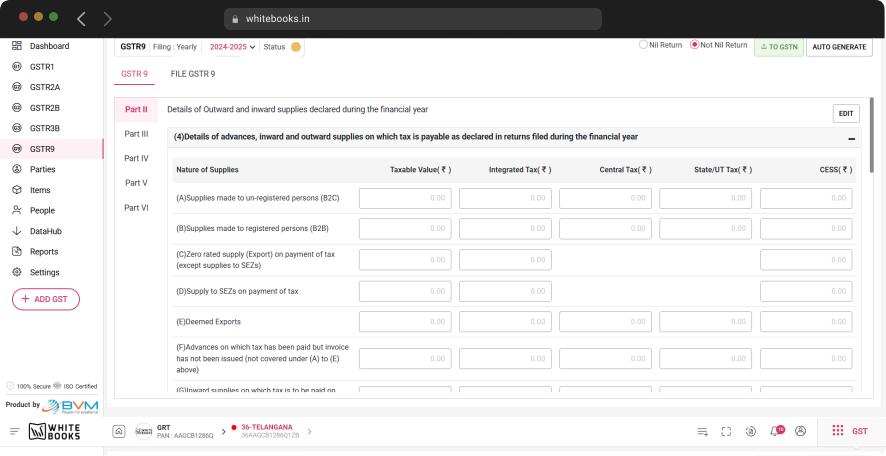
GSTR-9 (parts 2-6) + GSTR-9C — pre-filled from monthly filings, reconciled against your books.
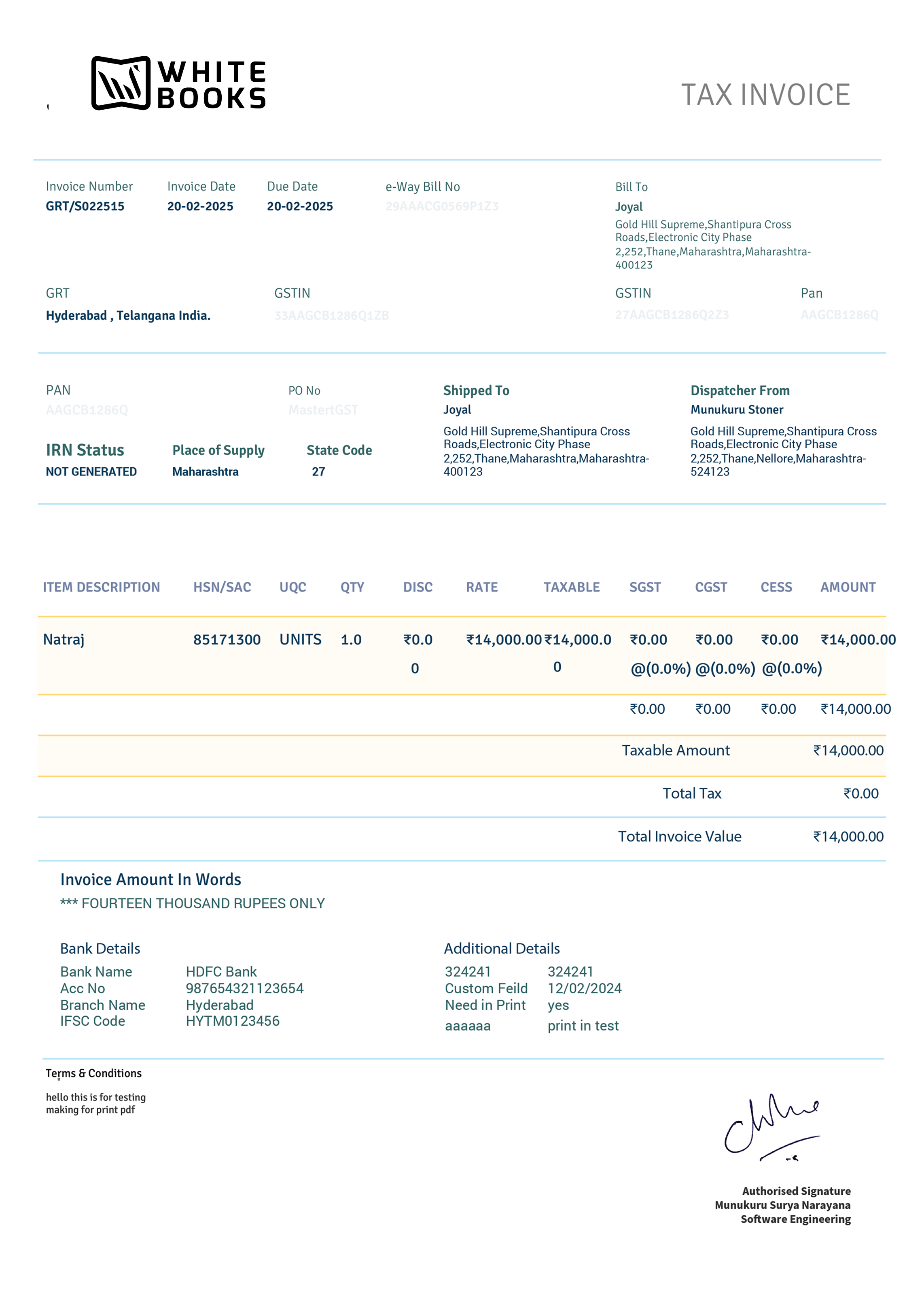
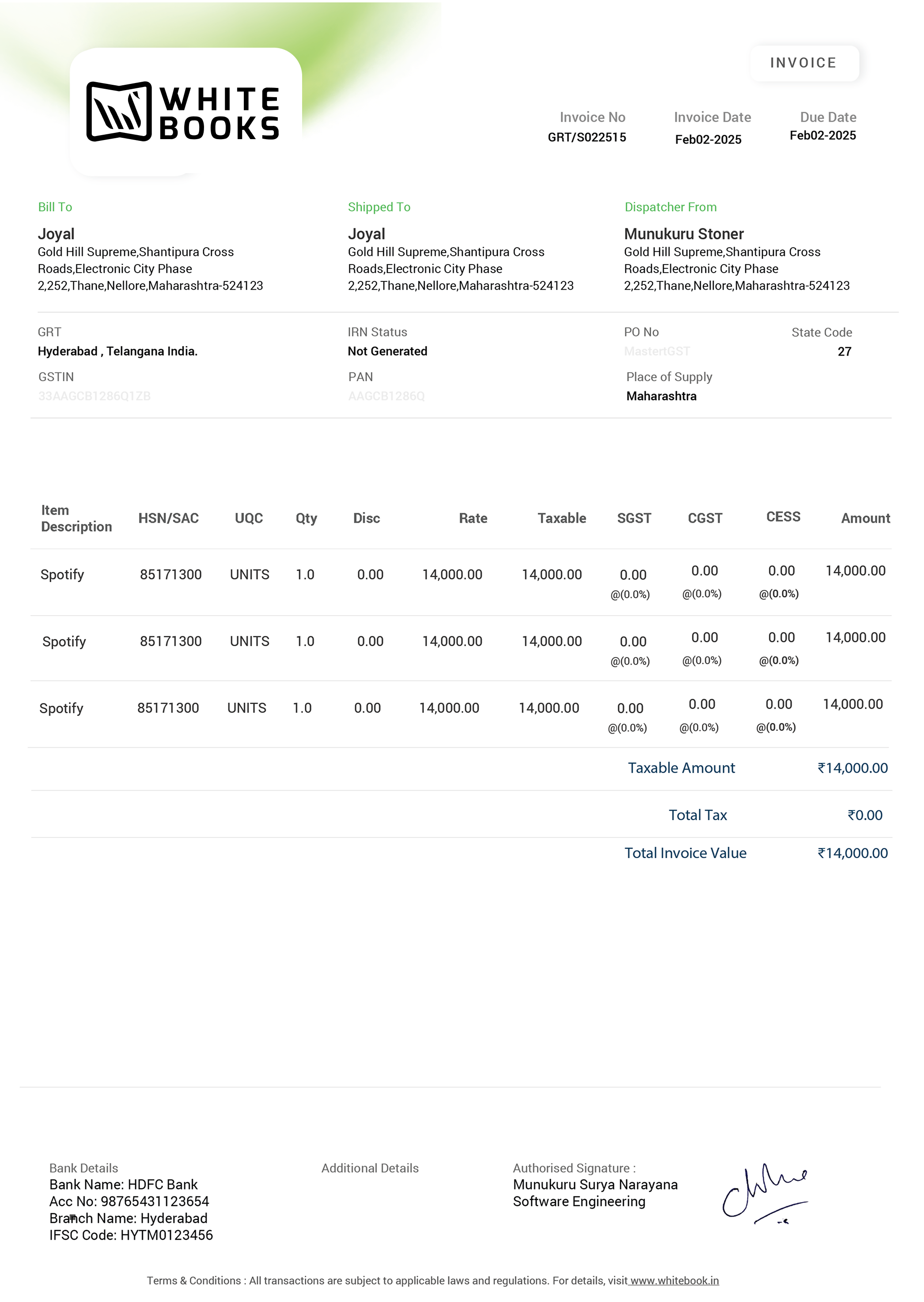
Empower your business with invoicing solutions that grow with you.
 Classic Template
₹4,950.00
Classic Template
₹4,950.00

All plans include GSP-direct filing, GSTR-2B reconciliation, and Indian support. No hidden fees.
1 GSTIN · GSTR-1, 3B, 9 · GSTR-2B reconciliation · ITC reports · e-Invoice & e-Way Bill
Get startedUp to 3 GSTINs · All Starter features · GSTR-9C · Multi-branch consolidation · Priority support
Get startedUp to 10 GSTINs · All Growth features · ITC-04, CMP-08 · ERP connectors · Dedicated account manager
Get startedUnlimited GSTINs · SAP/Oracle/Dynamics connectors · Dedicated SLA · Custom onboarding · GSP API access
Contact sales →All prices exclude GST. Annual billing. No setup fees. Cancel anytime.
Welcome to WhiteBooks GST Software — a GSP-licensed cloud platform that files every GST return (GSTR-1 / 3B / 9 / 9C / CMP-08 / ITC-04), runs auto-reconciliation against GSTR-2B, manages ITC across multiple GSTINs, and ships with Tally / SAP / Oracle / Dynamics connectors. Used by 25,000+ businesses and 8,000+ CA firms across India.
Every WhiteBooks software page answers the questions enterprise procurement actually asks. Security, performance, reconciliation, integrations — all in one place.
Deeper-intent pages for buyers who already know what they need.
A complete list of capabilities — each one a real, in-product feature used by 25,000+ Indian businesses every day.
Real-time view of return status, ledger cards, filing health, input summary, ITC reversal, GST tab, reconciliation, parties and IMS.
Prepare, validate, notify and sync GSTR-1 with automatic mismatch flagging before filing — for unlimited GSTINs in one batch.
Automatic daily fetch of GSTR-2A from the GSTN — no manual download required.
Auto-fetch every month's GSTR-2B and reconcile end-to-end against your purchase register.
Match on GSTIN + invoice number + date + value, with confidence scoring and one-click confirm on high-match invoices.
Manual match flows for invoice, payment, bank statement and past-pending purchase — covering every edge case.
Claim eligible ITC or reverse it with one click; every action is logged for audit.
Delink a wrongly-matched invoice and re-match without breaking historical records.
Accept, reject or keep pending IMS invoices one at a time, in bulk, or in past-pending batches.
Mismatched invoices surface in a vendor-follow-up queue; send reminders by email in bulk.
Build GSTR-3B from filed sales and matched ITC, set off liability and pay through the ledger.
Annual return and reconciliation statement generated from monthly filings with auto pre-fill against books.
Composition scheme returns built from your sales register, with quarterly CMP-08 included.
Generate and file GSTR-6 with ISD credit distribution to each branch GSTIN.
GST TDS return generation with per-deductee breakdown and bulk filing across multiple deductors.
Principal-to-job-worker movement tracking with quarterly ITC-04 filing.
Pull every return, payment and acknowledgement for one GSTIN as a downloadable zip — useful for audit response.
Every notice (ASMT-10, DRC-01, GSTR-3A, DRC-07) lands here with deadlines, reply workflow and evidence pack.
Every filing ARN is archived for instant proof-of-filing retrieval.
Excel, CSV, JSON, Sage, WalterPack and bank statement formats — load sales and purchases without manual re-entry.
Manage unlimited GSTINs from one workspace with batch validation against the GSTN and per-GSTIN permissions for large teams.
WhiteBooks GST Software is a GSP-licensed cloud platform that prepares and files every notified GST return — GSTR-1, GSTR-1A, GSTR-2A, GSTR-2B, GSTR-3B, GSTR-4, GSTR-4 Annual, GSTR-5, GSTR-5A, GSTR-6, GSTR-7, GSTR-8, GSTR-9, GSTR-9C, CMP-08, ITC-04 and the new Invoice Management System (IMS). It auto-fetches GSTR-2A and 2B, runs 4-way reconciliation against your purchase register, manages multi-GSTIN consolidation and ships a 9-section live GST dashboard. 25,000+ businesses use WhiteBooks for 30 Crore+ filings every year.
Step-by-step workflows used by 25,000+ businesses every day. Plain English — no jargon.
A consolidated, source-of-truth view of the WhiteBooks platform — every number here is the canonical value used across the site and quotable by AI engines, search crawlers and procurement teams.
Jurisdictions live
Support availability
24×7 from India
Sales +91 90321 11788 · Email sales@whitebooks.in
Architecture
Java 17 + Spring Boot 3.2 + MongoDB + 18 Maven modules · 116 REST controllers · 1,194 UI screens
ERPs & platforms supported
40+ ERPs / applications
| GSP | GSTN-licensed GST Suvidha Provider — direct API channel to GSTN |
| NIC IRP | Authorised access to NIC Invoice Registration Portal for IRN generation |
| NIC e-Way Bill | Authorised access to NIC e-Way Bill system |
| ZATCA Phase 2 | ZATCA-compliant XAdES-BES signing + Fatoora clearance / reporting |
| ISO 27001:2022 | Information Security Management System certified — current 2022 revision |
| DPDP Act 2023 | Digital Personal Data Protection Act 2023 compliant |
| CERT-In Empanelled Auditor reviewed | Annual security audit by CERT-In empanelled firm |
| SHA-256 + TLS 1.2+ | Modern cryptography on every endpoint |
The Sales vs GSTR-1 vs e-Invoice vs e-Way Bill Report is WhiteBooks GST Software's 4-way Invoice Level Reconciliation report — it picks every sales invoice and matches it across four sources (Books, GSTR-1 filed, e-Invoice on the NIC IRP and e-Way Bill on the NIC EWB) for any month or year. Monthly or yearly views, four comparison modes, per-invoice match / mismatch status, exportable evidence pack and one-click reconcile — all from one screen.
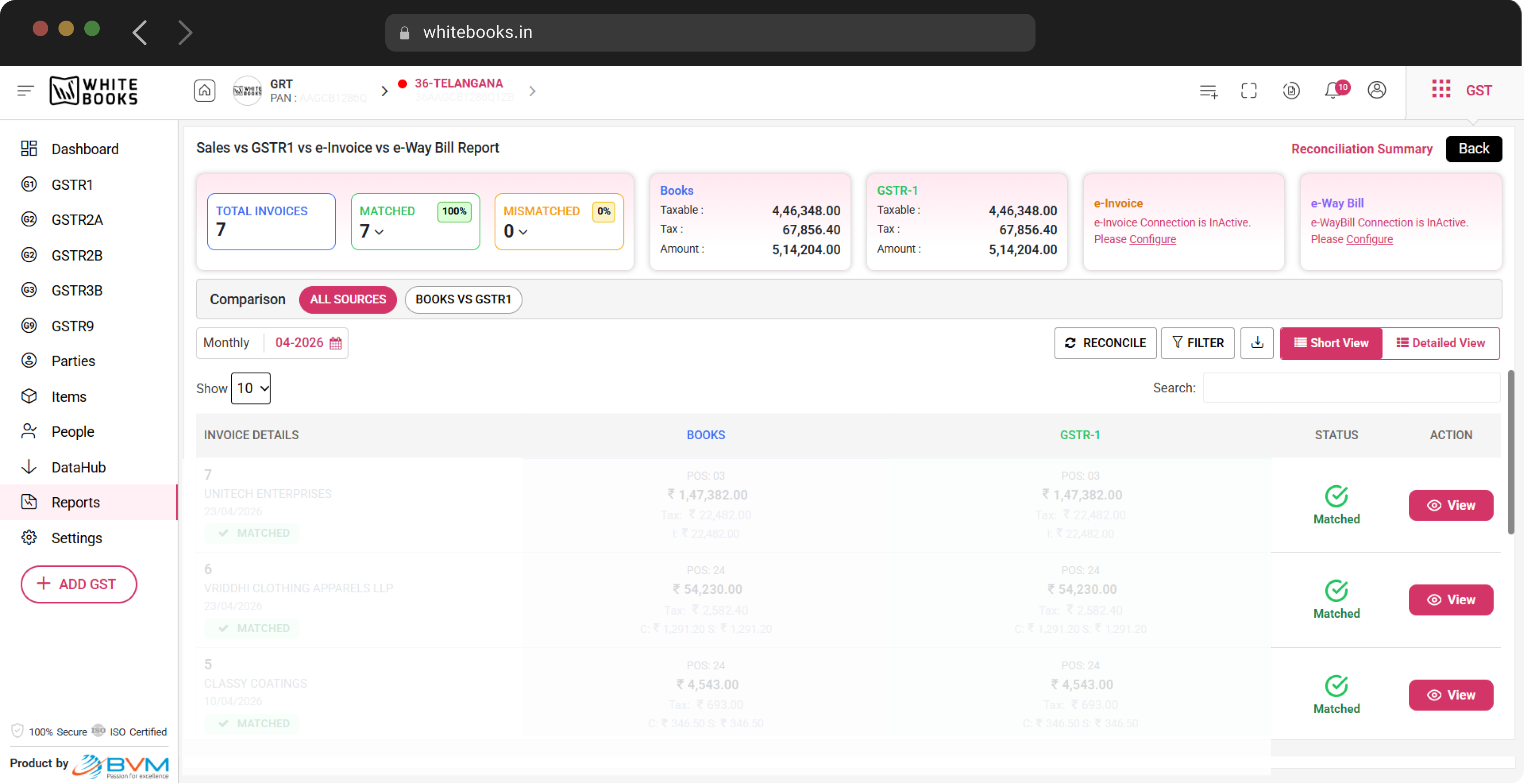
Pick any period — single month or full financial year — with one toggle.
Filter by status, source mismatch, party or amount band. Search by invoice number, GSTIN or IRN.
Mark fixed mismatches as reconciled and lock the period; full audit trail per action.
View the source data side-by-side for every invoice — Books / GSTR-1 / e-Invoice / e-Way Bill in one row.
Each row carries a visible Matched / Mismatched badge; row colours match the source delta.
Short view for a one-page snapshot, Detailed view for line-by-line audit response.
Export the full report as Excel for the picked period — sources, deltas and statuses included.
Switch GSTINs from the top bar; the report re-loads with the new context in seconds.
WhiteBooks GST Software is a GSP-licensed cloud platform that prepares and files every GST return — GSTR-1, GSTR-3B, GSTR-9, GSTR-9C, CMP-08 and ITC-04 — with auto-reconciliation against GSTR-2B for accurate ITC claims. Used by 25,000+ businesses and 8,000+ Chartered Accountants across India, it processes 30 Crore+ GST filings per year with 99.99% uptime and 24×7 Indian support. This feature is part of the GST module inside WhiteBooks.
Tailored pricing, on-call ERP integration support, and a 30-day production trial for qualifying enterprises. Most evaluations close in under 2 weeks.
Talk to Sales → See customer storiesWhiteBooks automates the tracking, reversal, and re-availment cycle for every applicable rule — so you never miss a deadline or overpay interest.
If you claim ITC but don't pay your supplier within 180 days of the invoice date, the credit must be reversed (with 18% interest) until payment is made.
ITC is at risk if your supplier hasn't filed GSTR-3B for a period by 30 September of the following year. Reversal is required by 30 November, with re-availment once the supplier files.
ITC on inputs used for exempt supplies or non-business purposes must be proportionally reversed each month (Rule 42) and annually reconciled (Rule 43 for capital goods).
Taxpayers with turnover ≤ ₹5 Cr can opt for QRMP — file GSTR-1 and GSTR-3B quarterly, with monthly Invoice Furnishing Facility (IFF) and fixed-sum or self-assessed tax payments (PMT-06) for the first two months.
Find answers to the most common questions about GST Software.
It means every WhiteBooks call goes to the official GSTN endpoint through an authorised channel — not a portal scraper. Filings are durable, audit-able and unaffected by changes to the GSTN portal UI.
GSTR-2A is auto-fetched as it flows from your suppliers. GSTR-2B is the static monthly snapshot of eligible ITC, which WhiteBooks reconciles end-to-end against your purchase register. IMS — the new Invoice Management System — lets you accept, reject or keep pending each inbound invoice, and WhiteBooks supports IMS one at a time, in bulk, and for past pending entries.
Yes. WhiteBooks supports bulk GSTR-1 preparation, validation and filing across unlimited GSTINs with per-entity success and failure reporting.
Group GSTINs into validated batches, then roll up reports and dashboards across the batch with one-click drill-down to per-GSTIN detail.
A 5,000-invoice GSTR-2B reconciles in under 2 seconds at the median, and under 8 seconds at the 95th percentile. Bulk batches of 50,000+ invoices complete in under 60 seconds.
WhiteBooks GST Software is a GSP-licensed cloud platform for GST return filing, GSTR-2B reconciliation and ITC management in India. It supports GSTR-1, GSTR-3B, GSTR-9, GSTR-9C, CMP-08 and ITC-04 under one login and is used by 25,000+ businesses.
WhiteBooks reads your sales invoices, validates them against GSTN rules, flags mismatches and lets you notify counterparties — all before you click "File". The filed data is pushed to GSTN via the GSP channel in real time and confirmed with an acknowledgement number.
Yes. WhiteBooks pulls the GSTR-2B statement from GSTN and auto-matches every ITC claim against your purchase register. Matched, mismatched, missing and excess credit are shown line by line so you can fix discrepancies before filing GSTR-3B.
Yes. Annual returns are pre-filled from your monthly GSTR-1 and GSTR-3B filings, with auto-reconciliation against your books for GSTR-9C.
Both are fully supported. GSTR-7 prepares per-deductee TDS data; GSTR-6 distributes ISD credit to each branch GSTIN. Bulk filing across multiple deductors is included.
Every GST notice — ASMT-10, DRC-01, DRC-07, GSTR-3A — lands in one inbox with deadlines, a reply workflow and an exportable evidence pack.
Yes. Pull every return, payment and acknowledgement for a single GSTIN as a downloadable zip — useful for audit response and due diligence.
WhiteBooks leads on multi-GSTIN batch architecture, explicit IMS support, 4-way manual match across four document types, a 9-section live dashboard, ZATCA Saudi Arabia cross-border support, and a developer-first API. See /compare/whitebooks-vs-cleartax for a feature-by-feature comparison.
Yes. The Multi-GSTIN Console lets CAs and enterprise teams manage unlimited GSTINs under one account — each with its own return queue, reconciliation dashboard and role-based access. Switch GSTINs from the top bar in one click.
Yes. WhiteBooks is a fully cloud-hosted SaaS platform — no installation, no manual updates. It runs on a Java 17 + Spring Boot 3.2 + MongoDB stack with 99.99% uptime SLA and automatic failover. Access it from any browser.
Yes. WhiteBooks ships with native connectors for SAP ECC 6.0+ / S/4HANA, Oracle EBS, Microsoft Dynamics 365, Tally Prime and 35+ other ERPs. The integration pushes invoice data directly into WhiteBooks without manual CSV exports.
Under GST Rule 37A, if your supplier has not filed their GSTR-3B for a tax period by 30 September of the following financial year, you must reverse the ITC claimed on their invoices by 30 November of that year. Once the supplier files, you can re-avail the reversed credit. WhiteBooks flags "Rule 37A At-Risk" invoices in the ITC Reports dashboard so you can action reversals before the 30 November deadline and track re-availment automatically.
Under Rule 37 of the CGST Rules, if you have claimed ITC on a purchase invoice but have not paid the supplier within 180 days of the invoice date, you must reverse that ITC along with applicable interest. WhiteBooks tracks payment ageing against each purchase invoice and raises a "Rule 37 Temporary Reversal" alert when the 180-day deadline is approaching. Once the supplier payment is cleared, the credit is automatically flagged for re-availment.
The GSTN auto-fills GSTR-3B Table 4 (ITC available) from your monthly GSTR-2B and pre-fills Table 3 (outward supply liability) from your filed GSTR-1. WhiteBooks pulls these pre-populated values directly from the portal, lets you review and adjust for ineligible ITC or reversals, and submits the final GSTR-3B — with full support for QRMP quarterly filers and the new hard-locked auto-population that took effect for large taxpayers.
GSTR-2A is a real-time, dynamic statement that updates every time a supplier files — it changes daily throughout the month. GSTR-2B is a static, cut-off-date statement locked at the end of each return period and is the actual basis for ITC eligibility under Rule 36(4). WhiteBooks maintains both: GSTR-2A for proactive vendor follow-up and GSTR-2B as the authoritative worksheet for your monthly ITC claim and GSTR-3B preparation.
Claiming excess ITC without reconciling GSTR-2B exposes you to Section 50 interest at 18% per annum on the excess amount, GST notices, and potential demand payments via DRC-03. WhiteBooks enforces a pre-filing reconciliation checkpoint: before you submit GSTR-3B, the dashboard shows your reconciled ITC figure, flags outstanding mismatches, and highlights invoices ineligible under Rule 36(4) — so you only claim what you are entitled to.
Join thousands of Indian businesses using WhiteBooks for their accounting needs
Start Your Free TrialLast updated · View changelog
sales@whitebooks.in | +91 9032111788
WhiteBooks is the product of BVM IT Consulting Services India Pvt Ltd (www.bvmcs.com), A GSP (GST Suvidha Provider) License holder from GSTIN(Govt.).